Kodosvet Code Block
Kodosvet Code Block
Description
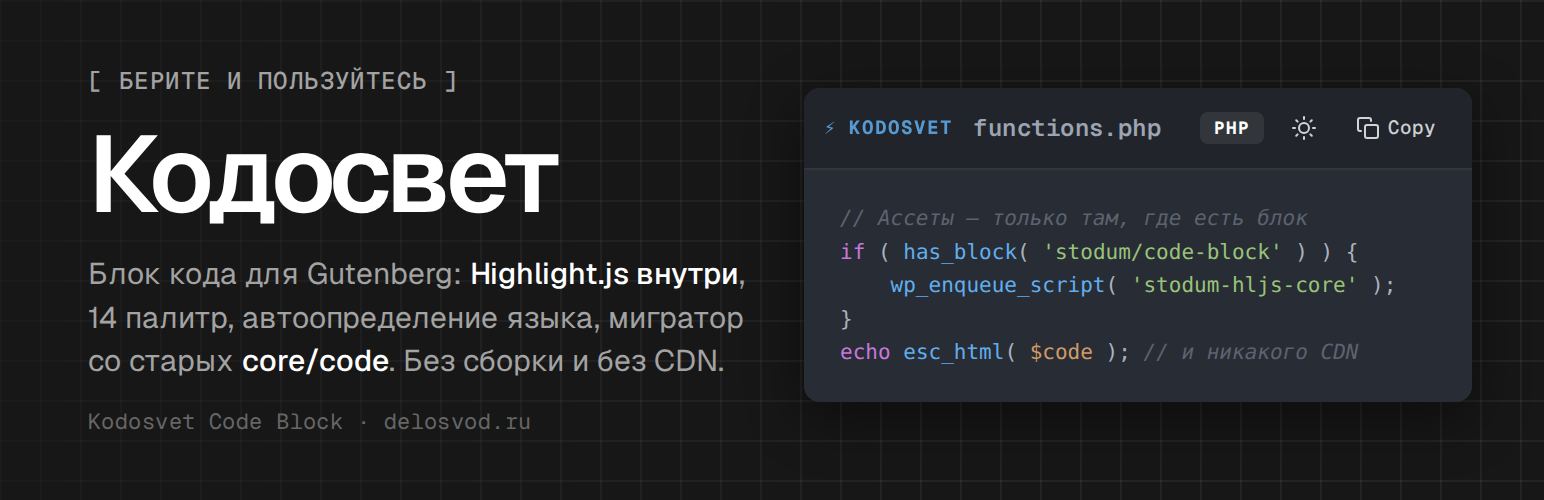
Kodosvet Code Block is a zero-bloat Gutenberg block for displaying code with syntax highlighting powered by Highlight.js.
Key Features:
- Native Gutenberg Block — Full support for the visual editor with Server-Side Rendering.
- 14 Color Themes — Atom One, GitHub, Monokai, Dracula, Nord, VS Code, Stack Overflow, Night Owl, Gruvbox, Solarized, Panda, Tomorrow Night, Shades of Purple, Tokyo Night.
- Smart Language Detection — Automatic language identification using multi-layered heuristics for PHP, Bash, JavaScript, SQL, JSON, XML, and more.
- Swift Guard — Prevents Highlight.js from misidentifying code as Swift.
- Dark/Light Toggle — Switch all code blocks on the page between dark and light themes with one click.
- Copy to Clipboard — One-click code copying with visual feedback.
- Line Numbers — Toggleable line number gutter.
- Legacy Migrator — Built-in tool to scan and convert old
core/codeandcore/preformattedblocks. - Zero Bloat — Assets are loaded only when a code block is present on the page.
- No jQuery — Pure Vanilla JS on the frontend.
Migrator Tool:
Navigate to Tools Kodosvet Code Block to scan your site for legacy code blocks and migrate them to the modern Kodosvet format with a before/after preview.
Third-Party Libraries
Syntax highlighting is powered by Highlight.js 11.11.1, bundled locally in vendor/hljs/ (core build + 22 theme stylesheets). Highlight.js is licensed under the BSD-3-Clause License; the unminified source is available at github.com/highlightjs/highlight.js. No external requests are made at runtime.
Installation
- Upload the
kodosvet-code-blockfolder to/wp-content/plugins/. - Activate the plugin through the ‘Plugins’ menu in WordPress.
- In the Block Editor, search for “Kodosvet” to insert a code block.
- Configure default theme and color palette under Tools Kodosvet Code Block.
Screenshots

Code blocks on the frontend: Atom One Dark palette, language badge, line-numbers / theme / copy buttons in the toolbar.

Block editor: the block selected, Language and Title settings in the sidebar.

Tools → Kodosvet Code Block: scan results of the legacy block migrator.

Light mode with line numbers turned on — one click switches every block on the page.

Migrator preview modal: original
core/codemarkup vs. the convertedstodum/code-block.
Faq
No. Kodosvet Code Block ships as vanilla JavaScript and CSS — no Node.js, webpack, or build step required.
The plugin uses a multi-layer approach:
1. Explicit language selection in block settings (highest priority).
2. Markdown fence detection (“`language).
3. First-line language markers.
4. Smart heuristics for PHP, Bash, JavaScript, SQL, and other languages.
5. Highlight.js auto-detection (with Swift Guard to prevent false positives).
Yes! Go to Tools Kodosvet Code Block and click Scan Posts. The migrator will find all posts with core/code or core/preformatted blocks and let you preview and migrate them individually or in bulk.
Yes. The migrator uses wp_update_post(), so WordPress creates a revision for each migrated post. You can roll back through the standard Revisions interface.
The plugin removes its settings (theme preference and color palette) from the database. Your code block content remains in the posts as Gutenberg block comments.
Reviews
Changelog
1.1.0
- Renamed: plugin is now “Kodosvet Code Block” (slug
kodosvet-code-block). Internal identifiers (block namestodum/code-block, option names, CSS classes) are unchanged so existing content keeps working. - Removed: bundled translation files and
load_plugin_textdomain()— translations are handled by translate.wordpress.org. - Changed:
register_setting()sanitize callbacks usesanitize_key()+ strict whitelist comparison.
1.0.9
- Fixed: Migrator preview modal showed “undefined (undefined blocks)” instead of the post title and block count.
- Fixed: Missing translator comments and unescaped output flagged by Plugin Check;
$wpdb->prepare()call inlined. - Changed: Highlight.js script/style handles are now prefixed (
stodum-hljs-*) to avoid clashes with other plugins. - Changed: Block title now has a small gap from the brand label in the toolbar.
- Added:
Author URI,License URI, LICENSE file for the bundled Highlight.js, “Third-Party Libraries” section in readme. - Added: JS translation JSON for the block editor (
wp i18n make-json); POT/ru_RU refreshed. - Tested up to WordPress 7.0.
1.0.8
- Changed: Highlight.js is now bundled locally (vendor/hljs/). CDN dependency removed. Plugin is now fully self-contained and compatible with WordPress.org guidelines.
1.0.7
- Fixed: Block now uses
get_block_wrapper_attributes()for proper wide/full alignment support. - Fixed: Migrator creates revisions via
wp_update_post(). - Fixed: Migrate All AJAX array serialization.
- Fixed: All editor strings now translatable.
- Added:
uninstall.phpfor clean removal. - Removed: Debug console.log output.
1.0.6
- Fixed: Complete rewrite of editor language detection with working Smart Heuristics.
1.0.5
- Added: Smart Language Heuristics for PHP, Bash, JavaScript.
1.0.4
- Fixed: Swift Auto-Detect Guard for Highlight.js 11+.
1.0.3
- Fixed: Data attribute naming mismatch and regex lastIndex bug.
1.0.2
- Fixed: Strict language mapping and
data-stodum-langsignal.
1.0.1
- Added: Global markdown paste interceptor.
1.0.0
- Initial release.