KR Customizer

KR Customizer
Description
KR Customizer is a comprehensive product customization solution built specifically for WooCommerce stores. It enables customers to personalize products using interactive 2D and 3D design tools, providing an engaging shopping experience for a wide variety of industries such as apparel, automotive, home décor, packaging, gifting, and more.
Customers can modify product attributes, choose colors, upload images, add custom text, switch styles, and preview changes instantly—all directly on the product page. Merchants can configure customization options easily from the admin panel, ensuring seamless integration with WooCommerce’s product, cart, checkout, and order flows.
Key Features
-
2D & 3D Customization Interface
Provide customers with intuitive tools for editing products in flat (2D) and three-dimensional (3D) environments. -
Live Preview
Customers see updates instantly as they change colors, upload images, add artwork, or modify attributes. -
Unlimited Custom Options
Add unlimited customization elements such as text fields, color choices, shapes, artwork, or layered components. -
WooCommerce Integration
Customizations are saved with WooCommerce orders and visible in the order details for both customers and administrators. -
Responsive & Mobile-Friendly
The interface adapts automatically to mobile, tablet, and desktop devices. -
Multi-Industry Support
Suitable for clothing, accessories, auto parts, home décor, packaging, corporate gifting, and any personalized product.
Benefits
- Enhance customer engagement through interactive product customization
- Improve conversions with real-time previews
- Offer personalized experiences that boost customer confidence
- Increase average order value by enabling premium customization features
- Provide merchants a flexible and robust customization system without writing code
Terms & Privacy
By installing or using this plugin, you agree to our Terms & Conditions and Privacy Policy.
Installation
- Upload the plugin folder to
/wp-content/plugins/krcustomizer/or install via the WordPress Plugins screen. - Activate the plugin from the Plugins menu in WordPress.
- Go to KR Customizer > Settings to configure global options.
- Edit any WooCommerce product to enable and configure customization settings.
Screenshots
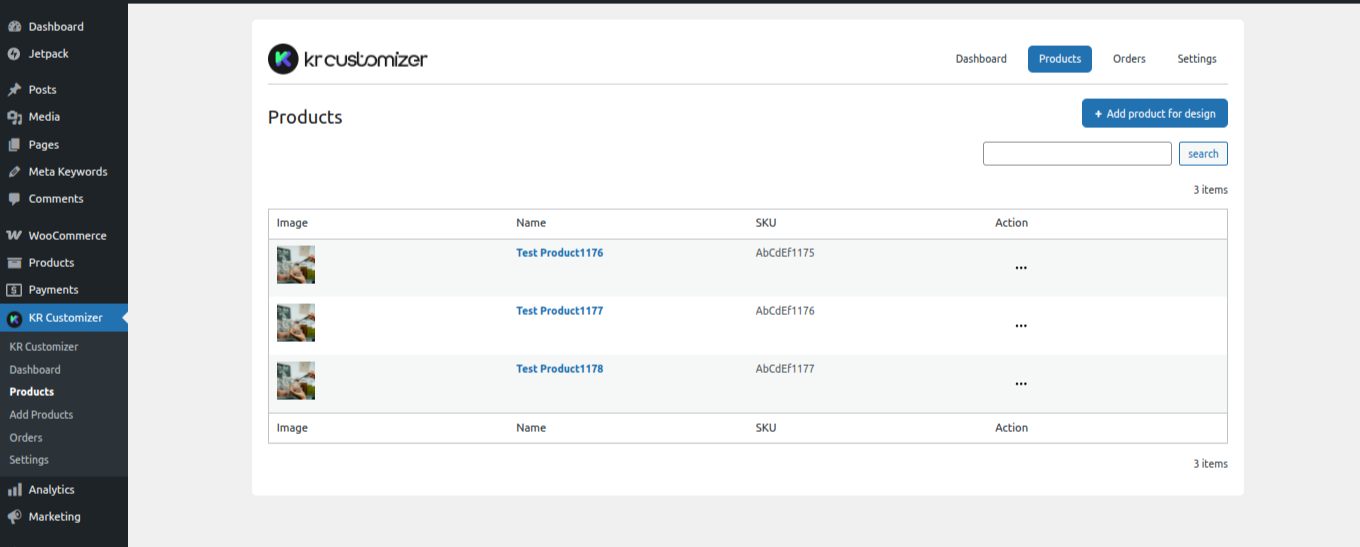
Admin settings for customization controls.
Faq
Yes. KR Customizer is built following WordPress and WooCommerce standards and works with any well-coded theme.
Yes. You can upload supported 3D model formats to enable 3D customization on compatible products.
Yes, the customization interface is fully responsive.
Yes. You can enable or disable customization per product.
All details are saved with the WooCommerce order and are visible in the order admin panel.
Reviews
Changelog
1.0.0
- Initial release with 2D & 3D customization support
- Unlimited custom options
- WooCommerce order integration
- Mobile-responsive design