Kukie – Cookie Consent & Privacy Banner (GDPR, CCPA, DSGVO)

Kukie – Cookie Consent & Privacy Banner (GDPR, CCPA, DSGVO)
Description
Kukie adds a cookie consent banner to your WordPress site and holds back analytics and advertising scripts until each visitor makes a choice. Every choice is recorded, Google Consent Mode v2 is built in and the banner speaks 70+ languages.
The plugin connects your site to a free Kukie.io account, where your banner settings, cookie scans and consent records are kept. You manage the banner from WordPress or from Kukie.io.
Why Kukie
- Free plan for up to 5 sites, with the banner, the cookie scanner and consent records.
- Light: one script under 40KB gzipped, loaded asynchronously from a CDN.
- Works with caching plugins: WP Rocket, LiteSpeed Cache, Autoptimize, W3 Total Cache, WP Fastest Cache and SiteGround Optimizer leave the banner script alone.
- Multilingual: follows WPML and Polylang with nothing to set up.
- Managed in WordPress: design, behaviour, Consent Mode and languages are on the plugin’s own page.
Cookie banner and consent management
- Accept all, Reject all and Manage preferences buttons. In opt-in regions, Accept all and Reject all look the same unless you set your own button colours.
- Preferences by category (Essential, Functional, Analytics, Marketing) or by service.
- Script blocking: known trackers such as Google Analytics and the Meta Pixel wait for consent. Tag a script with
data-cc-categorywhere you need certainty. - iFrame blocking: YouTube, Google Maps and social embeds wait behind a placeholder.
- A revisit button, so visitors can change their choice at any time.
- Consent records with a receipt you can verify, stored in the EU and exportable as CSV.
- Global Privacy Control and Do Not Track can count as a rejection.
- 4 layouts (pop-up, bottom bar, top bar, floating) in your own colours.
Google Consent Mode v2 and Microsoft UET
Switch on Google Consent Mode v2 and the banner passes each choice to Google Analytics, Google Ads and Google Tag Manager. The plugin shows the banner text Google recommends for Consent Mode and applies it to every language of your banner with one button. Microsoft UET Consent Mode does the same for Microsoft Advertising.
Cookie scanner
A real browser visits your pages and lists every cookie and storage item, sorted into categories from a database of thousands of known cookies. Scheduled scans come with Pro and above.
Region rules for the GDPR, the CCPA and more
Choose opt-in, opt-out, notice only or no banner for each country or region: opt-in for the GDPR (DSGVO), the UK GDPR and the ePrivacy Directive, opt-out with a “Do Not Sell or Share My Personal Information” link for California (CCPA/CPRA), and rules for the LGPD, PIPEDA, POPIA, the CNIL guidance, the German TDDDG and Quebec’s Law 25.
Also included
- Cookie policy, privacy policy and terms generators that start from your scan results. The text is a starting point, not legal advice.
- Consent analytics by day, category and country.
- Accessibility widget: bigger text, contrast modes, a dyslexia-friendly font, read aloud and more for your visitors. A plan feature.
- Uptime monitoring with email alerts, SSL expiry warnings and a monthly report. A plan feature.
- Team roles (Owner, Admin, Editor) and two-factor sign-in on Kukie.io.
Plans
The free plan covers up to 5 sites with the banner, Google Consent Mode v2, Microsoft UET, 70+ languages, the cookie scanner (100 pages per scan), consent records kept for 12 months, region rules, analytics and the policy generators.
Pro (from €9 per month), Agency (from €19 per month) and Unlimited (from €89 per month) add scheduled scans, custom CSS, more sites, more pages per scan, longer record keeping and, from Agency, branding removal. Every paid plan has a 14-day free trial. Compare plans.
External service
This plugin relies on Kukie.io, a third-party cookie consent service. It connects to the service only after you connect it with your API key.
- On every public page: the banner script loads from
https://cdn.kukie.iowith your banner settings built in. The banner sends each visitor’s choice tohttps://app.kukie.iofor the consent record, with the IP address and user agent hashed, and asks it for the visitor’s region when your region rules need it. - From the plugin’s admin pages: your API key and the settings you save are sent to
https://app.kukie.io, which also returns your statistics, scans and uptime data. - The plugin itself stores no personal data about your visitors.
Terms of Service and Privacy Policy.
Installing this plugin does not on its own make your site meet the GDPR, the CCPA or any other privacy law. That depends on how you set it up and may need further measures specific to your organisation.
Installation
- In WordPress, go to Plugins > Add New Plugin and search for Kukie.
- Select Install Now, then Activate.
- Open Kukie.io in the admin menu and paste the API key from your site on app.kukie.io. If you have no account yet, create one for free.
- Your banner is live. The side navigation on the Kukie.io page leads to the Dashboard, Consent banner, Accessibility widget, Uptime monitoring and Settings.
Step-by-step instructions: WordPress plugin documentation.
Screenshots
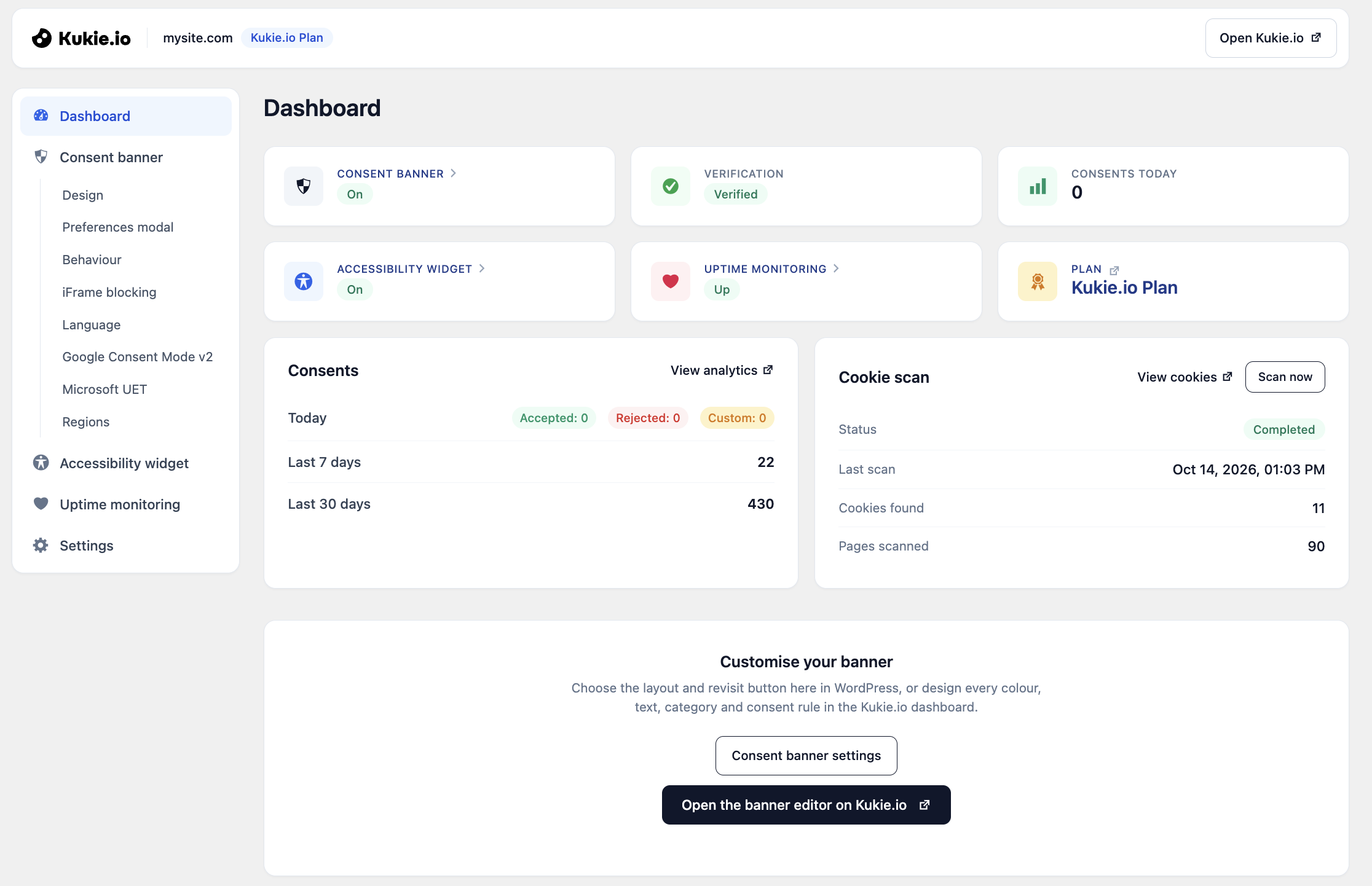
Dashboard: banner status, verification, consent counts and the latest cookie scan.
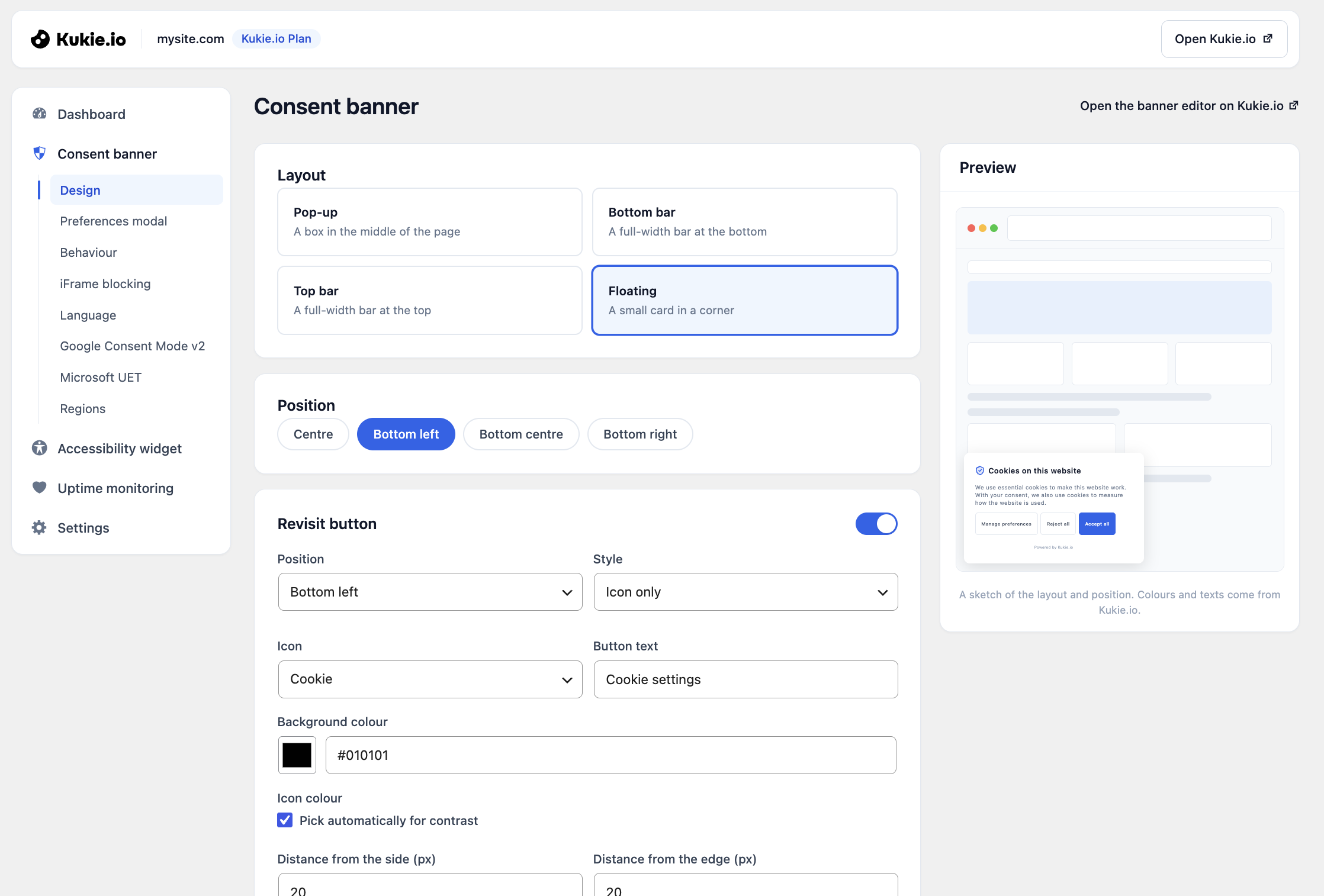
Consent banner design: layout, position and revisit button, with a preview.
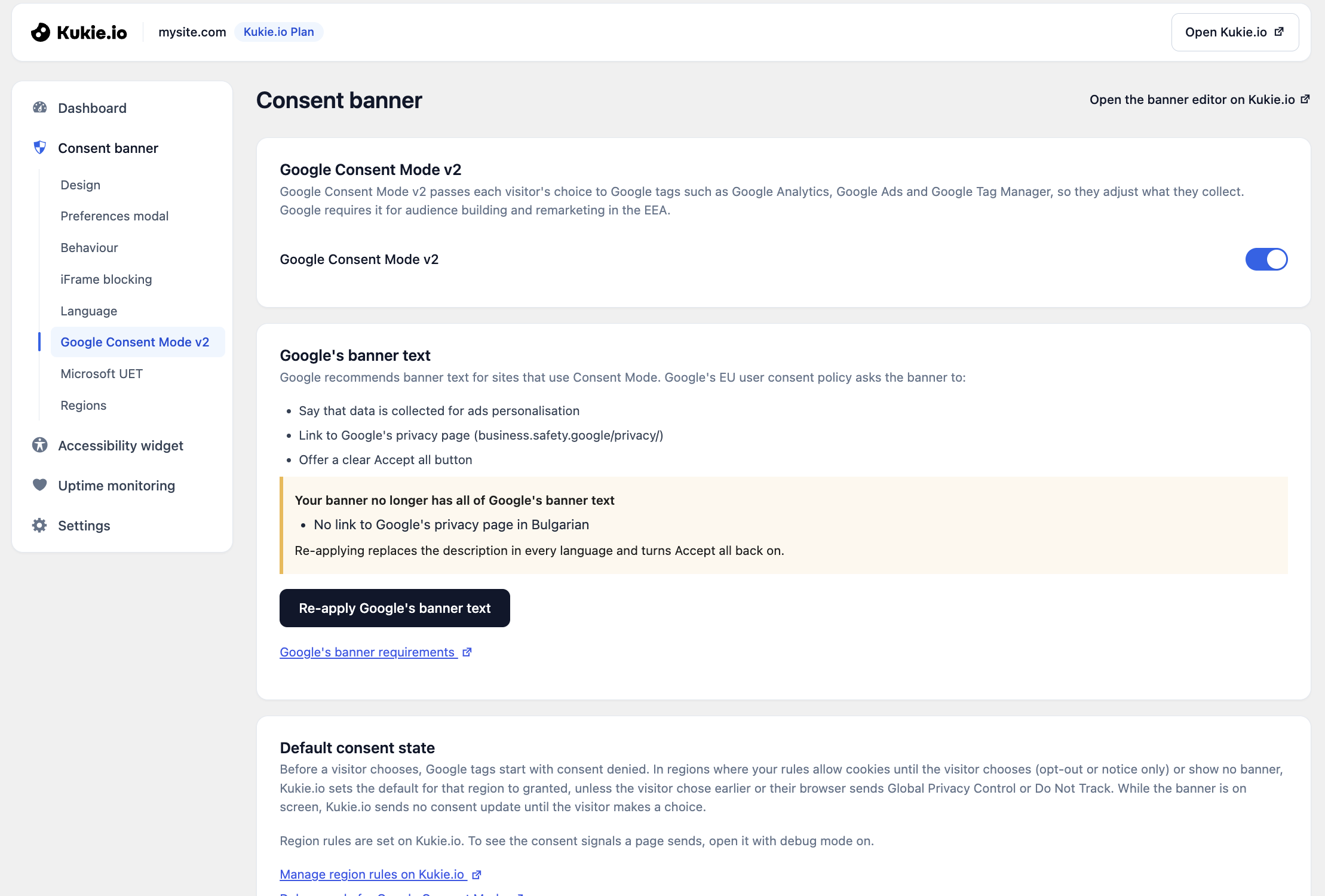
Google Consent Mode v2, with the banner text Google recommends.
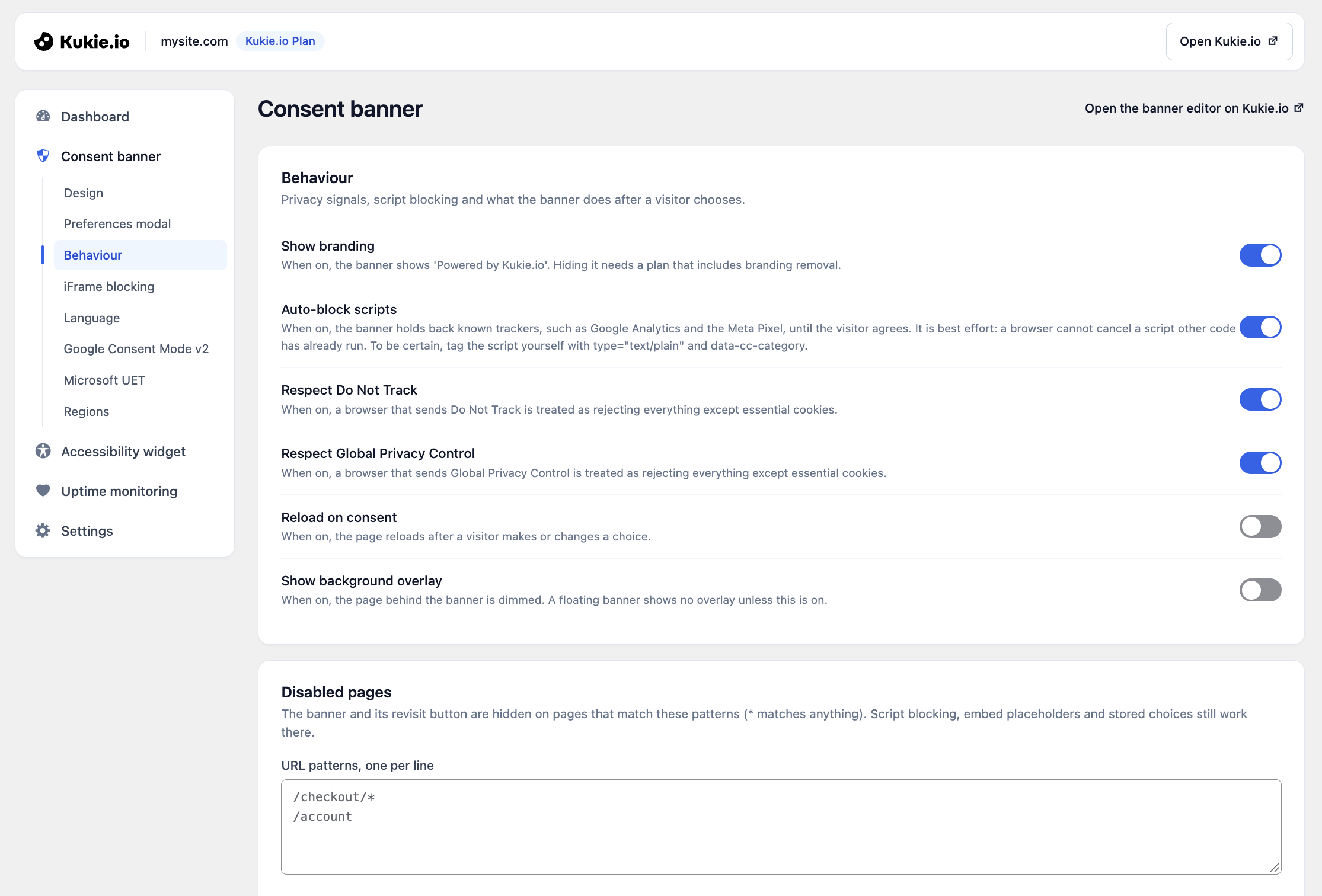
Banner behaviour: script blocking, Do Not Track, Global Privacy Control and pages without a banner.
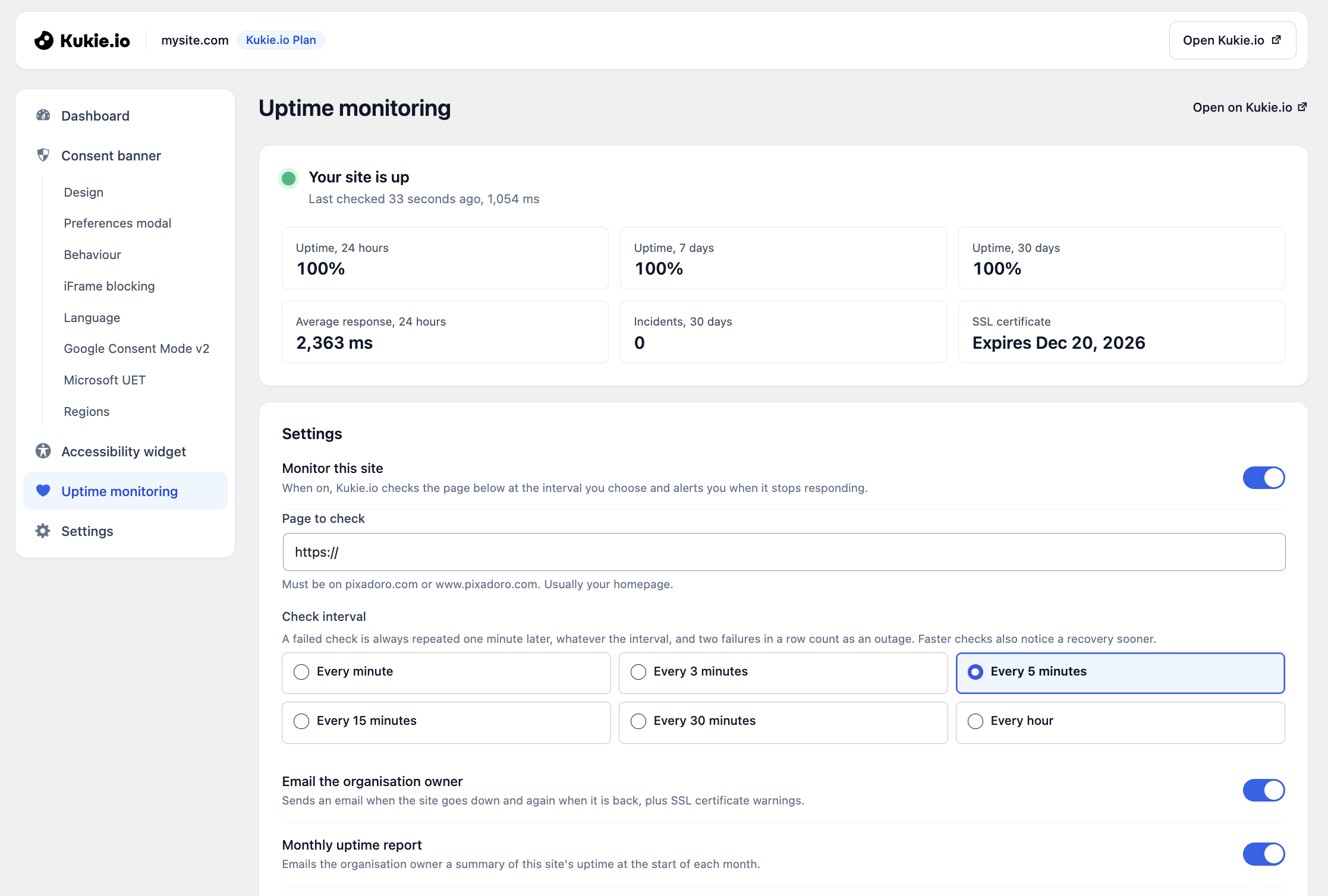
Uptime monitoring: status, uptime, response time and SSL certificate expiry.
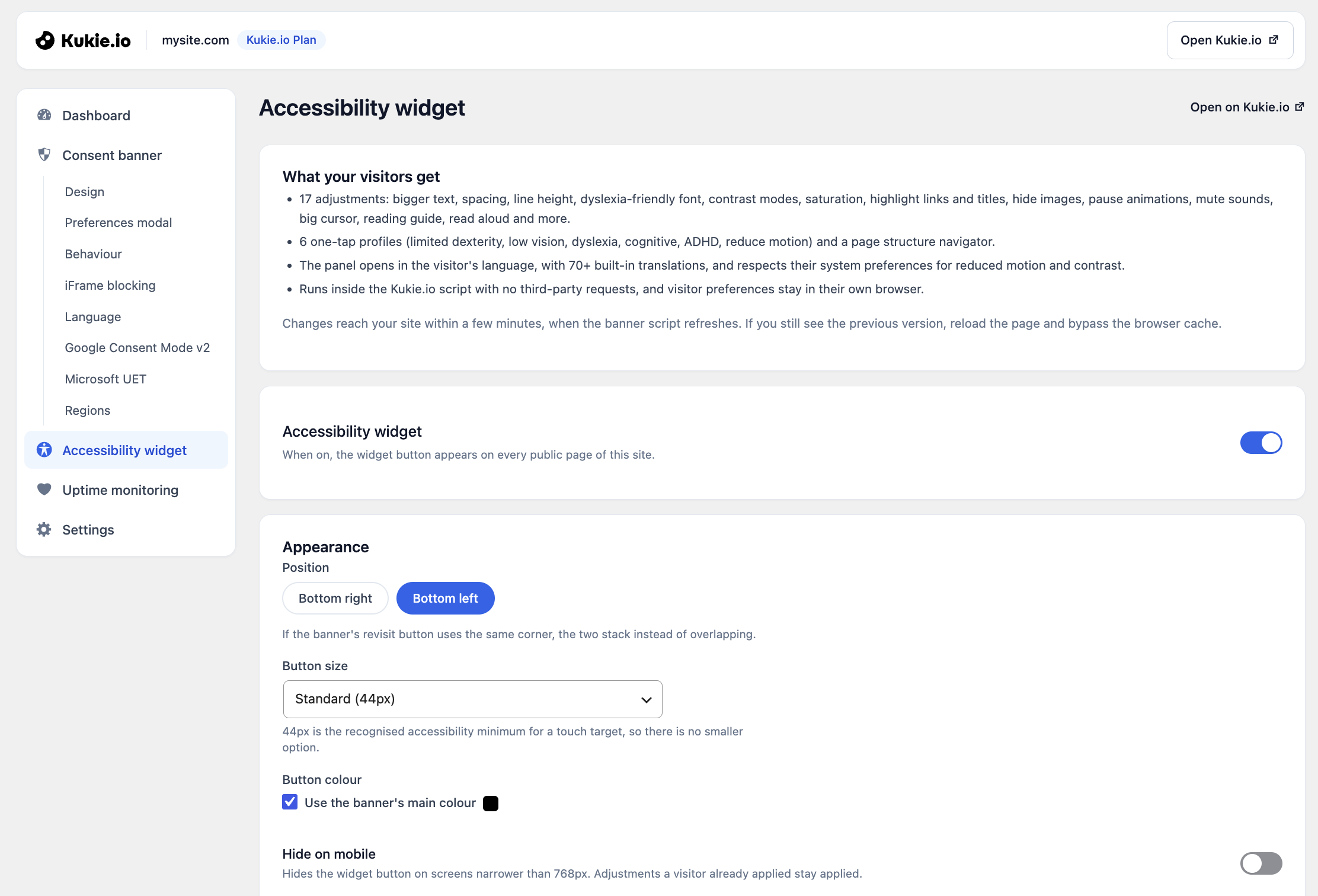
Accessibility widget settings.
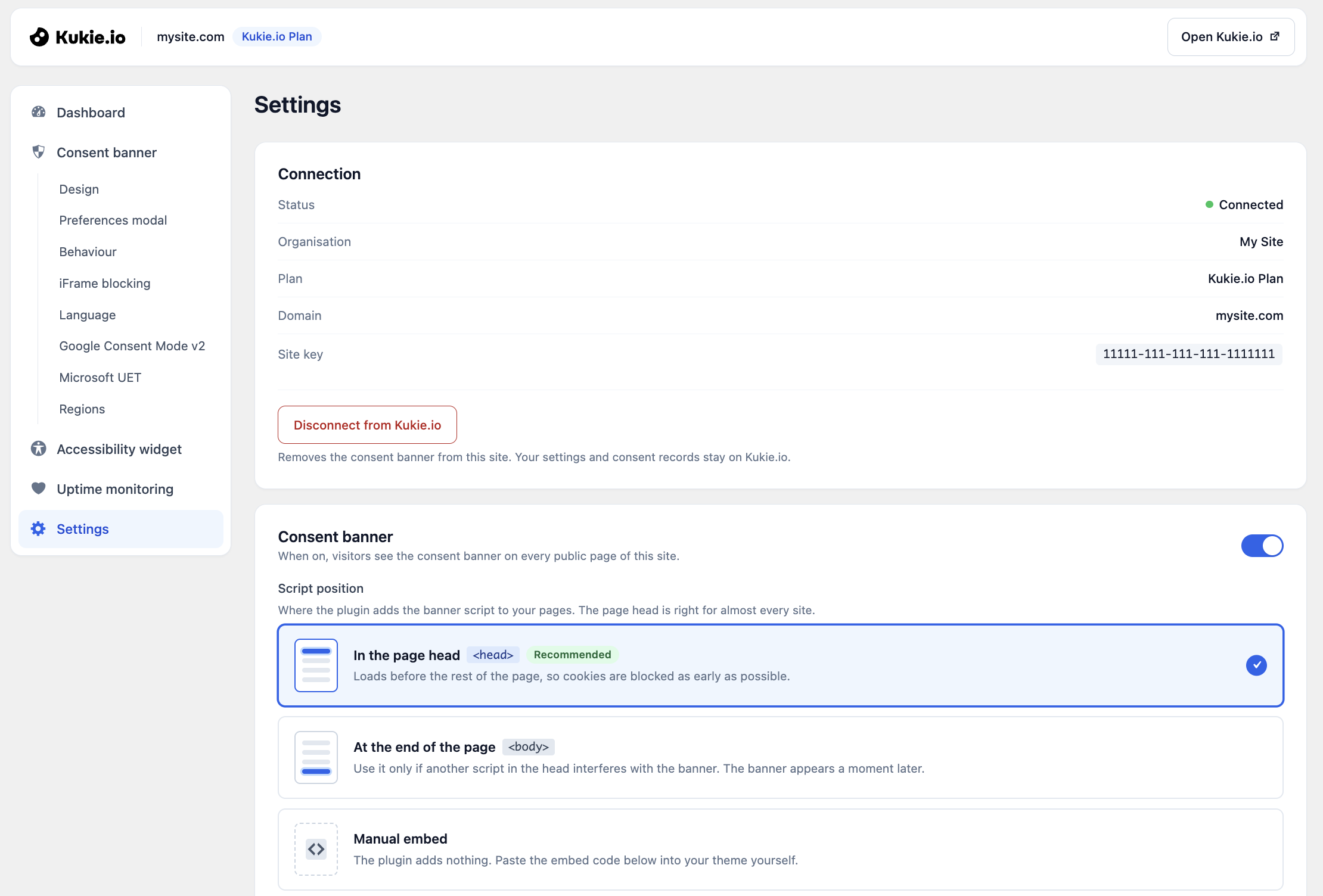
Settings: connection, script position and installation check.
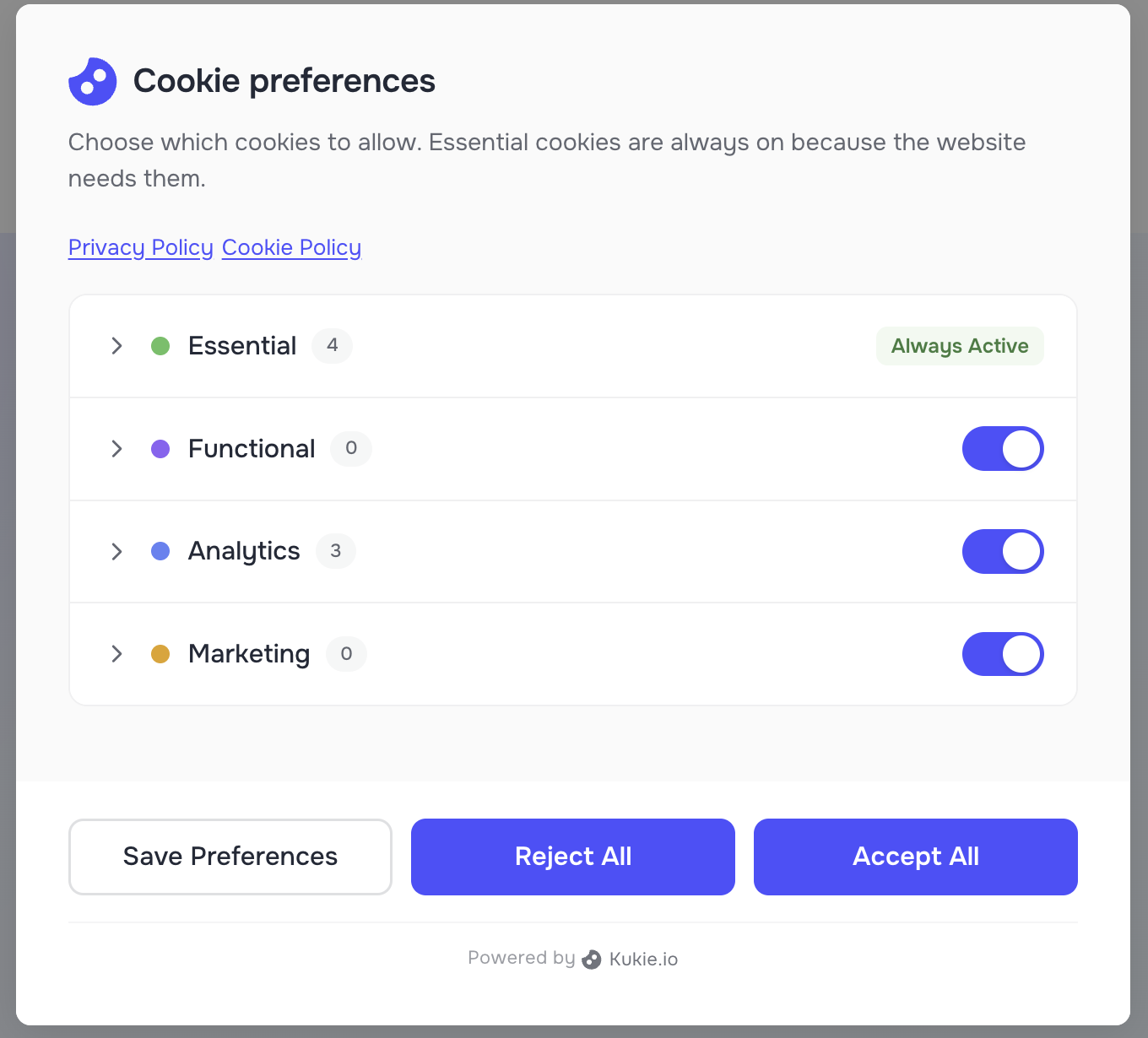
The preferences modal with cookie categories.
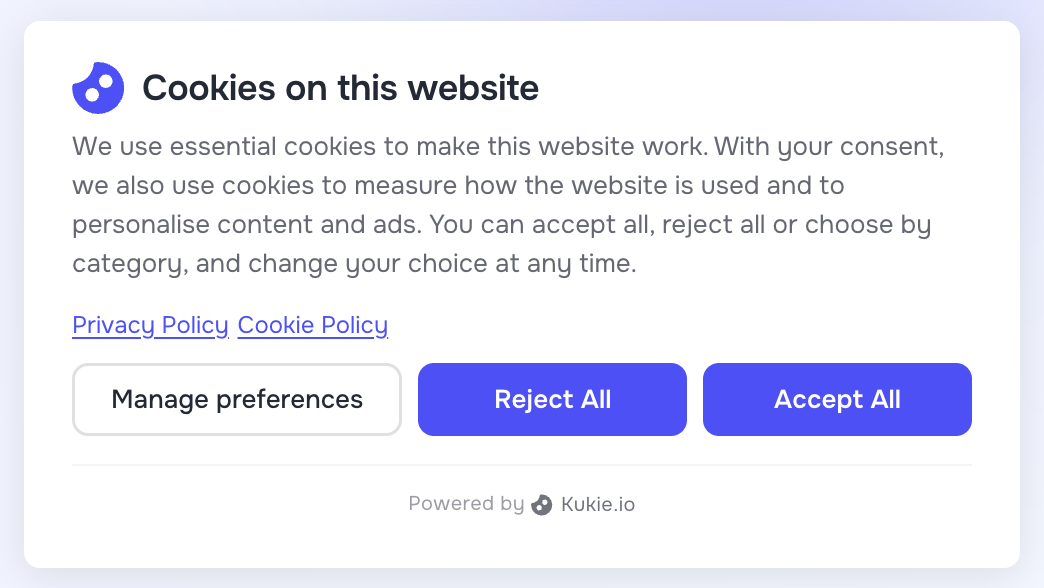
The cookie consent banner on a website.
Faq
Under the GDPR and the ePrivacy Directive, a website generally needs a visitor’s consent before it sets cookies that are not strictly necessary, such as analytics and advertising cookies. A cookie consent banner asks for that choice and records it.
Yes. The plugin and the Kukie.io free plan (up to 5 sites) cost nothing and need no credit card. Paid plans add scheduled scans, custom CSS, more sites and longer record keeping.
Yes. Your banner settings, cookie scans and consent records are kept in your Kukie.io account. Create a free account.
On app.kukie.io, open your site, then Site Settings > API key. Only an owner or admin of the organisation can generate one.
With Auto-block scripts on (Consent banner > Behaviour), known trackers and any script tagged with type="text/plain" and data-cc-category wait for consent, and iFrame blocking holds back embeds. A browser cannot stop a script that other code has already run, so tag the scripts you must be certain about.
Yes. Switch it on in Consent banner > Google Consent Mode v2. Google tags start with consent denied, except in regions where your rules allow cookies until the visitor chooses, and while the banner is on screen no consent update is sent until the visitor makes a choice. Apply Google’s banner text adds the text Google’s EU user consent policy asks for to every language of your banner.
Region rules set the consent model for each country or region: opt-in for the GDPR (EU and UK) and the ePrivacy Directive, opt-out for the CCPA/CPRA, and rules for the LGPD, PIPEDA, POPIA, the CNIL guidance, the TDDDG and others. The visitor’s region decides which rule applies.
Yes. The banner follows the page language from WPML or Polylang, then the WordPress site language, and you can fix one language under Consent banner > Language. Brazilian Portuguese, Mexican and Argentinian Spanish, and Simplified and Traditional Chinese keep their own translation.
Yes. The script loads from cdn.kukie.io with your settings built in, so cached pages always show the current banner. The plugin also keeps the script out of the minify, combine, defer and delay settings of WP Rocket, LiteSpeed Cache, Autoptimize, W3 Total Cache, WP Fastest Cache and SiteGround Optimizer.
The banner script is under 40KB gzipped and loads asynchronously from a CDN, so it does not block the page from rendering. The optional accessibility widget adds about 15KB gzipped, only on sites that switch it on.
Yes. Turn on Hide for administrators under Settings. This keeps page builders such as Bricks and Elementor working after cookies are rejected, and visitors still see the banner. Developers can change the rule with the kukie_hide_banner_for_user filter.
Yes. Each choice is stored with a timestamp, the categories chosen and hashed visitor details. Export the records as CSV on Kukie.io.
Yes. A consent banner is one part of privacy work. Kukie.io includes cookie policy and privacy policy generators on every plan, including the free plan.
No widget does that on its own. It helps visitors read and navigate, but meeting WCAG, the European Accessibility Act or the ADA depends on your content, your theme and your own testing.
Not in Google Analytics or other tag-based tools: a check runs no JavaScript. Server-log statistics count it and can filter it out by its user agent.
Reviews
Easy to use cookie banner consent manager
By 
Simple and lightweight. Connect your site in under 2 minutes. Google Consent Mode v2 works out of the box. Great plugin for GDPR compliance.
Changelog
1.11.0
- New name: Kukie – Cookie Consent & Privacy Banner.
- New layout: one Kukie.io menu item, with every section and banner tab in a side navigation on the page.
- Refreshed admin design.
- Faster banner loading: browsers connect to the Kukie.io CDN earlier.
- Hardened: the API key is never sent on a redirect, and caching-plugin filters accept unexpected values.
1.10.0
- Added: Google’s recommended banner text on the Google Consent Mode v2 tab, applied with one button.
- Changed: clearer description of the default consent state.
1.9.0
- Added: Uptime monitoring page and dashboard card.
- Added: Preferences modal tab.
- Added: live cookie scan progress on the dashboard.
- Added: Mexican and Argentinian Spanish.
- Improved: clearer wording, accessible dialogs, better contrast and fewer requests per save.
1.8.2
- Added: Hide for administrators setting.
1.8.1
- Improved: admin pages fully translated in all 11 languages.
1.8.0
- Added: Behaviour, iFrame blocking, Language and Regions tabs, and the Accessibility widget page.
- Changed: Banner design, Google Consent Mode and Microsoft UET moved into one Consent banner page.
- Fixed: today’s consent counts and plan details stay current.
1.7.3
- Added: Lock and Sliders icons for the revisit button.
1.7.2
- Fixed: a disconnect could be undone by a save in another tab.
1.7.1
- Fixed: a wrong API key no longer switches the banner off.
- Fixed: Brazilian Portuguese detected with WPML and Polylang.
1.7.0
- Changed: requires WordPress 6.7.
- Fixed: reconnect notice after a security keys change.
- Fixed: warning before overwriting settings changed on Kukie.io.
1.6.2
- Fixed: manual embed code showed the wrong script URL.
1.6.1
- Changed: Consent Mode descriptions reworded.
1.6.0
- Added: WPML and Polylang support, and a banner language setting.
1.5.0
- Added: automatic WP Rocket defer exclusion.
1.4.1
- Fixed: notice and recovery when the API key becomes invalid.
1.4.0
- Added: admin translations in 11 languages.
1.3.4
- Fixed: WP Consent API script order.
1.3.3
- Fixed: WP Consent API integration loading.
1.3.2
- Fixed: WP Consent API script timing.
1.3.1
- Fixed: WP Consent API consent type.
1.3.0
- Added: WP Consent API integration.
1.2.2
- Added: exclusions for six caching plugins.
1.2.1
- Fixed: WP Rocket notice link.
1.2.0
- Added: WP Rocket compatibility check.
1.1.3
- Changed: plugin name.
1.1.2
- Added: revisit button icon colour.
1.1.1
- Fixed: other plugins’ notices inside Kukie pages.
1.1.0
- Changed: banner loaded with wp_enqueue_script, plus WordPress.org review fixes.
1.0.9
- Fixed: banner loading timing and cache-busting.
1.0.8
- Added: revisit button settings.
1.0.7
- Fixed: design settings sync with Kukie.io.
1.0.5
- Added: banner design page.
1.0.1
- Changed: branding.
1.0.0
- Initial release.