kwtSMS: OTP & SMS Notifications
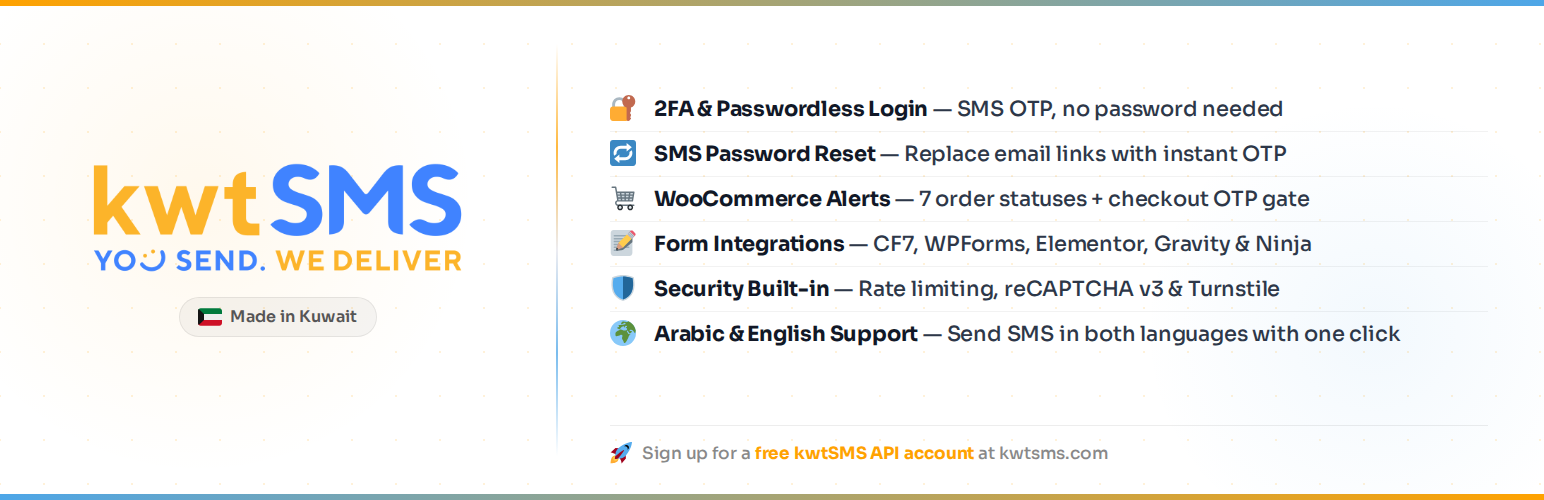
kwtSMS: OTP & SMS Notifications
Description
kwtSMS replaces or supplements WordPress passwords with SMS one-time codes, sends WooCommerce order updates automatically, and lets you verify phone numbers on any contact form. Built on the kwtSMS SMS gateway.
Built for Arabic-speaking markets (Kuwait, Saudi Arabia, UAE, Bahrain, Qatar, Oman) with full RTL admin support and bilingual SMS templates in English and Arabic.
Authentication
- 2FA Mode: users log in with username + password, then confirm with a 6-digit SMS code
- Passwordless Mode: users enter their phone number and receive an OTP to log in directly, no password needed
- Both Modes: let each user choose their preferred method
- Password Reset via SMS: replace the email link with an SMS OTP verification flow
- Role-Based Enforcement: configure which user roles must pass OTP (exclude administrators, apply only to customers, etc.)
- Welcome SMS: send a customisable welcome message when a new user registers
- Country Code Dropdown: restrict the dial-code selector on login forms to GCC countries or a custom list
WooCommerce Integration
- 7 order status notifications: Processing, On-Hold (Shipped), Completed, Cancelled, Pending Payment, Refunded, Failed
- Admin order notifications: automatically notify a configurable admin phone number on any order status change
- Checkout OTP Gate: require phone verification before the customer can place an order
- Per-status templates: independent English + Arabic SMS template for every order status
- Admin SMS panel: send a custom free-text SMS to any order’s customer from the order edit screen
- HPOS (High-Performance Order Storage) compatible
Contact Form Integrations
Each integration supports two modes: Notification (send a confirmation SMS on submit) and OTP Gate (block submission until the phone number is verified):
- Contact Form 7
- WPForms
- Ninja Forms
Security
- Sliding-window rate limiting per phone number, per IP address, and per user account
- Duplicate OTP guard: reuses existing valid OTP on double-click or page reload
- IP Allowlist/Blocklist with CIDR support for IPv4 and IPv6
- IPHub proxy/VPN detection (optional): silently block or flag OTP requests from known proxies
- Registration OTP gate: verify phone via OTP before account creation
- Trusted Devices: trust a device for 30 days after 2FA, with profile revoke controls
- Phone blocking list: silently drop OTP requests from blocked numbers (anti-enumeration)
- Attempt lockout after configurable max failures
- Google reCAPTCHA v3 and Cloudflare Turnstile support
- All credentials stored server-side, never output to HTML
- Nonces on every form and AJAX action
- Anti-enumeration: password reset never reveals whether an account exists
External Services
This plugin connects to the following external services:
1. kwtSMS API (required): sends SMS messages.
- Service: https://www.kwtsms.com
- API endpoint:
https://www.kwtsms.com/API/ - Data sent: phone number, message text, API credentials
- When: every time an OTP or notification SMS is dispatched
- Terms of Service: https://www.kwtsms.com/policy.html
- Privacy Policy: https://www.kwtsms.com/privacy.html
A kwtSMS account with SMS credits is required.
2. ipapi.co (optional): detects the visitor’s country to pre-select the dial-code flag on the phone input.
- Service: https://ipapi.co
- Data sent: visitor IP address (no other data)
- When: on the login page when Passwordless or OTP mode is active; result is cached for 24 hours per IP
- Terms of Service: https://ipapi.co/terms/
- Privacy Policy: https://ipapi.co/privacy/
If ipapi.co is unavailable, the phone input falls back to the default country configured in General Settings. No personal data is stored by the plugin as a result of this call.
3. IPHub (optional): detects whether a visitor’s IP is a known proxy or VPN.
- Service: https://iphub.info
- API endpoint:
https://v2.api.iphub.info/ip/{ip} - Data sent: visitor IP address, API key in request header
- When: on every OTP request when IPHub integration is enabled in General Settings, with result cached per IP (configurable TTL, default 24 hours)
- Terms of Service: https://iphub.info/legal
- Privacy Policy: https://iphub.info/legal
If IPHub is unavailable or returns an error, the request is allowed through (fail-open). No personal data is stored by the plugin as a result of this call beyond the cached block level.
4. Google reCAPTCHA v3 (optional): bot protection on OTP forms. Only active if you enter a reCAPTCHA Site Key in General Settings.
- Service: https://www.google.com/recaptcha/
- JavaScript loaded from:
https://www.google.com/recaptcha/api.js - Verification endpoint:
https://www.google.com/recaptcha/api/siteverify - Data sent: reCAPTCHA token (generated client-side), secret key (server-side only)
- When: on every login, password reset, or registration page load (client JS), and on every OTP form submission (server-side verification)
- Terms of Service: https://policies.google.com/terms
- Privacy Policy: https://policies.google.com/privacy
5. Cloudflare Turnstile (optional): alternative bot protection. Only active if you enter a Turnstile Site Key in General Settings.
- Service: https://www.cloudflare.com/products/turnstile/
- JavaScript loaded from:
https://challenges.cloudflare.com/turnstile/v0/api.js - Verification endpoint:
https://challenges.cloudflare.com/turnstile/v0/siteverify - Data sent: Turnstile token (generated client-side), secret key (server-side only)
- When: on every login, password reset, or registration page load (client JS), and on every OTP form submission (server-side verification)
- Terms of Service: https://www.cloudflare.com/terms/
- Privacy Policy: https://www.cloudflare.com/privacypolicy/
Admin
- Users Without Phone sub-page under the WordPress Users menu: lists all registered users missing a phone number, with a dynamic count badge on the menu item
Test Mode
Enable Test Mode in the Gateway settings to test without receiving real SMS messages. Messages are queued on the kwtSMS server but never delivered to the phone. Credits are still deducted. To recover them, log in to your kwtSMS account dashboard and delete the queued messages. The OTP code is visible under kwtSMS > Logs > Debug Log so you can complete flows during development.
Languages
Ships with English (default) and Arabic translations. The plugin admin UI and all user-facing strings are fully translatable.
Help & Support
- kwtSMS FAQ: Answers to common questions about credits, sender IDs, OTP, and delivery.
- kwtSMS Support: Open a support ticket or browse help articles.
- Contact kwtSMS: Reach the kwtSMS team directly for Sender ID registration and account issues.
- API Documentation (PDF): kwtSMS REST API v4.1 full reference.
- Best Practices: SMS API implementation best practices.
- Integration Test Checklist: Pre-launch testing checklist.
- Sender ID Help: Sender ID registration and guidelines.
- kwtSMS Dashboard: Recharge credits, buy Sender IDs, view message logs, and manage coverage.
- Other Integrations: Plugins and integrations for other platforms and languages.
- Plugin Issues: Report bugs or request features for this WordPress plugin.
Installation
Method 1: WordPress Plugin Directory
- In your WordPress admin, go to Plugins > Add New Plugin.
- Search for kwtSMS.
- Click Install Now next to “kwtSMS: OTP & SMS Notifications”.
- Click Activate.
- Proceed to the configuration steps below.
Method 2: Upload via WordPress Admin
- Download the plugin zip file from the GitHub releases page.
- In your WordPress admin, go to Plugins > Add New Plugin.
- Click the Upload Plugin button at the top of the page.
- Click Choose File, select the downloaded
wp-kwtsms-x.x.x.zipfile, and click Install Now. - Click Activate Plugin.
- Proceed to the configuration steps below.
Method 3: Manual FTP / SFTP Upload
- Download the plugin zip file from the GitHub releases page.
- Unzip the file on your computer. You will get a folder named
wp-kwtsms. - Upload the
wp-kwtsmsfolder to/wp-content/plugins/on your server using an FTP or SFTP client (FileZilla, Cyberduck, etc.). - In your WordPress admin, go to Plugins > Installed Plugins.
- Find kwtSMS: OTP & SMS Notifications and click Activate.
- Proceed to the configuration steps below.
Configuration (all methods)
After activating the plugin:
- Go to kwtSMS > Gateway in the WordPress admin menu.
- Enter your kwtSMS API Username and API Password (find these in your kwtSMS account under Account > API Settings, not your login password).
- Click Login to verify credentials. The plugin calls the kwtSMS API and populates the Sender ID dropdown.
- Select your Sender ID from the dropdown and click Save Settings.
- Go to kwtSMS > General and select your OTP mode: 2FA (password + SMS code), Passwordless (phone number + SMS code only), or Both (let each user choose).
- Go to kwtSMS > Templates to customize your SMS messages in English and Arabic.
WooCommerce Order Notifications
Go to kwtSMS > Integrations > WooCommerce and enable the order status notifications you want. Each status has its own English and Arabic SMS template.
Screenshots

Gateway settings: API credentials, live account balance, Sender ID dropdown, and Test Mode toggle.

SMS Templates in Arabic (RTL): bilingual template editor with live character counter and SMS page indicator.

Two-Step Verification screen: OTP entry step shown after successful password login (2FA mode).

Passwordless login: phone number entry with country code selector, no password required.

Password reset via OTP: SMS verification step that replaces the default email reset link.

WooCommerce integration: per-status SMS templates and checkout OTP gate configuration.

Integrations overview: WooCommerce, Contact Form 7, WPForms, and Ninja Forms.

SMS Logs: full send history with date, Sender ID, message preview, phone, type, status, and API response.
Faq
Yes. You need an active kwtSMS account with API access. Sign up at kwtsms.com. API credentials (username and password) are entered in the Gateway settings page.
In Test Mode (enabled in Gateway Settings), messages are queued on the kwtSMS server but never delivered to the recipient’s phone. Credits are still deducted. To recover them, log in to your kwtSMS account dashboard and delete the queued messages from the outbox. The OTP code is visible under kwtSMS > Logs > Debug Log so you can complete authentication flows during development without a real phone. In Live Mode, the SMS is delivered to the recipient’s phone and credits are deducted. Always develop with Test Mode on, then disable it before going live.
Yes. WooCommerce is fully optional. All login, password reset, and contact form features work on any WordPress site.
Add this line to your wp-config.php:
define( 'KWTSMS_OTP_DISABLED', true );
This bypasses all OTP checks and restores the standard WordPress login. Remove the line once you have regained access.
Check the Sending Queue at kwtsms.com. If your message is stuck there, it was accepted by the API but not dispatched. Common causes are emoji in the message, hidden characters from copy-pasting (from Word, PDF, or rich editors), or spam filter triggers. Delete the stuck message from the queue to recover your credits. Also verify that Test Mode is off in Gateway Settings: in test mode, messages are queued but never delivered to the handset.
A Sender ID is the name that appears as the sender on the recipient’s phone (for example, MY-APP instead of a random number). KWT-SMS is a shared test sender. It causes delivery delays and is blocked on Virgin Kuwait. Register a private Sender ID through your kwtSMS account. For OTP and authentication messages, you need a Transactional Sender ID, which bypasses DND (Do Not Disturb) filtering on Zain and Ooredoo. Promotional Sender IDs are filtered, meaning OTP messages can silently fail while credits are still deducted.
The plugin requires your API username and API password, not your account mobile number or your login password. Log in to kwtsms.com, go to Account > API settings, and verify your API credentials. Credentials are case-sensitive. Make sure there are no extra spaces when copying and pasting.
International sending is disabled by default on kwtSMS accounts. Log in to your kwtSMS account and activate coverage for the countries you need. Visit the kwtSMS dashboard to view and manage your active country coverage. Note that enabling international coverage increases exposure to automated abuse, so rate limiting is strongly recommended before enabling it.
Reviews
Changelog
3.5.1
- Security: back-in-stock subscribe nonce changed to a static action so product_id is never read before authentication.
- Security: all nonce values now passed through sanitize_key() before wp_verify_nonce(), per WordPress security documentation.
- Security: sanitize_url() replaced with esc_url_raw() (sanitize_url was deprecated in WP 6.1).
- Security: absint() calls on POST user_id now include wp_unslash() per WPCS.
- Security: GET page parameter compared using sanitize_key() in the log export handler.
- Security: printf output in SMS history log now escapes at the point of output instead of pre-escaping the variable.
- Feature: Clear Log button added to debug log tab; implements the clear_debug_log handler in handle_log_exports().
- Removed: Elementor Pro Forms and Gravity Forms integrations removed (not ready for WordPress.org review).
3.3.3
- Fix: Local phone numbers with a trunk prefix (e.g. Saudi 0559…, UAE 050…) are now correctly normalized by stripping the trunk digit and raising the local-number threshold to 9 digits.
3.3.2
- New: Country-specific phone validation for 70+ countries: local digit length and mobile prefix are now checked inside normalize_phone(), giving callers meaningful error messages instead of generic rejections.
- Fix: OTP codes are now stored as HMAC-SHA256 hashes in transients; a database read can no longer reveal active OTP values.
- Fix: Cart abandonment operations are now protected by a MySQL advisory lock to prevent concurrent race conditions.
- Fix: Debug log and CSV export downloads now include the X-Content-Type-Options: nosniff header.
- Fix: Private IP detection in rate limiting now uses the correct 172.16.0.0/12 CIDR range.
- Fix: API password special characters are now preserved correctly on save.
- Fix: Checkout OTP send now enforces per-phone and per-IP rate limits.
- Fix: Cart recovery coupon codes now use a cryptographically secure random source.
- Fix: Added missing is_ip_in_cidr() method that was causing a fatal error on every OTP attempt.
3.3.1
- New: Elementor Pro and Gravity Forms integrations are now fully active (removed “coming soon” status).
- Fix: Admin phone fields (order status, instant order, stock alerts, admin alerts) no longer send duplicate SMS when the same number appears in both local and international format.
- Fix: woo_admin_phone (order status admin notification) now accepts space-separated phone numbers, consistent with all other admin phone fields.
- Fix: WooCommerce sub-tab settings (stock alerts, multivendor, cart abandonment) were reset to defaults whenever the parent WooCommerce tab was saved, because unrendered checkboxes produce no POST data. Each sub-section now only updates its own fields when its specific tab is saved.
- Fix: Cart abandonment records with recovered=true were deleted when the cart was emptied after a successful purchase, losing recovery stats.
- Fix: Checkout OTP first-submit notice type changed from notice to error so WooCommerce correctly halts order creation while the customer retrieves their OTP code.
- Fix: Instant order and vendor SMS now also fire for WooCommerce block checkout orders via woocommerce_store_api_checkout_order_processed.
- Fix: Default SMS templates are now applied when saved template values are empty strings, ensuring out-of-box SMS content without requiring manual template entry.
3.3.0
- New: WooCommerce HPOS (High-Performance Order Storage) compatibility declaration
- New: COD-only OTP gate option — require OTP only for Cash on Delivery orders
- New: Stock alert SMS — low stock, out of stock, backorder notifications to admin
- New: New product published SMS notification to admin
- New: Back-in-stock subscriber notifications — customers opt-in, SMS sent on restock
- New: Instant new order SMS (fires once per order regardless of status)
- New: Multivendor support — vendor SMS for Dokan, WCFM, WC Vendors
- New: Cart abandonment recovery SMS with coupon code generation
- New: Cart abandonment dashboard card with recovery stats
3.2.0
- Added: Admin Site Alerts: send SMS to admin phone(s) on new user registration, login, post publish, comment, and WordPress core update events.
- Each alert is individually toggleable with configurable EN and AR message templates.
- New “Admin Alerts” settings page under the kwtSMS admin menu.
3.1.7
- Security: Trusted Devices. After completing 2FA, users can trust their device for 30 days. Trusted devices skip the OTP step on subsequent logins. Tokens stored as SHA-256 hashes in user meta, never raw. Profile page shows all trusted devices with individual and bulk revoke. All trusted devices are cleared on password reset.
3.1.6
- Security: Registration OTP Gate. Verify phone number via OTP before the WordPress account is created. Supports disabled, optional, and required modes. Works for standard WordPress registration and WooCommerce My Account registration.
3.1.5
- Security: IPHub Proxy/VPN Detection. OTP requests from known proxy or VPN IPs can be silently blocked or flagged based on admin-configured actions per block level. Result cached per IP with configurable TTL. Allowlisted IPs bypass the check entirely.
3.1.4
- Security: IP Allowlist/Blocklist with CIDR support. Admin textareas for IPv4/IPv6 address and CIDR ranges. Allowlisted IPs bypass per-IP rate limiting; blocklisted IPs receive a silent refusal indistinguishable from a rate-limit error.
3.1.3
- Security: Verify sliding-window rate limiting — per-phone, per-IP, and per-account limiters use timestamp arrays that self-prune, making fixed-window boundary exploits impossible.
3.1.2
- Security: Verify duplicate OTP guard — generate() reuses existing valid OTP and resets expiry clock to prevent double-SMS on double-click or page refresh.
3.1.1
- Enhancement: Dashboard widget now pinned to the right column for all users.
- Enhancement: kwtSMS Dashboard link added to the dashboard widget for quick credit and log access.
- Enhancement: “View full log” and “kwtSMS Dashboard” links placed on the same line in the widget.
- Fix: Replace em-dash HTML entity separators with pipe/colon in admin balance bar and form integration settings.
- Fix: Login page CSS improvements: button sizing, OTP code input focus style, back link alignment, form box-shadow removal.
- Fix: Logs page tab parameter now validated against a whitelist to prevent unexpected tab values.
- Security: Update security contact email to support@kwtsms.com.
- CI: Remove PHPUnit job from GitHub Actions (tests run locally).
3.0.4
- CI: Added GitHub Actions workflow for PHPCS, PHPStan, and PHPUnit across PHP 8.1, 8.2, and 8.3.
- CI: Automated plugin zip release on version tag push via GitHub Actions.
- Fix: Replace real API username placeholder with wp_username in tests for client identification.
- Fix: PHPStan false positives in admin view files (variable $this, defensive null-coalescing, offset checks).
- Fix: PHPUnit test for CF7 hook name updated to match wpcf7_submit (changed in 3.0.3).
- Fix: PHPUnit test for Gravity Forms tab updated to reflect “Coming soon” status.
3.0.3
- Fix: password reset OTP SMS now sent correctly even when login OTP cooldown is active for the same user (cooldown is now scoped per action type).
- Fix: WooCommerce order total placeholder {total} no longer contains HTML entities in SMS messages.
- Fix: CF7 gate mode form auto-submit after OTP verification no longer throws TypeError when pendingForm is null.
- Fix: WPForms gate mode phone field detection now checks label text (WPForms uses non-standard input names).
- Fix: Settings get() method now correctly returns $fallback instead of undefined $default variable.
- Fix: Country code dropdown on SMS login page is now properly sized (constrained width, phone field takes remaining space).
- Fix: Admin notices and warnings from other plugins (e.g. Action Scheduler) now display above the kwtSMS logo header, not beside it.
- Fix: Admin sub-menu page hiding now uses CSS/JS and redirect instead of remove_submenu_page, preventing redirect loops.
- Fix: Users Without Phone page menu count badge now updates dynamically without a page reload.
- Enhancement: CF7 notification mode now sends SMS even when SMTP email delivery fails (hooks wpcf7_submit instead of wpcf7_mail_sent).
- Enhancement: Integrations page notes Elementor Pro requirement for form widgets.
- Enhancement: Integrations page notes Ninja Forms phone field configuration requirement.
- Enhancement: Gravity Forms shown on Integrations page as “Coming soon”.
3.0.2
- Fix: remove tab navigation from form integration pages (CF7, WPForms, Elementor, Gravity Forms, Ninja Forms), both cards now always visible.
- Fix: move Enable Integration toggle into settings table, consistent across all form integrations.
- Fix: restore left padding on WPForms admin pages stripped by WPForms.
- Fix: suppress WPForms injected header, flyout, and footer on kwtSMS integration pages.
- Fix: hide page footer on all kwtSMS admin pages.
- Docs: remove em dashes and separator hyphens from prose in readme.txt and README.md.
3.0.1
- Fix: resolve all PHP_CodeSniffer WordPress Coding Standards violations.
- Fix: expand country codes data to full 250-country list.
- Fix: alignment and spacing in OTP and passwordless login views.
3.0.0
- Initial public release.