LATW AI Translator for WPML
LATW AI Translator for WPML
Description
LATW AI Translator for WPML is a powerful WordPress plugin that leverages OpenAI’s language models to automatically translate your content. It integrates seamlessly with WPML to provide high-quality, AI-powered translations.
Features
- AI-Powered Translations – Uses OpenAI GPT models for natural, context-aware translations
- WPML Integration – Works seamlessly with WPML for multilingual site management
- Page Builder Support – Full support for Elementor and Bricks Builder. Other builders compatible with WPML should also work but have not been tested
- ACF Support – Translates Advanced Custom Fields content
- Batch Processing – Queue and process multiple translations efficiently
- Custom Prompts – Customize translation prompts for your specific needs
- SEO Friendly – Works with Yoast SEO, Rank Math, SEOPress and All in One SEO (AIOSEO). Translates meta titles and descriptions
Supported Content
- Post titles, content, and excerpts
- Custom post types
- Elementor and Bricks Builder widgets and modules
- ACF fields
- Yoast SEO, Rank Math, SEOPress and All in One SEO (AIOSEO) meta data
Requirements
- WordPress 6.2 or higher
- PHP 7.4 or higher
- WPML plugin (required)
- OpenAI API key
LATW AI Translator for WPML Versions
LATW AI Translator for WPML Free:
* Translate content to English
* Full access to translation workflow
* Elementor and ACF support
* Batch processing
* No time limits
LATW AI Translator for WPML Pro (Optional):
* Translate to all languages configured in WPML
* Priority support
* Automatic updates
* Commercial use
More information about the Pro version
Third-Party Services
This plugin connects to the following external services:
OpenAI API
This plugin sends content to OpenAI’s API for translation processing.
- Service URL: https://api.openai.com/
- Privacy Policy: https://openai.com/privacy/
- Terms of Use: https://openai.com/terms/
Your content is sent to OpenAI only when you initiate a translation. No data is sent without user action.
The plugin does not store, log, or cache any translated content.
All requests are sent directly from the user’s WordPress server to OpenAI.
Installation
- Upload the plugin
- Activate the plugin through the ‘Plugins’ menu in WordPress
- Ensure WPML is installed and activated
- Go to Settings > AI Translator to configure the plugin
- Enter your OpenAI API key
- Set translation options
- Start translating your content
Screenshots
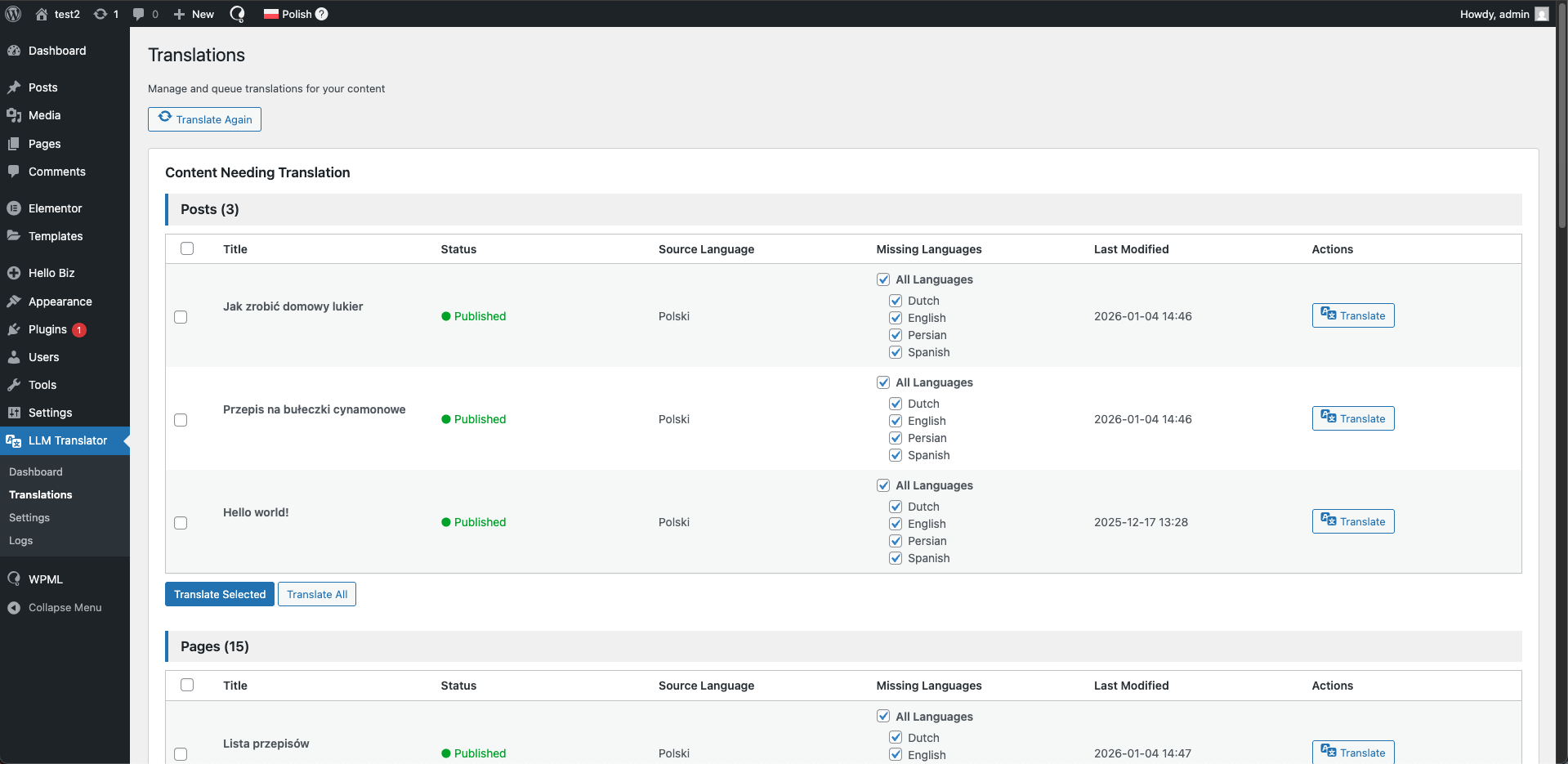
Main translation dashboard
Faq
The free version allows you to translate all your content to English. All features are available.
Visit our website to purchase a Pro license. Once purchased, you’ll receive a license key to enter in the plugin settings.
Yes, WPML is required. This plugin extends WPML’s translation capabilities with AI-powered automatic translations.
You can get an API key from OpenAI’s website. You’ll need to create an account and add billing information.
Translation costs depend on the OpenAI model you choose and the amount of content. GPT-5-nano is the most cost-effective option. The plugin shows estimated costs before translation. Note: OpenAI API costs are separate from the Pro license.
The plugin supports GPT-5, GPT-5-mini, GPT-5-nano models.
Yes, you can add a website description and custom instructions to improve translation quality and context.
Yes, the plugin has full support for Elementor and Bricks Builder. Other page builders that are compatible with WPML should also work, but have not been officially tested.
Translations are processed using WordPress Cron for reliable background processing without timeouts.
When your license expires, you can continue using the plugin version you have, but you won’t receive updates. To access newer versions, you’ll need to renew your license. The English only version continues to work without any license.
Reviews
Tested and approved
By 
I have always found it annoying that you had to purchase credits through WPML to translate a page with AI. This plugin finally solves that problem and allows me to use my own OpenAI API key for translations.
I tested it for translations from French to English, and it worked perfectly, even for translations of pages created with the Elementor Editor.
I understand the limitation to translating only into English (to guide you towards the pro version), but it might be better to have the option to choose which language you translate into with the free version. Not everyone needs translation (just) to English.
I am considering purchasing the pro version; it could save a lot of time!
Changelog
1.2.0
- Bricks Builder support
- SEOPress and All in One SEO (AIOSEO) support
- Fix category creation issues
- Various bug fixes
1.1.1
- Translate categories
- Add new category when no translated category exists
- Show posts needing translation based on WPML data
- Manual check responses button
- Save timestamps in UTC
- Fix error message for max 50 translations queue limit
- Save Elementor data directly to avoid re-encoding issues
- More debug logs
1.1.0
- Initial public release