Lekhoni – AI Product Content Writer
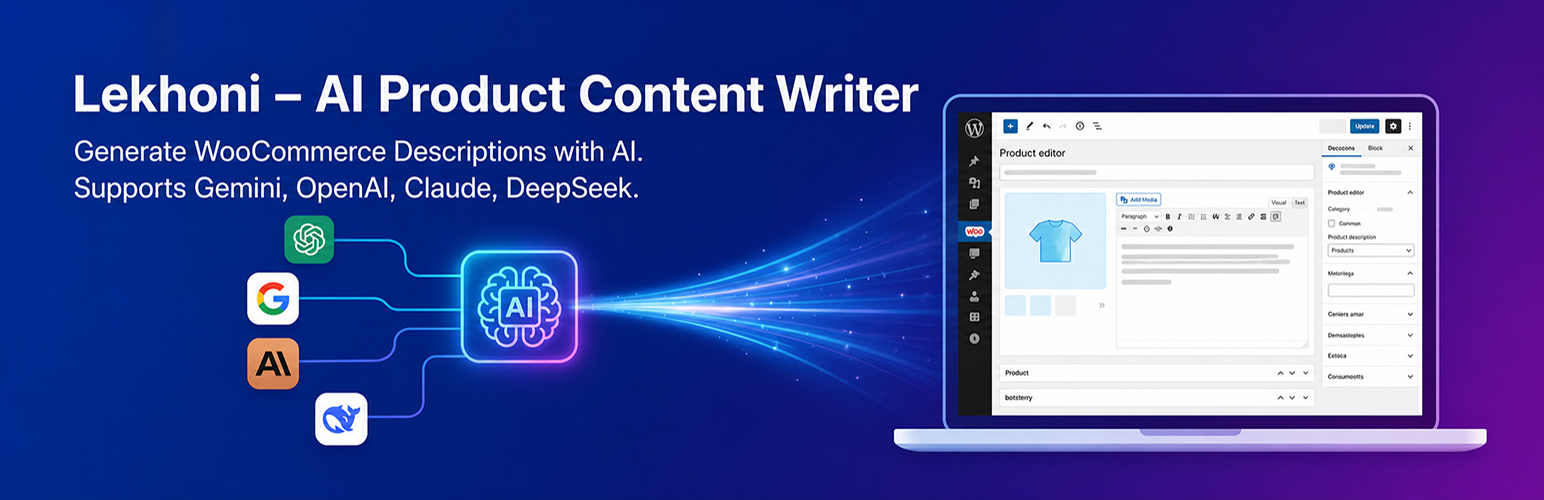
Lekhoni – AI Product Content Writer
Description
Lekhoni – AI Product Content Writer brings the power of leading AI providers directly into your WooCommerce product editor. With a single click, generate professional, SEO-optimised product descriptions tailored to your product’s data, target audience, and brand tone — without ever leaving WordPress.
Whether you manage 10 products or 10,000, this plugin helps you write better copy faster.
Key Features
- Multi-Provider AI Support — Choose between Google Gemini, OpenAI (ChatGPT), DeepSeek, and Anthropic Claude.
- Flexible Model Input — Type any model ID directly (e.g.
gemini-2.5-flash,gpt-4o,claude-sonnet-4-5) so you are never locked to an outdated list. - Smart Product Data Collection — Automatically pulls product title, price, categories, attributes, dimensions, and short description to build the prompt.
- Customisable Modal — Before generating, set tone (professional, casual, persuasive, friendly, luxury), SEO keywords, and target audience.
- Custom Instructions — Add per-generation instructions directly in the modal for full creative control.
- Editable Default Prompt — Override the built-in output requirements template from the settings page without touching code.
- Dual Editor Support — Inserts generated content into both the Classic Editor (TinyMCE) and the Gutenberg block editor seamlessly.
- Secure by Design — All API keys are stored server-side and never exposed to the browser. Every AJAX request is protected by a WordPress nonce.
Supported AI Providers
Provider
API Docs
Google Gemini
https://ai.google.dev
OpenAI (ChatGPT)
https://platform.openai.com
DeepSeek
https://platform.deepseek.com
Anthropic Claude
https://console.anthropic.com
How It Works
- Go to Lekhoni AI Settings and enter your API key for your chosen provider.
- Select the provider and type the exact model ID you want to use.
- Open any WooCommerce product in the editor.
- Click the ✦ Generate AI Description floating button.
- Fill in optional instructions, tone, keywords, and audience in the modal.
- Click Generate — the description appears in a live preview.
- Click Insert into Editor — done!
Privacy
This plugin sends product data (title, price, categories, attributes) and your custom instructions to the AI provider you configure. No data is sent to the plugin author. Please review the privacy policy of your chosen AI provider before use.
- Google Gemini: https://policies.google.com/privacy
- OpenAI: https://openai.com/privacy
- DeepSeek: https://cdn.deepseek.com/policies/en-US/deepseek-privacy-policy.html
- Anthropic: https://www.anthropic.com/privacy
Installation
Automatic Installation
- Log in to your WordPress admin dashboard.
- Go to Plugins Add New.
- Search for Lekhoni – AI Product Content Writer.
- Click Install Now, then Activate.
Manual Installation
- Download the plugin
.zipfile. - Go to Plugins Add New Upload Plugin.
- Choose the
.zipfile and click Install Now. - Click Activate Plugin.
After Activation
- Navigate to Lekhoni AI in the left admin menu.
- Enter your API key for at least one provider.
- Set your preferred provider and model ID.
- Save settings — you are ready to generate.
Screenshots

Settings Page — Configure API keys, select your active provider, and set a default model and prompt.

Floating Button — The "✦ Generate AI Description" button appears on every WooCommerce product edit screen.

Generation Modal — Set tone, SEO keywords, target audience, and custom instructions before generating.

Preview & Insert — Review the generated description in a live preview, then insert it into the editor with one click.
Faq
Yes. You need an active API key from at least one of the supported providers (Gemini, OpenAI, DeepSeek, or Claude). Most providers offer a free tier to get started.
For beginners, Google Gemini (gemini-2.5-flash) is recommended — it has a generous free tier and fast response times. Claude claude-sonnet-4-5 produces excellent long-form copy.
Each provider publishes a models page. Links are shown next to the model input field on the settings page. Always copy the exact model string (e.g. gemini-2.5-flash, gpt-4o-mini, deepseek-chat).
Yes. API keys are stored in the WordPress database using the Options API and are only used server-side via wp_remote_post(). They are never output in HTML or JavaScript.
Yes. The plugin detects which editor is active and inserts the generated description using wp.data.dispatch for Gutenberg or tinymce.setContent() for the Classic Editor.
Yes. You can add per-generation custom instructions in the modal popup each time you generate. You can also override the default output requirements template permanently from Lekhoni AI Settings Default Prompt Instructions.
The AI will generally follow the language of your custom instructions and product data. For a specific language, include it in the custom instructions field (e.g. “Write in French”).
The generated content is shown in a preview first. It is only inserted into the editor when you click Insert into Editor, giving you full control.
Yes. For variable products, it collects attributes such as size and colour variations and includes them in the prompt.
Reviews
Changelog
1.0.0
- Initial release.
- Multi-provider support: Google Gemini, OpenAI, DeepSeek, Anthropic Claude.
- Flexible model ID input field for future-proof model selection.
- Customisable default prompt instructions via settings page.
- Modal with tone, keywords, audience, and custom instruction fields.
- Classic Editor and Gutenberg block editor support.
- Full nonce + capability security on all AJAX requests.