Like me if you like this article
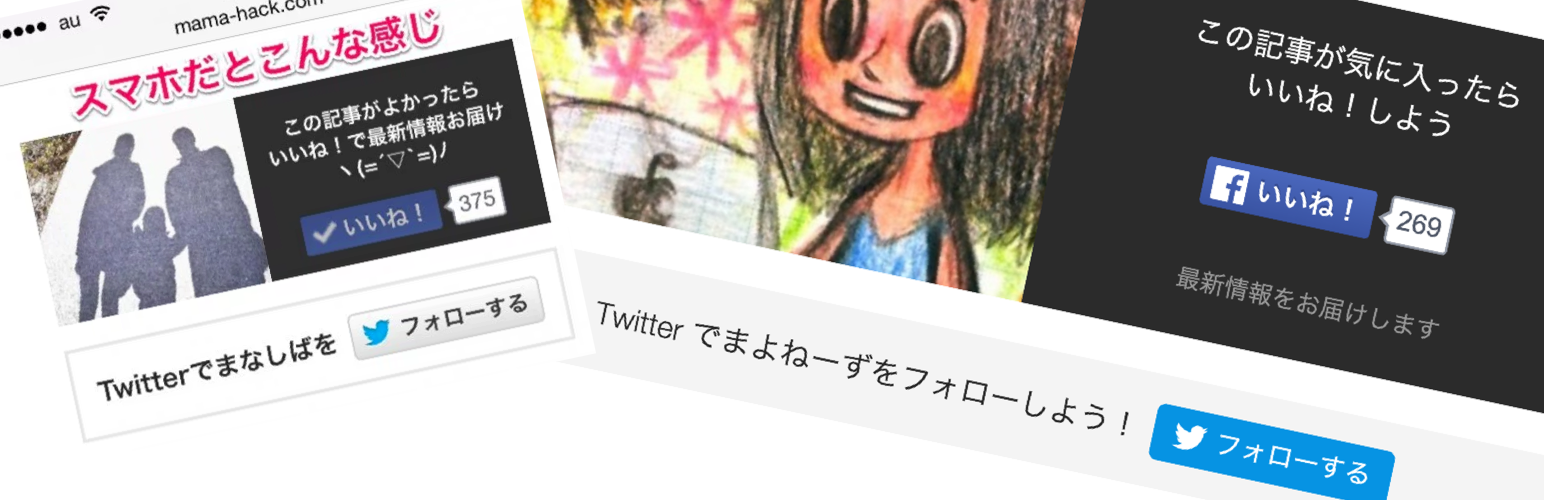
Like me if you like this article
Description
Description
It will insert Facebook page like button with Japanese viral marketing style.
Add the button on the bottom of every single article where is the easiest position for calling action!
Based idea
Our code & idea is based on the article “FacebookページいいねやTwitterフォロワーが倍増!バイラルメディア風オリジナルSNSボタンの設置方法【WordPress】” by Manashiba aka mama blogger.
Developers information
It’s being developed on the GitHub.
If you find some bugs, confliction with some themes or plugins or would like to suggest or contribute, let us know as GitHub Issues.
Installation
Basic Setting
- Upload this folder to the
/wp-content/plugins/directory. - Activate the plugin through the
Pluginsmenu in WordPress. - Set your Facebook and Twitter account through the
Option>Readingmenu in WordPress.
How to display Facebook Like box
- If you want to display Facebook Like box, fill out
Facebook page idthrough theOption>Readingmenu in WordPress. - If you don’t want to display Facebook Like box, leave it blank with
Facebook page idthrough theOption>Readingmenu in WordPress.
How to display Twitter follow box
- If you want to display Twitter follow box, fill out
Twitter accountthrough theOption>Readingmenu in WordPress. - If you want to Add your name on Twitter follow box, fill out
Twitter display namethrough theOption>Readingmenu in WordPress. - If you don’t want to display Twitter follow box, leave blank with
Twitter accountthrough theOption>Readingmenu in WordPress.
Screenshots

Facebook Like button & Twitter Follow button will show on the bottom of article.

Set your Facebook and Twitter account through the
Option>Readingmenu in WordPress.
Reviews
めちゃくちゃ重宝させていただいています。
By 
便利ですね、こういうプラグイン探してました。
がんばってつくりました!
By 
まだ直したいところが残ってますが、問題なく使えると思うのでぜひお使いください!要望などいただければがんばります!
Changelog
0.7
- Add centerize for paragraph tag.
0.6
- fix bug around setting fields.
0.5
- Update for version 4.4.1
0.4
- Add i18n support.
0.3
- Add Responsive Design.
0.2
- fix some bugs.
0.1
- first version.