LinkLens Micro-Copy for WooCommerce

LinkLens Micro-Copy for WooCommerce
Description
LinkLens Micro-Copy for WooCommerce lets you add short, trust-building messages exactly where customers hesitate — product pages, cart, checkout, and thank-you pages.
Instead of bulky badge images or long descriptions, Micro-Copy uses clean, readable text like:
- Instant download
- No recurring fees
- Secure checkout
- 30-day refund policy
Designed to stay out of the way while quietly reinforcing buyer confidence.
Features
- Add one or more micro-copy message blocks per product
- Place messages across product, cart, checkout, and thank-you pages
- Optional icon + label per block
- Optional per-product “View Docs / Learn More” button
- Clean, lightweight output
- No external requests, tracking, or license activation
Optional separate plugin
Additional add-ons may be available separately from the developer’s website.
Installation
- Upload the plugin folder to
/wp-content/plugins/, or install via the WordPress Plugins screen. - Activate the plugin.
- Edit a WooCommerce product.
- Go to Product Data Micro-Copy.
- Add your message and choose where it should appear.
Screenshots
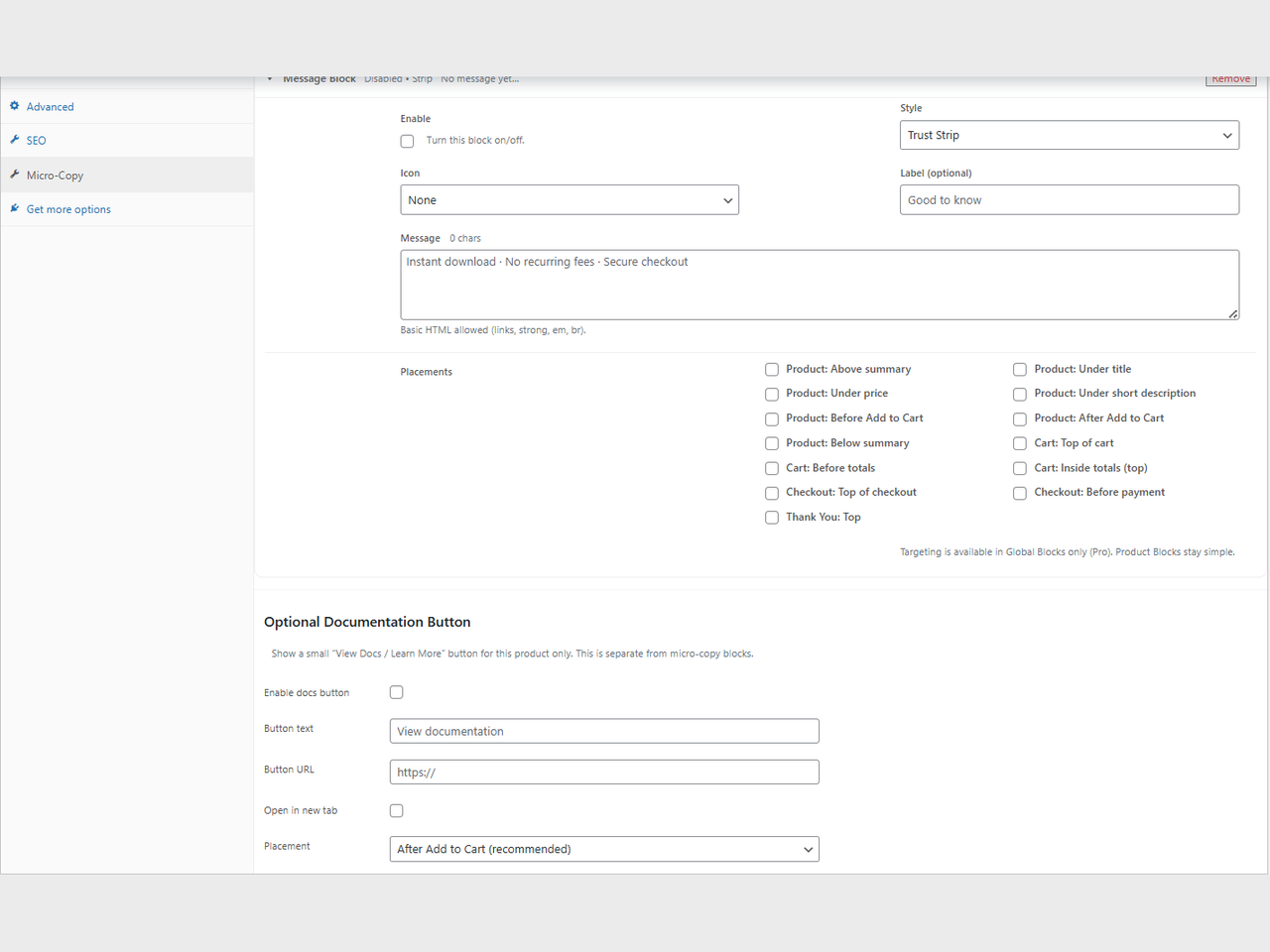
Micro-Copy block editor inside WooCommerce product settings
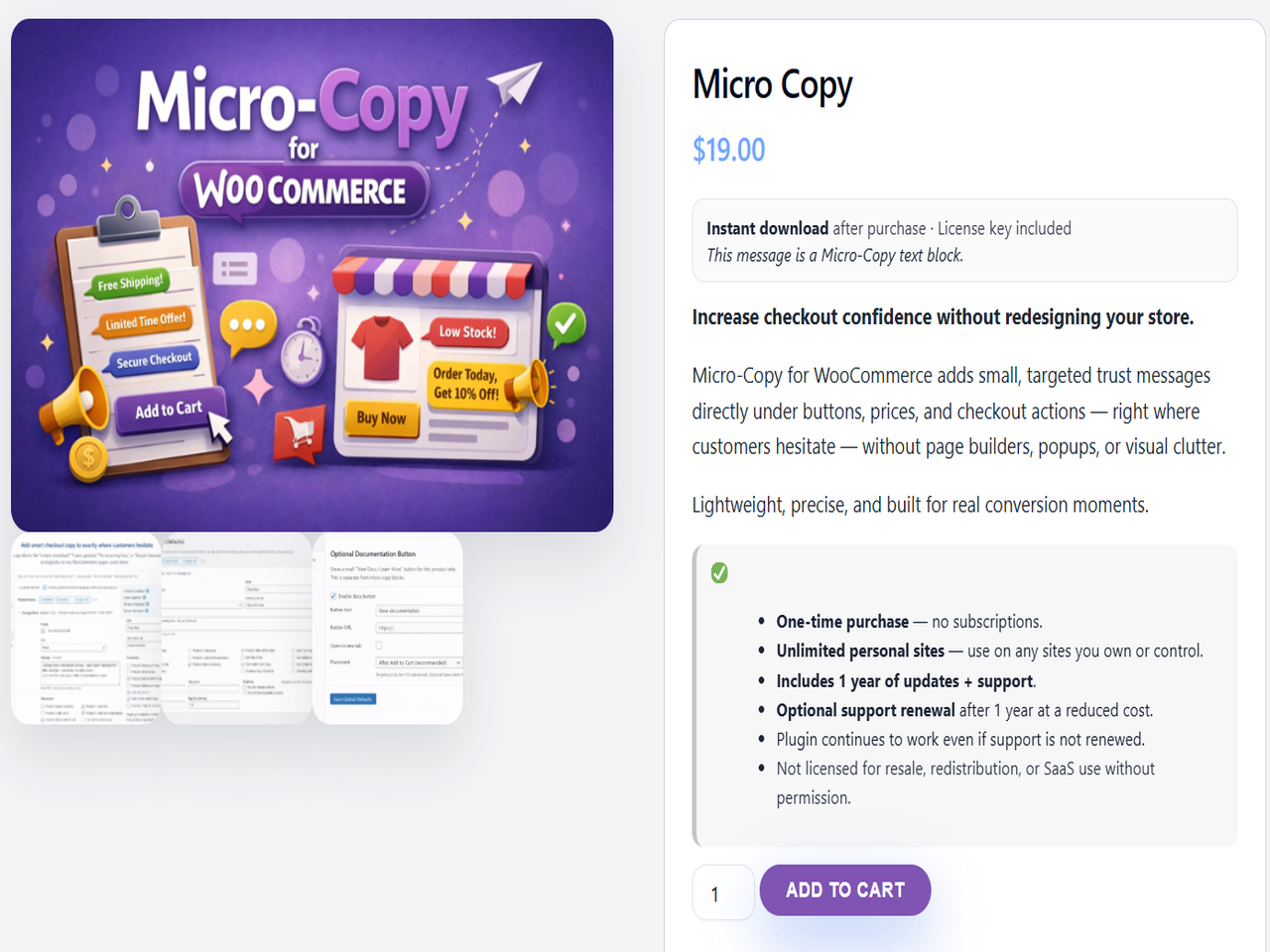
Example trust micro-copy under the product price
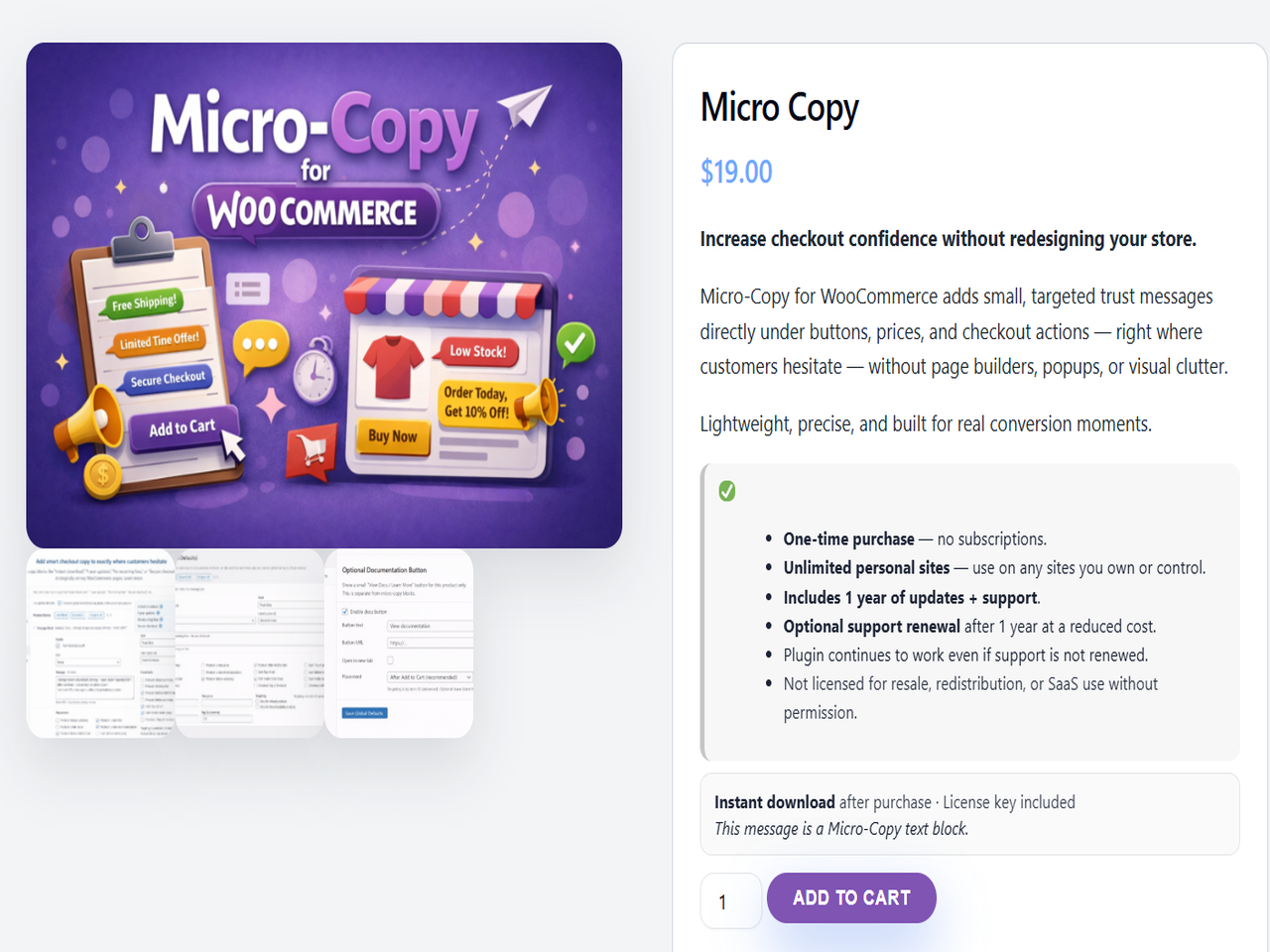
Micro-copy displayed near Add to Cart
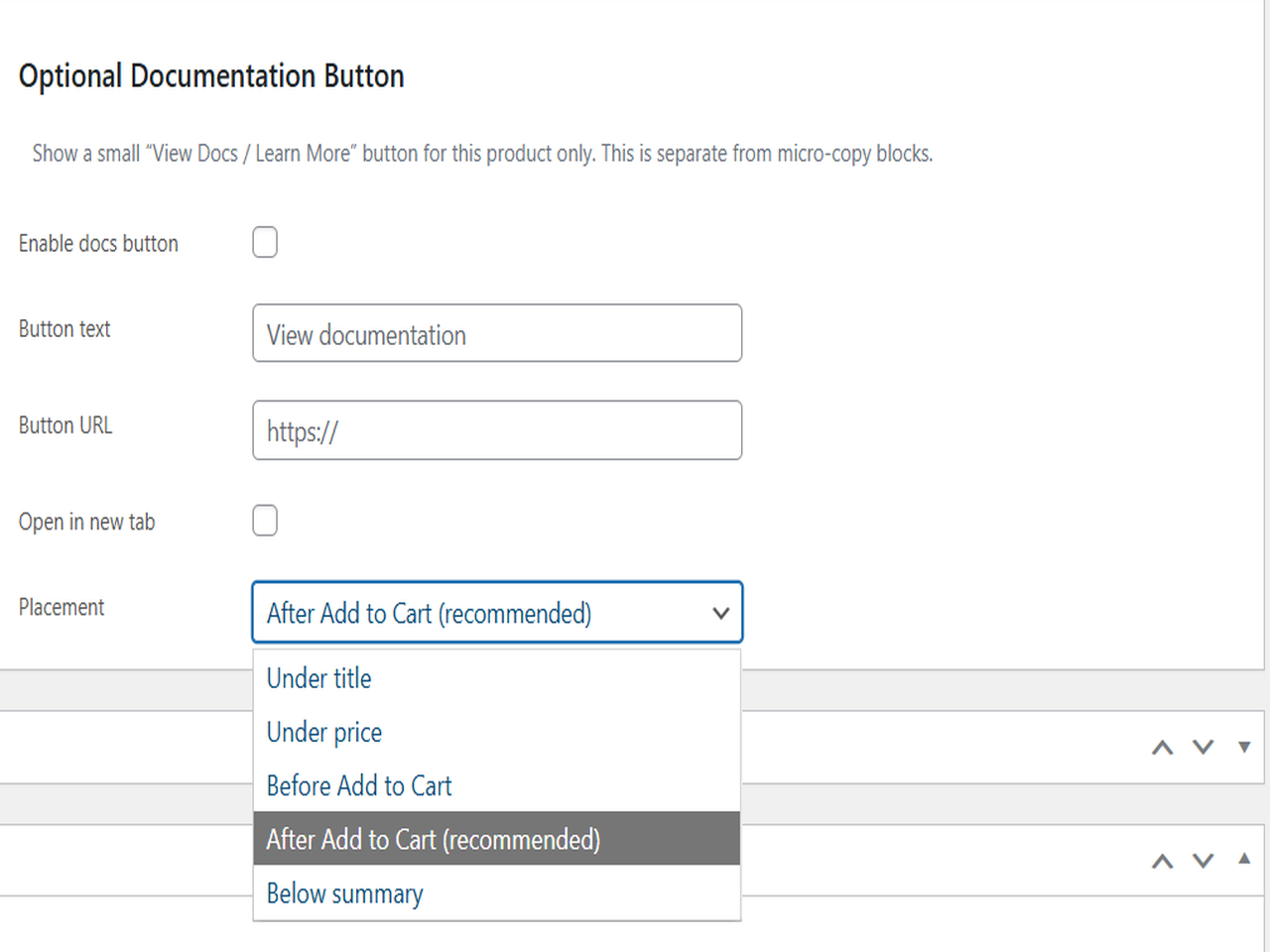
Optional documentation button on product page
Faq
The plugin only outputs CSS and markup when a message (or docs button) is active on the current page. There are no frontend scripts and no external requests.
No. Micro-Copy is text-based by design, which keeps it readable, accessible, and fast.
Yes. Each message block allows you to choose one or more placements, including cart and checkout.
Yes. The plugin activates without errors if WooCommerce is missing, but features only appear when WooCommerce is active.
Reviews
Changelog
1.1.4
- Compliance update: removed trial/locked/limited framing and ensured the plugin is fully functional.
- Improved block editor UX for multiple message blocks.
- General cleanup and stability improvements.
1.1.3
- Maintenance update.