Linkyy – A Link Click Tracker
Linkyy – A Link Click Tracker
Description
Linkyy tracks link clicks on your WordPress site and provides a clean admin dashboard to analyze which links get the most clicks.
Features:
- Lightweight frontend scripts (< 4KB gzipped)
- Admin dashboard with sortable table view
- Filter by date range, device type, and visitor type
- Consent mode support for GDPR compliance
- Role-based tracking exclusions
- Automatic data retention cleanup
Installation
- Upload the plugin files to
/wp-content/plugins/linkyy/ - Activate the plugin through the ‘Plugins’ screen in WordPress
- Configure settings under Linkyy > Settings
Screenshots
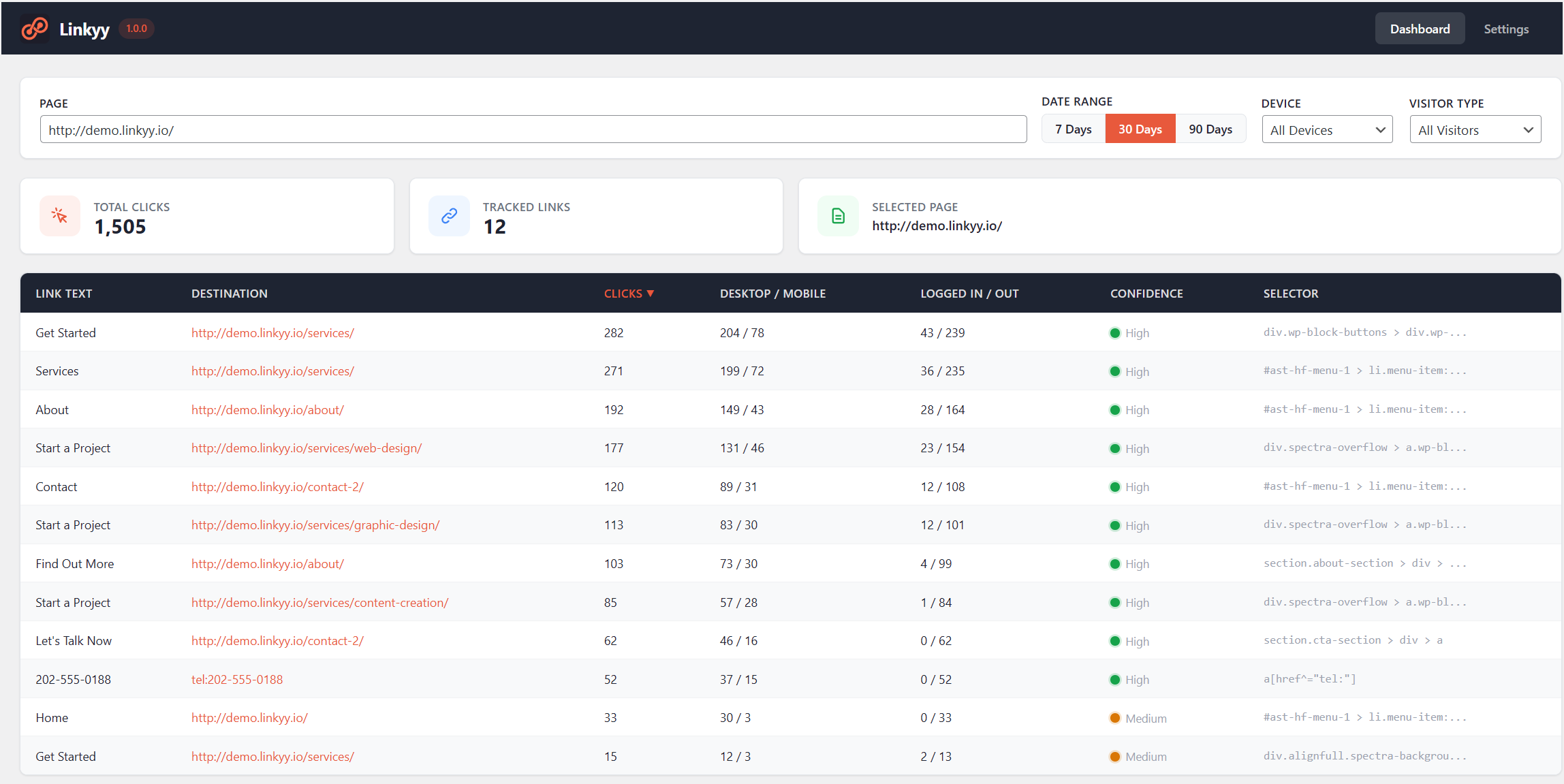
Admin dashboard — sortable table with click counts, device breakdown, and confidence ratings.
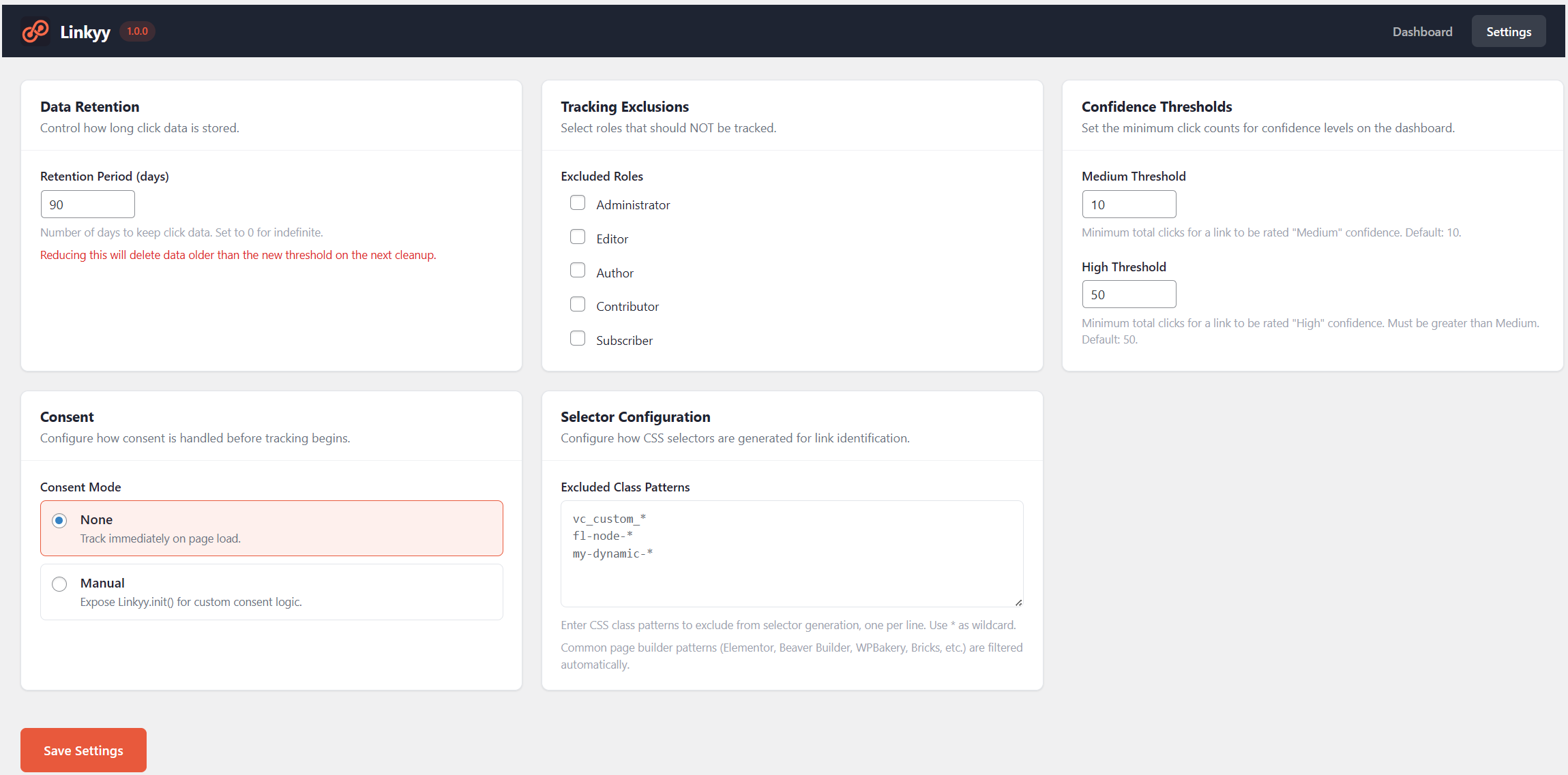
Settings page — configure data retention, role exclusions, consent mode, and confidence thresholds.
Faq
The two frontend scripts total just 7.2KB raw (under 4KB gzipped) and load asynchronously. They have zero impact on page rendering.
Linkyy automatically tracks clicks on all links (<a> tags) across your site. No manual setup is required. Common page builder editor classes (Elementor, Beaver Builder, WPBakery, Bricks, etc.) are automatically excluded to avoid tracking builder UI clicks.
By default, administrators are excluded from tracking. You can configure which roles are excluded under Linkyy > Settings.
Linkyy does not store any personal data — it only records aggregated daily click counts per link. It also includes configurable data retention and a manual consent mode that lets you delay tracking until visitor consent is granted.
Each link receives a Low, Medium, or High confidence rating based on its total click count. The thresholds are customizable in settings (defaults: 10 for Medium, 50 for High).
Reviews
Changelog
1.0.0
- Initial release