Free Live Chat Support

Free Live Chat Support
Description
LiveSupporti for WordPress allows you to add free live support chat to your WordPress website so you can chat with your customers and provide great customer support.
You can use Forever Free Plan with 3 agents, unlimited websites, unlimited simultaneous chats, unlimited chat sessions, SSL encryption and chat history.
See the Demo here.
Get LiveSupporti for iOS from here
Get LiveSupporti for Android from here.
How to install
- Sign Up for a free account.
- Log into your WordPress admin panel, go to the Plugins menu, click Add New, search for livesupporti plugin and install it.
- Click on LiveSupporti menu on the left and enter your LiveSupporti credentials. You’re done!
Watch video:
Is it really free?
Yes. Our Forever Free plan is free of charge with included 3 agents and unlimited chat sessions and websites.
Free features
- 3 agents included
- Unlimited concurrent chats
- Unlimited websites
- Visitor monitoring in real-time
- Chat box skins
- Chat box statuses
- Position chat box bottom left or right
- Agent visible/invisible statuses
- Agent job title
- Agent permissions
- Visitor information
- Proactive chat
- Canned responses
- Chat history
- Chat transcripts history
- Shortcuts
- Pre-chat form
- Social logins
- Ask for phone
- Visitor viewing/away from page
- Sound notifications
- Desktop notifications
- New visitor notifications
- Responsive design
- Draggable chat box
- Embedded chat box
- Pop-up chat box
- Change visitor name
- Block/unblock visitor
- Ban/unban visitor
- Animated chat box
- SSL encryption
- Time zone
- Typing Notifications
- Demo
Premium features
- Unlimited concurrent chats
- Unlimited websites
- Visitor monitoring in real-time
- Ticketing system
- Chat between agents
- Custom colors
- Custom languages
- Custom company logo
- Custom sounds
- Custom chat box width and height
- Chat box skins
- Chat box transparency
- Chat box statuses
- REST API
- WebHooks
- Position chat box bottom left or right
- Hide chat box on specific page
- Agent visible/invisible statuses
- Agent job title
- Agent permissions
- Visitor information
- Offline messages
- Automatic messages
- Proactive chat
- Send and receive files
- Canned responses
- Transfer chat between agents
- Chat history
- Chat transcripts history
- Groups (departments)
- Shortcuts
- Filters
- Eye-catchers
- Pre-chat form
- Social logins
- Ask for phone
- Visitor viewing/away from page
- Sound notifications
- Desktop notifications
- New visitor notifications
- Direct chat pages
- Responsive design
- Draggable chat box
- Embedded chat box
- Pop-up chat box
- Send chat transcripts to email
- Add custom visitor information
- Auto response based on condition
- Agent photo
- Custom agent chat colors
- Change visitor name
- Block/unblock visitor
- Ban/unban visitor
- Animated chat box
- Emoticons
- SSL encryption
- Time zone
- Typing Notifications
- Statistics
- Geolocation
- Demo
Please visit livesupporti.com for more information.
Installation
- Create your free account at livesupporti.com/signup
- Log into your WordPress admin panel and go to the Plugins menu.
- Click Add New, enter livesupporti and click Search Plugins.
- Click Install Now, and then Activate Plugin.
- Enter your LiveSupporti credentials and click Save.
Screenshots

Live support chat on your website.

Text and color customization.
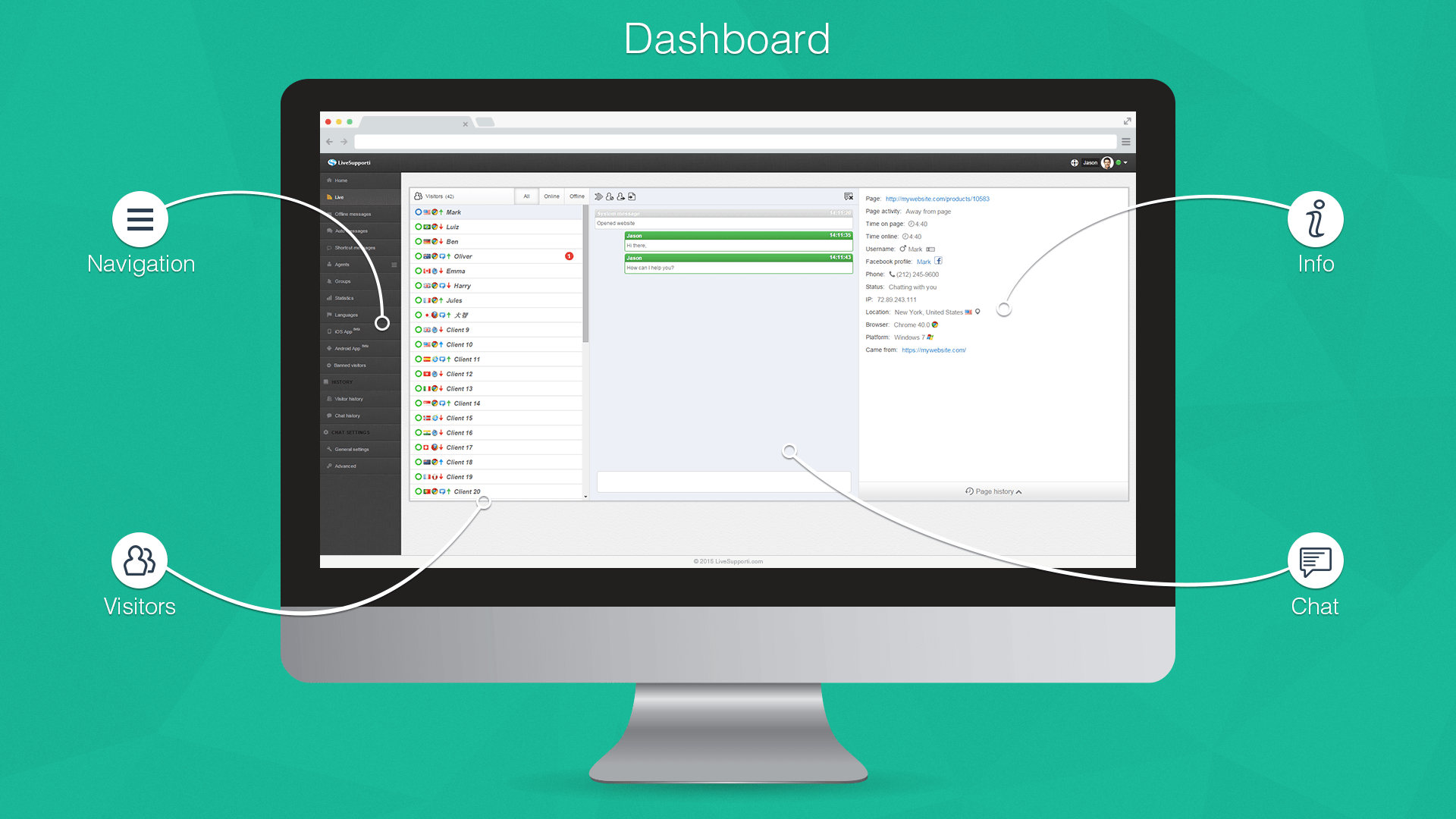
Agent's dashboard.
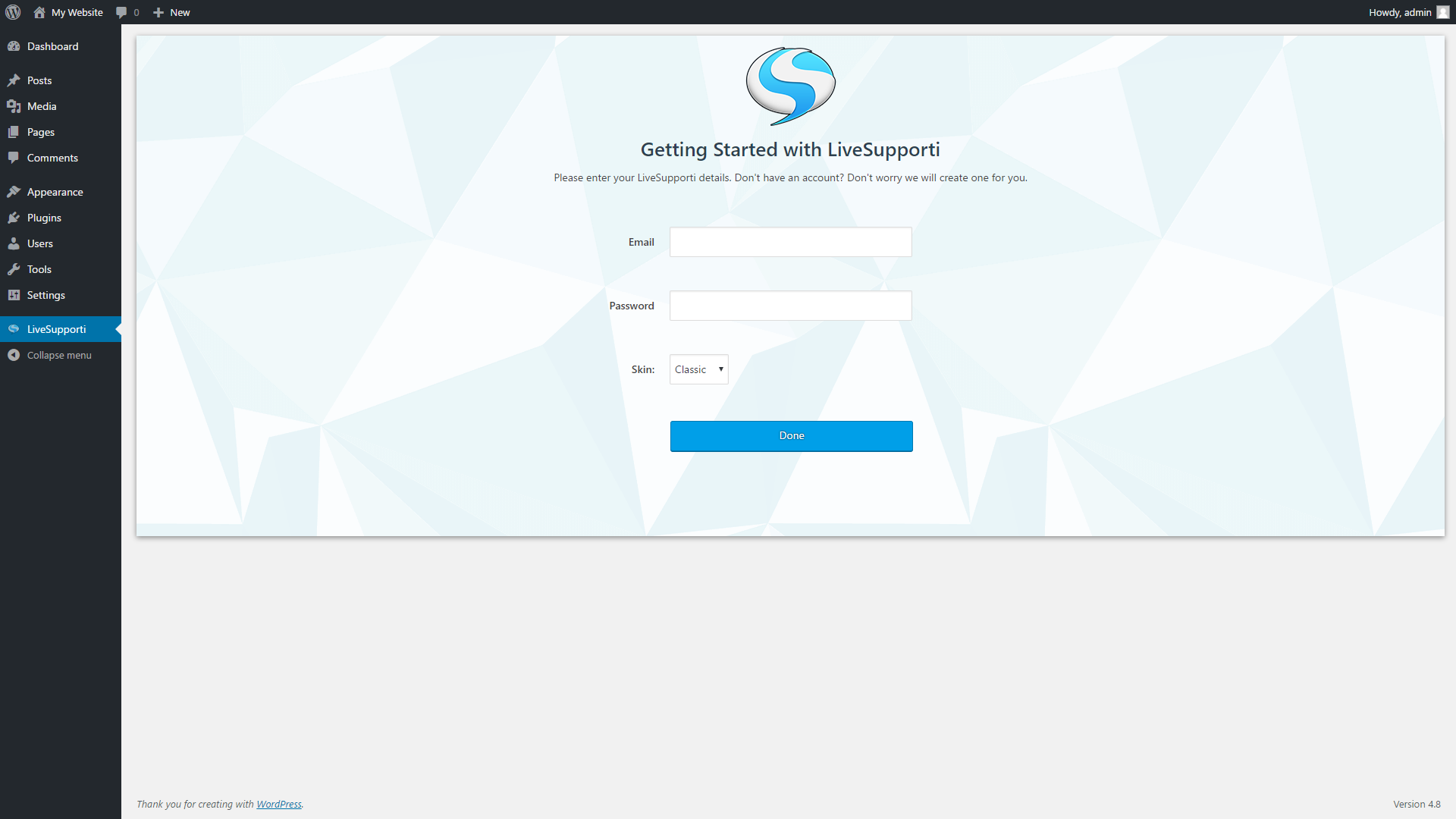
LiveSupporti settings.
Faq
Yes. You can use our Forever Free Plan free of charge.
Yes. You can create your account here.
Reviews
Great Plugin, Service and Support
By 
Great company offering great products
By 
Not possible to include in specific WP posts
By 
Non è gratis
By 
Love This App
By 
Great Support Team
By 
Easy Integration
By 
Really fantastic app!
By 
Excellent plugin. Must have!
By 
IOS app notifications
By 
Changelog
1.0
- Initial release.
1.0.1
- Select skin.
1.0.2
- Update plugin text.
1.0.7
- Fix “Notice: has_cap was called warning.
1.0.8
- Show WP error, if any.
1.0.9
- Automatic sign in.
1.0.10
- Handle uninstalls.
1.0.11
- New skin.