Fields ACF & SCF for Elementor and Divi

Fields ACF & SCF for Elementor and Divi
Description
Fields ACF & SCF for Elementor and Divi bridges the gap between ACF/SCF and popular page builders like Elementor and Divi. It allows users to create dynamic connections between custom fields and visual components, enhancing the flexibility of their WordPress websites.
Key Features:
- Elementor Integration — Dynamic fields powered by ACF or SCF, available in the LKNSCF group of the dynamic tags list (text, image, gallery, color, number, URL, file and date time).
- Divi Integration — Two native modules: Gallery(SCF) with grid or slider styles and Post Loop(SCF) with posts filtered by ACF/SCF fields. Native Divi 5 support, with a compatibility layer for pages built in Divi 4.
- Block Editor Integration — Gallery(SCF) block with grid or slider styles, using the same CSS and JavaScript as the Divi module and linked to an ACF/SCF field of the page itself. It displays only that page’s own content; the editor preview may borrow another page’s content for visualization only.
- Images and Videos — Gallery items accept images and video files (MP4, WebM, MOV and other common formats), with a static first frame and a modal player.
- Dynamic Fields — Seamless connection between ACF/SCF fields and visual components.
- Shortcode Support — Flexible shortcodes (
[lknscf_field]and[lknscf_gallery]) that work in the block editor, Elementor or any page builder. - Guided Settings Page — Tabs for settings, shortcodes and help, plus a check of what is installed on the site.
This plugin is ideal for users who want to extend the functionality of ACF or SCF and integrate it with Elementor and Divi for advanced customization.
Usage Instructions
After the installation process, locate the LKNSCF Settings option in the WordPress admin and select the plugin(s) you want to work with.
Create the fields in SCF/ACF and fill them in on the post being edited. Then display them:
-
Block editor: insert the Gallery(SCF) block and either use the gallery field of the current page or pick a specific field.
-
In the Elementor editor:
- Use the plugin’s own components and insert the created fields through the dynamic tags.
-
In the Divi builder there are 2 modules:
- Post Loop(SCF) filters and lists posts through the SCF object component.
- Gallery(SCF) creates a gallery in grid or slider style from an SCF gallery field, with image and video support.
-
Anywhere else: use the shortcodes
[lknscf_field]and[lknscf_gallery].
External Libraries
- Slick-carousel: Library that creates sliders or grids dynamically.
Shortcode: [lknscf_field]
Use this shortcode to display a text field or a checkbox. Minimum required parameter: [lknscf_field name=”SCF Field”].
Parameters for [lknscf_field]:
name: The name of the SCF field to retrieve the field value. This is a required parameter.
type: Optional. The type of field (e.g., “text” or “checkbox”). The default is “text”.
label: Optional. The label to be displayed next to the field (e.g., “Name:”).
tag: Optional. The HTML tag to wrap the field. Can be “h1”, “h2”, “h3”, “p” or “span”. The default is “p”.
font_size: Optional. The font size for the field text. The default is 16px.
color: Optional. The color of the field text. The default is (#000000).
background_color: Optional. The background color for the field. The default is transparent.
border_radius: Optional. The border radius for the field. The default is 0px.
checkbox_size: Optional. The size (height and width) of the checkbox. The default is 16px.
Shortcode: [lknscf_gallery]
Use this shortcode to display a gallery. Minimum required parameter: [lknscf_gallery name=”SCF Field”].
The gallery accepts both images and videos (MP4, WebM, MOV, and other common formats). Videos are shown with a static first frame and play in a modal on click.
Parameters for [lknscf_gallery]:
name: The name of the SCF field to retrieve the gallery items. This is a required parameter.
gallery_style: Optional. The style of the gallery, can be “grid” or “slider”. The default is “grid”.
width: Optional. The width of the images in the gallery. The default is 250px.
height: Optional. The height of the images in the gallery. The default is 250px.
images_count: Optional. The number of images per slider. The default is 1.
dots: Optional. Whether to display navigation dots in the slider. The default is “true”.
autoplay: Optional. Whether to autoplay the slider. The default is “true”.
arrows: Optional. Whether to display navigation arrows in the slider. The default is “true”.
delay: Optional. The delay between slides in autoplay mode, in milliseconds. The default is 7000ms.
Installation
- Download the plugin.
- In the WordPress admin panel, go to Plugins > Add New.
- Click on “Upload Plugin” and select the ZIP file of the plugin you downloaded.
- Click on “Install Now” and then “Activate Plugin”.
- Make sure ACF (Advanced Custom Fields) or SCF (Secure Custom Fields) is also activated.
Screenshots

Insert a custom module component into Divi Theme Builder.
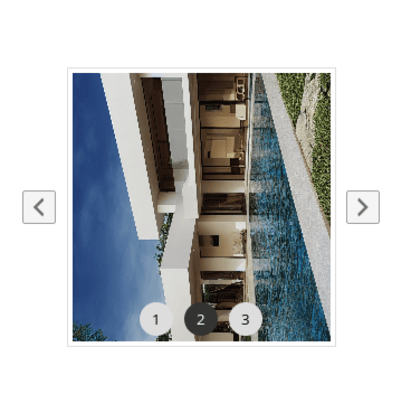
Gallery component.
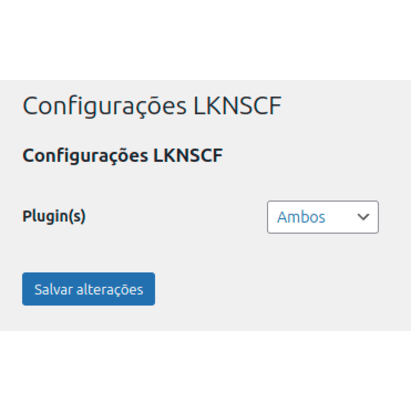
Settings page.
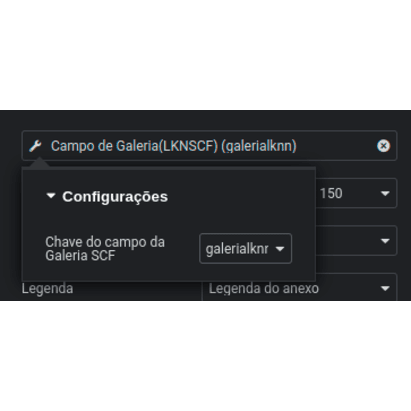
Dynamic field for Elementor.
Faq
- This plugin is released under the GPLv3 or later license.
- Secure Custom Fields (SCF) or Advanced Custom Fields (ACF) plugin installed and active.
- After the installation, open LKNSCF Settings and pick the builder(s) you work with. Then create the fields in SCF/ACF, fill them in on the post, and either use the Gallery(SCF) block, the Elementor dynamic tags, the Divi modules, or one of the shortcodes. See the Usage Instructions section below.
Reviews
Changelog
2.2.0 – 16/10/2026
- Redesigned settings page: the integration selector is now a set of cards with descriptions, with tabs for settings, shortcodes and help, a check of what is installed on the site, the Link Nacional card with links, review call to action and the WhatsApp and Telegram groups, plus a “what is new” highlight and a recommendation for the LKN Forms – Login and Register plugin.
- Native Divi 5 support for the gallery and post loop components, with a dismissible admin notice.
- Gallery(SCF) block for the block editor: grid or slider gallery using the same CSS and JavaScript as the Divi module, linked to an SCF field of the page itself. On the published page the block shows only that page’s own content; the editor preview may borrow another page’s content for visualization only.
- Gallery now supports video items (MP4, WebM, MOV, and other common formats) alongside images, with a static first frame and a modal player.
- Divi 4 to Divi 5 migration: reuse existing components by removing and inserting them again.
- Fixes in the Divi 4 editor when switching the gallery source (current page / specific field).
- Gallery and post loop logic refactored into shared helpers.
- The automatic lookup of another page’s content now respects the SCF field group (a group attached to one post type never borrows content from another) and only happens in the Divi builder and the block editor; the published page shows only its own content.
- Minimum requirements: PHP 8.2 and WordPress 6.0.
2.1.3 – 25/11/2025
- Gallery adjustments.
2.1.2 – 20/06/2025
- Adjustment to the plugin name.
2.1.1 – 17/06/2025
- Fix React file.
2.1.0 – 23/05/2025
- Adjustments to the warning messages when the gallery component does not have the recommended minimum parameters.
- Fix documentation.
2.0.0 – 24/01/2025
- Breaking change: Changed the settings slug to enable WordPress launch;
> You will need to reconfigure the plugin after updating. - Removed all translation loading functions;
- Adjustments to texts as requested by the WordPress team.
1.1.4 – 16/01/2025
- New plugin name (Extend Security Custom Fields).
1.1.3 – 26/12/2024
- Documentation fix.
- Fix in the field type when generating available options in dynamic tags.
- Review of scripts and possible bugs (WordPress feedback).
1.1.2 – 23/12/2024
- Fix in the gallery script.
1.1.1 – 20/12/2024
- Fix in script loading: is_plugin_active.
- Fix for the arrow in the gallery component.
1.1.0 – 18/12/2024
- Component names have been changed to maintain a more simplified standard.
- Click (blur) event on the dark screen to close the modal in the Divi theme gallery component.
- The image counter in the Divi theme gallery component has been moved to the bottom.
- Adjusted the image sizes in the Divi theme gallery component to their natural (full) size.
- Bug fixes and compatibility with the new version of the ACF and SCF plugin.
1.0.1 – 14/12/2024
- Fixed direct file access.
- Updated function and attribute prefixes to be more unique.
- Removed reference to WordPress constants.
- Removed JS loading as HTML tag.
1.0.0 – 12/11/2024
- Gallery functionality
- Compatibility with Elementor
- Dynamic tags (SCF)
- Compatibility with Divi theme
- Loop filter component (SCF)
- Gallery component (SCF)
- Gallery and text/checkbox shortcode