Llama Shuffle — by Barking Llama

Llama Shuffle — by Barking Llama
Description
Llama Shuffle is a lightweight utility plugin that lets you serve a random image from your WordPress Media Library or a list of URLs.
It is designed to be:
* Host-agnostic (works on managed hosts like Pressable, WP Engine, Kinsta)
* AI-friendly (no redirects required when using the REST endpoint)
* Simple, fast, and free — no upsells, no tracking, no external services
Common use cases:
* Random header or hero images
* Promotional image rotation
* AI image reference workflows
* Lightweight image shuffling without sliders or page builders
Images can be grouped using Image Sets (a custom Media Library taxonomy), or supplied via a plain-text URL list.
Built by Barking Llama Designwerks.
Features
- Random image selection from Media Library attachments
- Image grouping via Image Sets taxonomy
- Optional URL list mode (one URL per line)
- Portable endpoint:
/llama-shuffle/random-image(alias)
- REST API endpoint (no redirects):
/wp-json/llama-shuffle/v1/url?set=header
- Cache controls for performance
- Shortcode support
- No JavaScript required
- No upsells, ads, or telemetry
How to Use
Media Library Mode (Recommended)
- Go to Media Library (List view works best)
- Edit or bulk-edit images
- Add one or more terms under Image Sets (for example:
header,promo,seasonal) - Set the Default Set in plugin settings
Example endpoints:
/llama-shuffle
/llama-shuffle?set=header
/random-image?set=promo
REST API (Recommended for scripts & AI workflows)
GET /wp-json/llama-shuffle/v1/url?set=header
Response:
{
“set”: “header”,
“url”: “https://example.com/wp-content/uploads/2026/02/example.png”
}
URL List Mode
Switch Source Mode to URL List in settings and paste one image URL per line.
Optional section headers allow multiple pools:
[set:header]
https://example.com/a.jpg
https://example.com/b.jpg
[set:promo]
https://example.com/c.jpg
Shortcode
Display a random image in content:
[llama_shuffle set=”header” alt=”Random image” class=”my-class”]
Developer Notes
Llama Shuffle is intentionally small and dependency-free.
The plugin avoids file-extension-based endpoints (such as .jpg) to remain portable across managed WordPress hosts where static asset handling may bypass WordPress rewrites.
For automation, scripts, or AI workflows, the REST API endpoint is the recommended integration point:
GET /wp-json/llama-shuffle/v1/url?set={slug}
This endpoint returns a direct image URL without redirects and can be safely consumed by external services.
Image pools are implemented as a non-hierarchical attachment taxonomy (llama_image_set). This allows images to belong to multiple sets without duplication.
Candidate image IDs are cached using WordPress transients to reduce database load. Empty caches are automatically refreshed to avoid stale states.
The plugin does not enqueue scripts, register blocks, or add front-end assets. All output is server-side.
There are no external API calls, tracking scripts, or upgrade paths.
Installation
- Upload the
llama-shufflefolder to/wp-content/plugins/ - Activate Llama Shuffle through the Plugins menu
- Go to Settings Llama Shuffle
- Tag images in the Media Library using Image Sets
- Visit
/llama-shuffleto test
If the endpoint returns a 404 after activation, visit Settings Permalinks and click Save Changes once to flush rewrite rules.
Screenshots
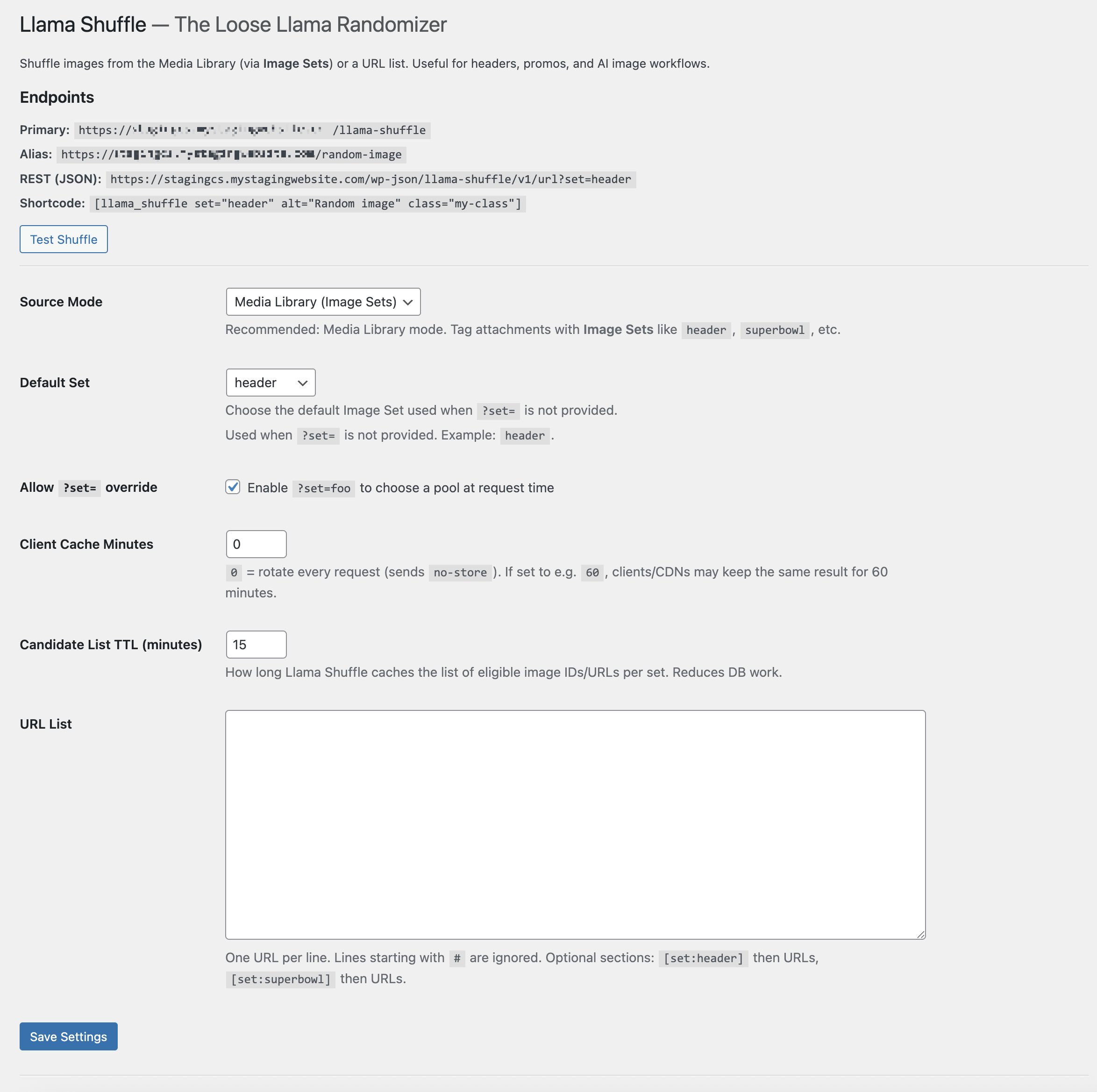
Settings screen showing source mode selection, default Image Set, and available endpoints.
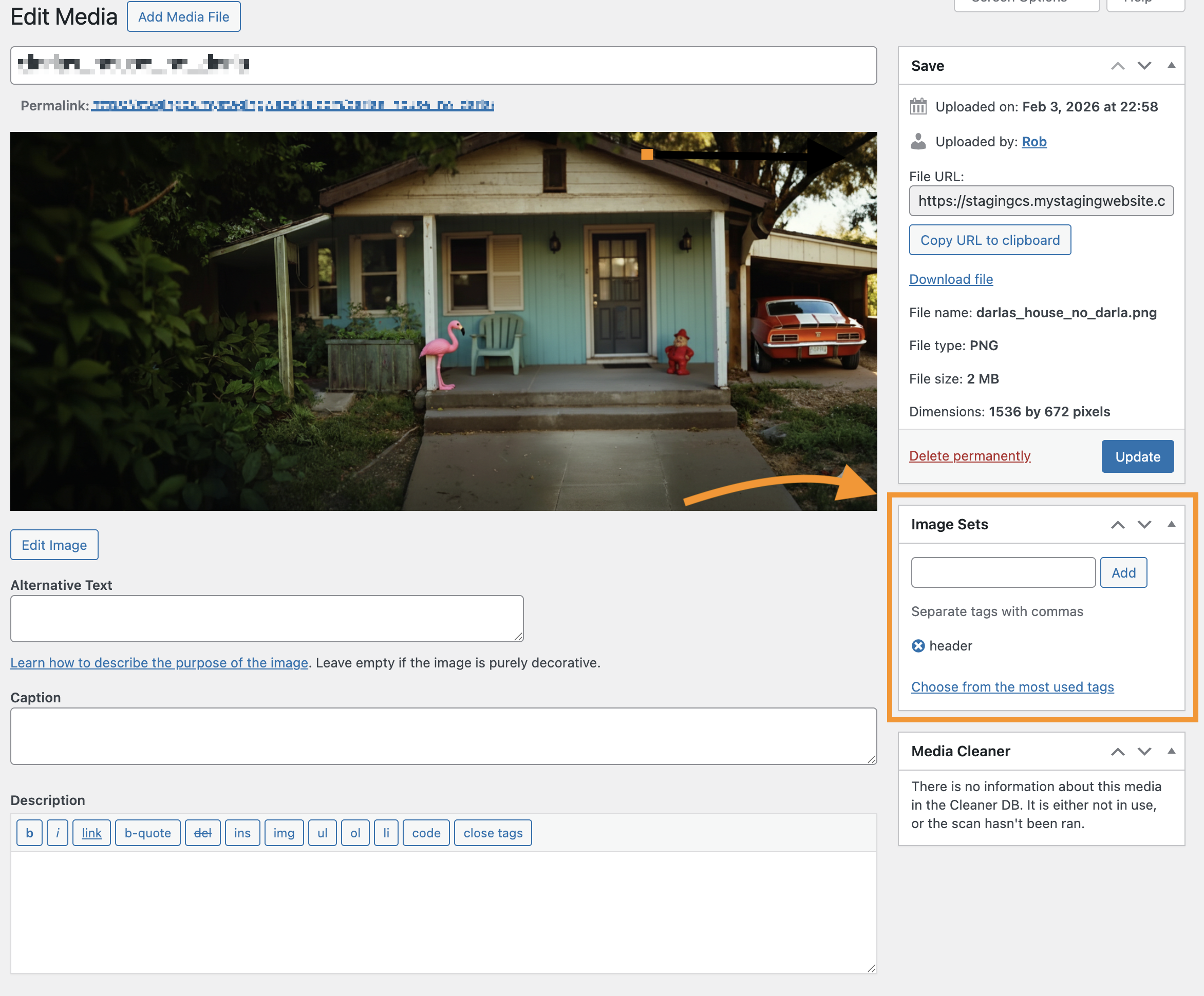
Tagging images with Image Sets in the Media Library.
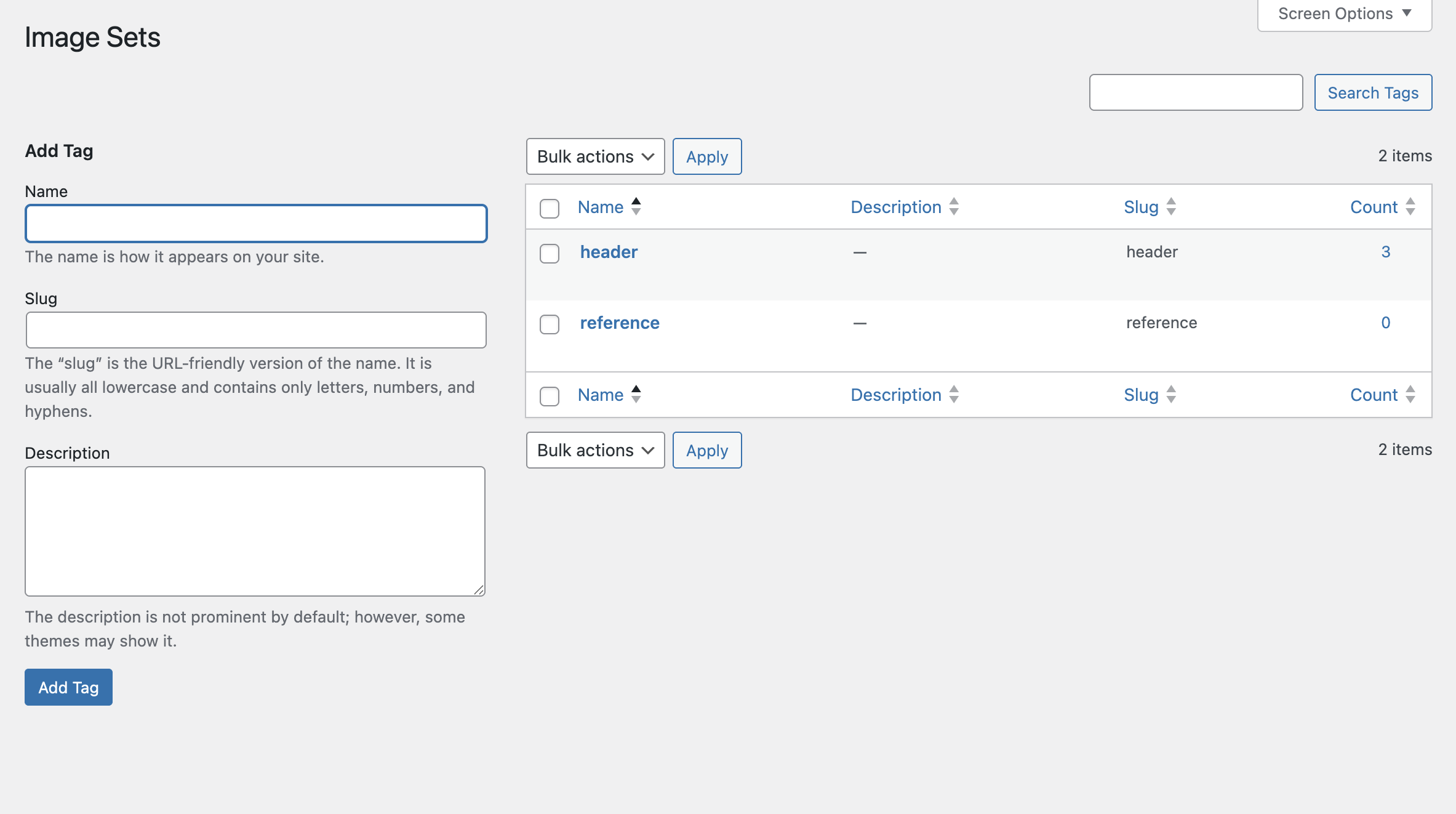
Filtering Media Library items by Image Set.
Faq
Many managed hosts treat .jpg paths as static files and block WordPress rewrites. Llama Shuffle uses extensionless endpoints to ensure portability across hosts.
Yes. Client cache behavior is configurable, and the REST endpoint bypasses redirects entirely.
Llama Shuffle is a standalone utility plugin built by Barking Llama Designwerks. It can be used independently or alongside other tools.
No. There is no tracking, analytics, telemetry, or external service dependency.
Reviews
Changelog
1.0.1
- Initial public release
- Media Library Image Sets support
- Portable shuffle endpoint
- REST API endpoint
- URL list mode
- Shortcode support