LMDM Lightbox Gallery Membership

LMDM Lightbox Gallery Membership
Description
WordPress ships with a native Lightbox-Effect for image and gallery blocks. This plugin adds one focused editor option to standalone core Image blocks: Join gallery.
When the native Lightbox-Effect is enabled on an Image block, the block inspector shows all Lightbox-enabled Gallery blocks on the current page. Select one of them and the standalone image becomes part of that gallery’s native lightbox navigation group on the frontend.
The plugin does not replace the core Image or Gallery blocks. It stores a stable internal lightbox group ID on Gallery blocks and a selected group ID on standalone Image blocks. During rendering, it uses the same WordPress Interactivity API context that the core Gallery block uses for native lightbox navigation.
For a more readable editor experience, gallery captions are used as select labels when available. If a gallery has no caption, the plugin falls back to a numbered label with the image count.
Plugin Features
✔ extends the existing core Image and Gallery blocks
✔ adds a Join gallery selector to standalone Image blocks
✔ only shows the selector when the native Lightbox-Effect is active
✔ only lists Gallery blocks whose native Lightbox-Effect is active
✔ uses Gallery captions as human-readable select labels
✔ stores stable internal group IDs on Gallery blocks
✔ wraps selected standalone Image blocks in the required core/gallery interactivity context
✔ keeps the native WordPress lightbox overlay and navigation behavior
✔ ships with English and German PO, MO and JSON translation files
✔ uses no build step and no custom replacement block
Installation
- Upload the plugin files to the
/wp-content/plugins/lmdm-lightbox-gallery-membershipdirectory, or install the plugin through the WordPress plugins screen directly. - Activate the plugin through the Plugins screen in WordPress.
- Open a post or page in the block editor.
- Add a Gallery block and enable the native Lightbox-Effect.
- Add or select a standalone Image block and enable its native Lightbox-Effect.
- Open the
Lightbox gallery grouppanel and choose the gallery the image should join.
Screenshots
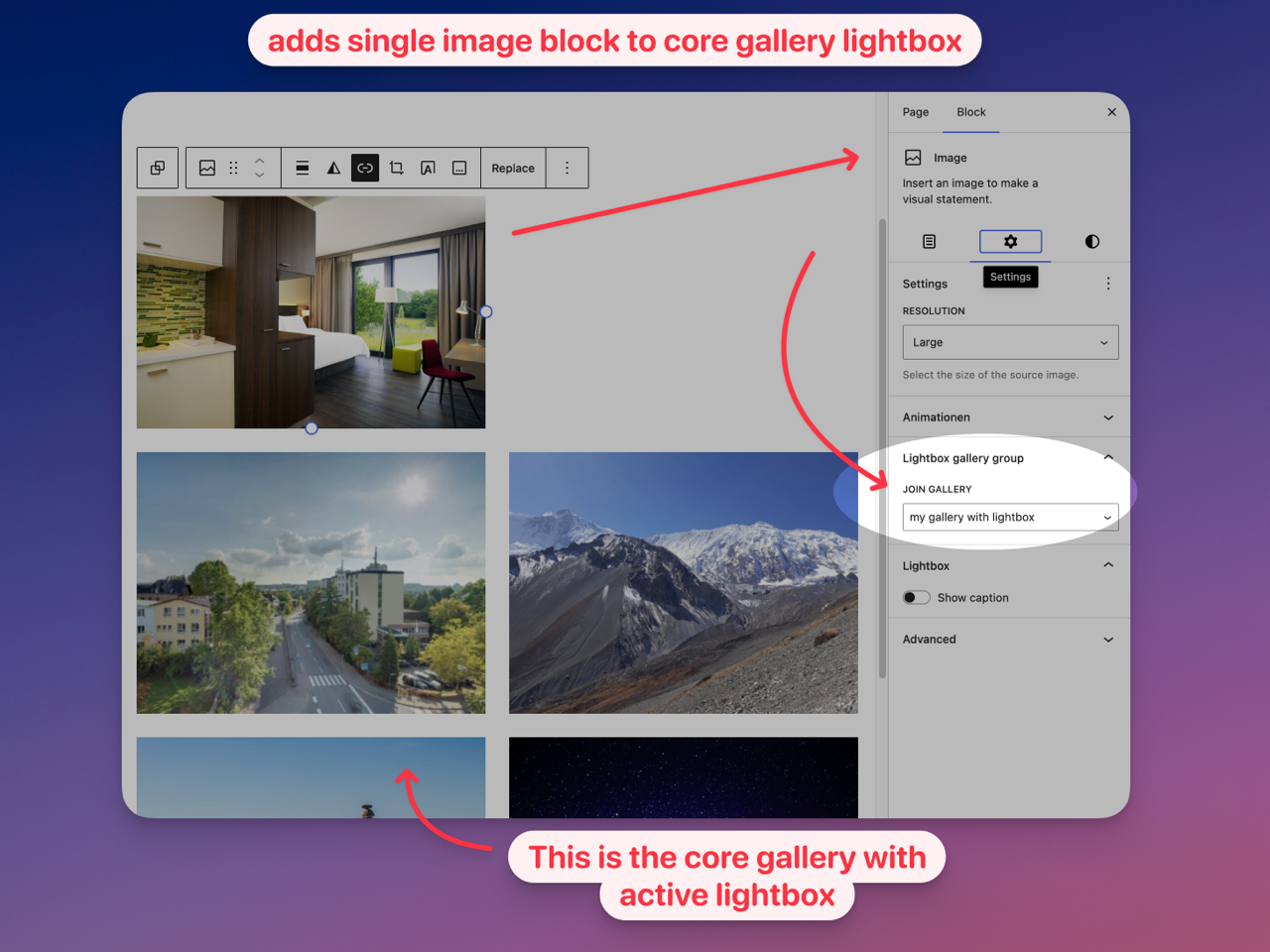
Image block inspector with the
Lightbox gallery groupselector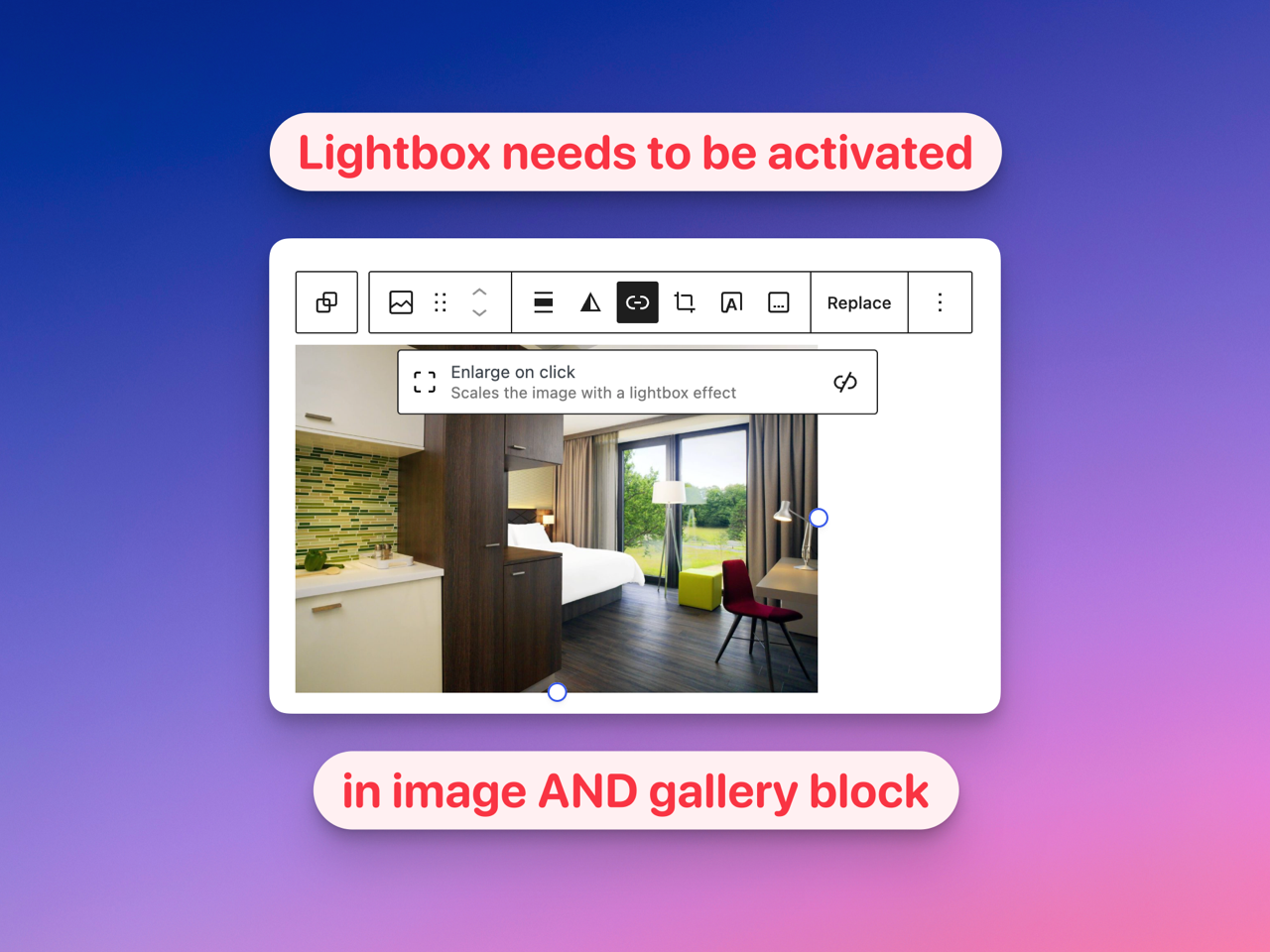
Gallery caption used as readable select label
Faq
No, it only extends the existing core Image and Gallery blocks.
The selector is only visible for standalone Image blocks when the native WordPress Lightbox-Effect is active. If the image links to a media file, attachment page or custom URL, the native lightbox is not active and the selector is hidden.
Only Gallery blocks with the native Lightbox-Effect enabled are listed. Enable the gallery lightbox first, then select it from the Image block.
If a Gallery block has a caption, that caption is used as the label. If there is no caption, the plugin uses a fallback like Gallery 2 (12 images).
Standalone images are appended after the regular gallery images in the native lightbox navigation order.
Only when needed. Gallery blocks receive a stable internal group ID, and selected standalone Image blocks receive a small wrapper that provides the same core/gallery interactivity context used by WordPress core.
The additional selector disappears and standalone Image blocks stop joining gallery lightbox groups. Existing Image and Gallery blocks continue to work as normal core blocks.
The WordPress user “nicmare” vibe coded it. Means he had the idea of the plugin and uses AI to craft the code.
Reviews
Changelog
1.0.0
- first release of the plugin
- added standalone Image block gallery membership selector
- added stable Gallery block group IDs
- added frontend rendering integration for the native Core lightbox
- added English and German PO, MO, JSON and POT language files