Login Logout Menu & Redirect
Login Logout Menu & Redirect
Description
Login Logout Menu & Redirect gives you four features in one lightweight plugin: dynamic user menus, a 7-level smart redirect engine, role-based menu visibility, and login analytics.
Perfect for membership sites, LMS platforms, WooCommerce stores, and communities.
Trusted by 5,000+ sites | View Certification Report
User Menu Builder
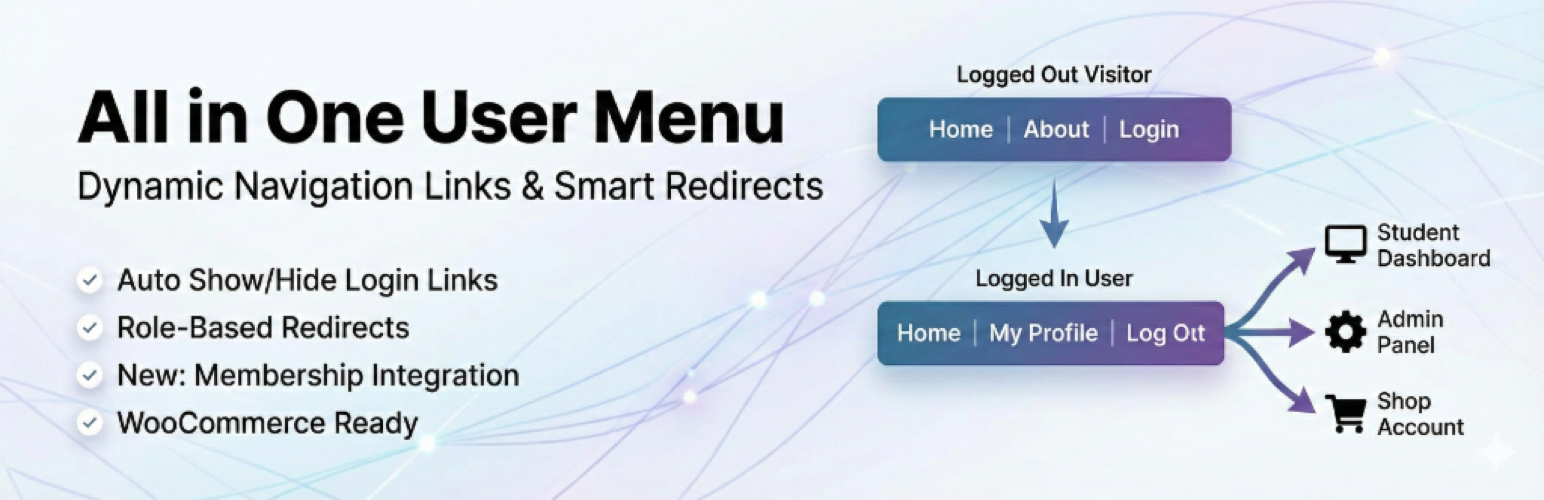
Add login, logout, register, profile, avatar, and username links to any WordPress menu. Items show or hide automatically based on login status. Works with any theme.
Menu keywords (use as Custom Link URLs):
#rsumlogin#– Login link#rsumlogout#– Logout link#rsumregister#– Register link#rsumprofile#– Profile link#rsumloginlogout#– Smart toggle#rsumavatar#– User avatar#rsumusername#– Username display
Append redirect URLs: #rsumlogin#/my-account or #rsumlogin#%currentpage%
Smart Redirect Engine
The most advanced login redirect system available for WordPress. While other plugins give you basic role-based redirects, our engine evaluates 7 priority levels to ensure the right user always lands on the right page.
Rules are checked in this order. The first match wins:
- Individual User – Custom URL for a specific user
- First Login – Welcome page for first-time logins only
- WooCommerce Product – Based on purchased products or active subscriptions
- LMS Course – Based on LearnDash, LifterLMS, or TutorLMS enrollment
- Membership – Based on MemberPress, PMPro, or WooCommerce Memberships level
- Role – By WordPress role with drag-to-reorder priority
- Global – Default fallback for all users
Also supports role-based and membership-based logout redirects.
Use dynamic placeholders in any URL: {{username}}, {{user_slug}}, {{user_id}}, {{display_name}}
Redirect Test (exclusive) – No other redirect plugin lets you debug your rules. Enter any username, toggle between Login and Logout mode, and instantly see which rule fires and why. No more guessing. Available in the Tools tab.
Menu Visibility Control
Show or hide ANY menu item by user role, login status, or device. Works on all menus across your site, not just plugin items. Also lets you hide the WordPress admin bar for specific roles.
Login Analytics
Built-in dashboard showing total logins, active users, daily/weekly stats, and per-user login history. Includes a WordPress dashboard widget.
Integrations
Auto-detected, zero configuration:
- WooCommerce – My Account profile links, product-based redirects, subscription-aware
- MemberPress – Per-membership login and logout redirects
- Paid Memberships Pro – Per-level login and logout redirects
- WooCommerce Memberships – Per-plan redirect support
- LearnDash – Course and group enrollment redirects
- LifterLMS – Course enrollment redirects
- TutorLMS – Course enrollment redirects
- BuddyPress / BuddyBoss – Native profile URLs and avatar support
Shortcodes
[lmsc_rsum_login]– Login link[lmsc_rsum_logout]– Logout link[lmsc_rsum_login_logout]– Smart toggle[lmsc_rsum_register]– Register link[lmsc_rsum_profile]– Profile link
Attributes: text, class, redirect
Example: [lmsc_rsum_login text="Sign In" redirect="/dashboard"]
External services
This plugin optionally connects to the LMSCrafter API.
Diagnostics & Error Reporting (Optional)
When enabled in Settings > Tools, the plugin sends anonymous error reports and a daily heartbeat (WordPress version, PHP version, active theme/plugins, site URL). No personal user data is transmitted. Sent via HTTPS to lmscrafter.com.
Installation
- Go to Plugins > Add New in your WordPress admin
- Search for “Login Logout Menu & Redirect”
- Click Install Now, then Activate
- Go to Settings > User Menu & Redirect to configure
Screenshots

Getting Started - Quick setup with integration detection and feature overview

General Settings - Login configuration, first login redirect, registration, profile and logout options

Appearance - Avatar styling, username display, dropdown menu, admin bar visibility, icon options

Redirect Engine - Unified view with role, membership, and advanced redirect rules in accordion sections

Analytics - Login statistics with overview cards and per-user login history table

Tools - Redirect Test simulator, export/import settings, diagnostics, and reset options


Faq
Go to Settings > User Menu & Redirect > Redirect Engine. Expand the “Role-Based Rules” section. Enable the toggle for each role, enter the destination URL, and save.
Yes. In the Redirect Engine tab, expand “Membership Rules.” If MemberPress, PMPro, or WooCommerce Memberships is active, your membership levels appear automatically. Set a URL for each level.
Go to Appearance > Menus. Find the “User Menu Links” box on the left, check the items you want, and click “Add to Menu.”
Edit your menu in Appearance > Menus. Expand any menu item and use the “Visibility” dropdown to choose “Logged In Only,” “Logged Out Only,” or a specific role.
Yes. In the Redirect Engine tab, set a “First Login Redirect” URL. New users see this page on their first login only.
Placeholders like {{username}} and {{user_slug}} are replaced with real values at login time. Use them in any redirect URL, e.g. https://example.com/members/{{user_slug}}/dashboard
Yes. Auto-detects My Account for profile links. Supports product-based and subscription-aware redirects.
Yes. Redirect students based on course enrollment with dedicated integrations for all three LMS platforms.
Go to Settings > User Menu & Redirect > Tools. Enter a username, select Login or Logout mode, and click “Test Redirect.” The tool simulates the evaluation chain and shows which rule would fire without actually redirecting.
Yes. Fully compatible with PHP 7.4 through PHP 8.3+.
No. CSS/JS only loads where needed. Minified assets. Compatible with all major caching plugins.
LoginWP charges $49+/year for membership redirects, WooCommerce redirects, and course-based redirects. This plugin includes all of that for free, plus user menu items, menu visibility control, login analytics, dynamic URL placeholders, and the Redirect Test debugger. No other redirect plugin offers a built-in tool to simulate and debug your redirect rules.
Visit lmscrafter.com/support-center to submit a ticket.
Reviews
Excellent and Very Useful Plugin
By 
Amazing plugin! It works perfectly and makes managing login, logout, and redirects very easy. Setup is simple and it saves a lot of time. Highly recommended. Great work by the developer!
Changelog
3.9.1
- Improved: Added remote error verification endpoint for proactive diagnostics
3.9.0
- New: Unified “Redirect Engine” tab with accordion sections for Role, Membership, and Advanced redirects
- New: Redirect Test tool in Tools tab. Simulates login and logout redirect chains for any user
- New: Login/Logout toggle in Redirect Test for full coverage
- New: Golden “PRO” sidebar badge for Redirect Engine
- New: Priority explanation hero card with numbered badges
- Improved: Unified indigo/slate color palette across Analytics and all tabs
- Improved: Monochrome integration icons with colored Active badge
- Improved: Plugin font changed to Outfit (Google Fonts)
- Improved: Removed duplicate UI elements and cleaned up Getting Started tab
- Improved: Better analytics empty state design
3.8.1
- New: Clear All Analytics Data button on Analytics tab
3.8.0
- New: Opt-in diagnostics module for stability monitoring
3.7.3
- Fixed: Fatal error on sites using social login plugins (PHP 8.0+)
3.7.2
- New: WooCommerce and MemberPress login form redirect compatibility
- Fixed: First login redirect race condition
- Certified: 96 tests passed, 10/10 security score
3.7.1
- Fixed: Critical error with MemberPress membership redirect
- Fixed: Settings overwritten on update
3.7.0
- New: Supported Integrations showcase with auto-detection
- Fixed: Membership redirects failing due to data structure mismatch
- Improved: Form field styling, accessibility, and UI polish
3.6.1
- Fixed: Deprecated current_time(‘timestamp’) calls
- Improved: Analytics pagination and user query efficiency
3.6.0
- New: Role-based and membership-based logout redirects
- New: TutorLMS and LearnDash Group redirects
- New: WooCommerce Subscriptions-aware redirects
- New: First Login Redirect feature
- New: Dynamic URL placeholders
- Fixed: MemberPress redirect issues, removed aggressive cache-busting
3.5.0
- New: Hide Admin Bar by Role feature
3.4.3
- Updated plugin slug to “lmscrafter-user-menu-redirects”
3.4.0
- New: Getting Started wizard, avatar presets, dropdown menu, import/export, AJAX saving
- New: Minified assets and conditional CSS loading
3.3.0
- New: User Avatar and Username Display menu items
- New: Role-Based Menu Visibility
3.2.0
- New: Membership Based Redirection (MemberPress, PMPro, WooCommerce Memberships)
3.1.0
- New: Role Based Redirection
3.0.0
- Complete code rewrite. Now maintained by LMS Crafter LTD.