Logicfire Wishlist & Registry for WooCommerce
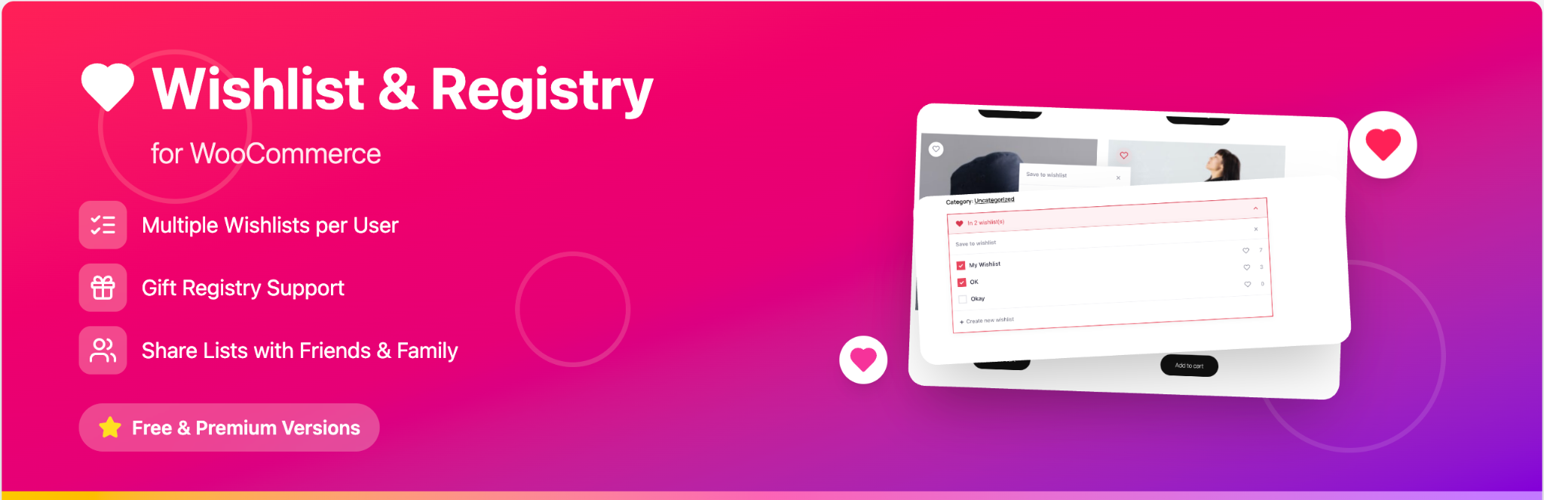
Logicfire Wishlist & Registry for WooCommerce
Description
The best free WooCommerce wishlist and gift registry plugin. Let your customers save favorite products to wishlists, create gift registries for weddings, baby showers, birthdays, and holidays, and share their lists via link, email, or social media. Friends and family can view shared wishlists and purchase items directly — with real-time purchase notifications.
Lightweight, fast, and built with a modern UI. Works with WooCommerce HPOS and block themes out of the box.
Demo: View Demo
Features
Wishlist Management
- Create wishlists — Save products to wishlists from shop, category, search, and single product pages
- Multiple wishlists — Create and manage multiple wishlists (configurable max; unlimited by default)
- Guest wishlists — Allow non-logged-in users to create wishlists via cookies
- Add to cart from wishlist — One-click add to cart directly from the wishlist page
- Remove on add to cart — Optional: remove items from wishlist when added to cart
- Remove on purchase — Optional: remove items when order is completed
Gift Registry Management
- Event dates — Set an event date per list to use it as a registry
- Convert to registry — Turn a wishlist into a registry by adding an event date
- Wishlists + Registry tabs — Switch between wishlists and registries on the My Wishlists page
- Purchase notifications — Email registry owner when items are purchased from their registry
Sharing & Visibility
- Share wishlists — Share via link, email, and social media (Facebook, Twitter, Pinterest)
- Privacy controls — Public, private, or shared visibility per wishlist
- Invite access — Invite specific people with view or purchase access; revoke anytime
- Shared wishlist page — Public URL for recipients to view (and optionally purchase from) shared lists
Product Integration
- Heart button on product cards — Add-to-wishlist on shop, category, and search results
- Single product button — Configurable placement: after title, price, excerpt, add to cart, meta, or sharing
- Button position — Top left or top right on product cards
- Compact layout — One-tap add to default list, then change list via toast (mobile or all devices)
Page & Shortcodes
- Wishlist page — Dedicated page with
[lfwlr_wishlist_registry_page]shortcode - Button shortcode —
[lfwlr_wishlist_button]to place wishlist button anywhere - My Account integration — WooCommerce My Account endpoint for wishlists
Appearance
- Primary & hover colors — Customize button and heart colors
- Border radius — Global styling (0–32px)
- Wishlist icon — Heart, star, gift, or custom SVG upload
- Registry icon — Gift, heart, star, or custom SVG
- Custom CSS — Override styles for full control
- Reset styles — One-click restore defaults
Email Notifications
- Wishlist shared — Notify recipient when someone shares a wishlist
- Item purchased — Email registry owner when an item is purchased from their list
- Back in stock — Alert users when wishlisted out-of-stock products become available
- Configurable from — Set email from name and address
Technical
- REST API — Full REST API for wishlists and items
- WooCommerce Blocks — Compatible with block-based product templates
- HPOS compatible — Fully compatible with WooCommerce High-Performance Order Storage
- Extensible — Filters and hooks for developers
- Translation-ready — Text domain:
logicfire-wishlist-registry-for-woocommerce
Comes with Pro
Upgrade to Wishlist & Registry for WooCommerce Pro to unlock:
- “I’ll buy this” claims — Let visitors claim items before purchasing to avoid duplicates
- Claim expiry — Configurable hours before uncompleted claims expire
- Fulfillment tracking — Quantity fulfilled per item; progress bars and completion handling
- Ship to registry recipient — Split cart: registry items ship to wishlist owner
- Analytics dashboard — Total wishlists, items, users, purchases, most wishlisted products, recent registry purchases
- My Account: Registry claims — Dedicated page for items you’ve claimed
- Optional purchaser names — Show who bought what on registries (when enabled)
Requirements
- WordPress 5.8+ (tested up to 6.9)
- PHP 7.4+
- WooCommerce 6.0+ (tested up to 10.6.1)
- WooCommerce HPOS optional but supported
Shortcodes
| Shortcode | Description |
|————————–|———————————————–|
| [lfwlr_wishlist_registry_page] | Full wishlist management page with dashboard |
| [lfwlr_wishlist_button] | Wishlist heart/button (works when wishlist is disabled too) |
Settings
Configure under WooCommerce Settings Wishlist & Registry:
- General: Enable/disable, guest wishlists, button positions, compact layout
- Wishlist page selection
- Remove on add to cart / remove on purchase
- Sharing: enable, email from name/address
- Appearance: colors, icons, border radius, custom CSS
- Notifications: item purchased, back in stock (item claimed and fulfillment updates with Pro)
License
GPLv2 or later. See LICENSE.
Author
Installation
- Install and activate WooCommerce.
- Upload and activate Wishlist & Registry for WooCommerce.
- Go to WooCommerce Settings Wishlist & Registry to configure.
- Create a page and add
[lfwlr_wishlist_registry_page]to use as the main wishlist page. - Optionally add
[lfwlr_wishlist_button]anywhere for a standalone wishlist button.
Screenshots


Reviews
Changelog
2.1.2
- Update – Improved readme with keyword-rich description for wishlist, gift registry, wedding registry, and save for later searches
- Update – Added changelog section to readme
2.1.1
- Fix – Added parameter documentation for all function parameters
- Update – Improved code documentation and comments for better maintainability
2.1.0
- Security – Comprehensive REST API security audit – all endpoints follow WordPress.org Codex guidelines
- Fix – REST API error responses now use WP_Error instead of WP_REST_Response for proper error handling
- Fix – Added missing sanitize_callback to all REST API route arguments for input sanitization
- Fix – Added validate_callback with enum validation for visibility, access_level, and email fields
- Fix – Combined duplicate /items/{id} route registrations into single endpoint with array of handlers
- Fix – check_auth() now returns WP_Error with descriptive 401 message instead of generic false
- Refactor – Removed strict return type hints from REST methods that can return WP_Error
- Fix – Completed remaining wlr_ to lfwlr_ prefix rename across WooCommerce admin hooks, order meta keys, and transient cleanup
2.0.3
- Fix – Implement missing permission callbacks for REST API routes with proper auth closures
- Fix – Output escaping issues on wishlist frontend items via wp_kses_post and CSS inline
- Refactor – Mass rename of generic prefix wlr to unique lfwlr across all files, functions, options, and methods
2.0.2
- Update – Rename registry setting to Enable Registry and gate registry UI/API behavior behind enable_registry
- Fix – Hide/show registry tabs and frontend registry icon consistently from the new setting
- Update – Add Active state Icon color appearance setting for active icon accents
- Refactor – Normalize frontend/config naming to enableRegistry and replace legacy ww- CSS class prefixes with lfwlr-
2.0.1
- Add – Gift registry: event dates, REST event_date, fulfillment fields, Wishlists + Registry tabs, purchase tracking
- Update – extendedDashboard enabled by default for logged-in wishlist page UX