Login Logo

Login Logo
Description
This plugin allows you to customize the logo on the WordPress login screen. There is zero configuration. You just drop the logo file into your WordPress content directory, named login-logo.png and this plugin takes over.
Note that you should use a transparent background on the PNG image, crop it tightly (no padding pixels) and use a width of exactly 312 pixels for best results. Wider images will be downscaled in modern browsers, but it isn’t recommended to rely on that.
This plugin also works in the mu-plugins directory.
Installation
-
Install the plugin and activate it.
-
Create a PNG image with a transparent background, tightly cropped, with a recommended width of 312 pixels.
-
Upload the PNG image to your WordPress content directory (
/wp-content/, by default), and name the filelogin-logo.png. -
If you have a multisite install with more than one network, you can also use
login-logo-network-{NETWORK ID}.pngto assign a different login logo to each network. -
If you have a multisite install, you can also use
login-logo-site-{$blog_id}.pngto assign a different login logo to each site. -
Done! The login screen will now use your logo.
Screenshots
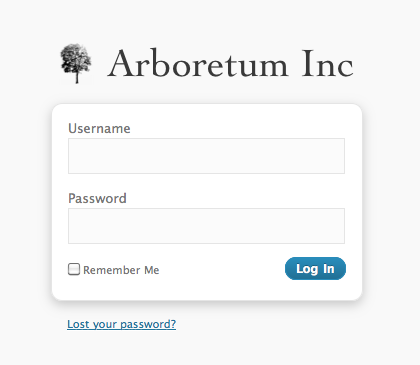
A login screen with a custom logo

A source image
Reviews
UPDATE: Now working with 6.7.1
By 
Plugin is no longer working after 6.7. Doesn't appear to be supported any longer.
UPDATE: Plugin is now working with 6.7.1.
Not Working in WordPress 6.7
By 
Not Working in WordPress 6.7
Do not work on WordPress 6.7
By 
I uploaded as usual the login-logo.png in wp-content folder, but on wordpress 6.7 do not work anymore.
Me encanta
By 
Works flawlessly on WP v4.x
By 
Nice Job
By 
Great for changing the logo
By 
Thank you
By 
It is working. Thank you for your effort 🙂
Pure and simple
By 
Works great. I like the fact that there is no uploader or any setting in the admin. Plugin consists of a single file - login-logo.php, and is a no-brainer to customize it, add some style to change the login screen bg or links color.
Simple, good
By 
Good plugin : simple et effective!
Changelog
0.10.2
- Bumped supported version
0.10.0
- Updated depreciated filter “login_headertitle” to “login_headertext” with compatibility for older WordPress versions
- Tested with WordPress 5.2.1
0.7
- The “title” attribute of the header link matches the WordPress site title instead of saying “Powered by WordPress”.
- The URL for the login logo includes “versioning” based on last file modification date, for browser cache flushing.
0.6
- You can provide
login-logo-site-{$blog_id}.pngto have a different logo per multisite site. - Support for WordPress 3.4
- Changed the ideal image width to 312 pixels, and instituted a tighter crop policy.
0.5
- Support for WordPress 3.3
- Fix a bug in CSS resizing of oversized images
0.4
- Use HTTPS if
is_ssl()on the login page.
0.3
- The login logo now links to your site, instead of WordPress.org
- If you don’t have a custom login logo, the plugin does nothing.
- You can provide
login-logo-network-{NETWORK ID}.pngto have a different logo per multisite network.
0.2
- Do not use
background-sizeunless the image is more than 326 pixels
0.1
- Original version