Low-Key ToolBar
Low-Key ToolBar
Description
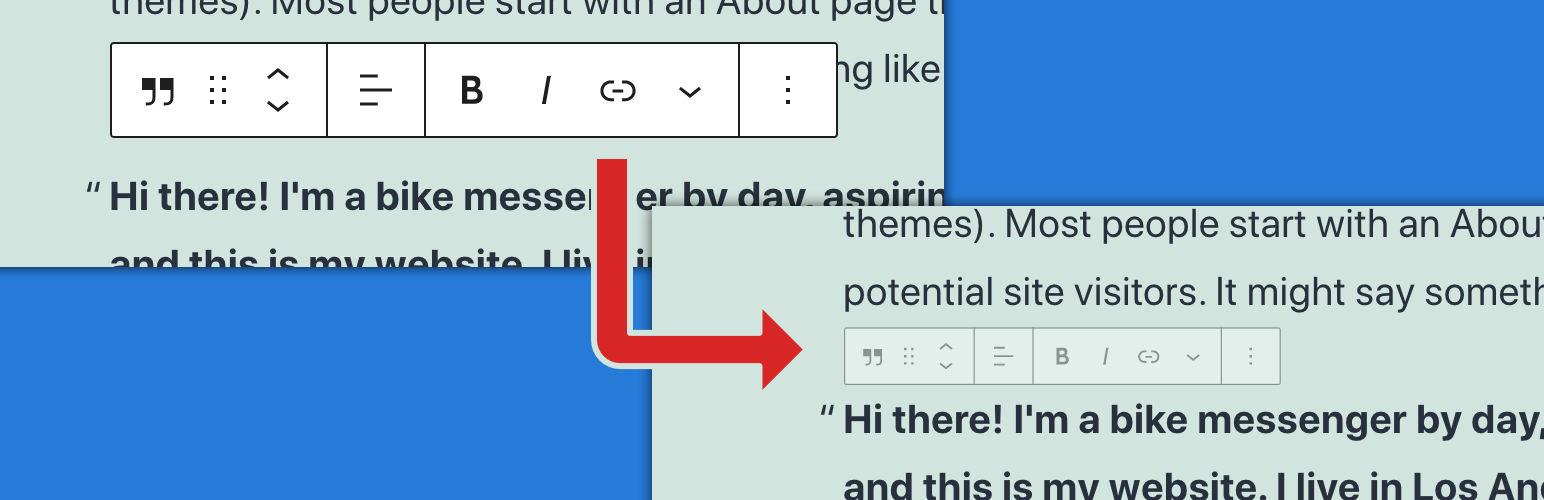
Low-Key ToolBar makes the block editor toolbar less noticeable and improve block editor UX.
I think block editor toolbar is useful, but too big and too conspicuous and disturbing.
Sure, top toolbar mode is not disturbing, but is not user-friendly.
This plugin add its own setting sidebar to block editor and You can control scale, opacity, vertical position of the block editor toolbar.
By adjusting these properteis, the toolbar will be less noticeable, and it will improve UX.
Installation
- Upload the plugin files to the
/wp-content/plugins/low-key-toolbardirectory, or install the plugin through the WordPress plugins screen directly. - Activate the plugin through the ‘Plugins’ screen in WordPress.
Screenshots

Low-Key ToolBar makes the block editor toolbar less noticeable.

Change opasity.

Scaling toolbar.

Control vertical position

Toggle hovering zoomup
Reviews
Simple but very useful little plugin
By 
Great little plugin and highly useful for working in the Block Editor where that darn Toolbar keeps getting in the way! Saves having to dock it to the top of the window and allows quicker editing!
Thank you!
Changelog
1.1.1
- Fixed deprecation warning.
1.1.0
- Now available for all post types.
- Fixed problem with sidebar not displaying initial values.
- Remove dependency on jQuery.
- Change icon to original one.
1.0.1
- Fixed an issue where transparency settings were not applied when reloading.
1.0.0
- First Release