Luma Product Fields
Luma Product Fields
Description
Luma Product Fields is a lightweight, WooCommerce-native way to add searchable, sortable product specifications that are simple to manage in admin and easy for customers to compare.
Use it to create your own product fields, update values quickly in both the product editor and inline list view, and present product specs in a clear, consistent format.
You can optionally use Product Groups to assign different sets of fields to different types of products, so each product only shows the specs that matter.
It’s fast, intuitive, and built specifically for WooCommerce — ideal for stores that want better product pages without extra complexity.
And if you ever need custom behavior, it is also developer-friendly and extendable.
Why store owners choose Luma Product Fields
- Turn messy product details into clear, buyer-friendly specification tables
- Update specs faster with spreadsheet-style inline editing across many products
- Show only relevant fields per product type to keep admin screens focused
- Make taxonomy-based values clickable so shoppers can discover similar products
- Keep your catalog consistent with reusable field definitions and repeatable workflows
What this plugin does
Luma Product Fields lets you define and display custom product specification fields such as:
- Dimensions
- Material composition
- Technical specs
- Sewing/knitting details
- Difficulty levels
- Packaging information
- Color codes or systems
- Brand metadata
- Any custom structured detail your products require
These fields are designed for product specification data — the kind of structured details customers compare before buying.
Standout feature: linkable specification values
For taxonomy-based fields (like Single Select, Checkboxes, and Autocomplete), you can enable clickable values on the product page.
Example: if a product has “Material: Merino”, customers can click “Merino” and view other products with the same spec value.
This makes your specification table not only informative, but also a smart discovery path for shoppers.
Legacy-friendly migration tools
If you are moving from older field setups, Luma Product Fields includes built-in migration tools to bring legacy values into a cleaner structured field system.
Migration controls are available in WooCommerce settings (Tools tab), including unit alias support for smoother matching when older unit labels differ.
How it works
You can start simple with one shared field set for all products, then grow into Product Groups when your catalog gets broader.
-
Add Custom Fields
Define the fields your products need. Core field types include:
- Text field – simple free text
- Number – numeric value (sortable, supports units)
- Integer – whole number (sortable, supports units)
- Range (Min–Max) – two numeric values (supports units)
- Single select – dropdown from predefined terms (taxonomy-backed)
- Checkboxes – multiple predefined options (taxonomy-backed)
-
Autocomplete – suggest existing terms, allow new (taxonomy-backed)
Each field has:
-
A label
- A unique slug
- A field type
- Data type (text/number)
- Variation support (where relevant)
- Multi-value support (on relevant field types)
- Optional unit label (for example
cm,g,mm,kg) shown in admin and frontend- Units can be managed in WooCommerce Settings Products Luma Product Fields
- Optional frontend description (shown as a tooltip on the product page)
- Optional clickable links for taxonomy-based values, taking the customer to a listing of products with the same term
- An option to mark the field as backend-only (never shown on the frontend)
-
(Optional) Create Product Groups (field sets by product type)
A Product Group lets you assign a specific set of fields to a specific type of product.
Think of it as “field sets”, not categories.
Examples:
- Cameras: ISO range, sensor size, video resolution
- Lenses: focal length, aperture, mount type
-
Yarn: needle size, fiber composition, gauge
Key points:
- A product can belong to one Product Group at a time.
- A field can be assigned to multiple Product Groups.
-
Product Groups are not product categories; they decide which fields appear in admin for that product.
You can use the plugin without Product Groups (for example a single global field schema), but Product Groups make it easier to maintain different spec sets for different product types.
-
Assign Products (if using Product Groups)
When a product is assigned to a Product Group, it automatically receives the fields defined for that group.
-
Edit Values Easily
- A dedicated panel in the product edit screen shows all fields for that product, with units and clear admin descriptions.
- Fields hidden from frontend are visibly marked in admin editors and list views.
- Variation fields are grouped under a dedicated Product fields section title in variation edit panels.
- A spreadsheet-style inline editor lets you edit values, sort, and search without opening products one by one.
-
Automatic Frontend Display
The plugin outputs a clean, structured specification section (the Additional Information tab) on product pages:
- No theme editing required
- Works with any WooCommerce theme
- Variation values override product-level values
- Only fields with values are shown
- Taxonomy-based values can be rendered as clickable links to matching products
- Backend-only fields are hidden automatically
- Unit labels are rendered next to numeric values
- Optional tooltips from the field’s frontend description can be shown
-
Graceful fallback if some values are missing
In settings, you can opt to also show values like SKU, Product Tags, weight, dimensions, categories, and WooCommerce-native GTIN in the same table.
The frontend output can be customized using hooks and filters.
For advanced use cases, developers can fully override or replace the rendering logic via theme or plugin code.
How do I use this plugin? (quick start)
Most stores can be up and running in minutes:
- Go to WooCommerce Product Fields and add 3–8 fields you know customers care about.
- (Optional) If you already have legacy text/meta specs, run migration in WooCommerce Settings Products Luma Product Fields Tools to convert them into structured fields (including linkable values where applicable).
- (Optional) Create Product Groups if different product types need different field sets.
- Open a product and fill in values in the Product Fields panel.
- Use inline editing to update many products quickly.
- Visit a product page and confirm your specs look clear and complete.
Quick examples:
- Camera store: Sensor Size, ISO Range, Video Resolution, Lens Mount
- Yarn shop: Fiber Content, Gauge, Needle Size, Weight Category
- Furniture shop: Material, Assembly Required, Weight Capacity, Dimensions
Start with a small set, then expand once you see what customers actually use.
-
Settings (Tabbed UI)
Under WooCommerce Settings Products Luma Product Fields, settings are grouped into tabs:
- General: frontend title, optional built-in rows, and built-in tooltip controls
- Style: row separators, layout mode (auto/grid), and label/value weight
- Units: editable units and editable migration aliases
-
Tools: migration tool switch and quick link
Built-in package weight and package size tooltip texts are editable in settings.
Block themes (FSE) – current status
The plugin works on block themes (for example Twenty Twenty-Four), but the taxonomy term archives for linkable fields are currently rendered via a PHP template for maximum compatibility.
Technical note: Because these archives are rendered via a custom PHP template (not a native block template), the template explicitly enqueues block/global styles and renders the theme header/footer template parts early so block themes keep expected typography and navigation layout.
This means some “pixel-perfect parity” details (for example button styles and some typography that would normally be applied by native Woo/blocks) may differ.
Full “pure blocks / block template” parity for these archives is planned in a future version.
SEO & structured data
Luma Product Fields is designed to be SEO-friendly:
- All values are stored as standard product metadata and rendered as regular HTML, so they are easily crawlable.
Why choose this plugin?
-
WooCommerce-native design
No external field frameworks — just clean, optimized product metadata. -
Lightweight and fast
Focused solely on product data, not general-purpose content fields. -
Variation-aware
Variation-specific fields are supported out of the box. -
Automatic frontend output
No templates or shortcodes needed, with optional overrides. -
Powerful admin workflow
Inline editing saves hours of product management time. -
Shoppable specs with linkable values
Turn key specification values into clickable paths to related products. -
Developer-friendly
Class-based, namespaced, and hookable. Register custom field types, override rendering, hook into formatting, and integrate with third-party logic. -
Future-proof schema
Product Groups let you enforce consistent data structures across similar products.
Features
- Custom product specification fields
- Optional Product Group–based field schemas
- Inline editing with AJAX
- Multi-value support (where relevant)
- Variation support (some field types only)
- Automatic frontend rendering
- Optional taxonomy-based fields with linkable values
- Frontend tooltips via field descriptions
- Backend-only fields for internal metadata
- Tabbed settings UI (General, Style, Units, Tools)
- Frontend table style/layout controls (plain/divider/striped, auto/grid, bold toggles)
- Built-in package weight/size tooltip settings with editable text
- Unit labels for numeric fields and compatible types
- Settings-based unit editor (add/remove unit slugs and labels)
- Legacy migration tool in settings (Tools tab)
- Editable unit aliases for migration matching
- Field editor improvements (radio type selection, initial values for new taxonomy fields, value persistence on validation errors)
- Frontend-hidden fields are visibly marked in admin product/variation fields and list views
- Template override support
- Fully extendable through actions & filters
Installation
- Upload the plugin folder to
/wp-content/plugins/ - Activate the plugin through the Plugins menu in WordPress
- Go to WooCommerce Product Fields
- (Optional) Use WooCommerce Settings Products Luma Product Fields Tools to migrate old text/meta fields into structured fields (including linkable taxonomy-based values where applicable)
- (Optional) Create Product Groups
- Add fields to the global schema and/or Product Groups
- Assign products (and Product Groups if used)
- Start adding specs
Screenshots

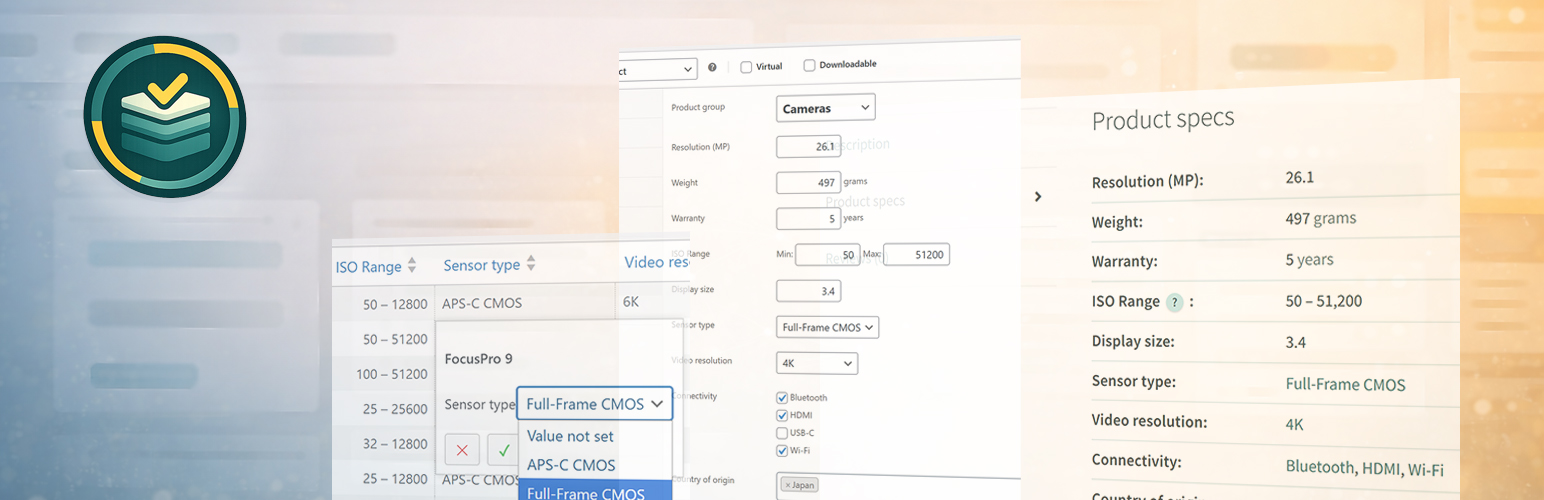
Product Fields overview and schema management (Product Groups and fields).

Product edit screen with product specifications panel.

Inline editor for fast, spreadsheet-style product spec editing.

Frontend specifications section rendered automatically on the product page.
Faq
Simple setup flow:
- Add your product fields.
- (Optional) Create Product Groups for different product types.
- Fill values on each product.
- Use inline editing for faster bulk updates.
- Let WooCommerce show the specs automatically in Additional information.
Tip: start with your top 5 buyer-facing specs per product type.
Go to WooCommerce Settings Products Luma Product Fields.
You can control:
- Frontend section title
- Table row style (plain/divider/striped)
- Layout mode (auto/grid)
- Label/value emphasis
- Built-in tooltip text for package weight/size rows
For deeper customization, developers can use hooks/filters or override output in theme/plugin code.
Yes. For taxonomy-based fields, values can be shown as links on product pages.
When clicked, customers see other products with the same value (for example the same material or compatibility standard).
Yes, you can. The migration tool can discover text-based meta values and convert them into structured data like ranges, numbers, or clickable values where applicable.
Go to WooCommerce Settings Products Luma Product Fields Tools to access migration options.
You can run a dry-run first to preview what will be migrated before applying changes.
Tip: create a backup before running migrations, then verify a handful of products after import.
A Product Group lets you assign different field sets to different product types.
Example:
- Camera products can show fields like ISO range and sensor size.
- Lens products can show fields like focal length and aperture.
So you avoid showing irrelevant fields everywhere.
Important:
- A product can belong to one Product Group at a time.
- A field can be used in multiple Product Groups.
Not directly. WooCommerce attributes are mainly for variations and filtering workflows.
Luma Product Fields focuses on structured specification information for clearer product pages.
Not out of the box; Product Fields are not built into WooCommerce layered navigation by default.
However, the plugin is developer-friendly and can be extended to create filters or custom faceted navigation.
ACF (Advanced Custom Fields) is a powerful and large general custom-fields framework for WordPress.
Luma Product Fields is focused specifically on WooCommerce product specification workflows.
Many plugins try to be everything. Luma Product Fields is built to do one thing exceptionally well: structured product specifications.
That means features like product-spec inline editing, Product Group field sets, and linkable taxonomy-based spec values are designed to work together out of the box for store admin teams.
Not out of the box. The fields are by default shown in the “Additional information” tab.
But there are plenty of hooks you can use to show it wherever you want.
Yes. Everything is class-based, namespaced, and hookable. Field definitions, output, and storage can all be customized or extended.
Reviews
Changelog
1.1.0
- Frontend table row style/layout and label/value emphasis are configurable.
- Units and migration unit aliases are editable in WooCommerce settings.
- Settings UI is now tabbed.
- Added settings for built-in package weight and package size tooltip text.
- Field editor UX improvements: radio-button type selector, initial values for new taxonomy-backed fields, and better draft persistence after validation errors.
- Improved variation field rendering.
- Improved display of backend-only fields in wp-admin.
1.0.0
- Initial public release.