Magecomp AI Description Generator for WooCommerce
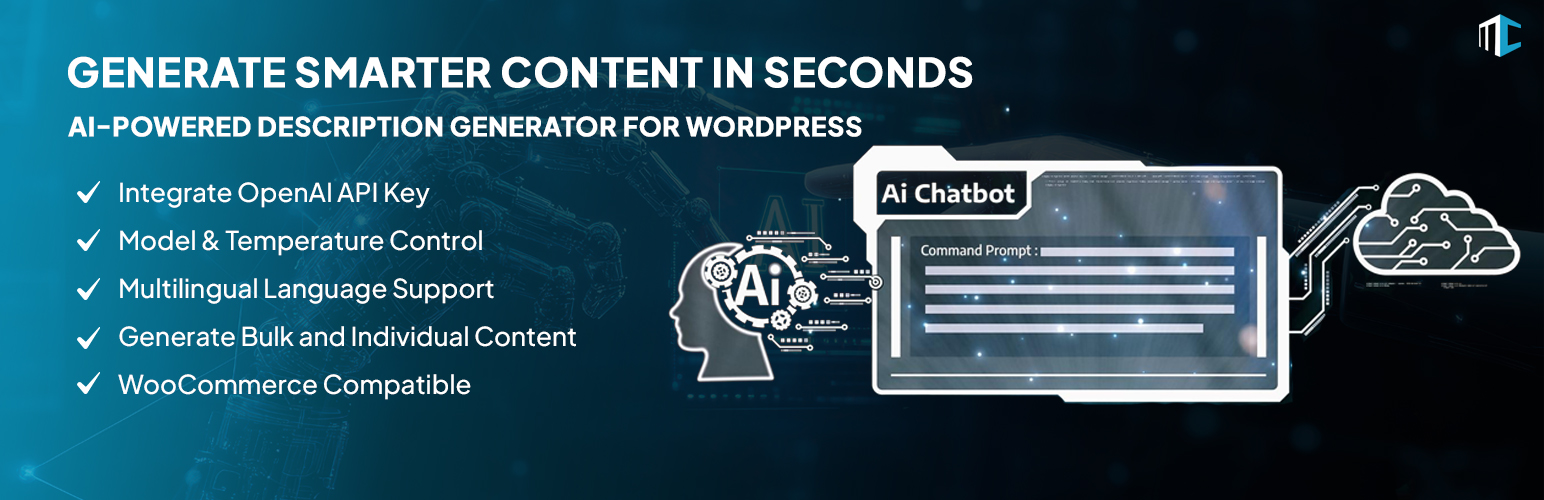
Magecomp AI Description Generator for WooCommerce
Description
The Magecomp AI Description Generator for WooCommerce is a high-end WordPress Plugin that will help you create and generate many well-written and SEO optimized product descriptions with minimal effort using the power of artificial intelligence. Using the smart flexibility of AI, you can quickly and efficiently create product and category descriptions that will help improve your store’s search engine rankings, user engagement, and conversions while reducing the time you spend writing descriptions manually.
Designing product, category, tag, and brand descriptions can be very time-consuming as well as tedious if you use the same description for multiple products or categories. Not only will these duplicate or poorly written descriptions negatively impact your site’s ranking and user engagement, but they will also reduce conversion rates.
Features:
- Easily connect with your OpenAI account by adding your API key directly to the plugin settings.
- Select from available ChatGPT models to maximize performance, accuracy, and response quality for your specific content and API pricing plan.
- Easily create descriptions in your preferred language for multilingual or global websites.
- Easy to create descriptions for multiple types of WordPress content:
— Products
— Categories
— Product Tags
— Product Brands - Set a custom content length limit to generate short summaries or detailed descriptions as per your requirement.
- This plugin helps to speed up the process of generating a large number of product or product category descriptions all at once using a single click.
Third-Party Libraries
Bootstrap – CSS framework
– License: MIT (https://github.com/twbs/bootstrap/blob/main/LICENSE)
– Source: https://getbootstrap.com
Font Awesome Free – Icon library
– Icons: CC BY 4.0
– Fonts: SIL OFL 1.1
– Code (CSS/JS): MIT License
– Source & License: https://fontawesome.com/license/free
Flowbite – UI component library
– License: MIT (https://github.com/themesberg/flowbite/blob/main/LICENSE.md)
– Source: https://flowbite.com
Tailwind CSS – Utility-first CSS framework
– License: MIT (https://github.com/tailwindlabs/tailwindcss/blob/master/LICENSE)
– Source: https://tailwindcss.com
Animate.css – Animation library
– License: MIT (http://opensource.org/licenses/MIT)
– Source: https://animate.style/
Third Party Services
This plugin integrates with OpenAI’s ChatGPT API for AI-powered description generation. Usage requires your own OpenAI API key (entered in plugin settings). You can generate an OpenAPI Key from here.
- What it does: User Prompts (as an example: product names or descriptions or anything on your site) will be sent to OpenAI’s ChatGPT API (via /v1/chat/completions and /v1/models). In return, you will receive an AI-generated description from OpenAI ChatGPT.
- When data is sent: Whenever the user clicks “Generate” from within the plugin using your API Key, the plugin sends all of the user input to OpenAI ChatGPT using either wp_remote_get or wp_remote_post.
- Data sent: Text prompts and context; no personal user data or site URLs transmitted.
More information on OpenAI API keys is available at: https://platform.openai.com/account/api-keys
Installation
- To get started, you will need to install the Magecomp AI Description Generator for WooCommerce Plugin on your WordPress website.
- To do so, go to the WordPress Plugin Directory and download the zip file for the Magecomp AI Description Generator for WooCommerce Plugin to your computer.
- Next, log in to the Admin panel of your WordPress site, then select Plugins > Add New > Upload Plugin. Select the zip file and click on “Install”.
- Alternatively, you can search for the Magecomp AI Description Generator for WooCommerce Plugin by simply looking through the admin panel > Plugins tab.
- Once you’ve installed and activated the plugin, you will need to input your OpenAI API key into the plugin settings to securely integrate your WordPress site with ChatGPT. To create an OpenAI API Key, go to this link.
- Once you input your OpenAI API key into the plugin settings, you can then select the ChatGPT model that you want to use.
- The temperature is an adjustable setting that determines how much creativity and tone will be present in the generated content. You can adjust the temperature to suit your needs.
- You will also have the option to select a language for the content generated by the plugin.
- You can choose the type of content you would like to generate using the plugin.
- You can also set a limit for the words that will be generated based on your requirements.
- You can generate content for specific products or categories. With just one click, you can choose multiple products and produce product descriptions at once.
- After the descriptions are generated, you can view, edit, and publish them as per your preference.
NOTE – To use Magecomp AI Description Generator for WooCommerce, you must activate the WooCommerce plugin first.
Screenshots
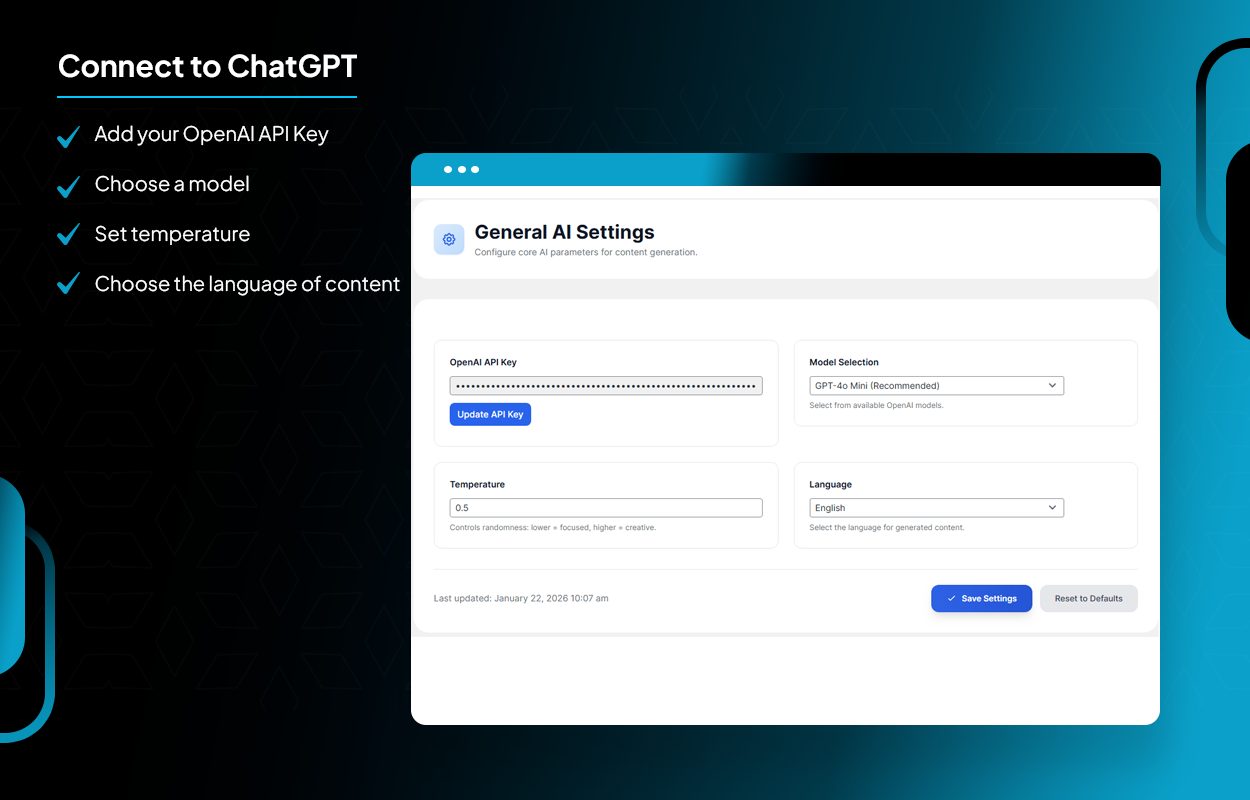
Connect to ChatGPT
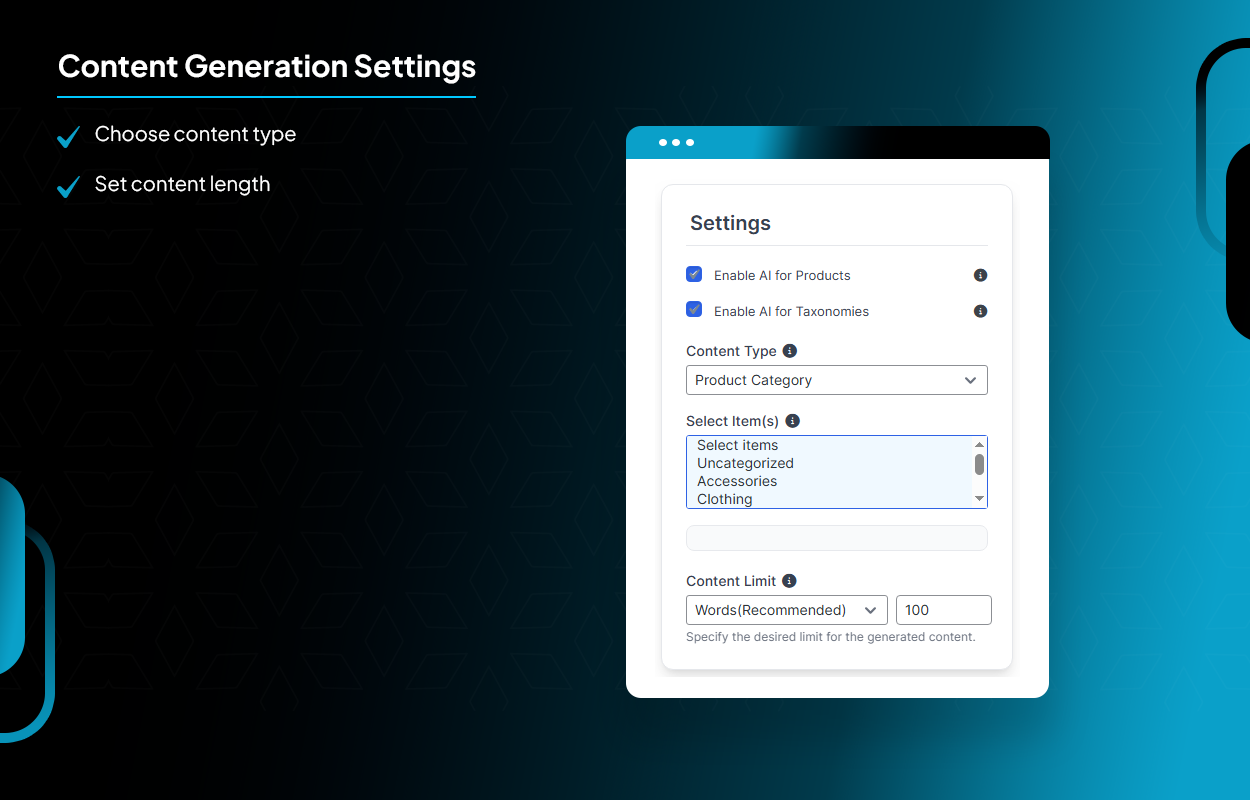
Content Generation Settings
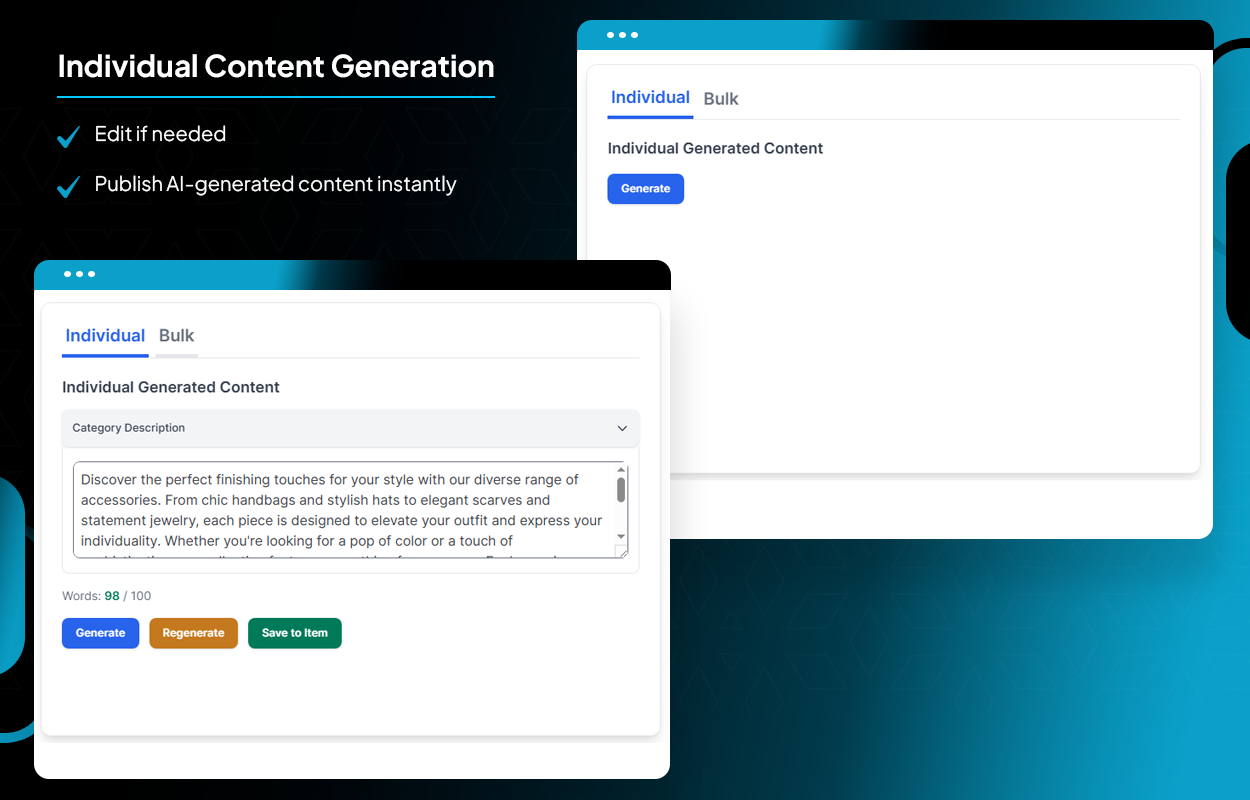
Individual Content Generation
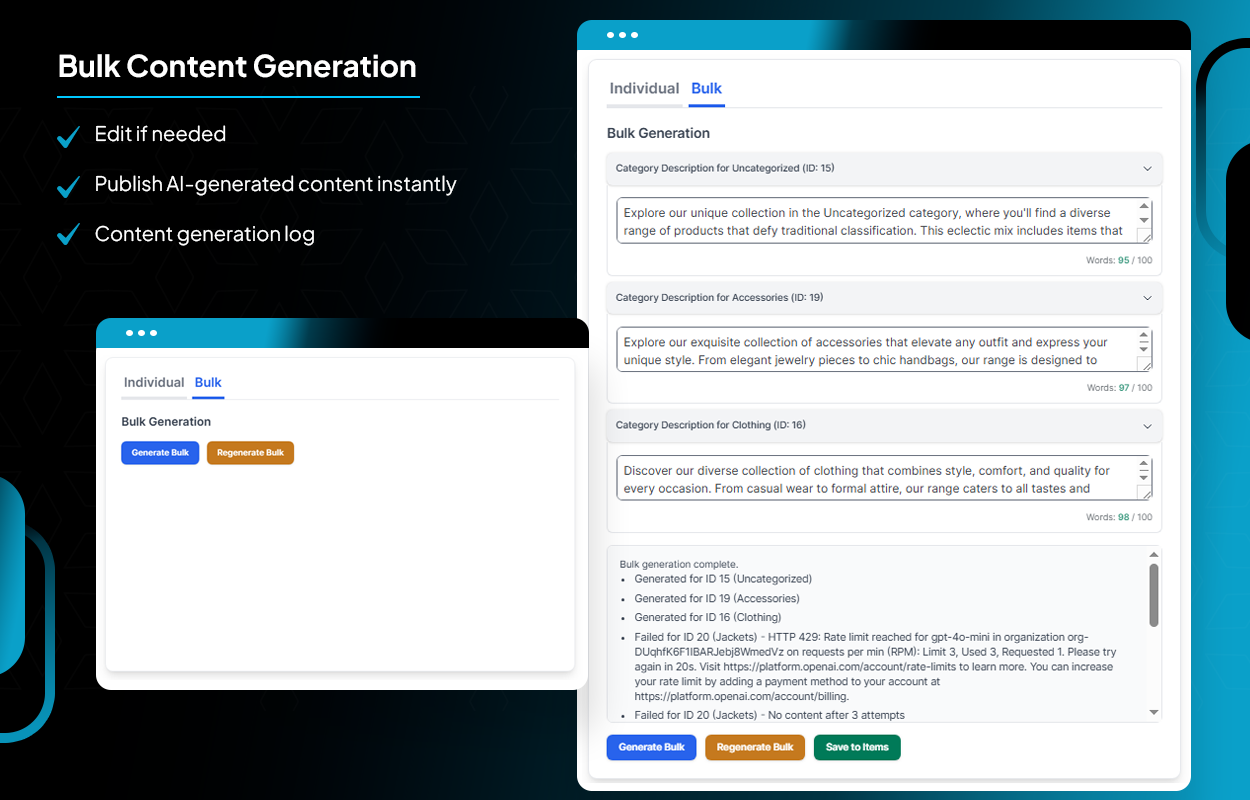
Bulk Content Generation
Faq
-
Do I need to have an OpenAI account to use this Plug-in?
To use ChatGPT with this Plugin, you’ll need to create an OpenAI account and generate an API key through that account. To create an OpenAI API Key, go to this link. -
Is this plugin compatible with WooCommerce?
Yes, this plugin is designed to work seamlessly with WooCommerce products and product taxonomies without any issues. -
Can I generate content in multiple languages?
Absolutely. You can select your preferred language to generate multilingual descriptions. -
Can I generate content in bulk?
Yes! In addition to generating content for a single piece of content, the plugin can also generate multiple pieces of content at once. -
Can I edit the generated content?
Yes! You will have the opportunity to review and edit the content before uploading it to your site.
Reviews
Changelog
1.0.1
- Added: Upgrade to PRO link in the plugin action links.
- Updated: composer.json with full plugin metadata and corrected PHP requirements.
1.0.0
- Initial release