MC4WP: Mailchimp for WordPress

MC4WP: Mailchimp for WordPress
Description
Allowing your visitors to subscribe to your newsletter should be easy. With this plugin, it finally is.
This plugins helps you grow your email list in Mailchimp. You can use it to create good looking and accessible sign-up forms or integrate with any other existing form on your WordPress site, like your contact, comment or checkout form.
Some (but not all) features
-
Connect with your Mailchimp account in seconds.
-
Sign-up forms which are good looking, user-friendly and mobile optimized. You have complete control over the form fields and can build your forms using native HTML.
-
Seamless integration with the following plugins:
- WordPress Comment Form
- WordPress Registration Form
- Contact Form 7
- WooCommerce
- Gravity Forms
- Ninja Forms 3
- WPForms
- BuddyPress
- MemberPress
- Events Manager
- Easy Digital Downloads
- Give
- UltimateMember
- HTML Forms
- AffiliateWP
-
Is the plugin you want to integrate with not listed above? You can probably still use our custom integration feature. Alternatively, the plugin comes with a PHP API to programmatically add a new subscriber to Mailchimp.
-
Mailchimp for WordPress Premium: Send your WooCommerce orders to Mailchimp so you can see exactly what each subscriber purchased and how much revenue your email campaigns are generating.
-
A multitude of available add-on plugins and integrations:
-
Well documented through our knowledge base.
-
Developer friendly. For some inspiration, check out our repository of example code snippets.
-
Ready for PHP 8.5, but backwards-compatible all the way down to PHP 7.4.
What is Mailchimp?
Mailchimp is a newsletter service that allows you to send out email campaigns to a list of email subscribers. It is free for lists with up to 500 email subscribers, which is why it is the newsletter-service of choice for thousands of small businesses across the globe.
If you are not yet using Mailchimp, creating an account is 100% free and only takes you about 30 seconds.
Support
If you need some help in setting up the plugin, you have various options:
- Search through our knowledge base.
- Open a topic in the WordPress.org plugin support forums
- If you’re a premium user, send an email to the email address listed inside the plugin.
Translations
You can help translate this plugin into your language using your WordPress.org account.
Development
This plugin is being developed on GitHub. If you want to collaborate, please look at ibericode/mailchimp-for-wordpress.
Customizing the plugin
The plugin provides various filter and action hooks that allow you to modify or extend the default behavior. We’re also maintaining a collection of sample code snippets.
Installation
Installing the plugin
- In your WordPress admin panel, go to Plugins > New Plugin, search for Mailchimp for WordPress and click “Install now“
- Alternatively, download the plugin and upload the contents of
mailchimp-for-wp.zipto your plugins directory, which usually is/wp-content/plugins/. - Activate the plugin
- Set your API key in the plugin settings.
Configuring Sign-Up Form(s)
- Go to Mailchimp for WP > Forms
- Select at least one list to subscribe people to.
- (Optional) Add more fields to your form.
- Embed a sign-up form in pages or posts using the
[mc4wp_form]shortcode or Gutenberg block. - Show a sign-up form in your widget areas using the “Mailchimp Sign-Up Form” widget.
- Show a sign-up form from your theme files by using the
mc4wp_show_form()PHP function.
Need help?
Please take a look at the MC4WP knowledge base first.
If you can’t find an answer there, please look through the plugin support forums or start your own topic.
Screenshots

Example sign-up form in the TwentyTwenty theme.
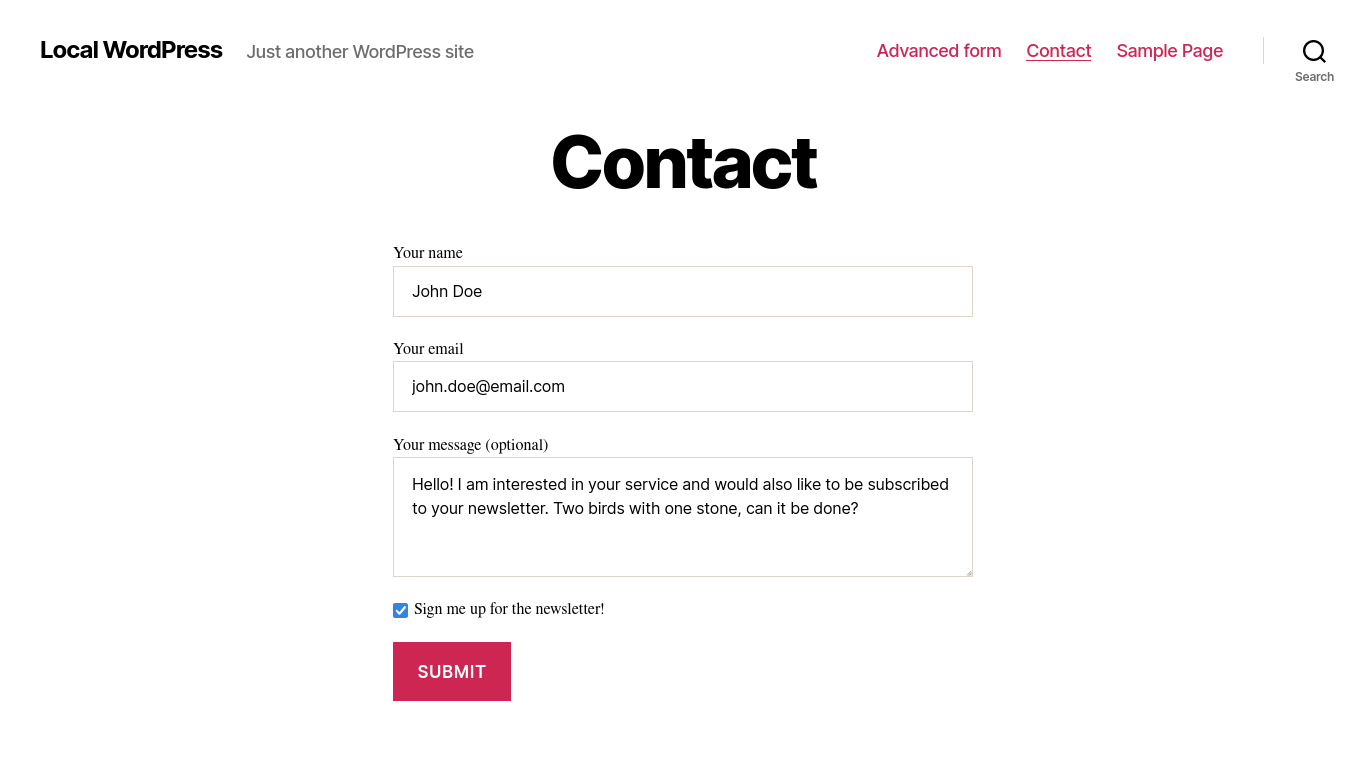
Example sign-up integration with a contact form.

Settings page to connect with your Mailchimp account.

Overview of sign-up integrations.
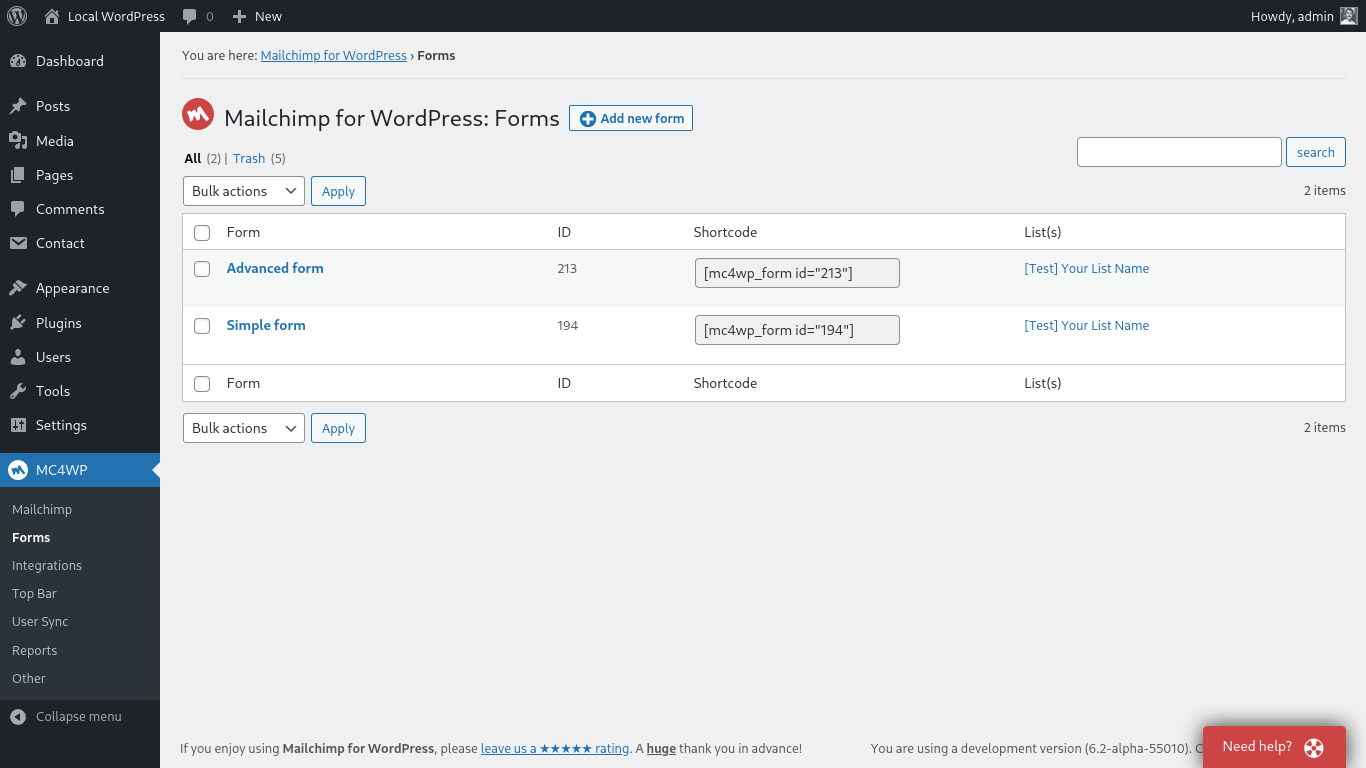
Overview of sign-up forms.
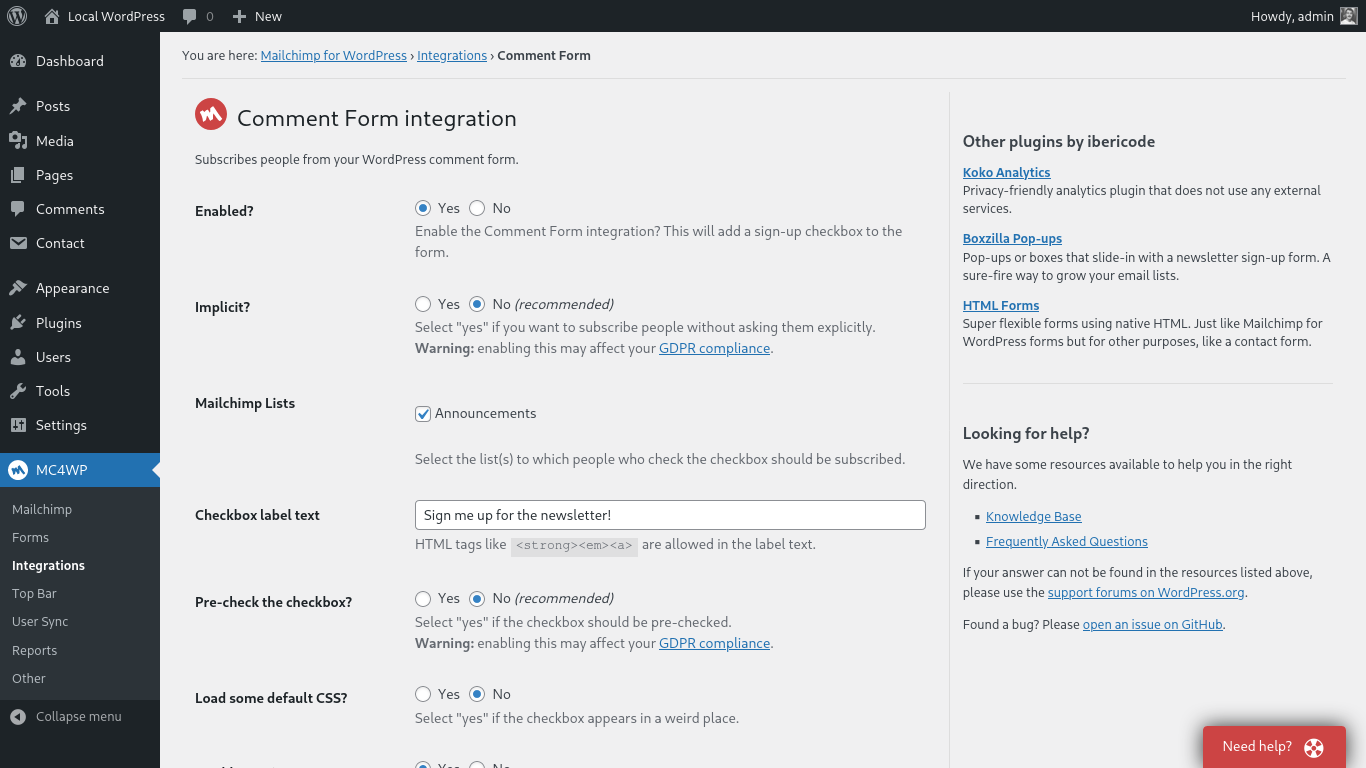
Settings page to configure an integration.
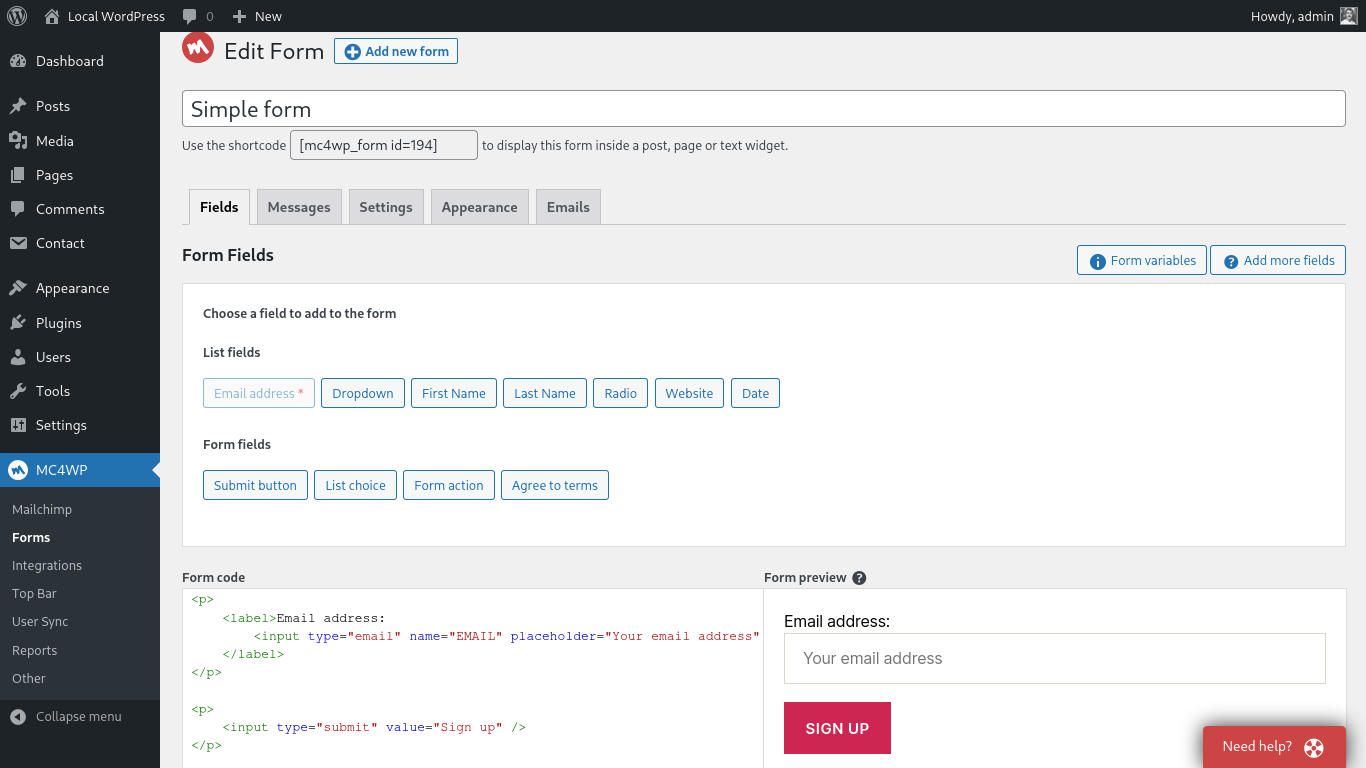
Page where you edit your sign-up forms.
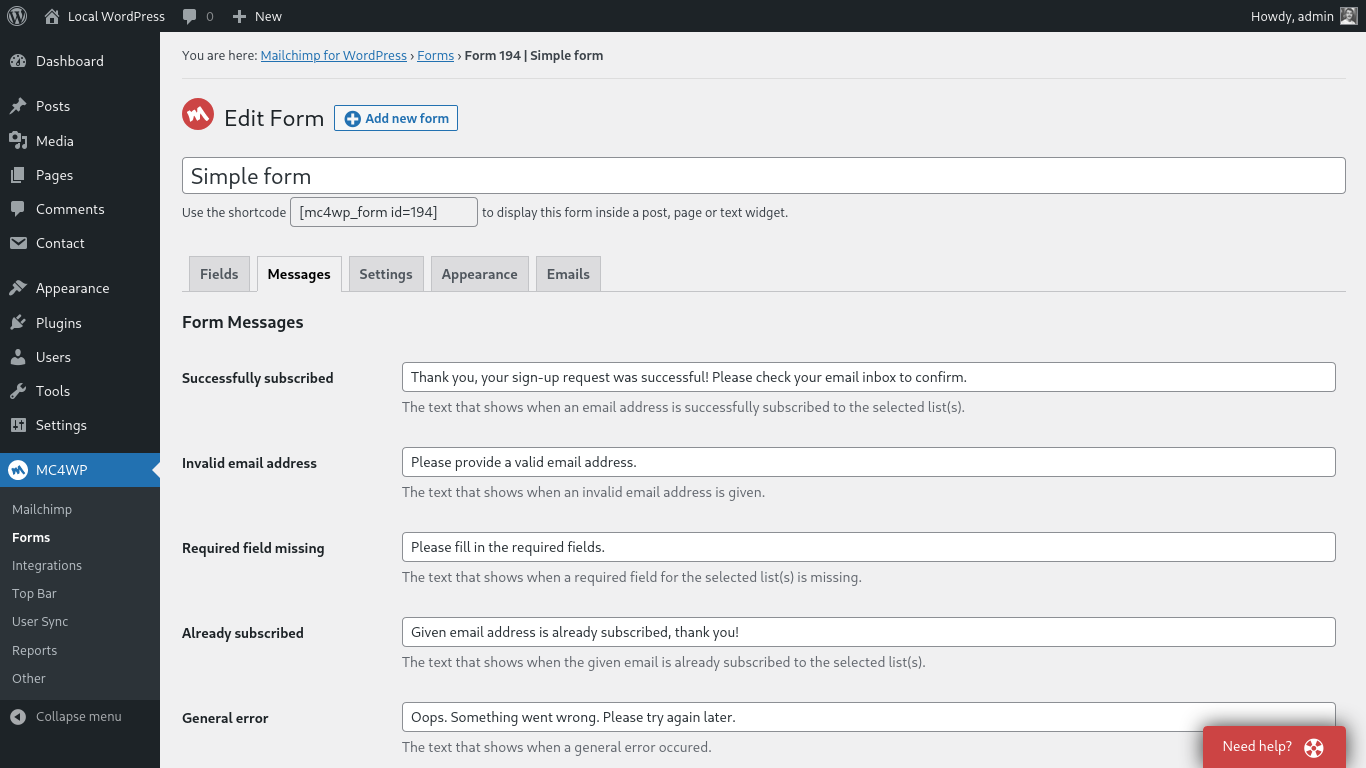
Page where you modify your form messages.
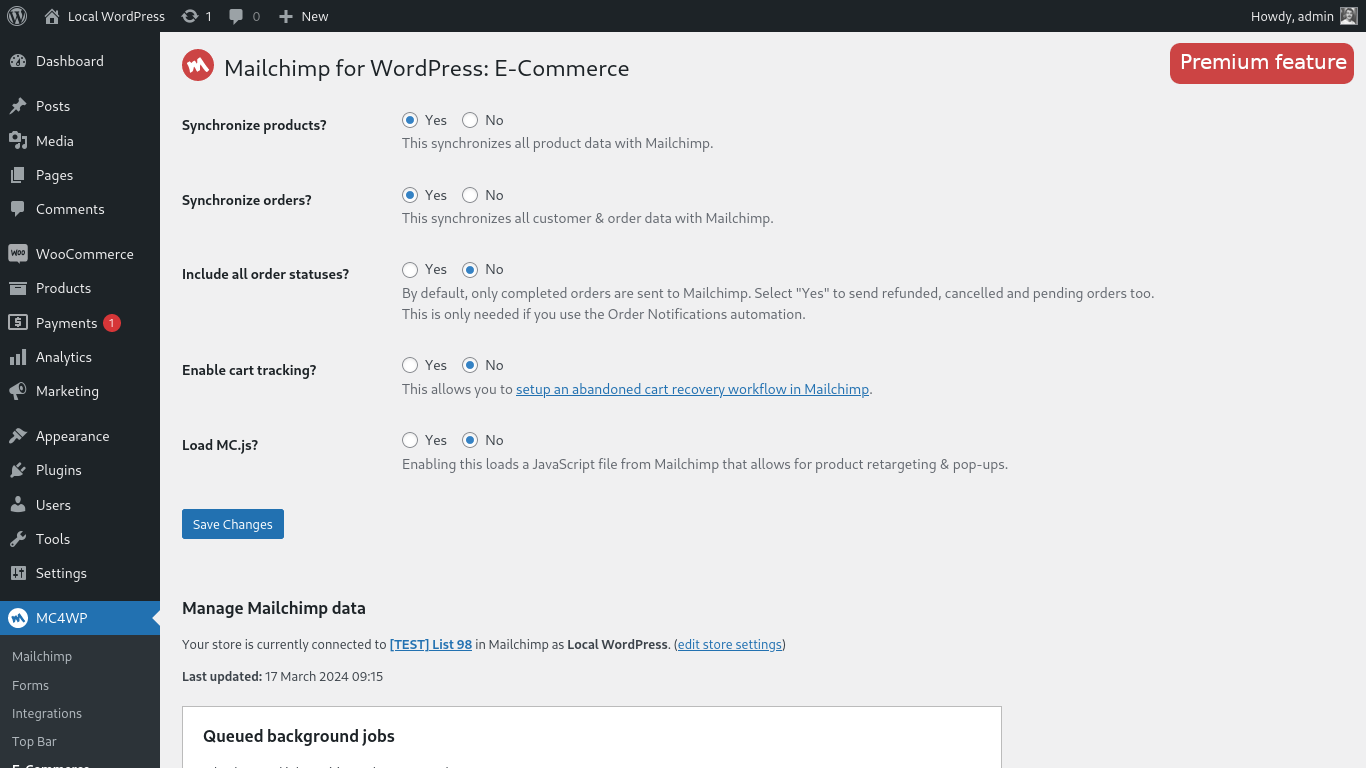
Settings page for e-commerce integration with Mailchimp. Requires Mailchimp for WordPress Premium.
Faq
You can find your Mailchimp API key here
Use the [mc4wp_form] shortcode or the Gutenberg block.
Go to Appearance > Widgets and use the Mailchimp for WP Form widget that comes with the plugin.
Use the following shortcode in your CF7 form to display a newsletter sign-up checkbox.
[mc4wp_checkbox "Subscribe to our newsletter?"]
Our knowledge base has more information on connecting Contact Form 7 and Mailchimp.
If the form shows a success message, there is no doubt that the sign-up request succeeded. Mailchimp could have a slight delay sending the confirmation email though. Please check again in a few minutes (sometimes hours) and don’t forget to check your junk folder too.
When you have double opt-in disabled, new subscribers will be seen as imports by Mailchimp. They will not show up in your daily digest emails or statistics. We always recommend leaving double opt-in enabled.
You can use custom CSS to style the sign-up form if you do not like the themes that come with the plugin. The following selectors can be used to target the various form elements.
.mc4wp-form { ... } /* the form element */
.mc4wp-form p { ... } /* form paragraphs */
.mc4wp-form label { ... } /* labels */
.mc4wp-form input { ... } /* input fields */
.mc4wp-form input[type="checkbox"] { ... } /* checkboxes */
.mc4wp-form input[type="submit"] { ... } /* submit button */
.mc4wp-alert { ... } /* success & error messages */
.mc4wp-success { ... } /* success message */
.mc4wp-error { ... } /* error messages */
You can add your custom CSS to your theme stylesheet or (easier) by using a plugin like Simple Custom CSS
We recommend the Boxzilla pop-up plugin for this. You can use the form shortcode in your pop-up box to show a sign-up form.
You can use our WooCommerce integration for that. How to subscribe to Mailchimp from the WooCommerce checkout form.
You can find instructions for connecting your WooCommerce store with Mailchimp on our website.
the “HTTP Error” type is usually because of a firewall configuration issue or outdated software on your web server.
Please contact your webhost and ask them to check the following:
- Whether remote HTTP requests to
https://api.mailchimp.comare allowed. - Whether cURL and the PHP-cURL extension are installed and updated to a recent version.
Please report security bugs found in the source code of the Mailchimp for WordPress plugin through the Patchstack Vulnerability Disclosure Program. The Patchstack team will assist you with verification, CVE assignment, and notify the developers of this plugin.
Please search through our knowledge base.
Reviews
best plugin
By 
very very useful it helps me solve a big issue concerning mailing subscribers
Simple and does the job
By 
Connected my list in a few minutes, forms match my site's styling without extra tweaking, and double opt-in works as expected. No complaints so far.
Easy to use and beautiful too
By 
We have been using MC4WP for almost a year now, and I am so pleased how it has been working for us. It was easy to integrate and set up. No issues, so I highly recommend you use it for your site.
Perfect
By 
Clean, stable and updated regularly
Great Plugin & Support
By 
I've been using this for a long time to add subscribers to Mailchimp both on a form and in the Woocommerce checkout. I recently encountered a problem experimenting with the Woocommerce block-based checkout and M4CWP support were great.
Highly recommended plugin.
Not Bad Option
By 
Tried Mailchimp for WordPress for my forms. It connects fine and does the basic job. But the setup felt a bit confusing at times. Works ok overall, but could be simpler and smoother.
Exactly does What we needed
By 
Simple, powerful, and exactly what we needed. Solved our problem without the usual headaches.
Simple Mailchimp Connect
By 
Good plugin for connecting Mailchimp with WP. Setup was pretty easy and forms started collecting emails without much hassle. UI is clean too. A few more design options would be nice, but overall works well.
Just Started Using This API
By 
I like it so far and will update this review as time goes on.
Great Customer Service
By 
I talk with them and they help me adding functionalities to the plugin 🙂
Changelog
4.14.1
Release date: Sep 10, 2026
- Security: Escape dynamic content tags based on where they appear in the HTML. Values in URL attributes can no longer use a protocol like
javascript:, and values in event handler attributes are removed. - Integrations: Prosopo Procaptcha now follows the alignment of the surrounding form. Thanks Chris Taylor!
- Integrations: Fix Prosopo Procaptcha breaking other scripts on the page when the theme wraps the form in paragraph tags. Thanks Chris Taylor!
- Misc: Fix the Mailchimp Site Tracking Pixel not finding an already connected site for the same domain, for example when it was registered with a
www.prefix or on a multisite subdirectory install. - Misc: Log the full Mailchimp error message when the Site Tracking Pixel fails to connect.
4.14.0
Release date: Aug 4, 2026
- Integrations: Show the sign-up checkbox on the admin “Add New User” form. Thanks arnelap!
- Misc: Add a code snippet for sending the WordPress username to Mailchimp with User Sync.
- Misc: Update WordPress Coding Standards to 3.4 and fix a few incorrect type annotations.
4.13.1
Release date: Jun 22, 2026
- Forms: Improve handling of pasted
<form>wrapper tags in form content. - Forms: Remove
mc4wp_default_form_idoption. We now default to first available form. - Forms: Improve the
{email}dynamic content tag by detecting common lowercase email field names. - Misc: Adhere to DB, Security, I18n sniffs from WordPress Coding Standards.
- Misc: Prevent direct access to plugin configuration files.
- Misc: Remove the plugin review request from the footer of plugin admin pages.
- Security: Add Patchstack vulnerability disclosure instructions to the plugin FAQ and security policy.
4.13.0
Release date: Jun 1, 2026
- Improve performance by preloading core plugin classes and skipping dynamic content tag parsing when no tags are present.
- Improve security for admin AJAX requests by adding a nonce check and stricter audience ID handling.
- Improve dynamic content tag replacement by removing broken regular expressions.
- Improve form preview output by disabling PHP error display during preview rendering.
- Update JavaScript dependencies and pass admin script data using
wp_add_inline_script().
4.12.6
Release date: May 26, 2026
- Fix integrations losing runtime options like double opt-in when sign-up attempts are processed asynchronously. Thanks Jon Parker!
- Fix Site Tracking Pixel setting not being saved when disabling it.
- Improve accessibility of generated form fields by wrapping inputs in labels and using fieldsets for checkbox and radio fields.
- Improve validation and sanitization of submitted form data.
- Improve debug log safety by truncating overly long messages and improving email address obfuscation. Thanks Jack Feldcher!