MC4WP: Mailchimp Top Bar – Email Subscribe Notification Bar

MC4WP: Mailchimp Top Bar – Email Subscribe Notification Bar
Description
Grow your Mailchimp audience with a customizable email signup bar at the top or bottom of your WordPress site. The bar stays visible while visitors browse, helping your call to action get noticed without blocking your content.
Mailchimp Top Bar is an add-on for MC4WP: Mailchimp for WordPress. It connects the bar to the Mailchimp audience of your choice.
Features
- Capture more subscribers: Keep your email signup call to action visible while visitors browse.
- Match your brand: Customize the bar text, button text, and colors from the plugin settings.
- Choose its position: Display the subscribe bar at the top or bottom of the screen.
- Let visitors dismiss it: Visitors can hide the bar when they are not interested.
- Keep pages fast: The front-end JavaScript is under 2 kB when compressed.
About the Plugin Author
Danny van Kooten has been building WordPress plugins since 2010, starting with WordPress 3.0.
He is the founder of ibericode, the small software company behind popular WordPress plugins including Mailchimp for WordPress, Boxzilla Pop-ups and Koko Analytics.
Installation
Mailchimp Top Bar requires the MC4WP: Mailchimp for WordPress plugin.
Automatic installation
- In your WordPress dashboard, go to Plugins > Add New.
- Search for Mailchimp Top Bar.
- Click Install Now, then activate the plugin.
- Go to Mailchimp for WP > Mailchimp Settings and enter your Mailchimp API key.
- Go to Mailchimp for WP > Top Bar and select a Mailchimp audience.
- Customize the text, colors, and position as needed.
Manual installation
- Download the plugin ZIP file.
- Go to Plugins > Add New > Upload Plugin.
- Upload the ZIP file, install it, and activate the plugin.
- Configure the API key and audience under Mailchimp for WP.
Screenshots
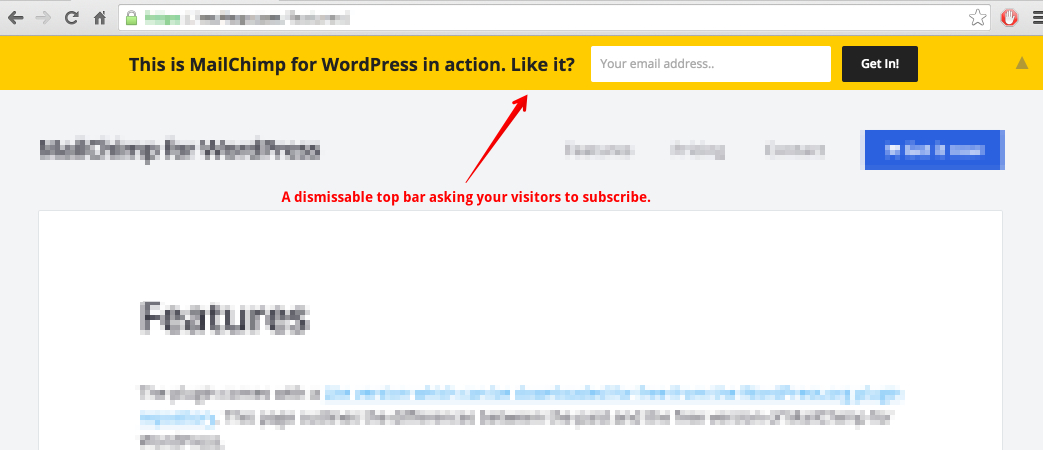
A Mailchimp top bar capturing email signups without blocking the page content.
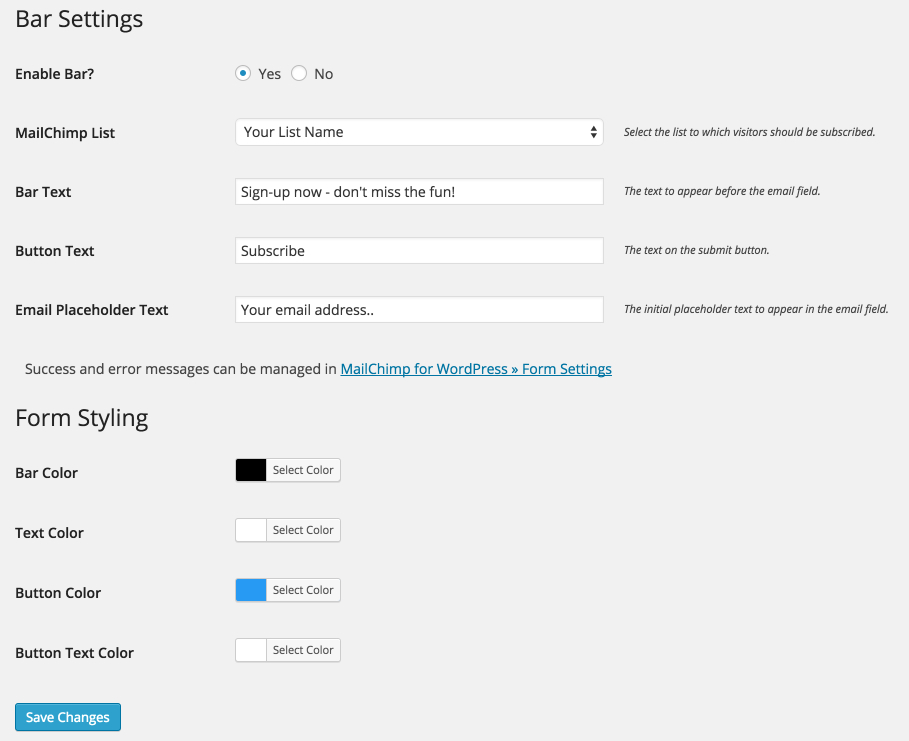
The settings page for customizing the Mailchimp notification bar colors, text, and behavior.
Faq
Yes. Use the mctb_show_bar filter to control where the bar appears. This example shows it on blog posts only:
add_filter( 'mctb_show_bar', function( $show ) {
    return is_single();
} );
This example shows it only on the contact page:
add_filter( 'mctb_show_bar', function( $show ) {
    return is_page( 'contact' );
} );
See the WordPress Conditional Tags documentation for other conditions.
Yes. Add a name field and pass its value to the selected Mailchimp audience:
add_action( 'mctb_before_submit_button', function() {
    echo '<input type="text" name="NAME" placeholder="Your name" />';
} );

add_filter( 'mctb_subscriber_data', function( $subscriber ) {
    if ( ! empty( $_POST['NAME'] ) ) {
        $subscriber->merge_fields['NAME'] = sanitize_text_field( $_POST['NAME'] );
    }

    return $subscriber;
} );
See adding a name field to Mailchimp Top Bar for more details.
Add this CSS to hide the bar on screens narrower than 600 pixels:
@media ( max-width: 600px ) {
    #mailchimp-top-bar {
        display: none !important;
    }
}
The plugin keeps its front-end footprint small. Its JavaScript is under 2 kB when compressed, and the stylesheet loads without blocking page rendering.
Open a topic in the WordPress.org support forum.
Reviews
Terrible
By 
missing GDPR support
By 
doesn't work
By 
Perfect
By 
Great !
By 
Works great..
By 
Simple but efficient
By 
Simple and efficient
By 
Mailchimp Top Bar Good Plugin
By 
So Easy!
By 
Changelog
1.7.6
- Improved email address validation.
- Address warnings reported by WordPress Coding Standards.
1.7.5
- Allow WP Core to handle dependency on core Mailchimp for WordPress plugin.
- Minor defensive coding improvements.
1.7.4
- Bump required WordPress version to 7.4 or higher.
- Modernize code base by using latest PHP features and removing legacy compatibility code.
1.7.3
- Minor performance or memory usage related improvements.
- Compatibility check with latest WordPress version.
1.7.1
- Update dependencies and WordPress compatibility.
- Decrease timestamp check to one second ago.