MailerPress – Email Marketing, Newsletter, Email Automation & WooCommerce Emails

MailerPress – Email Marketing, Newsletter, Email Automation & WooCommerce Emails
Description
MailerPress is a free email marketing and newsletter plugin for WordPress. Build professional email campaigns with a drag-and-drop editor, manage unlimited subscribers and lists, schedule newsletters, and send automated emails — all from your WordPress dashboard.
Whether you’re a blogger sending a weekly newsletter, an online store owner looking to customize WooCommerce emails (paid plan required), or a marketer running large-scale email campaigns, MailerPress gives you everything you need — with no subscriber limits and no sending restrictions.
Drag-and-Drop Email Editor
Create beautiful email newsletters without writing a single line of code. The MailerPress email editor is inspired by the WordPress Block Editor (Gutenberg), so it feels instantly familiar:
- Drag-and-drop blocks to build your email layout
- Pre-built email templates to get started in seconds
- Save and reuse your own custom layouts
- Full theme.json support for consistent branding with Full Site Editing
- Google Fonts integration with local hosting for fast loading
- MJML template import for advanced email designs
- Responsive emails that look great on every device
Subscriber Management & List Building
Grow your email list with powerful subscriber management tools, completely free:
- Unlimited subscribers, lists, and tags — no restrictions
- Customizable opt-in forms with shortcode — works with any page builder (Elementor, Bricks, Divi, and more)
- Gutenberg opt-in form block for the Block Editor
- Embeddable opt-in forms for external websites
- Double opt-in with customizable confirmation emails
- CSV import and export for easy subscriber migration
- Advanced subscriber segmentation
- GDPR-compliant subscription management with built-in unsubscribe
Email Campaigns & Newsletter Scheduling
Send newsletters and email campaigns on your schedule:
- Create and send email campaigns to your subscriber lists
- Schedule newsletters for future delivery
- Merge tags for personalized email content (subscriber name, custom fields, and more)
- Content retrieval from posts and pages
- Flexible click and open tracking (track, anonymize, or disable)
- Detailed campaign analytics and performance reports
Email Automation
Automate your email marketing to save time and boost engagement:
- Automated post notification emails when you publish new content
- Scheduled email campaigns with precise timing
- Automated double opt-in confirmation follow-ups (paid plan required)
- Advanced automation workflows with triggers and conditions (paid plan required)
Supported WordPress Plugin Integrations
Connect MailerPress with popular form, page builder, e-commerce, membership, and automation plugins:
Explore all available integrations: https://mailerpress.com/integrations/
- Contact Form 7 (free) — map form fields, lists, tags, custom fields, and double opt-in settings to add subscribers
- Gravity Forms (paid plan required) — add form submissions to MailerPress lists with field mapping
- Fluent Forms (paid plan required) — capture form submissions and synchronize subscriber data
- Elementor (paid plan required) — use the MailerPress widget and Elementor Pro form action
- Bricks Builder (paid plan required) — build opt-in forms with the native MailerPress element
- Divi Builder (paid plan required) — connect the Divi Email Optin module to MailerPress
- WooCommerce (paid plan required) — capture checkout opt-ins, manage subscriber preferences, and customize transactional emails
- Paid Memberships Pro (paid plan required) — collect newsletter opt-ins at checkout and display subscription preferences in member accounts
- Advanced Custom Fields / ACF (paid plan required) — use ACF content in Query blocks and campaign content
- WordPress users (paid plan required) — synchronize WordPress user accounts with MailerPress contacts
Third-party automation integrations are also available for Bit Flows, FlowMattic, OttoKit, and SureForms. These integrations are maintained by their respective plugin authors, and feature availability may depend on their plans.
WooCommerce Email Marketing (paid plan required)
Turn your WooCommerce store into an email marketing machine:
- Design custom WooCommerce transactional emails with the drag-and-drop editor
- Override default WooCommerce order confirmation, shipping, and account emails
- Send promotional email campaigns to your customers
- Retrieve WooCommerce product content directly in your newsletters
- Segment subscribers based on purchase behavior
Incoming & Outgoing Webhooks (paid plan required)
Connect MailerPress to any external system:
- Incoming webhooks to add subscribers from external platforms
- Outgoing webhooks to send real-time events to third-party services
- Build custom integrations with your existing tools
Email Sending Options
Send emails using your preferred method:
- PHP Mail (default — works out of the box)
- Custom SMTP configuration
- Brevo / Sendinblue integration (paid plan required)
- SendGrid integration (paid plan required)
- Gmail / Google Workspace integration (paid plan required)
- Mailgun integration (paid plan required)
- Mailjet integration (paid plan required)
- Postmark integration (paid plan required)
- Amazon SES integration (paid plan required)
- Emailit integration (paid plan required)
- SMTP2GO integration (paid plan required)
- Resend integration (paid plan required)
- Bounce management via email provider APIs (paid plan required)
All Free Features
- Drag-and-drop email editor inspired by WordPress Block Editor
- Unlimited subscribers, lists, tags, and campaigns
- Email newsletter creation and scheduling
- Customizable opt-in forms (shortcode + Gutenberg block)
- Double opt-in with confirmation emails
- CSV import/export for subscriber migration
- Subscriber segmentation
- Contact Form 7 integration
- Email campaign analytics
- Post and page content retrieval for newsletters
- Click and open tracking (with anonymous option)
- Merge tags for email personalization
- MJML template import
- Google Fonts with local hosting
- GDPR-compliant with built-in unsubscribe
- Self-hosted — your data stays on your server
- Full theme.json and FSE support
- Hundreds of developer hooks and filters
- REST API for custom integrations
Paid Plan Features
Upgrade to MailerPress for advanced email marketing capabilities:
- WooCommerce email customization — design and override transactional emails (order confirmation, shipping, account emails) with the drag-and-drop editor
- Professional email delivery — Brevo, SendGrid, Gmail / Google Workspace, Mailgun, Mailjet, Postmark, Amazon SES, Emailit, SMTP2GO, Resend
- AI-powered email content — OpenAI, Claude by Anthropic, DeepSeek, Mistral, and Google Gemini for content optimization and image generation
- Advanced form integrations — Gravity Forms and Fluent Forms
- Page builder integrations — Elementor, Bricks Builder, and Divi Builder
- E-commerce and membership integrations — WooCommerce and Paid Memberships Pro
- WordPress user synchronization — keep WordPress user accounts connected with MailerPress contacts
- Advanced Custom Fields integration — use ACF content in Query blocks and campaigns
- Incoming and outgoing webhooks — connect MailerPress to external apps and automation platforms
- Advanced automation workflows — triggers, conditions, and behavioral targeting
- Custom fields and advanced segments — target subscribers based on behavior and data
- Premium email templates — professional designs ready to use
- Embed opt-in forms on external websites — grow your list beyond WordPress
- Bounce management — automatic handling via email provider APIs
- Automated double opt-in follow-ups — re-engage pending subscribers
- White-label options — customize MailerPress branding
- Priority support — dedicated customer assistance
Developer-Friendly
MailerPress is built for developers who need full control:
- Hundreds of hooks and filters — customize every aspect of the plugin
- REST API — build custom integrations and applications
- MJML support — use MJML templates for advanced email design workflows
- React-based architecture — modern, extensible, and performant
Privacy & GDPR
MailerPress is fully GDPR-compliant and privacy-first. No data is collected by us — everything stays on your server. Built-in unsubscribe links, double opt-in, and data export tools help you stay compliant. When using third-party email providers, please review their respective privacy policies.
Translations
MailerPress is available in English, French, Spanish, Dutch, and Arabic. Help translate MailerPress into your language.
From the same team
Installation
- Upload the plugin files to the
/wp-content/plugins/mailerpressdirectory, or install the plugin through the WordPress plugins screen directly. - Activate the plugin through the ‘Plugins’ screen in WordPress.
- Navigate to the MailerPress screen in your WordPress admin to get started.
Screenshots
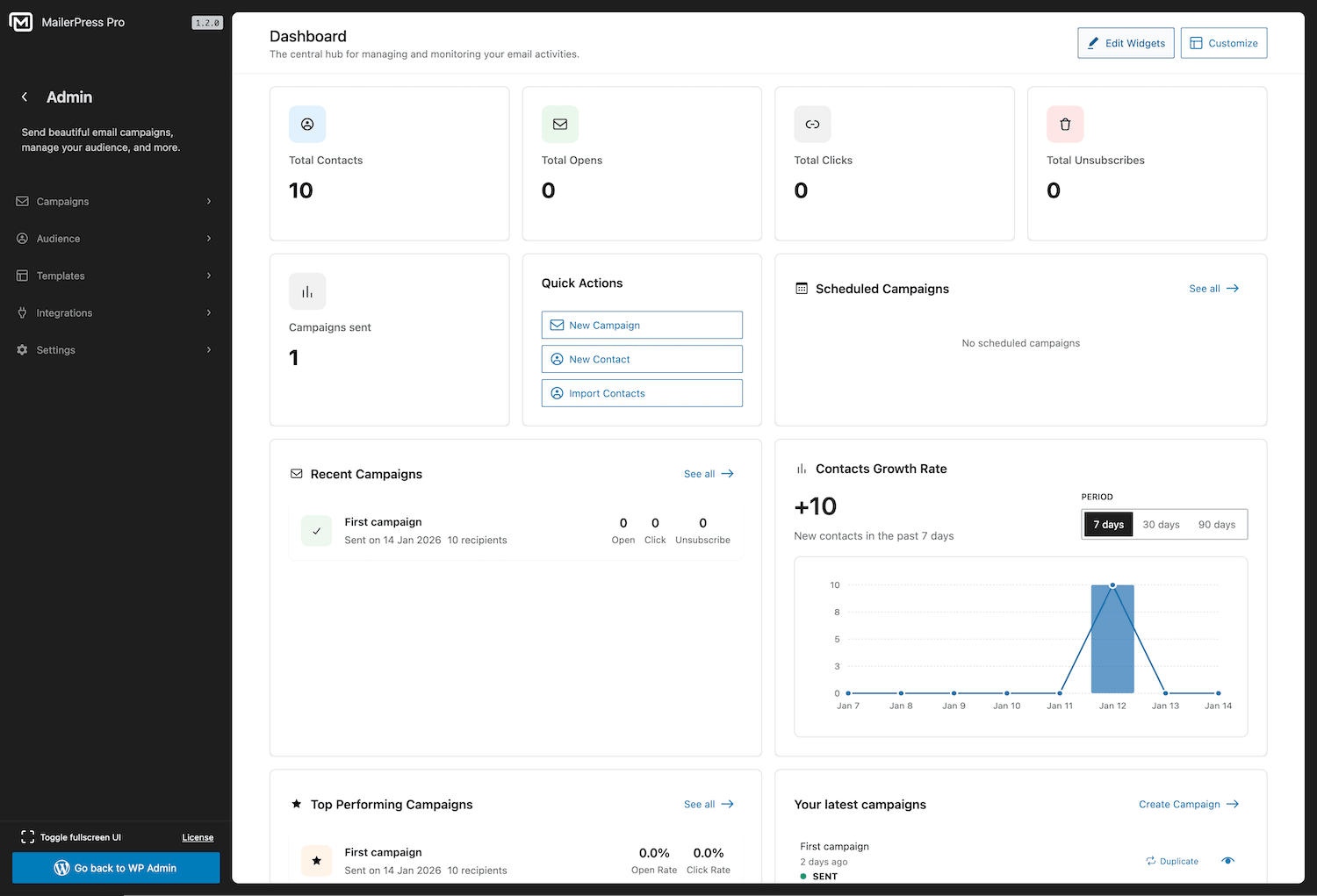
MailerPress dashboard — overview of your email marketing performance
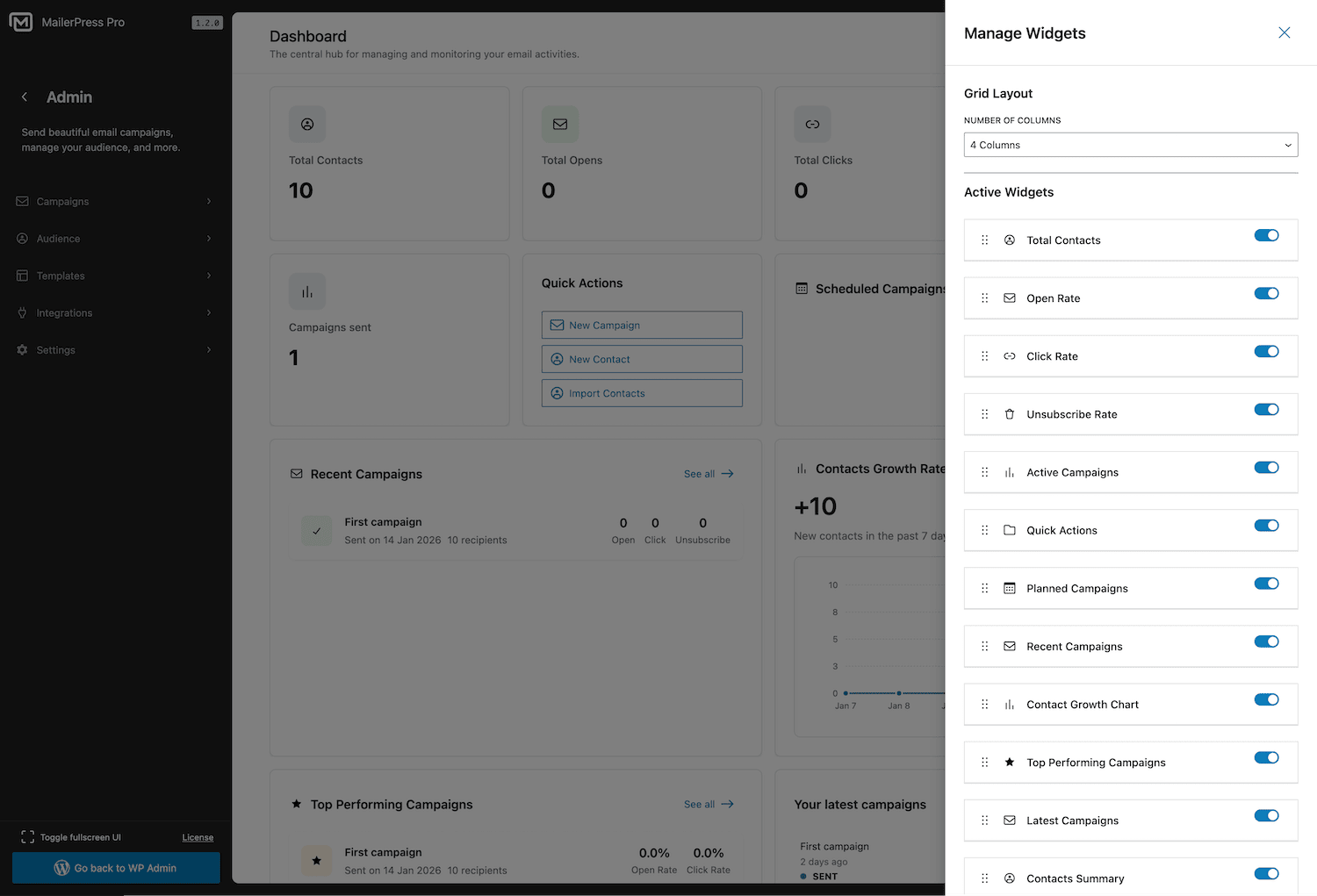
Customizable dashboard with drag-and-drop widgets
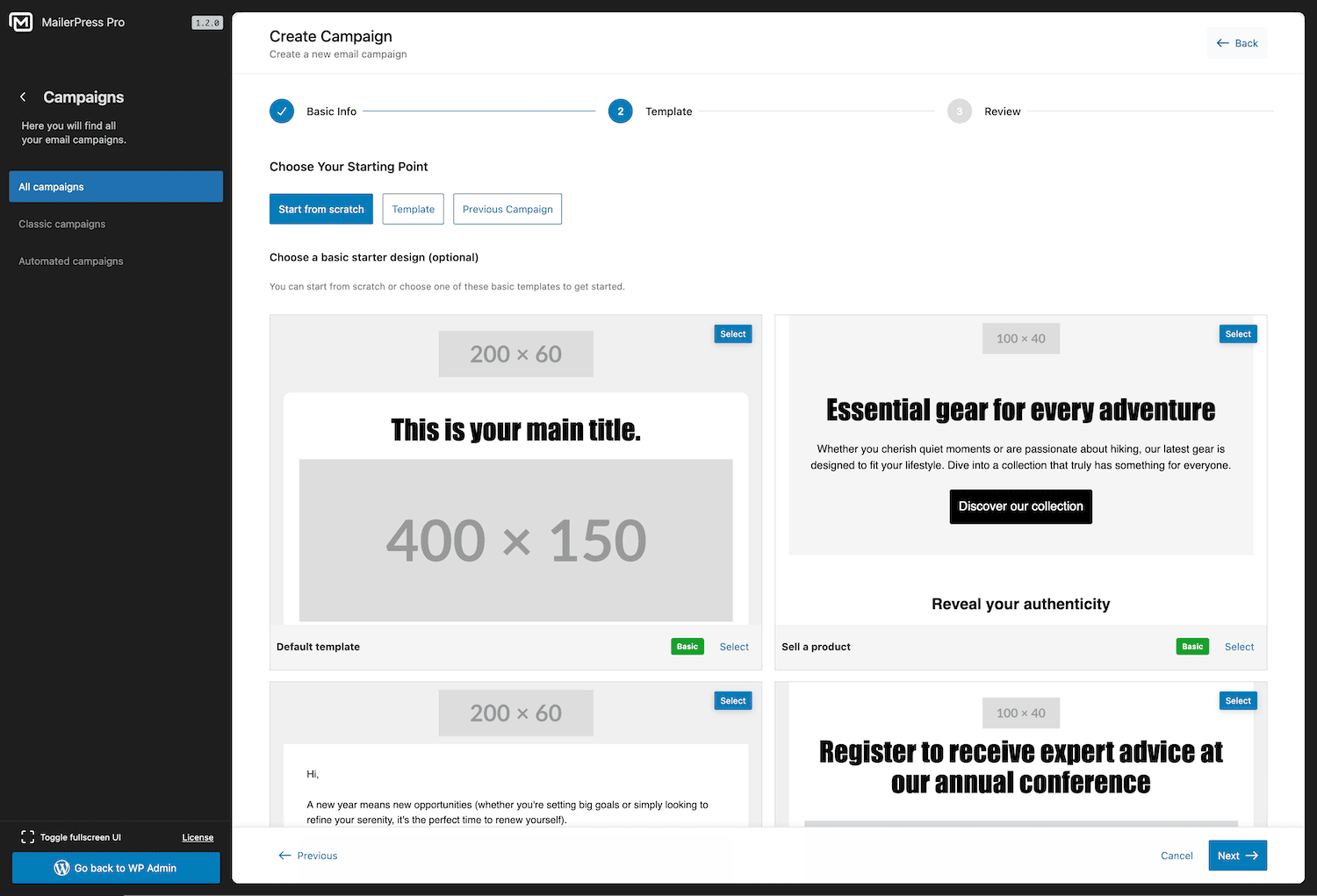
Campaign creation wizard — set up a new email campaign in seconds
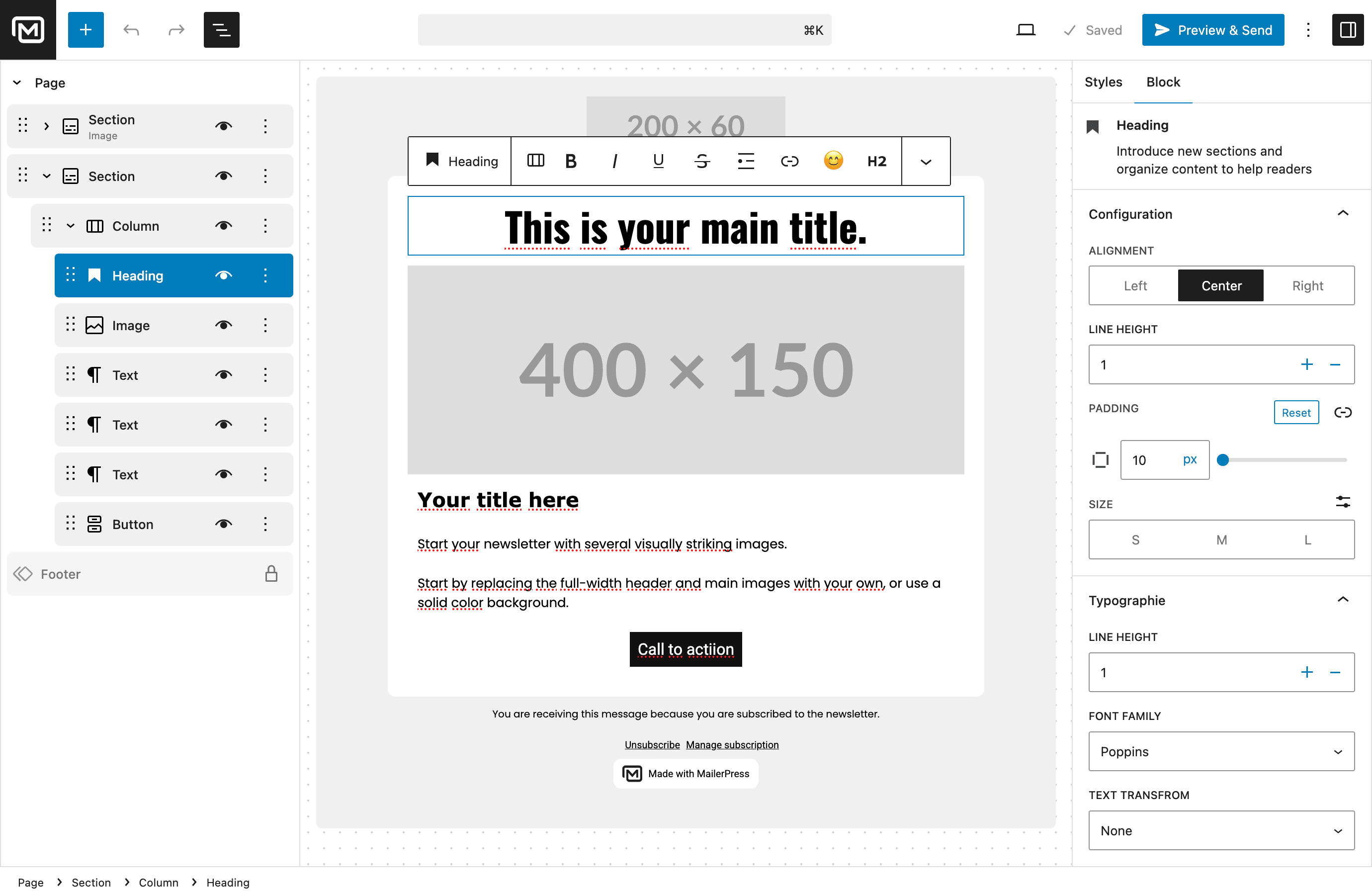
Drag-and-drop email editor inspired by the WordPress Block Editor
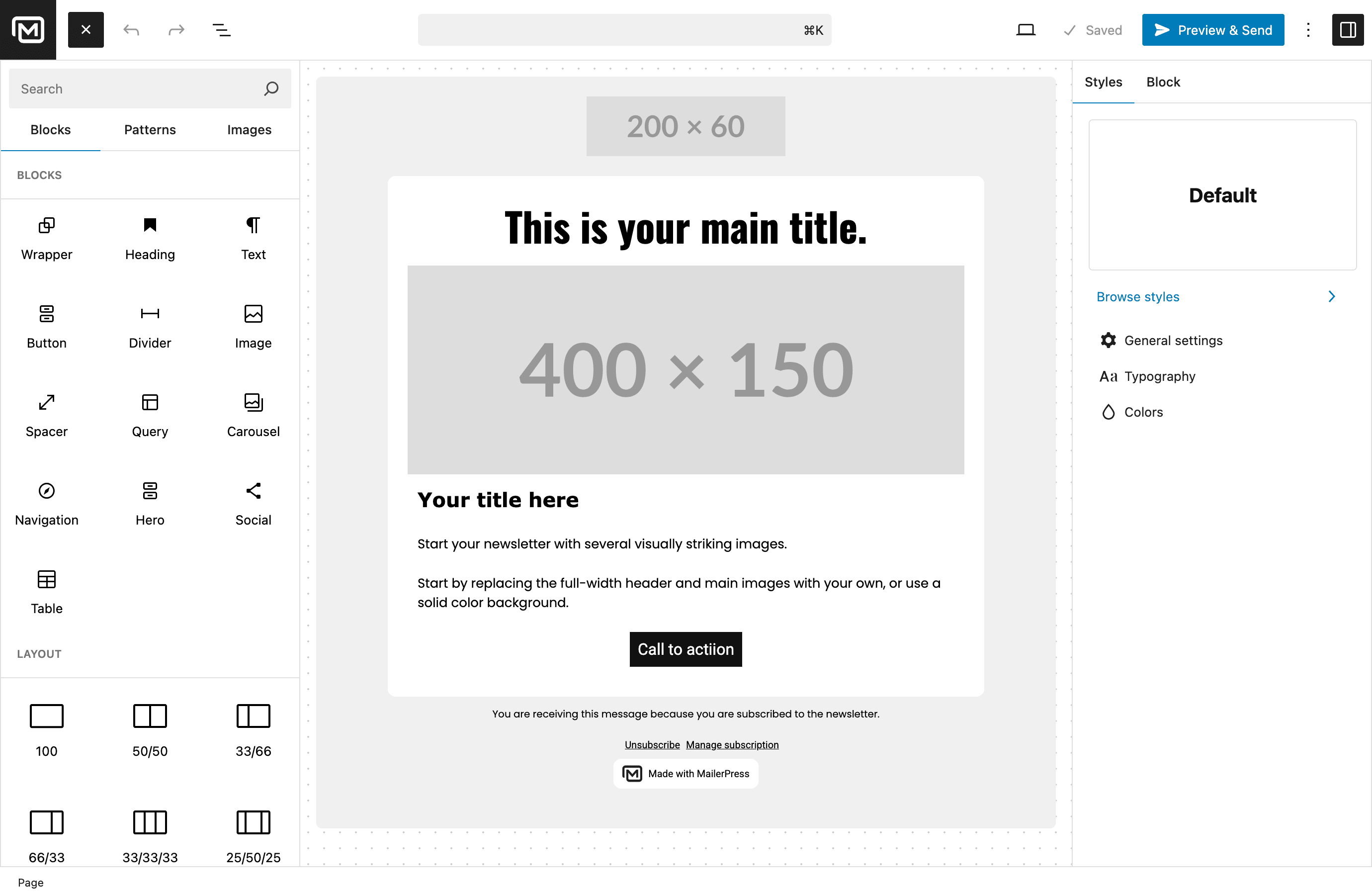
Content blocks library — build emails with pre-built components

Setup wizard — get started with MailerPress quickly
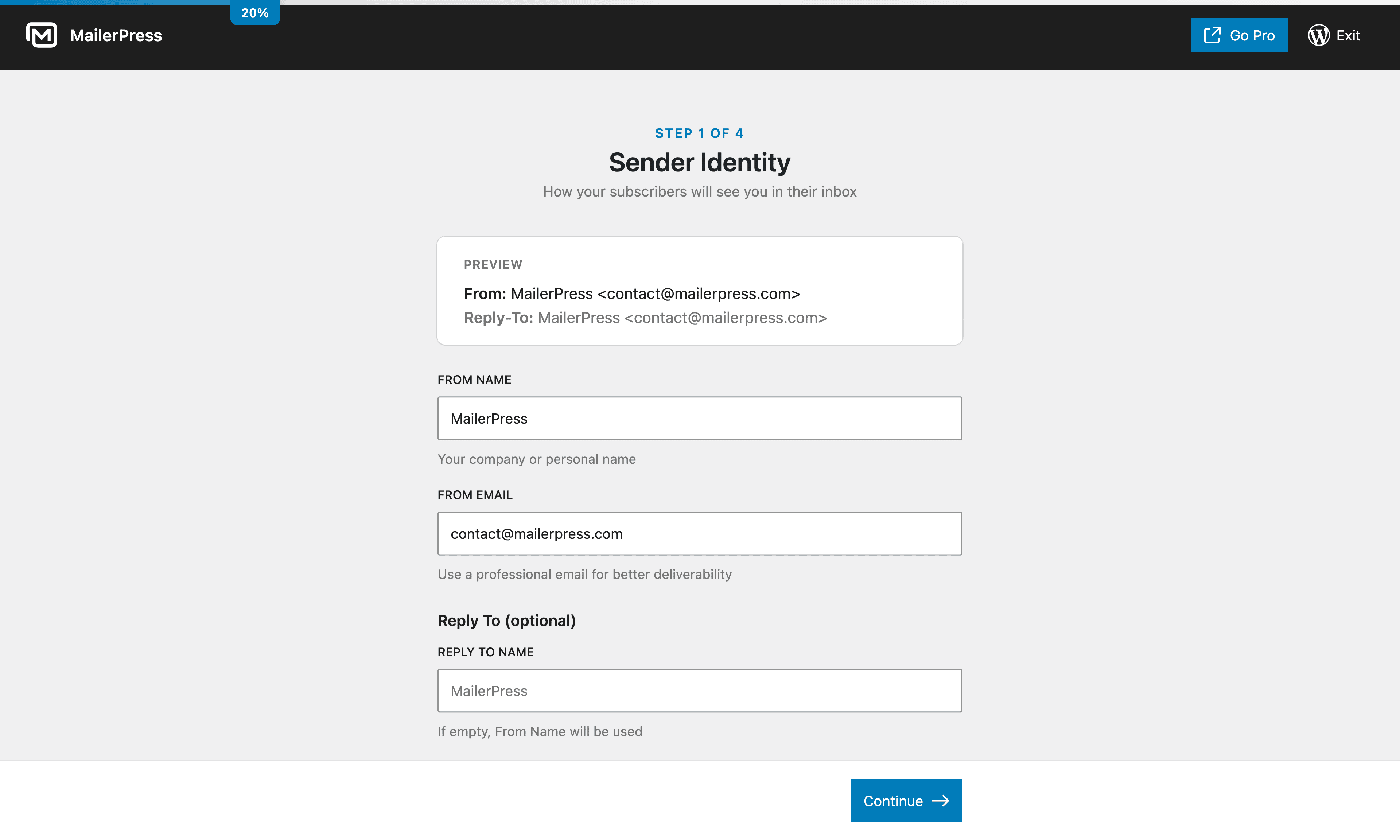
Setup wizard — configure your email settings
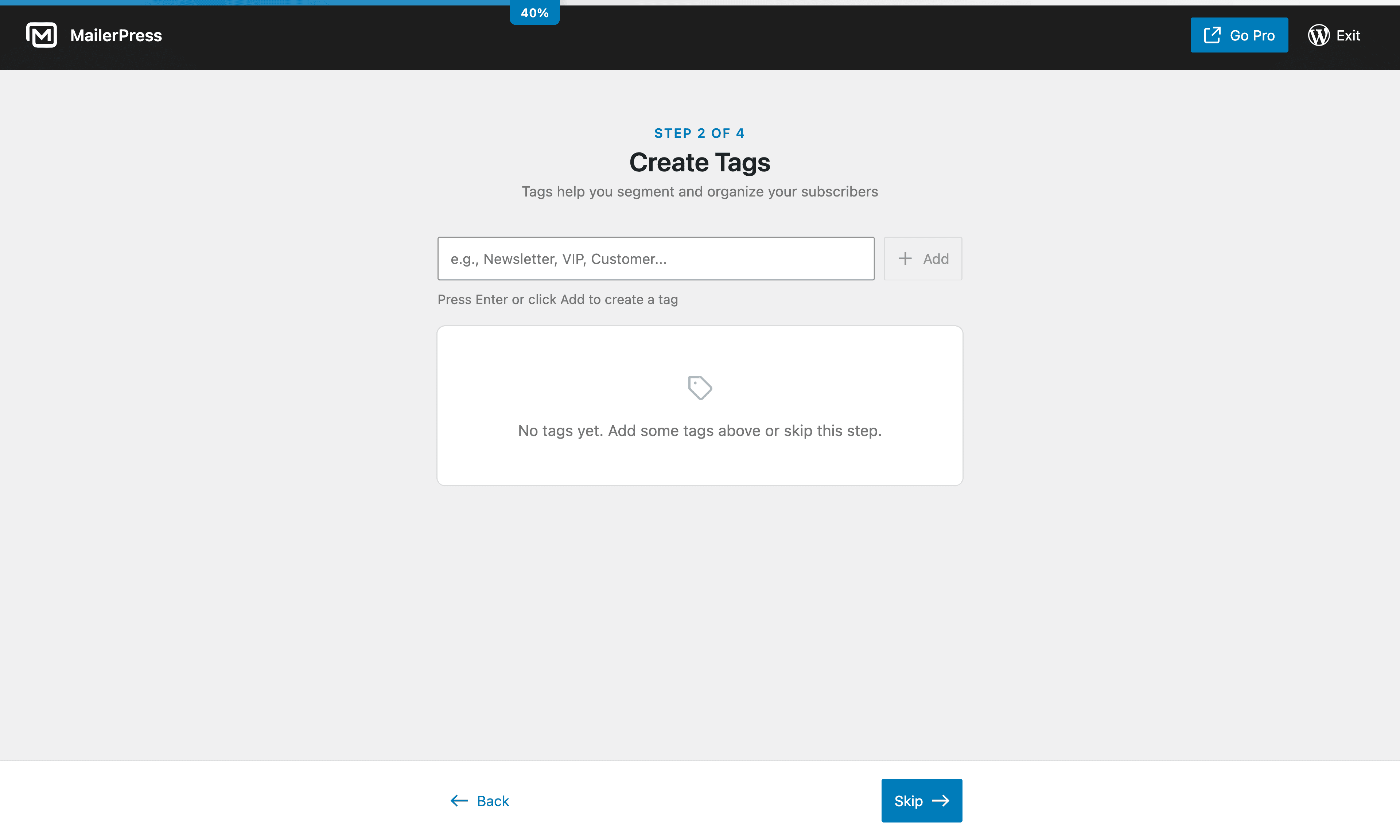
Setup wizard — import your subscribers
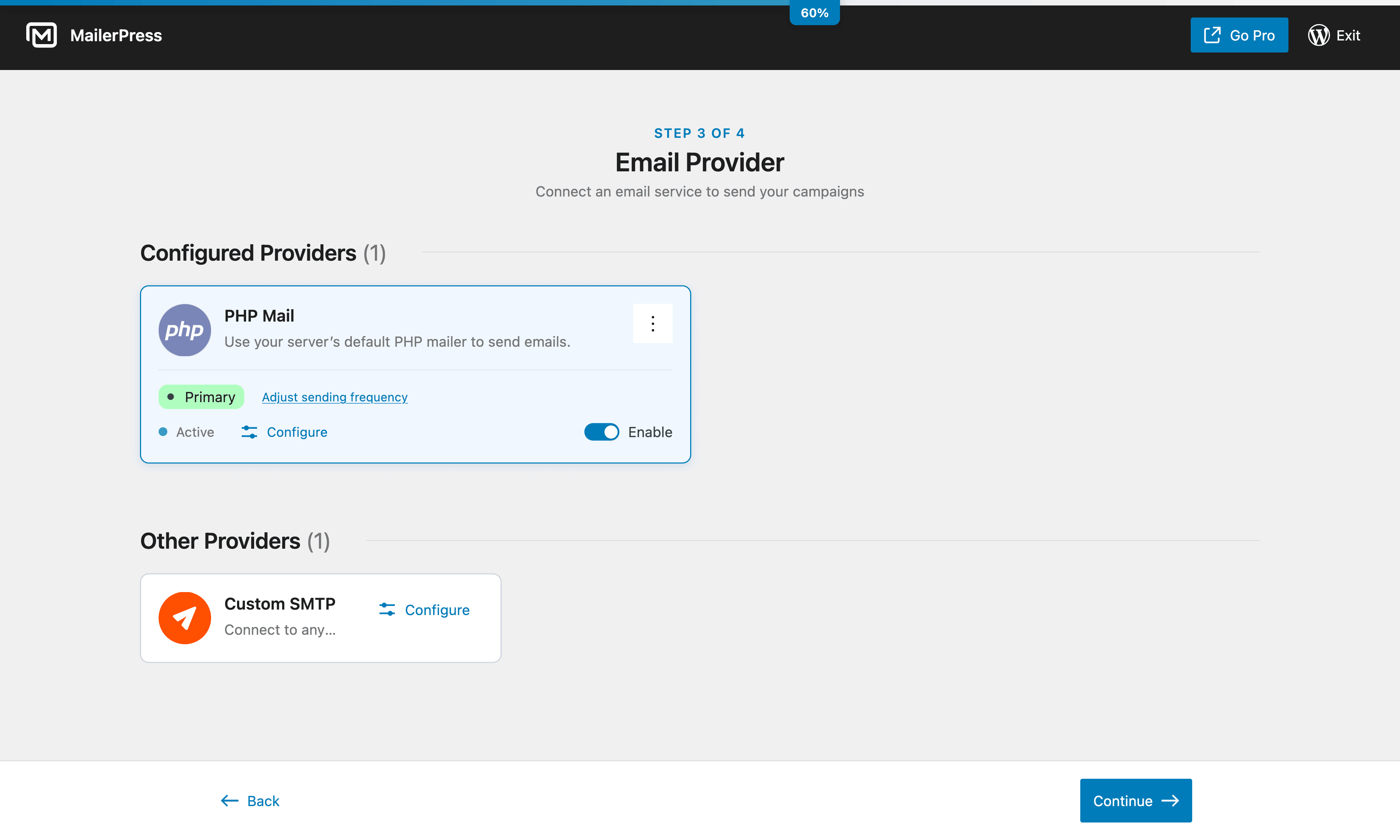
Setup wizard — choose your sending method
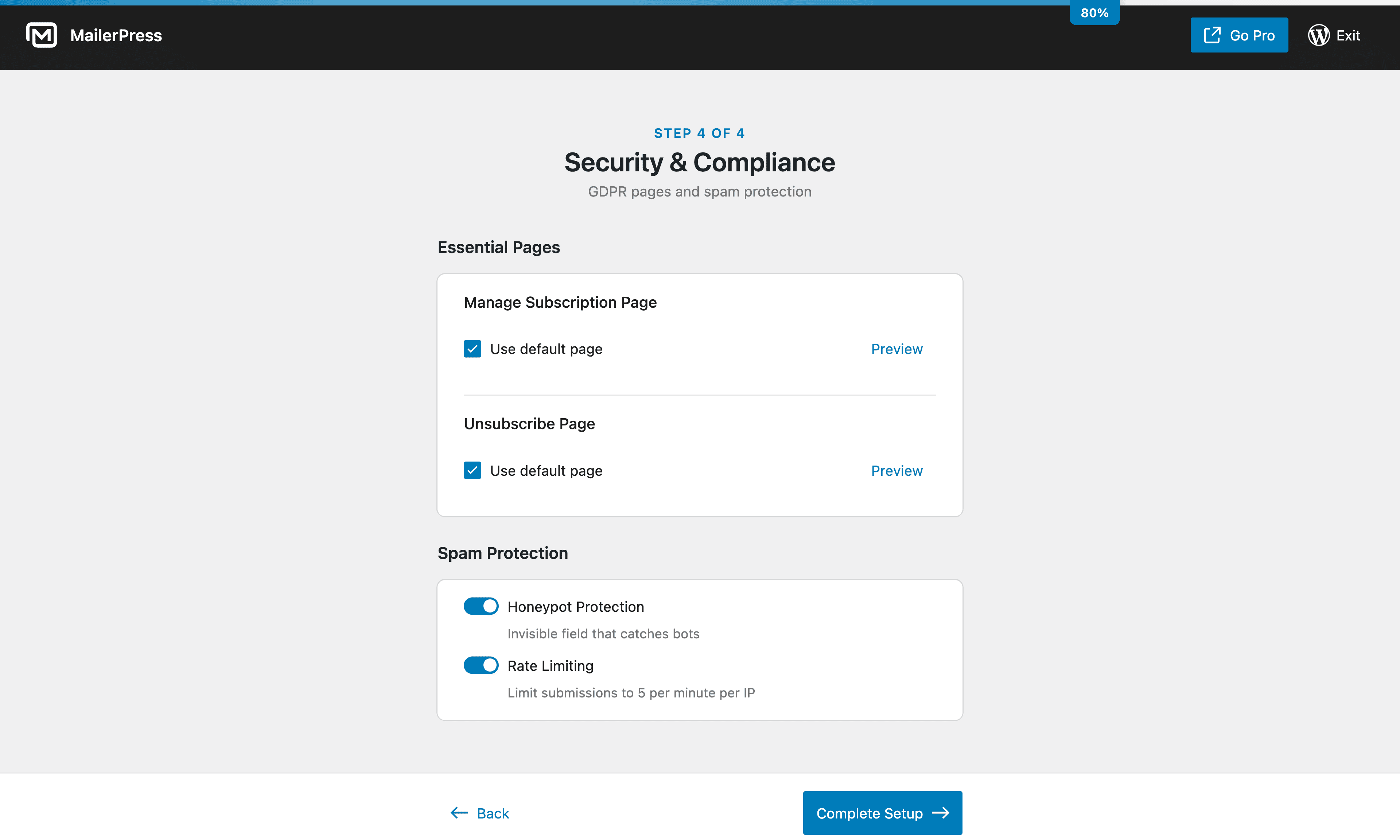
Setup wizard — customize your opt-in forms
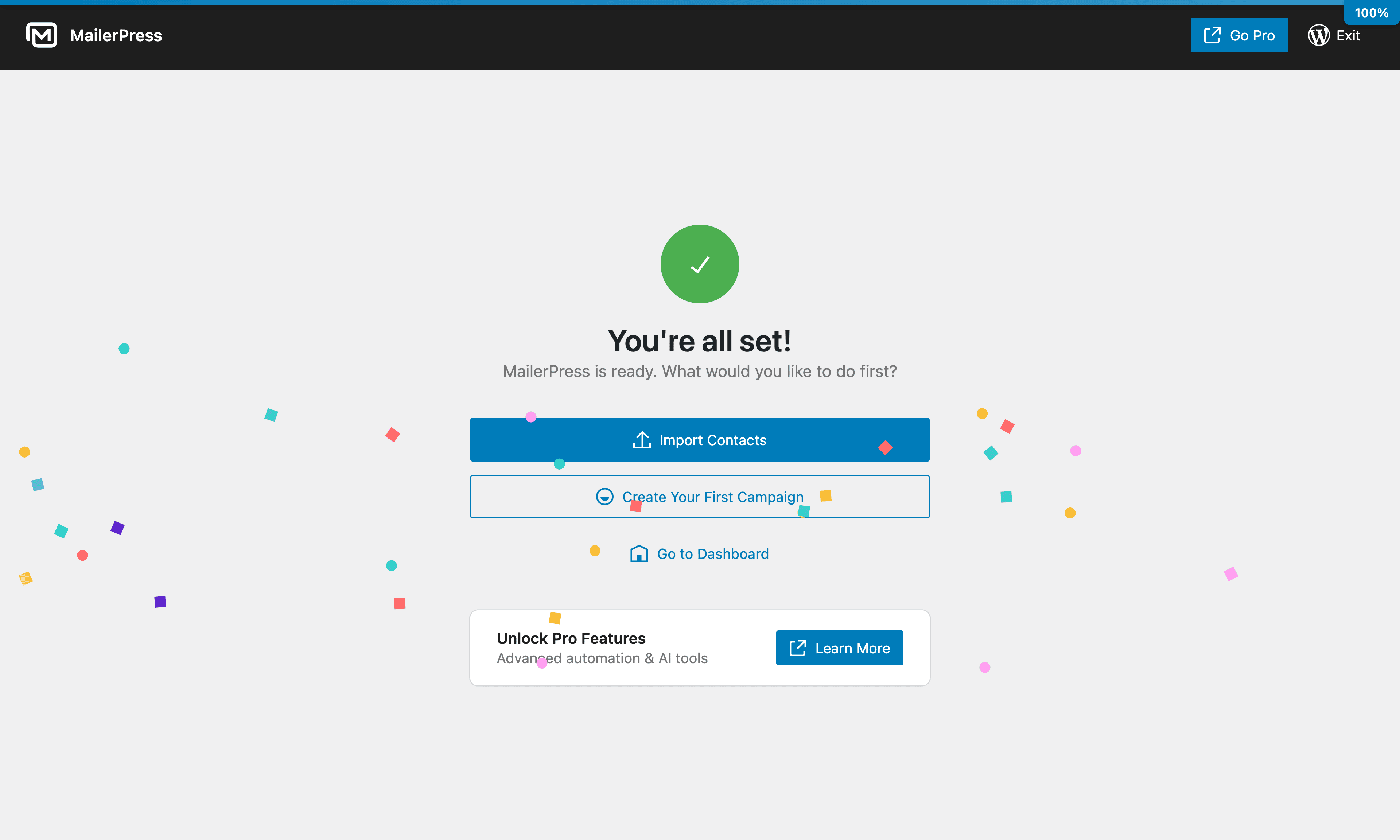
Setup wizard — launch your first campaign
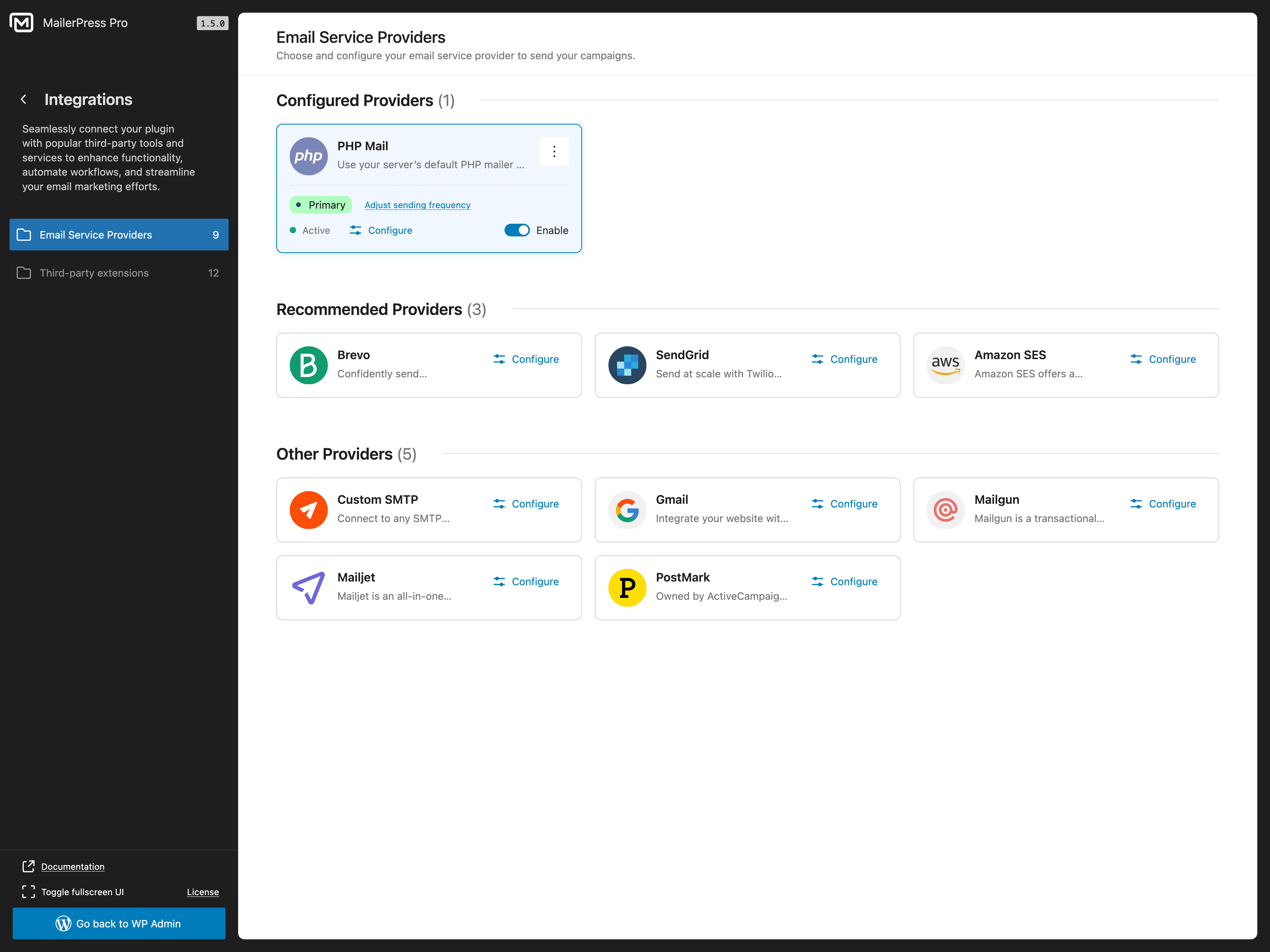
Email Service Provider integrations
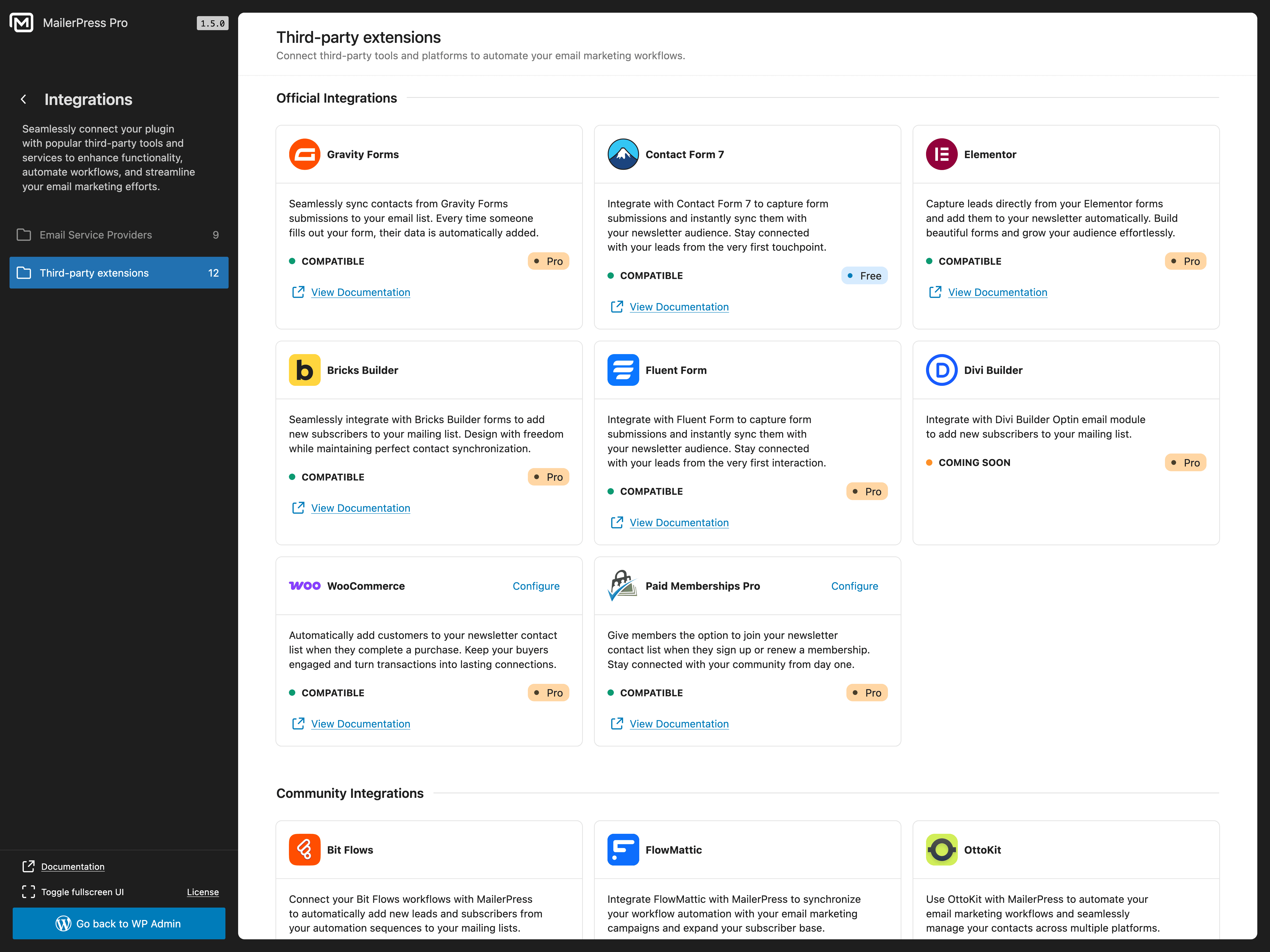
Third-party plugin integrations
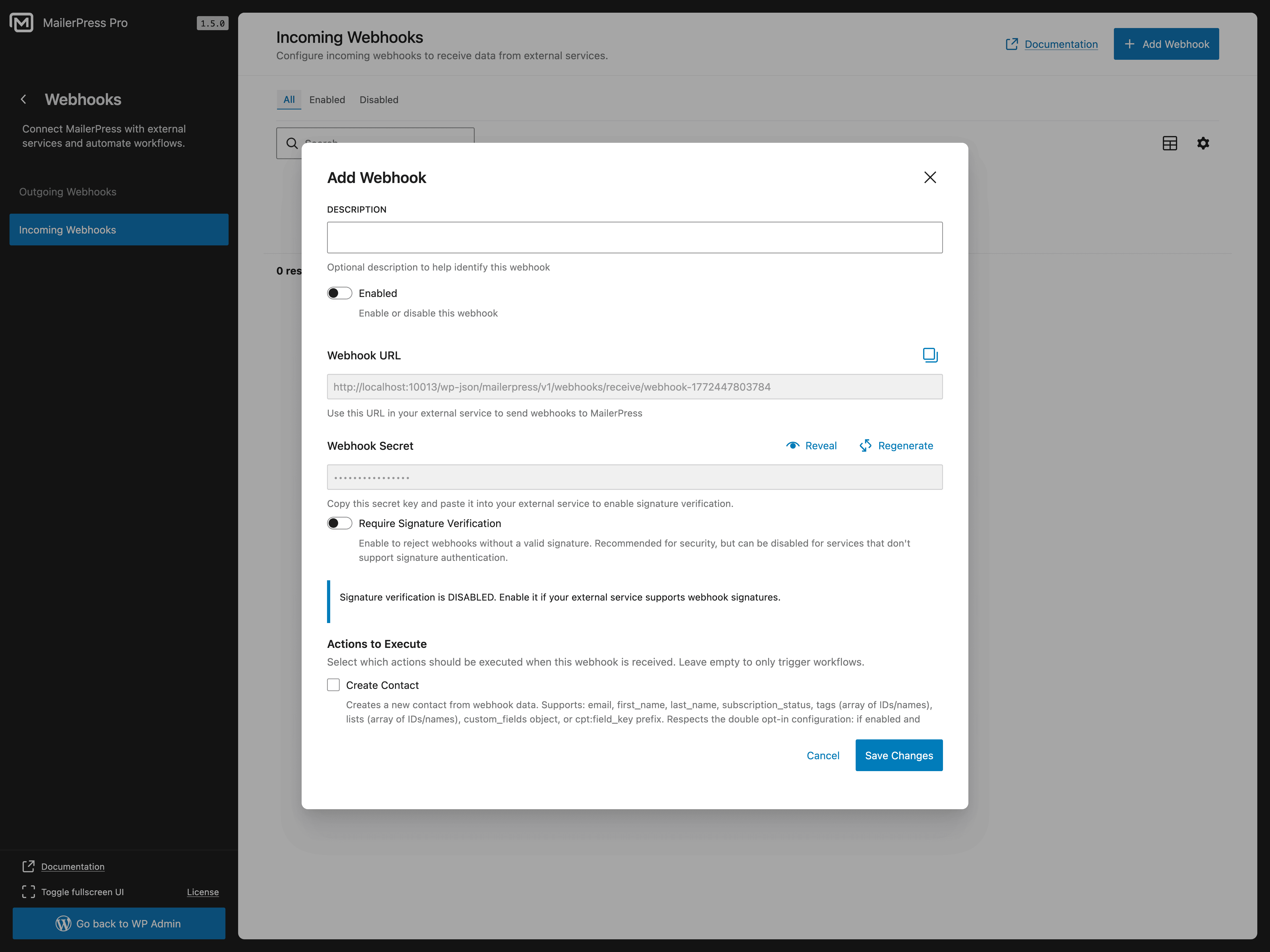
Incoming webhooks configuration
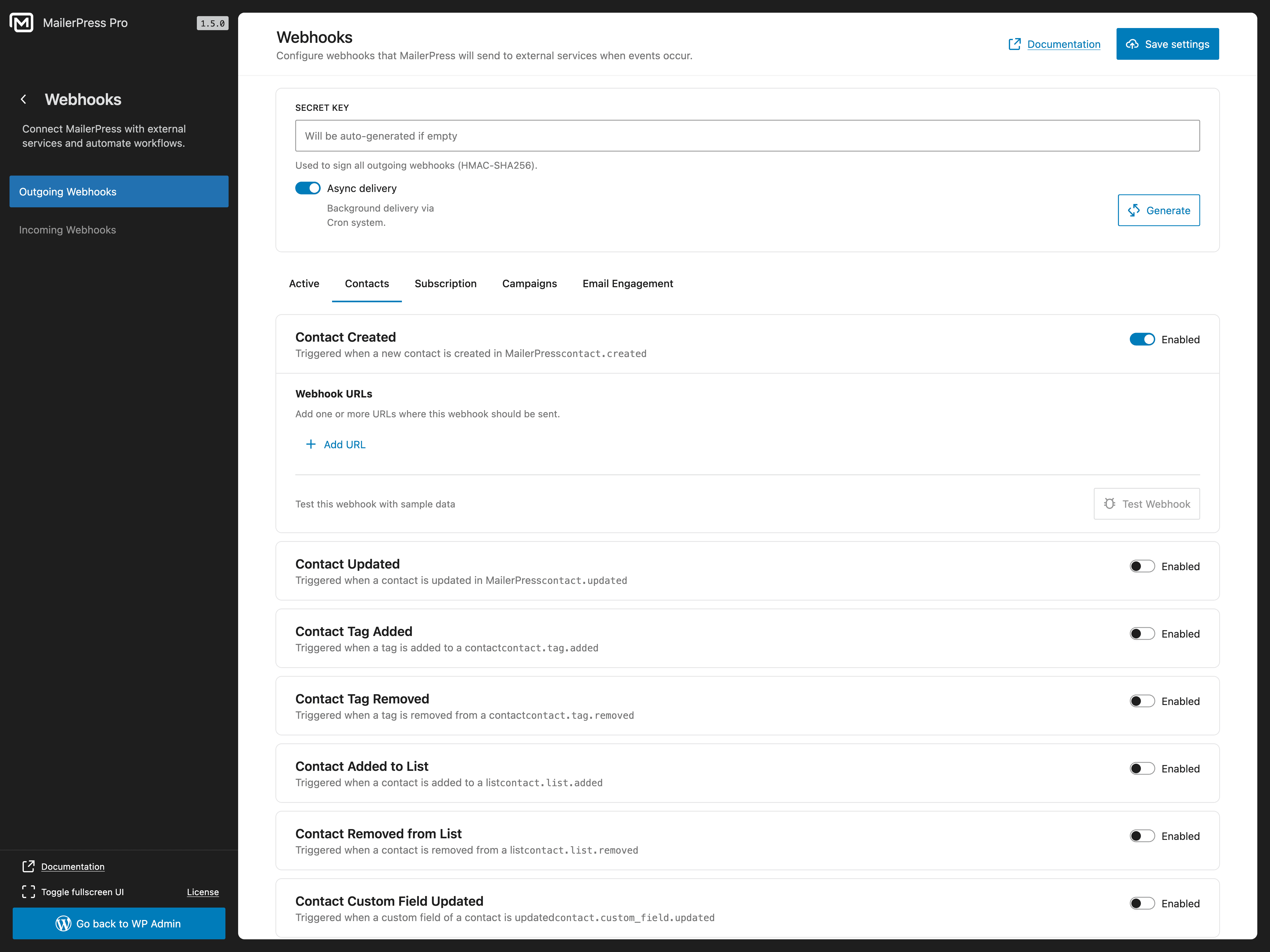
Outgoing webhooks configuration
Faq
Yes! MailerPress is completely free with unlimited subscribers, lists, tags, and email campaigns. There are no hidden limits. A paid plan is available for premium integrations, AI features, and advanced automation.
Go to MailerPress in your WordPress admin, click “Create Campaign”, choose a template or start from scratch, and use the drag-and-drop editor to build your newsletter. Add your subscriber list, and send or schedule it.
Yes. MailerPress supports CSV import, so you can export subscribers from any email marketing tool (Mailchimp, MailPoet, Brevo, ConvertKit, ActiveCampaign, etc.) and import them into MailerPress in seconds.
MailerPress supports form, page builder, e-commerce, membership, content, and automation plugins. See the “Supported WordPress Plugin Integrations” section above for the current integration list and Free or paid plan availability.
Yes. With a paid plan, you can customize WooCommerce transactional emails (order confirmation, shipping notification, etc.) using the drag-and-drop editor, send promotional campaigns to customers, and include product content in your newsletters.
MailerPress provides a shortcode and a Gutenberg block for opt-in forms. The shortcode works with any theme and page builder (Elementor, Bricks, Divi, etc.). You can also embed opt-in forms on external websites (paid plan required).
The free version supports PHP Mail and custom SMTP. A paid plan adds integrations with Brevo (Sendinblue), SendGrid, Gmail / Google Workspace, Mailgun, Mailjet, Postmark, Amazon SES, Emailit, SMTP2GO, and Resend for professional email delivery.
Yes. You can schedule email campaigns for future delivery and set up automated post notification emails. Advanced automation workflows with triggers and conditions are available with a paid plan.
Yes. MailerPress is self-hosted, collects no external data, and includes built-in unsubscribe links, double opt-in, and subscriber data management tools for full GDPR compliance.
Yes. MailerPress can automatically send email notifications to your subscribers when you publish new blog posts or pages.
Yes. MailerPress includes click and open tracking for your email campaigns. You can choose to track normally, track anonymously, or disable tracking entirely.
Free users: WordPress.org support forum.
Paid plan users: Priority support via the MailerPress customer portal.
Reviews
Just fab! One of the best, most promising plugins I started using last years!
By 
Started to use the Pro version of this plugin only 2 days ago, and need to say: it's a joy to work with! Quick to set up, breeze to connect with SMTP2GO, easy to build templates, automations, etc. Came from the Fluent community, but things were getting just too much overkill for me. It feels like a boost of fresh air now I'm using Mailerpress. Very promising, keep up the good work!
Great all-in-one newsletter plugin
By 
MailerPress is a very solid email marketing plugin for WordPress. A clean, powerful, and promising newsletter solution.
Email Right Inside WordPress
By 
MailerPress v2 puts email tools right in your WordPress site so you don’t need other 3rd party apps. If you're familiar to wordpress it’s super easy to use and makes nice-looking emails fast. This is perfect for site owners, freelancers, small businesses, and small teams.
What MailerPress does as a WordPress plugin is, that it helps you make and send email campaigns fast. You can drag and drop blocks to build emails, pull in posts or products from your live site, manage lots of contacts, schedule emails, and connect to email sending services like SendGrid or use your own SMTP.
It also copies your site’s colors so emails match your brand identity.
Whats good:
- All-in-one in: Do everything from your dashboard — no hopping between WordPress and 3rd party tools.
- Easy editor + support for MJML: Drag-and-drop blocks and one-click template import make emails looks good, quickly.
- Pull live site content: You can directly add posts, products, or other items from your site right into your emails.
- Matches your site’s brand identity: It'll use site’s colors and fonts automatically.
- Lots of sending options: Works with services like Brevo, SendGrid, Mailgun, SES, or your SMTP.
- Unlimited contacts and lists: Add as many people as you want.
- Saves money: No need for pricey third-party services.
- Works for many users: They have plans for one site, three sites, or unlimited sites as well.
Cons
- No built-in mailer: You obviously need a delivery service or SMTP for best results.
- Some features need paid version: Advanced option are in the paid plan.
- Some learning for advanced stuff: Basic use is easy, but fancy targeting or reports will take some time to learn.
My take is, that I’m really happy with MailerPress. It makes my email work simple and keeps everything in WordPress.
So if you want easy to use email marketing plugin that match'll your site branding and don’t want extra costs, this will be a great pick.
Perfect for local business websites
By 
Since the addition of automations I've added MailerPress to my clients local service business websites.
its straight forward to setup, super powerful and it only takes a few minutes to set up multiple workflows that nurture subscribers to customers to repeat customers. Highly recommended!
Modern and feature rich solution for WordPress based email marketing
By 
MailerPress is an excellent solution for all email marketing needs. It is well designed and offers all the necessary features (some of them require the Pro version). With automation introduced in version 2.0, this is not only a newsletter tool but a marketing automation platform as well.
Wow, its a smooth operator
By 
Once you get your head around it, spend some time testing. It really is a great tool to be intergrated into your site. Those of us who are growing and looking to keep small manageable lists this is perfect. The automation setup is great, for drip feeding emails. Its only early days and I'm sure its only going to improve. The drag drop email setup is perfect. I'm excited to get my teeth into this product. Hopefully as community we can help the product along, cause it has legs, for small to medium size lists.
Yes! Automation and mailing now I feel super powerful.
By 
It solves a major need for WordPress and WooCommerce. I am satisfied and hopeful for the future. With automations, the work has become much better. Thanks for plugin
One of a Kind
By 
I've owned licenses for Noptin, Mailster, Newsletter, FluentCRM, and Jetpack CRM at various points. Most are collecting dust in my account. So when I say MailerPress is different, I'm saying it after burning money on plenty of alternatives and using MailerPress for about 6 straight months on a few client and my own personal sites.
Not everyone recognizes the importance of flexibility in writing emails and newsletters - and that's the first thing MailerPress offers. On Block Editor side Emails inherit theme.json colors and typography automatically, so my brand stays consistent without copying hex codes around. Setup wizard took under 3 minutes. SMTP through Emailit is configured in the same flow.
It's not perfect. But I am betting it is better than anything you can get for WordPress-native email marketing right now.
Awesome plugin!
By 
It performs its functions well and is constantly evolving.
Excellent email marketing plugin!
By 
I've tested all of the major players in the WP email plugin space.
This is prob the top one if you are working in modern wordpress (FSE). Top three if you are picky about certain ways of handling things and still taking a hybrid approach (Groundhogg & Mailpoet are other two faves).
Standouts:
- the block editor approach to building emails
- full integration into the site editor (this is major if you are building FSE block themes and want the MODERN wordpress experience and not clunky php plugin pages) NO OTHER PLUGIN is this fully integrated
- the simple way of handling forms in the site editor/page editor side of things using blocks (no need for complicated flows, form builder pages inside the plugin, etc)
- great UI and clear pages (others bury things under terms like "flow" and CRM heavy terms the avg user just trying to send simple emails might not know)
Changelog
2.0.7
- NEW: Give your MailerPress subscription pages a polished, on-brand look with ready-made layouts, custom colors, logos, typography, buttons, and instant desktop or mobile previews with MailerPress Pro.
- IMPROVEMENT: Subscription preference pages are now clearer and more mobile-friendly, with easy-to-read list cards and visible subscription statuses.
- IMPROVEMENT: Find contacts faster by searching names, email addresses, list and tag names, opt-in sources, custom field values, or contact IDs.
- IMPROVEMENT: The Social block now supports more networks, reusable profile settings, multiple icon styles and sizes, horizontal or vertical layouts, and easier on-canvas editing.
- IMPROVEMENT: Build a custom compliant footer in MailerPress Pro: the default footer now unlocks when a visible unsubscribe or manage-subscription link is present and locks again if that link is removed.
- FIX: Subscription and unsubscribe confirmation pages now display more consistently across layouts and screen sizes.
- FIX: Manually selected posts in Query blocks now stay in place when automated campaigns are prepared for sending.
- FIX: Query blocks now return the expected posts without WordPress sticky-post behavior changing their order or selection.
- FIX: Click-tracking links now work more reliably with WordPress permalink structures that require trailing slashes.
- FIX: Writing in the email editor is more reliable: ordinary slashes are preserved, Enter creates and focuses the next text block correctly, and placeholder interactions no longer interrupt editing.
- FIX: Adding columns and layouts now preserves valid email structure instead of creating nested columns or losing surrounding content.
- FIX: Creating campaigns from custom templates no longer adds a duplicate default footer when the template already contains a valid unsubscribe or manage-subscription link.
2.0.6
- IMPROVEMENT: Build better-looking emails faster with direct image resizing in the editor, live drag handles, instant previews, and layout-aware limits that help your design stay clean.
- IMPROVEMENT: Turn titles and section headings into clear calls to action by adding links directly from the heading toolbar.
- IMPROVEMENT: Fine-tune your email design with per-corner border radius controls for buttons, sections, columns, hero blocks, and images.
- IMPROVEMENT: Writing and editing email content now feels more natural, with smoother text splitting and better cursor placement when pressing Enter.
- FIX: Abandoned Cart automations now capture more guest checkout activity once a shopper enters an email address, helping you recover carts even before an account is created.
- FIX: Cart recovery emails now bring shoppers back to checkout with their saved items restored, including older emails that used a standard “Complete my order” button.
- FIX: The default Abandoned Cart Reminder template now uses the dedicated Cart Recovery Button, and the button text can be edited directly on the email canvas.
- FIX: Creating an email from a template inside an automation now avoids the brief “no email template assigned” warning and keeps the selected template attached more reliably.
- FIX: Background contact imports are more dependable for larger files, reducing the risk of imports stopping before every contact is processed.
- FIX: Table blocks are easier to edit with a larger editing view, and common editor actions such as paste, undo, redo, and slash block insertion now behave more naturally while typing.
- FIX: Automated campaigns now keep sender details up to date when default sender settings change.
- FIX: WooCommerce automation icons now display cleanly in the workflow editor.
- FIX: Improved editor reliability for footer patterns, pattern insertion, merge-tag links, email rendering, and text editing.
- FIX: Font choices are now saved more consistently when email HTML contains encoded font names.
- SECURITY: Additional hardening to keep MailerPress safer and more reliable.
2.0.5
- IMPROVEMENT: Smoother contact management across imports, APIs, workflows, and webhooks.
- IMPROVEMENT: Better CSV imports with cleaner field mapping and more reliable large-file processing.
- IMPROVEMENT: Query Block filtering is now easier to extend for advanced Post Meta and ACF use cases.
- IMPROVEMENT: Action Scheduler checks and chunk workers now run with less overhead and stop recurring workers when no chunks remain.
- FIX: Automated campaigns now keep their schedule in sync when deactivated, restored, trashed, or deleted.
- SECURITY: Additional hardening to keep MailerPress safer and more reliable.
2.0.4
- IMPROVEMENT: More reliable open tracking, with faster pixel responses and improved accuracy across email clients.
- IMPROVEMENT: Smarter sending performance that reduces server load by running workers only when emails are waiting to be sent.
- IMPROVEMENT: Faster and smoother batch sending for larger campaigns, helping high-volume newsletters move through the queue more efficiently.
- FIX: Automation email templates now open more reliably on sites where third-party plugins perform database activity during campaign creation.
- FIX: Gmail connection is now smoother and more dependable during OAuth setup.
- FIX: Gmail accounts now stay connected correctly after the first authorization instead of appearing expired right away.
- FIX: Contact export emails are now sent correctly by ensuring the export Action Scheduler callbacks are registered.
- FIX: The “View in Browser” link now stays in place after editing text blocks.
- SECURITY: Additional hardening to keep MailerPress safer and more reliable.
2.0.3
- NEW: Introduced the new Product Review block for post-purchase review request emails with dynamic product cards and “Leave a Review” buttons
- IMPROVEMENT: Added new ESP sending configurations for improved flexibility and compatibility
- IMPROVEMENT: Added more spacing and padding controls for the Post Content block
- IMPROVEMENT: Enhanced workflow editor navigation with a clearer “Back to automation” experience
- FIX: Fixed workflows not being re-evaluated after double opt-in confirmation
- FIX: Fixed MailerPress workflow conditions not being evaluated correctly
- FIX: Fixed incorrect contacts API filtering results for certain fields
- FIX: Fixed Countdown block timezone and display inconsistencies
- FIX: Fixed campaign revisions not loading correctly in some cases
- FIX: Fixed manage subscription page layout and styling issues
- FIX: Fixed ESP bounce webhook handlers returning HTTP 500 errors for unknown email addresses, preventing endless retries from providers such as SMTP2GO, Mailgun, and Brevo
- FIX: Raw HTML campaigns now enforce unsubscribe and manage subscription links for GDPR compliance, including warning notices and quick-insert helpers
- SECURITY: Fixed a privilege escalation vulnerability in the workflow REST API
- SECURITY: Restricted the “Create WordPress User” action from assigning the Administrator role
2.0.2
- FIX: Fixed a bug where inserting columns in the editor removed previously added content
- FIX: Fixed a fatal error occurring in the workflow system under certain conditions
- FIX: Fixed incorrect calculations in the “Best open days/hours” widget
- FIX: Fixed an issue where confirming a subscription with a custom URL could result in a blank page
- FIX: Fixed an issue where the public URL displayed unwanted HTML code
- IMPROVEMENT: You can now filter your contact list using the new segment filters
- IMPROVEMENT: WordPress user sync now loads all roles directly from the settings page
- IMPROVEMENT: Enhanced Query Block support for post meta with improved date format display
2.0.1
- FIX: Dashboard access issue causing an error and dark screen for some users
- FIX: MailerPress Opt-in Form Gutenberg block returning a 401 unauthorized error when used inside an FSE template
2.0 Read the blog post update
- NEW: Advanced Automation System [Beta] – Create sophisticated email workflows with a visual automation builder, including trigger-based campaigns, conditional logic, and multi-step workflows to automate your entire email marketing funnel.
- NEW: Multiple Email Editors – Choose from three powerful editors when creating campaigns: Visual Editor (drag-and-drop builder with blocks and templates) and Raw HTML Editor (paste or write HTML code directly for pre-built templates).
- NEW: WordPress Email Customization – Customize all system emails with your branded email templates using the MailerPress editor, including new user welcome emails, password resets, comment notifications, admin alerts, and automatic update notifications. Replace default WordPress emails with professional designs.
- NEW: WooCommerce Email Customization – Fully customize WooCommerce transactional emails, including order confirmations, customer invoices, shipment notifications, low stock alerts, and more using the MailerPress email editor with dynamic merge tags for product details and order information.
- NEW: Three New Email Service Providers – Added support for Resend, EmailIt, and SMTP2GO, expanding your sending options with reliable and scalable email delivery services. Each provider includes bounce tracking and webhook support.
- NEW: WordPress Default ESP – Use the native WordPress wp_mail() function for email sending, fully compatible with all major third-party SMTP plugins (WP Mail SMTP, Brevo, Mailgun, etc.) for seamless integration with your existing WordPress email infrastructure.
- NEW: Divi Builder Integration – Native integration with Divi Builder’s opt-in email module, allowing seamless subscriber capture directly from Divi email modules with automatic list and tag assignment.
- NEW: Notification Center – Intelligent notification system that automatically checks site configuration and displays contextual alerts for issues (WP-Cron disabled, missing setup steps) and product updates. Notifications can be dismissed permanently or temporarily.
- NEW: WordPress users can now be synchronized directly with MailerPress.
- NEW: You can now translate some MailerPress settings using the new wpml-config file.
- IMPROVEMENT: The Query Block now supports post meta in addition to ACF.
- IMPROVEMENT: White Label now allows you to hide premium templates if needed.
- IMPROVEMENT: Improved Review & Send modal UX/UI.
- IMPROVEMENT: Template Creation – Create and save email templates directly without needing to create a campaign first. Templates can now be managed independently for reuse across multiple campaigns.
- IMPROVEMENT: API Key Management – Enhanced API key management to provide access to the MailerPress public API with granular permission controls, allowing you to restrict access to specific resources (contacts, campaigns, lists, etc.) and configure rate limits and IP restrictions per key.
- SECURITY: Fixed REST API authentication to enforce API key scopes on all protected endpoints, preventing unauthorized access to restricted operations.