MailHawk — Simple SMTP, Email Delivery, and Email Logging
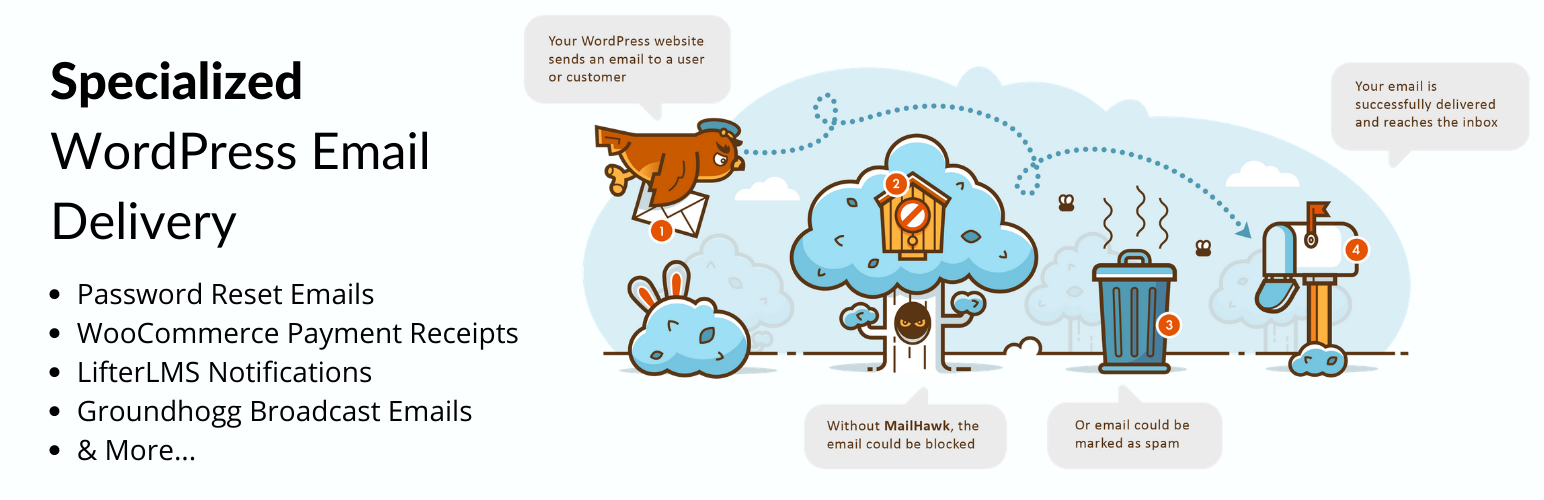
MailHawk — Simple SMTP, Email Delivery, and Email Logging
Description
SMTP & Email Delivery service for WordPress.
👉 Official Site | 👉 Pricing | 👉 WaaS
Is your WordPress email not reaching your customer’s inbox? We can help!
MailHawk is the FIRST email solution specializing in WordPress email delivery.
With MailHawk you can rest assured that your…
- Account registration emails
- WooCommerce order confirmation email
- Password reset emails
- LifterLMS notifications
- LearnDash emails
- Easy Digital Downloads renewal reminder emails
- Groundhogg broadcast emails
- MailPoet Newsletter emails
- BuddyBoss emails
Will reach the recipients inbox!
📧 How does it work?
MailHawk is an SMTP plugin & SMTP service all-in-one! Which means we’re your one stop shop for sending emails from WordPress.
To get started all you need to do is follow these steps:
- Install MailHawk on your site!
- Connect your WordPress site to the MailHawk service.
- Pick a plan that fits your needs.
- Configure your DNS records.
- Start sending email!
🤷♂️ Who will benefit from MailHawk?
Any WordPress website that needs to send emails needs a WordPress SMTP service like MailHawk!
It will especially help send emails from plugins like:
- Groundhogg
- WooCommerce
- LearnDash
- LifterLMS
- BuddyBoss & BuddyPress
- Easy Digital Downloads
- And more…
🧑🤝🧑 Who is behind MailHawk?
Our team is made up of people who’ve spent a long time in the email industry!
👨 Adrian Tobey, CEO & Creator of Groundhogg
There are many SMTP plugins and SMTP services, but you always have to get BOTH to work. With MailHawk you just sign up and start sending email right away. No extra services, zero complications. No one is as focused on WordPress email deliverability as we are.
👨 Marc Goldman, CEO of Send13 & Klean13
I’m super excited to bring my many years of email deliverability experience to the WordPress community so we can help more small business have their WordPress emails reach the inbox!
FEATURES
MailHawk is making sending email from WordPress easier and more transparent with these innovative features.
📈 ANALYTICS & DASHBOARD REPORTING
Wondering if your emails are reaching the inbox? You can see your deliverability rate right within the MailHawk dashboard on your WordPress site! Use this information to make adjustments to your emails to improve your deliverability!
🌎 DOMAIN AUTHENTICATION
MailHawk provides SPF and DKIM authentication methods. This will drastically improve your email deliverability and provide you with a greater chance of skipping the spam folder.
🛡️ BLACKLIST/WHITELIST MANAGEMENT
Stop spam from ruining your sender reputation by maintaining a blacklist of emails and domains which are causing you issues. Bounced emails can be automatically added to the blacklist so don’t have to worry about invalid email attacks.
📫 EMAIL LOGGING
Keep track of your emails and debug email sending failures! You can resend emails, retry failed emails and even see which emails bounced! If you ever need to prove an email was sent you can check the log for up to 14 days after the email was sent! View content, headers and even the raw MIME message if you need to.
🌐 MULTISITE COMPATIBLE
Are you using Multisite? MailHawk can be enabled across your entire multisite so you only have to configure it once!
🌐 WAAS COMPATIBLE
Building a WaaS an not sure how to handle WordPress SMTP? Choose one of our WaaS plans and use MailHawk for all your customers!
Installation
- Upload the plugin files to the
/wp-content/plugins/mailhawkdirectory, or install the plugin through the WordPress plugins screen directly. - Activate the plugin through the ‘Plugins’ screen in WordPress
- Use the Tools->MailHawk screen to configure the plugin
Screenshots

Pick the plan the best suits your needs!

See your delivery reports right inside your WordPress dashboard.

Keep track of your emails and view issues with our email log.

Authenticate your domain and vastly improve the deliverability of your emails.

Prevent abusers from tarnishing your sender reputation by blacklisting offenders.
Faq
No, MailHawk requires a paid monthly subscription which starts at $14.97/mo
We have different plans for different volume senders, starting at 40,000 emails/mo
Yes, you can connect multiple sites to one account without paying extra!
Yes, we have special WaaS account plans to accommodate WaaS sites.
Yes, MailHawk is specifically designed to prevent your emails from ending up in the spam folder.
You can report security bugs through the Patchstack Vulnerability Disclosure Program. The Patchstack team helps validate, triage and handle any security vulnerabilities. Report a security vulnerability.
Reviews
5 Star Bounce management saved me from being blocked
By 
FluentSMTP and Amazon SES, would be a great solution but FluentSMTP failed to bounce handle and stop writing again and again.
I needed a system that save me from being blocked and i got it with MailHawk.
And it is easier to setup then Amazon SES.
I hope over time my hurt mail reputation will change into 5 start reputation thanks to MailHawk SMTP.
Terrible customer service
By 
I purchased this product because it was recommended by the Groundhogg Co-Founder Adrian. I am using Groundhogg for my CRM. I thought this purchase would give me access to an email box for my new website. I guess it doesn't. It only gives support for emails produced from my website.
Why the 1 star? I emailed for help. I could not find any supporting documentation or videos that demonstrate MailHawks services. I even emailed their customer service for help and I got 1 response for more information and then no response. I followed up 2 days later to see what they thought and got zero response.
Because of the terrible customer service, I'm now starting to question whether or not I want to use Groundhogg.
Faulty and terrible customer service
By 
This plugin hasn't worked well for a good three months straight. Emails stop coming in from a simple contact form made on Gravity Forms. We have reported the issue via tickets, but their response has been absolutely lousy. They temporarily fix the issue as it breaks again after just a few days. This last time, they have completely ignored us and cut off communication. We have written 4 times and have waited 7 days to hear from them, but nothing. Meanwhile we are copying and pasting emails. This has only been a constant headache, waste of time and money (you are charged monthly for this "service").
Super service
By 
Easy setup and super support. Groundhogg and MailHawk is just great.
GroundHogg and Mailhawk knows what we need!
By 
Premium wp email sending, easy installation for my multisite
By 
no customer support
By 
Easy to set and manage sending emails with WordPress
By 
Great concept - needs work on deliverability
By 
MailHawk makes sending reputable emails easy
By 
Changelog
1.3.5 (2025-09-15)
- TWEAKED New webhook verification uses SHA256 since SHA1 is now deprecated on many systems.
1.3.4.1 (2025-08-07)
- UPDATED Repository plugin name.
1.3.4 (2025-07-01)
- ADDED Patchstack MVDP program disclaimer.
- FIXED JSON error if connection fails or times out when trying to initially connect MailHawk.
1.3.3 (2025-05-14)
- TWEAKED Use user meta to store state key rather than transients to avoid connection issues when transients aren’t working.
1.3.2 (2025-03-24)
- FIXED Vulnerability responsibly disclosed by Patchstack
1.3.1 (2023-12-04)
- FIXED Retrying and releasing quarantined emails sending with incorrect content-type.
- FIXED Quarantine release link in email details modal not working.
1.3 (2023-01-12)
- ADDED New email quarantine system to prevent potentially damaging emails from being sent.
- FIXED Overview number formatting.
1.2.4 (2023-12-20)
- FIXED Google and some other inboxes switched to sending HardFail for inboxes that don’t exist instead of a proper bounce.
1.2.3 (2023-12-06)
- ADDED Option to disable email logging outright.
1.2.2 (2023-10-23)
- ADDED Return-Path DNS record setup instruction.
1.2.1 (2023-05-19)
- ADDED Which account the MailHawk plugin is currently connected to in the Danger Zone settings.
1.2 (2022-05-04)
- ADDED Telemetry for notifying admins when they are nearing their send limit
- FIXED Resend/Retry bulk actions not working in the email log
1.1.2 (2022-05-04)
- TWEAKED Changes to how the whitelist & blacklist function.
1.1.1 (2021-12-29)
- TWEAKED Change webhook settings to only send bounce notifications instead of ALL email events.
1.1 (2021-10-12)
- ADDED Settings for API KEY so can be changed by support.
- ADDED Better error messages for adding domains so when the limit is reached it says why.
- TWEAKED bumped minimum version support for WordPress and PHP to 5.0 and 7.0 respectively.
1.0.15 (2021-01-04)
- TWEAKED use URL params instead of POST VAR for connect process.
- TWEAKED use updated PHPMailer Lib from WP 5.5 instead of included one.
1.0.14 (2020-12-16)
- TWEAKED DNS record now always show in lower case.
- FIXED jQuery deprecation warnings.
1.0.13 (2020-11-25)
- FIXED Call to
pluggable.phpto early.
1.0.12 (2020-11-24)
- UPDATED Readme.
- FIXED Search bar not working in the email log.
- FIXED WooCommerce email address format causing false negatives when validating email addresses.
1.0.11 (2020-09-23)
- ADDED Better notice with mor context when there is a
wp_mailconflict.
1.0.9 (2020-09-21)
- FIXED Plugins sending and empty string as an attachment causing emails to fail.
1.0.8 (2020-09-11)
- FIXED Preview/Details modal not working after first click caused by updated jQuery Lib.
1.0.6 (2020-06-01)
- FIXED bug causing MailHawk not to appear on non-multisite installations.
1.0.5 (2020-05-29)
- ADDED Additional notice on domains page explaining DNS.
1.0.4 (2020-05-29)
- ADDED Support for WaaS and Multisite.
- ADDED Promotion for Groundhogg during guided setup.
- TWEAKED improved the setup process and UI.
- TWEAKED improved the DNS screen.
- FIXED use our own version of the PHPMailer/Exception
1.0.3 (2020-05-27)
- ADDED Automatically generate plain-text version of email if
content-typeistext/html - TWEAKED Use our own version oh PHPMailer to avoid potential conflicts with other plugins
1.0.2 (2020-05-25)
- ADDED uninstall file
- ADDED DNS instructions
- TWEAKED Some CSS
1.0.1
- Initial release