Maintenance

Maintenance
Description
Maintenance plugin allows the WordPress site administrator to close the website for maintenance, enable “503 Service temporarily unavailable”, set a temporary page with authorization, which can be edited via the plugin settings. Easy customize the good look on all devices. Add your logo, background image, select the desired color, add text. Maintenance uses Bunny Fonts for EU GDPR compliance.
Need pre-made themes and over 3 million free images to build maintenance, coming soon & landing pages faster? Have a look at WP Maintenance PRO plugin.
If you’re having problems with SSL or HTTPS try our free WP Force SSL plugin. It’s a great plugin to enable SSL.
Features
- retina ready HTML/CSS layout
- Full-screen background (Backstretch)
- Blur background effect
- Upload your own logo
- Configurable colors: fonts, icons, background
- Customize title, headline, text
- User login on frontend
- Admin bar status
- 503 error on/off
- Google analytics support
- Exclude selected pages from Maintenance mode
- Support for all popular caching plugins
- mtnc_load_maintenance_page_for_this_user filter for modifying show sees the maintenance page
Support
If you have any problems, questions or recommendations about WP Maintenance please open a ticket in the official support forum. We answer all questions within hours!
Want to say “thank you”? Please leave a review.
GDPR Compatibility
We are not lawyers. Please do not take any of the following as legal advice.
If you don’t opt to use Bunny Fonts and don’t use Google Analytics then no resources are loaded or shared with 3rd parties. And nothing is tracked. Opting to use any of those services will result in data sharing/tracking as described in their terms of service.
If you opt to activate your PRO license in the plugin admin, some data will be shared with WebFactory Ltd; that’s clearly noted below the license activation form.
Installation
Follow the usual routine;
- Open WordPress admin, go to Plugins, click Add New
- Enter “maintenance” in search and hit Enter
- Locate the Maintenance plugin by searching for our mascot, click “Install Now”
- Activate & open plugin’s settings page located in the main WP admin menu
Or if needed, upload manually;
- Download the plugin.
- Unzip it and upload to /wp-content/plugins/
- Open WordPress admin – Plugins and click “Activate” next to the plugin
- Activate & open plugin’s settings page located in the main WP admin menu
Screenshots
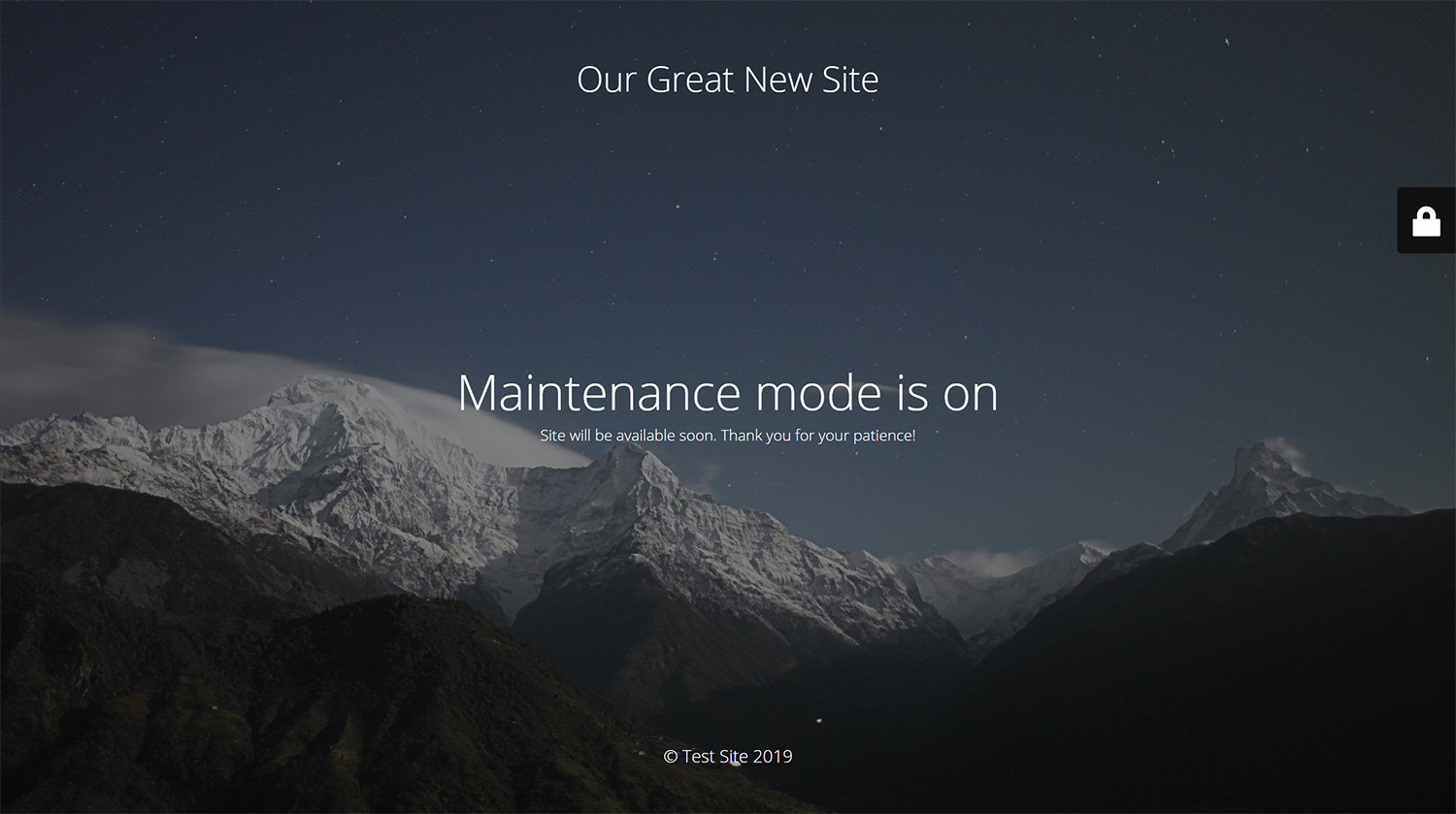
Maintenance page with default design
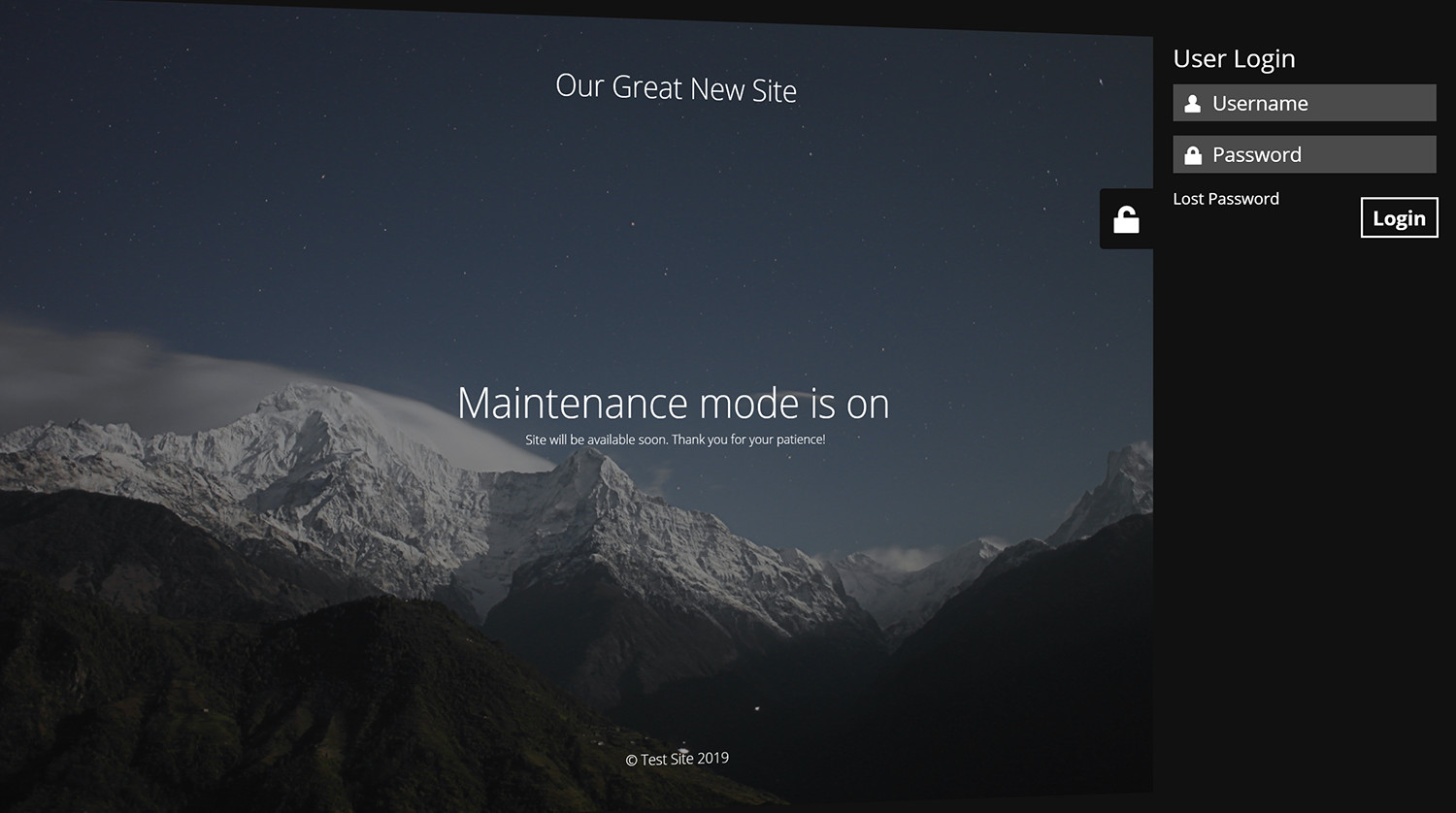
Log in form is built into the maintenance page
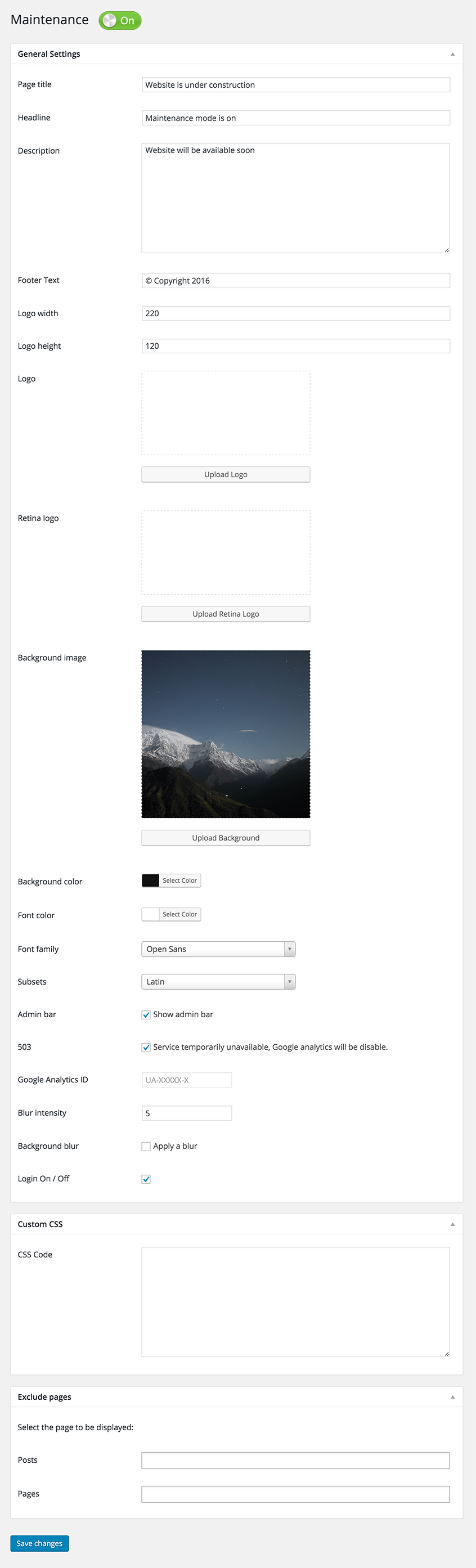
Maintenance plugin options page
Faq
Try to check in different browser. If you a logged as WordPress user you see the website in normal mode.
The site will not be visible to search engines only if “503 Service Temporarily Unavailable” option is enabled.
You can use your “normal” WP administrator access or create a new user in WordPress dashboard – Users.
No, it will be display error on current maintenance page, without redirect to wp-login page.
Please post the question on the support forum.
You can report security bugs through the Patchstack Vulnerability Disclosure Program. The Patchstack team help validate, triage and handle any security vulnerabilities. Report a security vulnerability.
Reviews
Doesn't work
By 
Trash
Doesn't work
By 
Says it's on, nothing happens, still goes to the homepage. I've cleared all caches it's not that. Just another janky piece of garbage plug-in like 95% of the others.
Excellent Plugin
By 
I am currenlty using the free version and it has been great. Easy to configure and activate/deactivate.
Verarsche - Nicht empfohlen
By 
Wirbt mit "Kostenlos" und nach Installation nervt es mit "kauf mich"!
pas d'historique. Dommage
By 
Assez simple d'utilisation mais bugue parfois. J'ai perdu toutes les pages en mutlingue pour renvoyer vers un autre site et pas moyen de trouver un historique pour retrouver l'ancienne version. Reste plus qu'à tout reprendre alors que sur WP toute page est rapidement retrouvable via réglages.
Par moment , l'espace de saisie se met en deux colonnes sans qu'il soit possible de revenir au mode une seule colonne de saisie, plus simple d'utilisation.
Sinon bien.
cant deactivate! Nightmare!
By 
I cannot deactivate this even when I delete the plugin including from file manager! Terrible. A nightmare!
Just what is needed, nothing extra
By 
Works fine, easy to use.
Blocks API
By 
Blocks API
Easy to use
By 
This plugin is good and the support forum is quick to help
works but full of bloat
By 
Doesn't use your site's fonts
Ignores the "Page Title" field but displays site name (I used css to disable this).
Crops the top and bottom of the background & darkens it by 40%.
Page theme is paywalled so I just made the entire page as a background image instead.
Despite all its advertised features, I only used background and background color, (and css to get around the paywall), because formatting the layout would have been more work that simply finishing the website. Frankly, I'm surprised that they didn't seal away the CSS like Elementor does.
Changelog
v4.20
- 2026/01/03
- Fixed Bunny Fonts getting loaded even for system fonts
v4.19
- 2025/11/19
- WordPress 6.9 compatibility
v4.18
- 2025/07/31
- improved mobile resposiveness
v4.17
- 2025/01/22
- fixed Show some love option not saving
v4.16
- 2025/01/10
- updated Google Analytics code
- added skip-lazy class to background image to fix Autoptimize compatibility
v4.15
- 2024/10/22
- fixed bug with some options not being saved
v4.14
- 2024/10/17
- excluded posts/pages not saving bug fix
v4.13
- 2024/10/13
- minor security fixes
v4.12
- 2024/06/07
- minor bug fixes
v4.09
- 2024/06/03
- added Weglot support
v4.08
- 2023/08/31
- fixed reset password URL changed if Maintenance is off
v4.07
- 2022/05/06
- replaced Google Fonts with the privacy-oriented and GDPR compliant Bunny Fonts
- minor fix for image field
v4.06
- 2022/05/06
- introduction of the PRO version
v4.05
- 2022/01/04
- bug fix for retina image
- security fixes
- ad for our free WP Force SSL plugin
v4.03
- 2021/07/18
- security fixes
- checked WP 5.8 compatibility
v4.02
- 2021/03/06
- JS fixes on frontend
- Contact Form 7 conflict fix
v4.01
- 2021/02/20
- added support for Cache Enabler plugin
- fixed a bug when background image isn’t defined
- fixed issue on sites with large numbers of posts/pages/CPTs
v4.0
- 2021/01/30
- added flyout menu
- added mtnc_load_maintenance_page_for_this_user filter
v3.99
- 2021/01/13
- minor fixes
- removed promo for WP 301 Redirects
v3.97
- 2020/10/02
- minor fixes
- added promo for WP 301 Redirects
v3.96
- 2020/08/19
- “headers already sent” bug fixed
v3.95
- 2020/08/14
- bug fixes for WP v5.5
v3.90
- 2020/05/30
- bug fixes
- removed integration with Amelia Booking
- added support for WP Rocket Cache plugin
- fixed blur issue
v3.85
- 2019/11/28
- bug fixes
- added integration with Amelia Booking
- added support for Hummingbird Cache plugin
v3.80
- 2019/09/25
- numerous bug fixes
- added preview button
- 400,000 installations; 3,790,000 downloads
- for older changelog entries please refer to https://wpmaintenancemode.com/old-changelog.txt