Maintenance

Maintenance
Description
WP Maintenance plugin allows the WordPress site administrator to close the website for maintenance, enable “503 Service temporarily unavailable”, set a temporary page with authorization, which can be edited via the plugin settings. Add your logo, background image, select the desired color and text – all with easy maintenance builder. Maintenance uses Bunny Fonts for EU GDPR compliance.
Need pre-made themes and over 8 million free images to build maintenance, coming soon & landing pages faster? Have a look at WP Maintenance PRO plugin.
Having problems with spam or bots? Try our free Advanced Google ReCaptcha plugin. It’s used on over 200,000 sites and provides great protection!
Features
- over 200 themes in the PRO version
- Full-screen background (Backstretch)
- Blur background effect
- Upload your own logo
- Configurable colors: fonts, icons, background
- Customize title, headline, text
- User login on frontend
- Admin bar status
- 503 error on/off
- Google analytics support
- Exclude selected pages from Maintenance mode
- Support for all popular caching plugins
- mtnc_load_maintenance_page_for_this_user filter for modifying show sees the maintenance page
Support
If you have any problems, questions or recommendations about WP Maintenance please open a ticket in the official support forum. We answer all questions within hours!
Want to say “thank you”? Please leave a review.
GDPR Compatibility
We are not lawyers. Please do not take any of the following as legal advice.
If you don’t opt to use Bunny Fonts and don’t use Google Analytics then no resources are loaded or shared with 3rd parties. And nothing is tracked. Opting to use any of those services will result in data sharing/tracking as described in their terms of service.
Maintenance uses these 3rd party libs:
- Super simple WYSIWYG editor v0.9.0, MIT
- SweetAlert 2, github.com/Sweetalert2/Sweetalert2, MIT
- jscolor Color Picker, GNU GPL v3
- Ace Editor (Ajax.org Cloud9 Editor), BSD
- Web Font Loader, Apache 2 License
Installation
Follow the usual routine;
- Open WordPress admin, go to Plugins, click Add New
- Enter “maintenance” in search and hit Enter
- Locate the Maintenance plugin by searching for our mascot, click “Install Now”
- Activate & open plugin’s settings page located in the main WP admin menu
Or if needed, upload manually;
- Download the plugin.
- Unzip it and upload to /wp-content/plugins/
- Open WordPress admin – Plugins and click “Activate” next to the plugin
- Activate & open plugin’s settings page located in the main WP admin menu
Screenshots
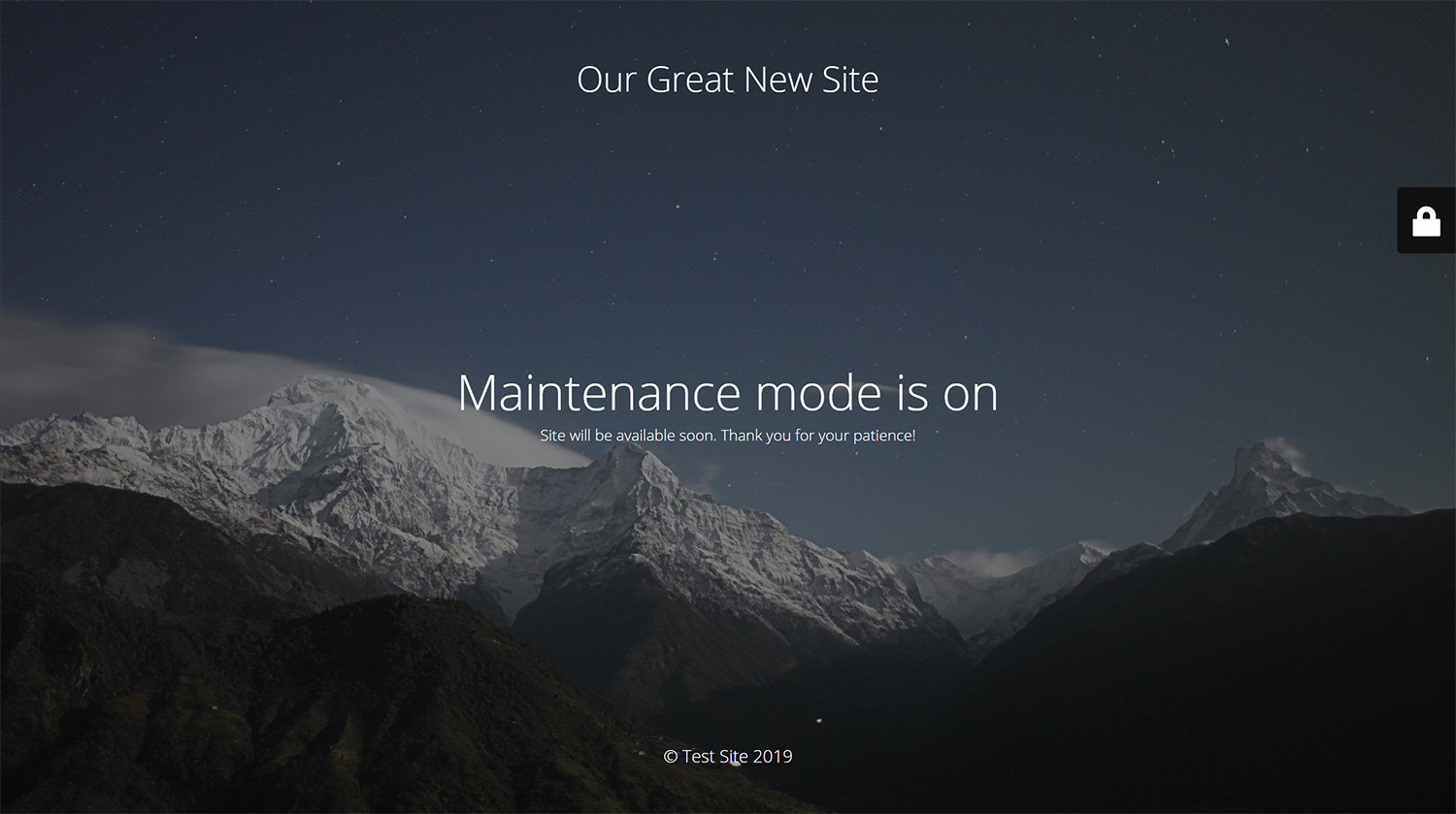
Maintenance page with default design and layout
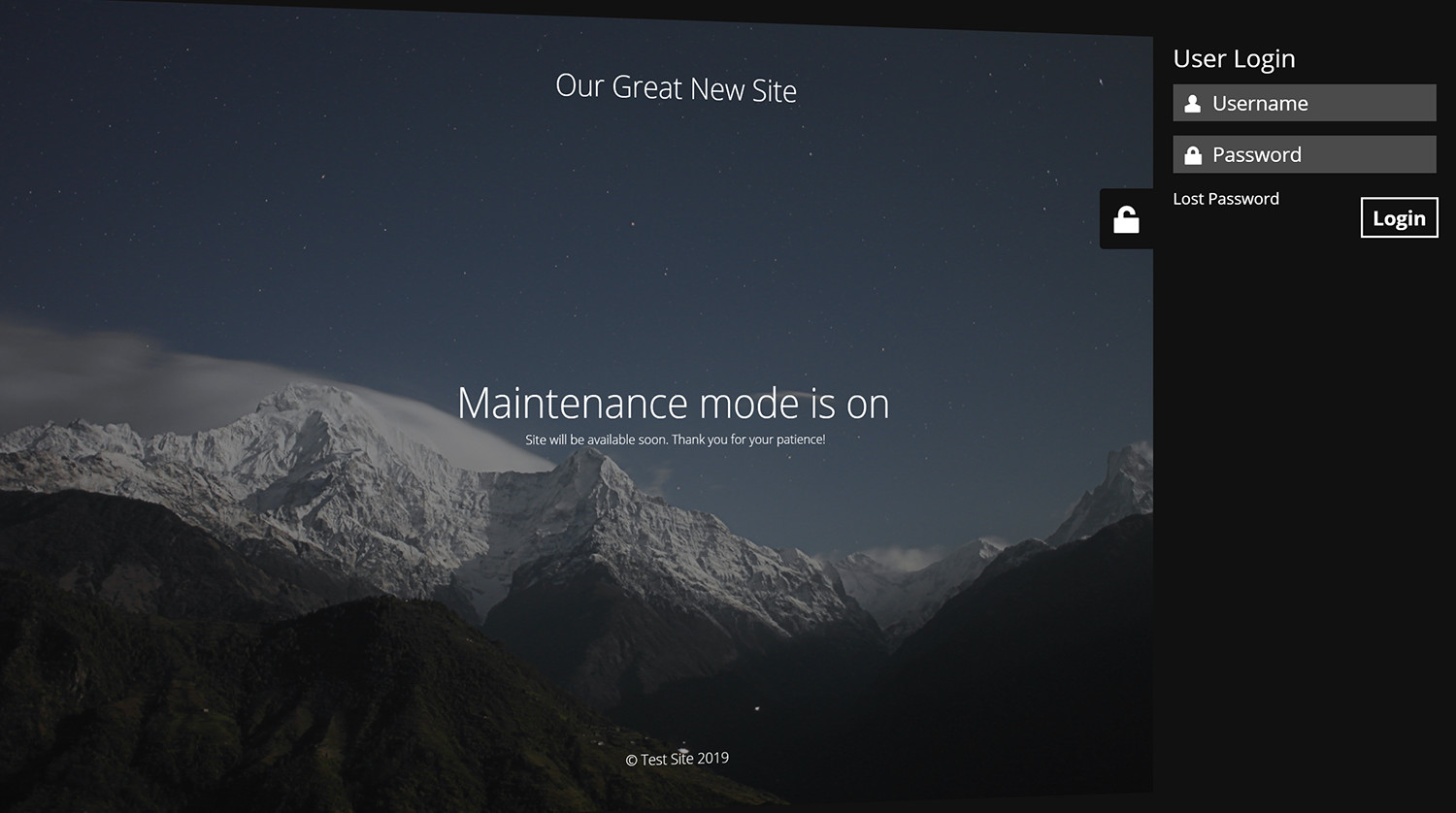
Log in form is built into the maintenance page
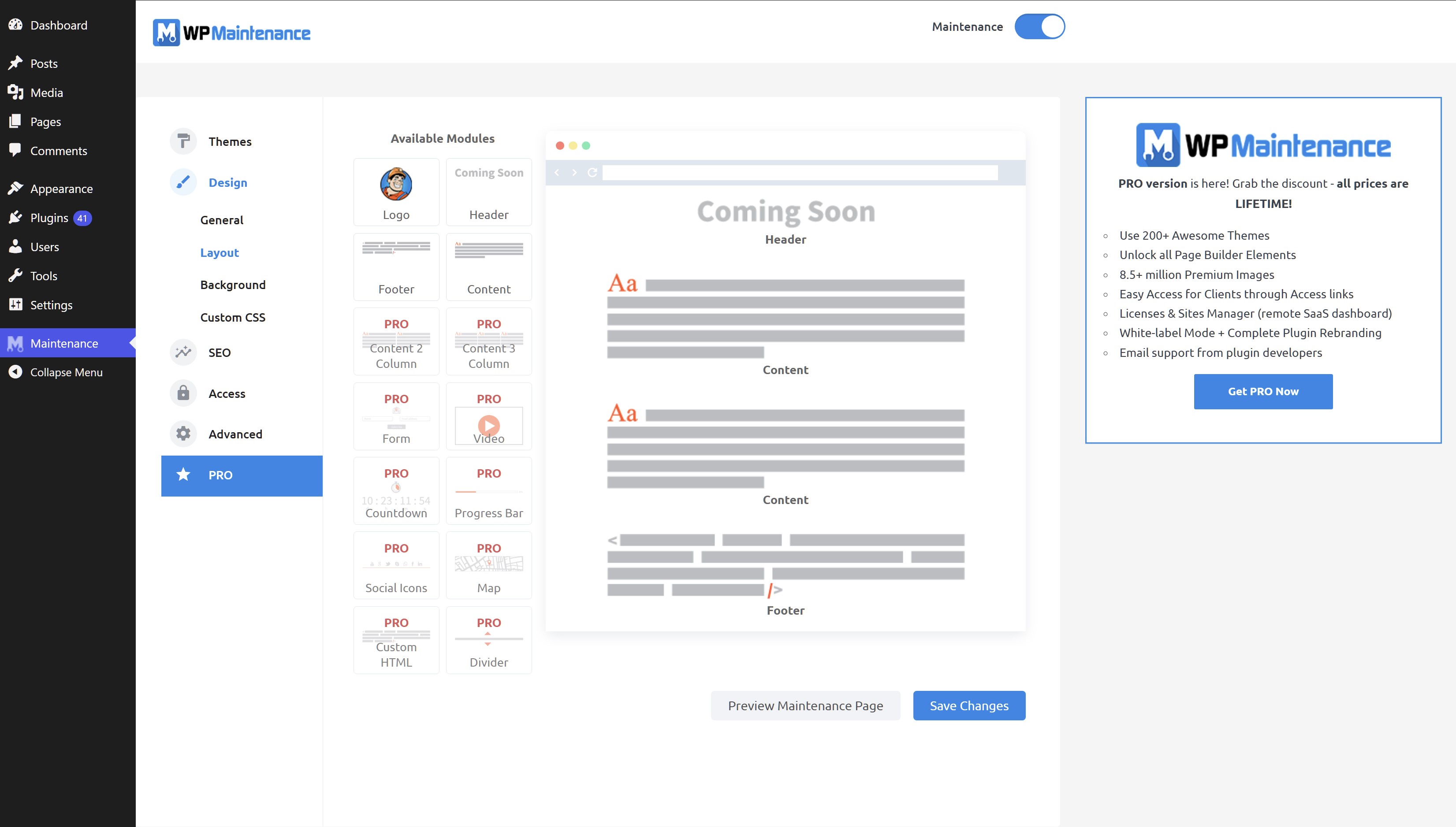
Faq
Try to check in different browser. If you a logged as WordPress user you see the website in normal mode.
The site will not be visible to search engines only if “503 Service Temporarily Unavailable” option is enabled.
You can use your “normal” WP administrator access or create a new user in WordPress dashboard – Users.
Please post the question on the support forum.
You can report security bugs through the Patchstack Vulnerability Disclosure Program. The Patchstack team help validate, triage and handle any security vulnerabilities. Report a security vulnerability.
Reviews
Totally Messed Up
By 
Why? Why would you take something that worked so well and turn it into something so bad? Used to be a simple one page config now its all full of bloat, upsells and some weird ass block builder UI that isn't even Gutenberg. SMH
I USED to use this plugin exclusively...
By 
I used to use this plugin exclusively as a maintenance page/temporarily taking a website offline. Now, the customization options are all but gone. I need to customize the text on the maintenance page on each site that I manage, now I have to replace this plugin on over 20 websites. Like other reviewers have said, this plugin USED to be awesome but if it ain't broke, don't fix it. Now the backend is just full of upsells and nothing useful. Two weeks ago, this would have been a 5-star review. They pushed out an "update" that downgraded the plugin and broke most of the most useful features. Sad. And now we get to find a different plugin to use on all of my client websites, install and configure. At least a few days of work that didn't need to happen if they had left a great plugin to remain great but they got too greedy and broke their plugin.
New version is not usable any more
By 
Three days ago there was a new version of the plugin. Completely different backend, basic settings disappeared completely. I can't access the text on my maintenance page any more. The backend is filled up with upselling stuff. Very annoying.
Has to go.
New version (4.3*) does not respect your time.
By 
This plugin had one simple job to do for our clients show a custom text that can be switched on and off without us having to mess with htaccess and custom pages. Nothing fancy no need for custom backgrounds just a simple text page.
Low and behold now we have to waste minutes setting everything up making sure it does not break with caching optimization. And basically costing us money as in time to use it because how unstable it behaves.
Well we have found the perfect solution for this problem.
We will begin removing this plugin from hundreds of our client sites and we will not be returning it ever again due to poor management decisions on this company part.
When a company approves this kind of mess for production towards there users they clearly lack professional QA, QC management.
Why Oh Why Mess With A Great Plugin
By 
If it ain't broke, don't fix it.
This is one of the few plugins that I have been using with zero problems - until now.
Lousy UI, confusing and my content is all mashed up.
So disappointed.
Has this update even been tested in any way?
By 
Used to be my go to plugin but the latest update is ridiculously bad. Not only are the UI changes horrible (back- and frontend!) but it also simply doesn't work anymore. Content changes are not saved, previously working content is now messed up, the full view close button is in the middle of the page, the HTML view adds styling elements on its own, while simultaneously somehow minifying everything as soon as you switch back to text mode and is then weirdly formated, making the normal text mode basically unusable as well...
Oh no!!! What have you done!
By 
I am so sorry but have you heard of the "If it ain't broke, don't fix it" philosophy?
This new design update is terrible!! Its gone from what used to be a great and simple maintenance mode plugin that one could edit extremely simply and easily to something that is far too cumbersome (and looks like it was designed by a child or someone new to design). Please, for the love of god, undo this monstrosity.
I also don't think the layout has been tested on smaller screens either as the "adverts" on the right hand side take up about 40% of the available screen!! Move these to the bottom of the page if you want them that big OR better yet reduce the width of it.
Truly devastating that my "go to" maintenance mode plugin has been ruined by this update.
Very bad update
By 
This update is completely messed up
New update is terrible
By 
I was perfectly happy with the old setup - everything controlled on a single page which was quick to navigate, preview and activate. The newly released version is horrible - the navigation is not helpful or intuitive, all the settings are now spread over multiple separate sections, maintenance pages that used to work are now broken, and for reasons I can't understand the Preview button is now only available at the bottom of certain pages. Such a bad design!
About the latest update
By 
It completely changed everything; in my particular case, my existing layout/text was reverted to default. The new switch on the admin header gives the impression that the site is under maintenance even if it is off, very confusing and not good at all.
Changelog
v4.32
- 2026/07/13
- minor bug fix
v4.31
- 2026/06/30
- changed login icon back to padlock
- minor bug fixes
v4.30
- 2026/06/18
- complete rewrite, new options, new GUI
- drag&drop maintenance page builder
v4.21
- 2026/04/02
- Minor fixes
v4.20
- 2026/01/03
- Fixed Bunny Fonts getting loaded even for system fonts
v4.19
- 2025/11/19
- WordPress 6.9 compatibility
v4.18
- 2025/07/31
- improved mobile resposiveness
v4.17
- 2025/01/22
- fixed Show some love option not saving
v4.16
- 2025/01/10
- updated Google Analytics code
- added skip-lazy class to background image to fix Autoptimize compatibility
v4.15
- 2024/10/22
- fixed bug with some options not being saved
v4.14
- 2024/10/17
- excluded posts/pages not saving bug fix
v4.13
- 2024/10/13
- minor security fixes
v4.12
- 2024/06/07
- minor bug fixes
v4.09
- 2024/06/03
- added Weglot support
v4.08
- 2023/08/31
- fixed reset password URL changed if Maintenance is off
v4.07
- 2022/05/06
- replaced Google Fonts with the privacy-oriented and GDPR compliant Bunny Fonts
- minor fix for image field
v4.06
- 2022/05/06
- introduction of the PRO version
v4.05
- 2022/01/04
- bug fix for retina image
- security fixes
- ad for our free WP Force SSL plugin
v4.03
- 2021/07/18
- security fixes
- checked WP 5.8 compatibility
v4.02
- 2021/03/06
- JS fixes on frontend
- Contact Form 7 conflict fix
v4.01
- 2021/02/20
- added support for Cache Enabler plugin
- fixed a bug when background image isn’t defined
- fixed issue on sites with large numbers of posts/pages/CPTs
v4.0
- 2021/01/30
- added flyout menu
- added mtnc_load_maintenance_page_for_this_user filter
v3.99
- 2021/01/13
- minor fixes
- removed promo for WP 301 Redirects
v3.97
- 2020/10/02
- minor fixes
- added promo for WP 301 Redirects
v3.96
- 2020/08/19
- “headers already sent” bug fixed
v3.95
- 2020/08/14
- bug fixes for WP v5.5
v3.90
- 2020/05/30
- bug fixes
- removed integration with Amelia Booking
- added support for WP Rocket Cache plugin
- fixed blur issue
v3.85
- 2019/11/28
- bug fixes
- added integration with Amelia Booking
- added support for Hummingbird Cache plugin
v3.80
- 2019/09/25
- numerous bug fixes
- added preview button
- 400,000 installations; 3,790,000 downloads
- for older changelog entries please refer to https://wpmaintenancemode.com/old-changelog.txt