MainWP Child – Securely Connects to the MainWP Dashboard to Manage Multiple Sites
MainWP Child – Securely Connects to the MainWP Dashboard to Manage Multiple Sites
Description
The MainWP Child Plugin securely connects the WordPress sites you want to manage to the MainWP Dashboard.
The MainWP Child plugin creates a secure connection between your WordPress sites and your self-hosted MainWP Dashboard, enabling you to efficiently manage WP installations from a single, centralized location.
With MainWP Child and the MainWP Dashboard, you can update themes, plugins, and WordPress core across all connected sites, perform backups and security scans, manage posts, pages, users, and comments in bulk, and integrate with popular plugins like WooCommerce, Yoast SEO, and Wordfence.
The MainWP Dashboard also offers features for cost tracking and client management, making it an all-in-one solution for agencies and freelancers looking to manage WP sites efficiently. The functionality can be further extended with a growing library of MainWP Add-ons.
MainWP is the ideal solution for freelancers and agencies managing client sites, developers and designers working on multiple projects, marketers and content managers overseeing various websites, and anyone responsible for maintaining multiple WordPress sites.
Why Choose MainWP for WordPress Management?
MainWP is 100% free and open-source, with no monthly fees, even for unlimited sites.
As a self-hosted solution, it offers maximum control and privacy. MainWP provides comprehensive site management features and is highly customizable with add-ons and developer hooks. The MainWP Child plugin even comes with its own privacy policy to guarantee your privacy while using MainWP.
All of this makes MainWP the best non-SaaS alternative to ManageWP, InfiniteWP, WPRemote, and WP Umbrella.
Key Features
MainWP Child, combined with the MainWP Dashboard, offers secure management of unlimited WordPress sites, one-click updates for plugins, themes, and WordPress core, automated backups and security monitoring, bulk management of posts, pages, users, and comments, white-labeling and custom branding options, and powerful add-ons for WooCommerce, Yoast SEO, Wordfence, and more.
Expand Your MainWP Dashboard with Add-ons
MainWP offers a growing library of add-ons that add advanced functionality to your Dashboard. From client reporting to SEO management, MainWP add-ons provide the tools you need to deliver top-notch service to your clients.
Join the MainWP Community
MainWP is more than just a plugin; it’s a thriving community of WordPress professionals. Join our MainWP Users Facebook Group to connect with other users, share advice, and stay updated on the latest features and add-ons.
Developer-Friendly
MainWP is built with developers in mind. We provide extensive documentation, hooks, and an API to help you create custom extensions and integrations for the MainWP platform. We have a site at MainWP.dev dedicated to MainWP developers.
Get Started with MainWP Today
Take control of your WordPress site management with MainWP and the MainWP Child plugin. With its powerful features, unlimited site connections, and user-friendly interface, MainWP is the smart choice for anyone managing multiple WordPress sites.
Learn More About MainWP
Installation
How the MainWP Child Plugin Works
Install and activate the MainWP Dashboard plugin on a dedicated WordPress site.
Install the MainWP Child plugin (this plugin) on the WordPress sites you want to connect to your MainWP Dashboard.
Activate the plugin.
Follow the Getting Started Guide to connect your sites to your MainWP Dashboard.
Screenshots
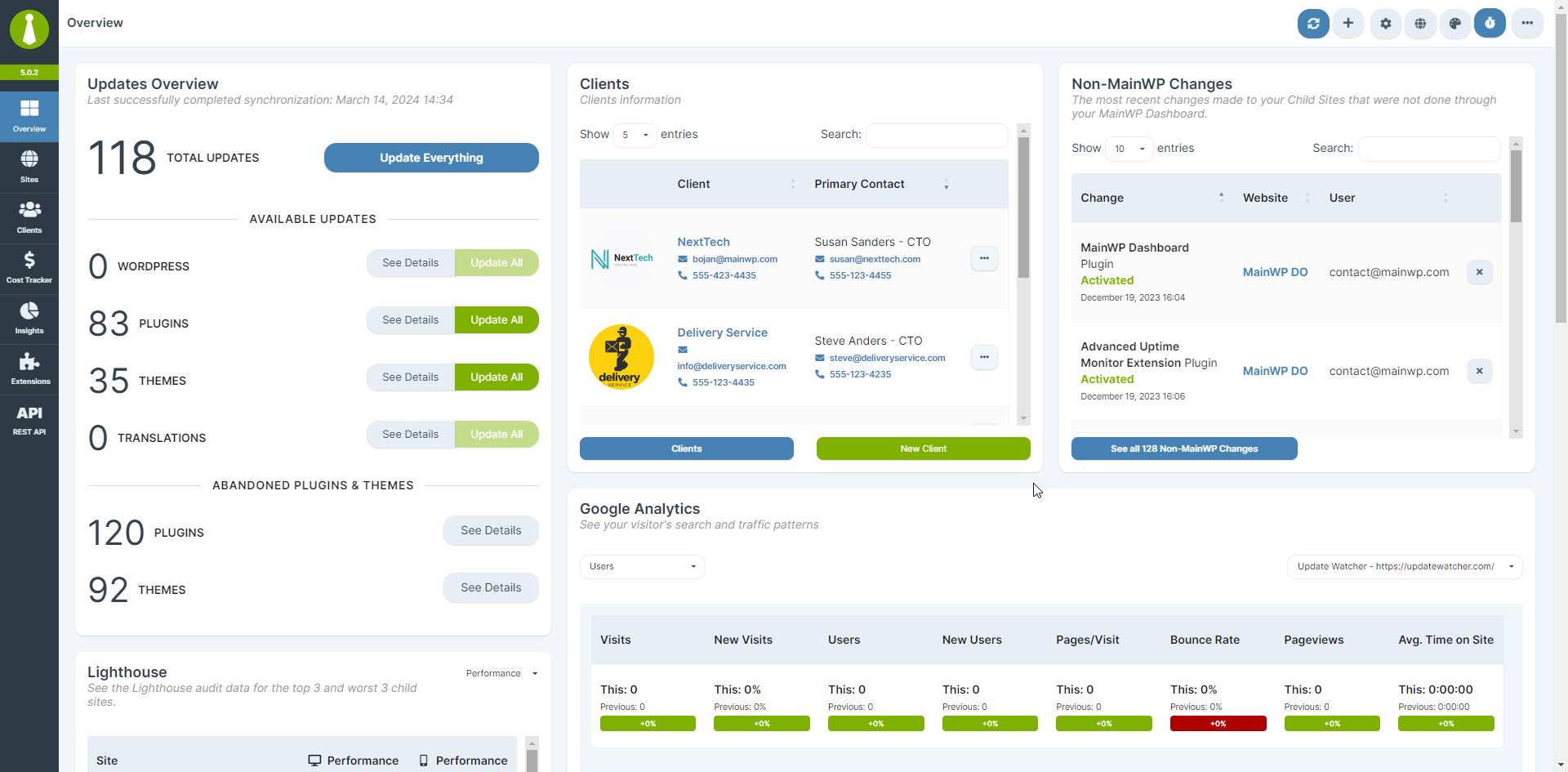
Sites - Operations

Sites - Manage Sites
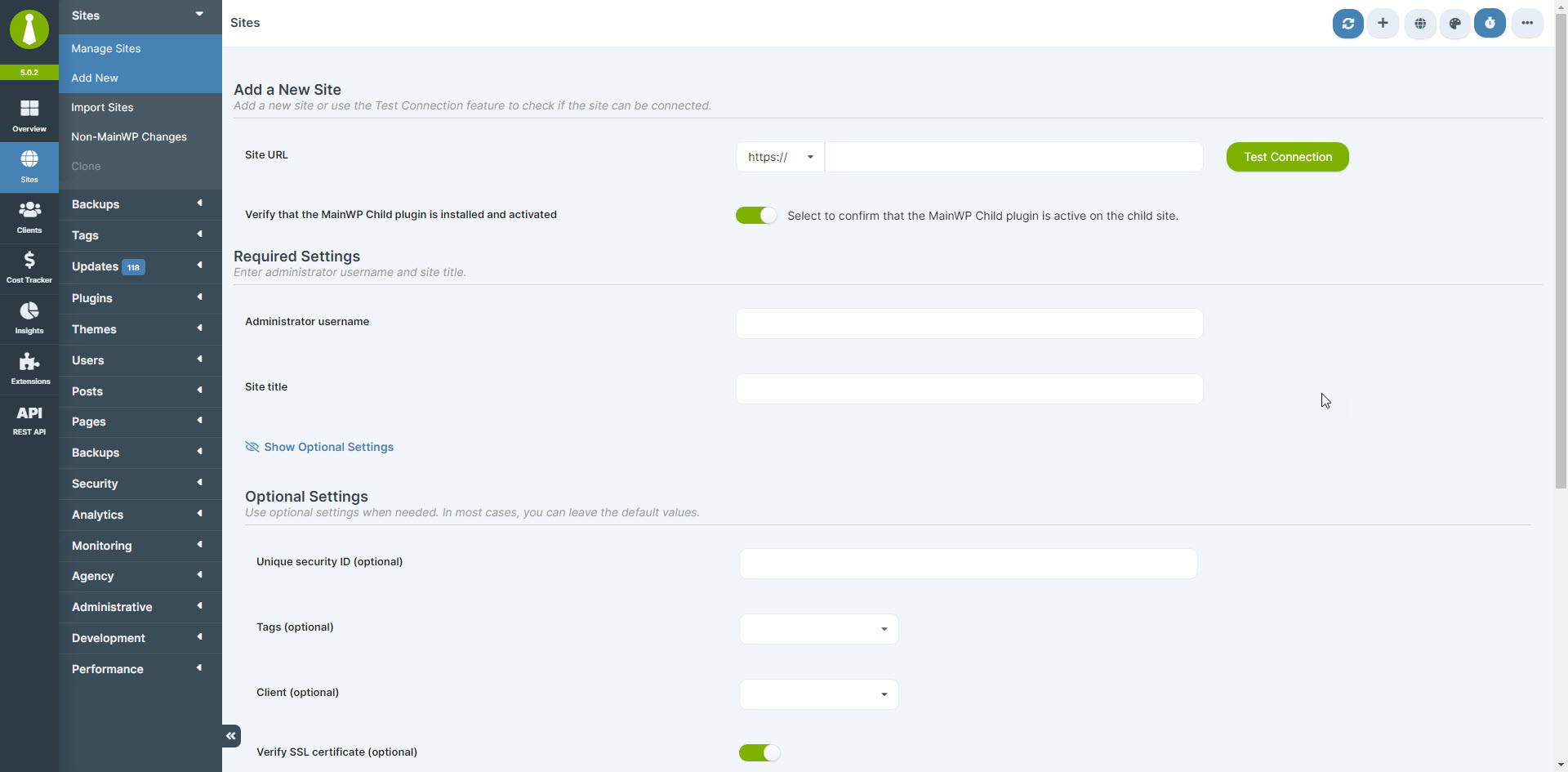
Sites - Add a New Site
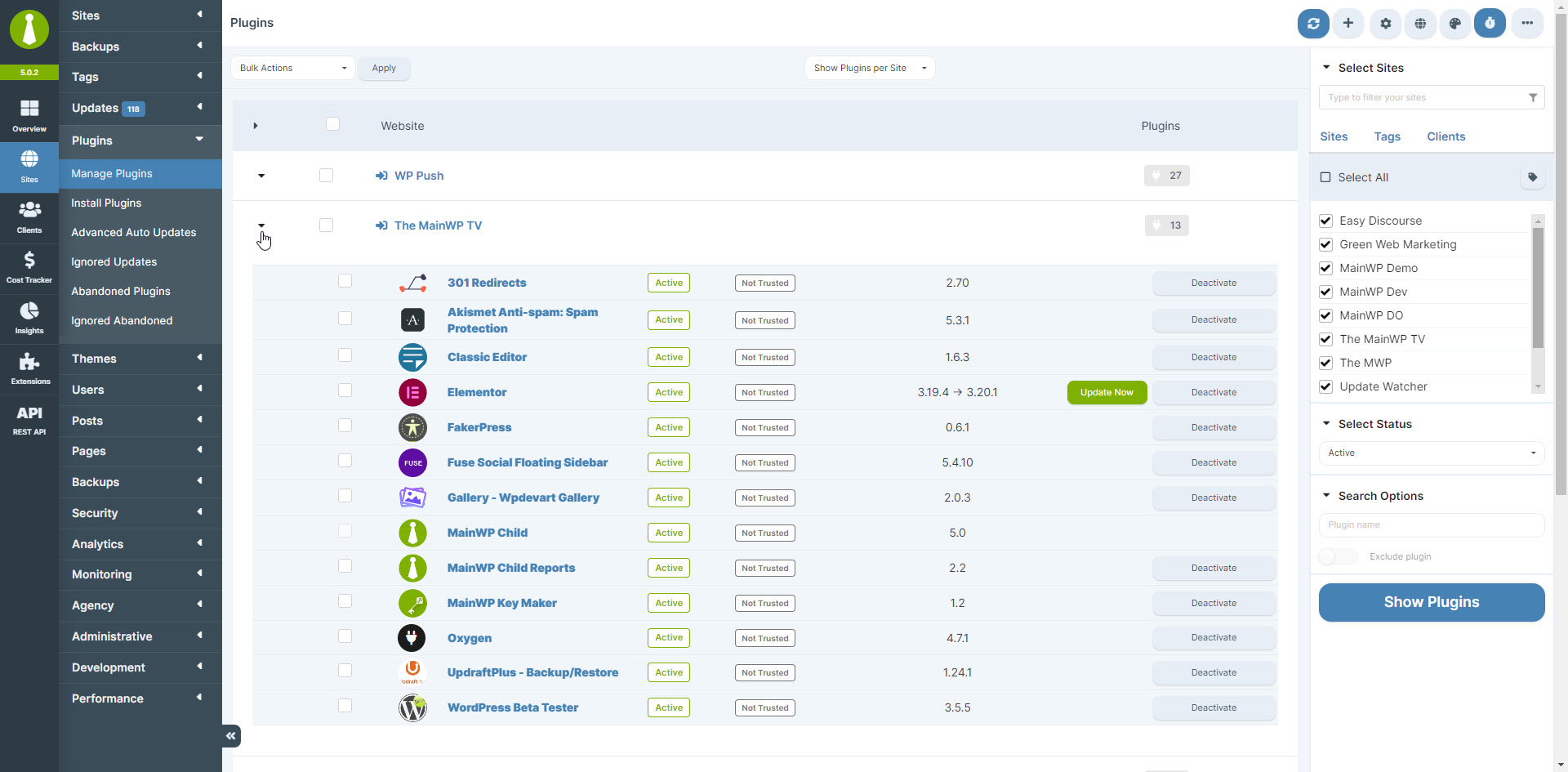
Sites - Dark Mode - Manage Sites

Sites - Manage Plugins
Sites - Manage Posts
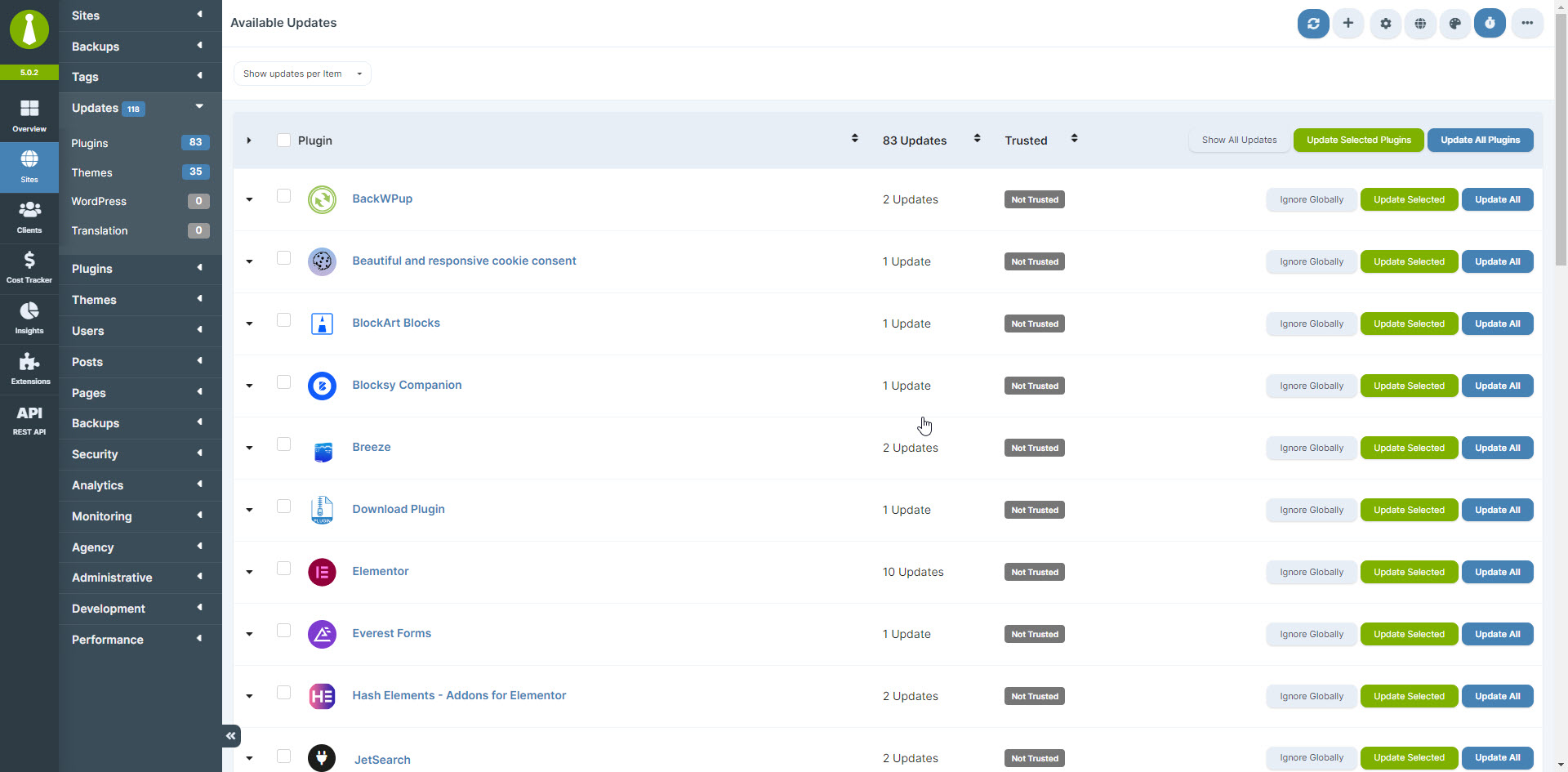
Sites - Manage Updates
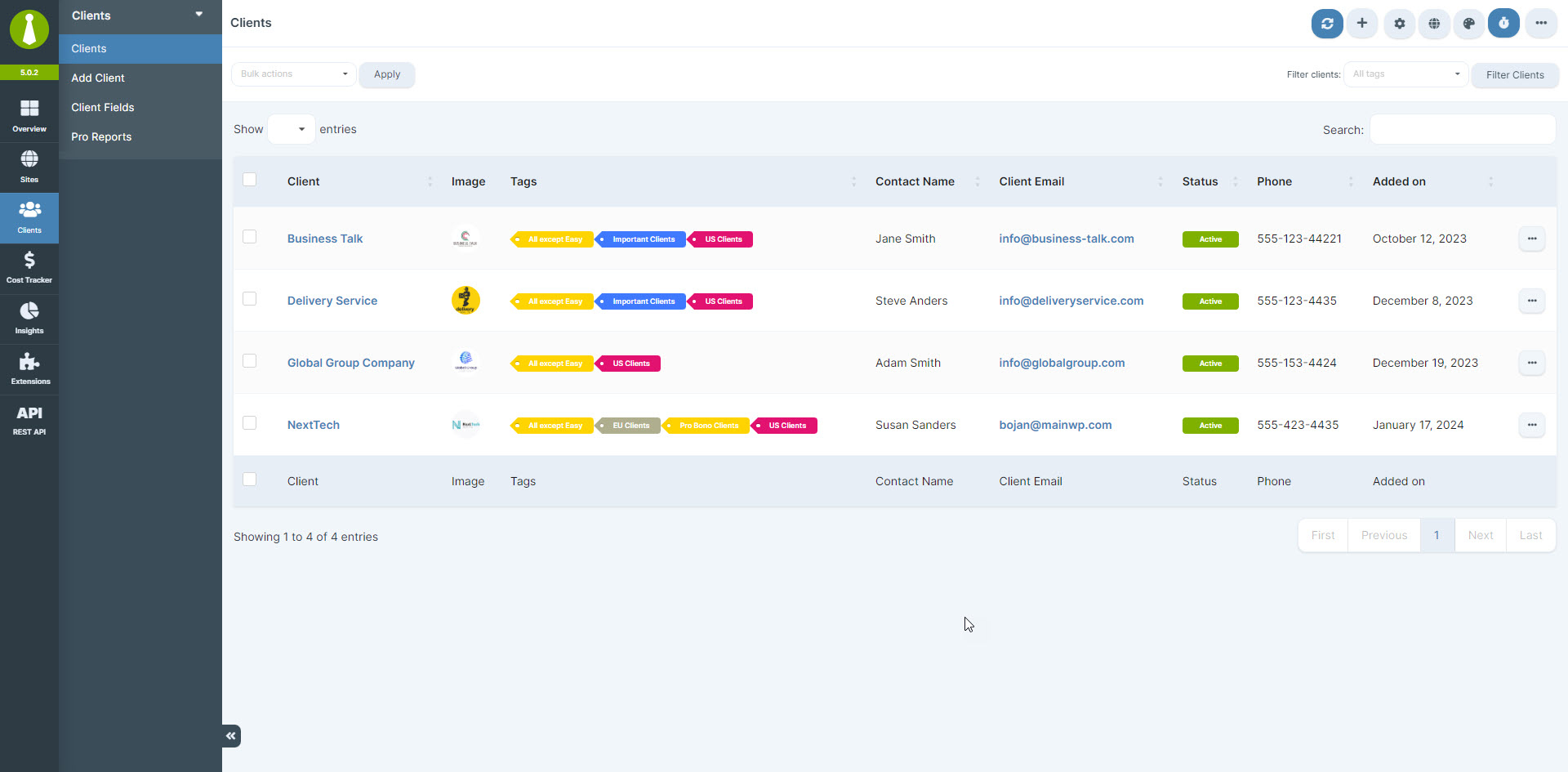
Clients - Manage Clients
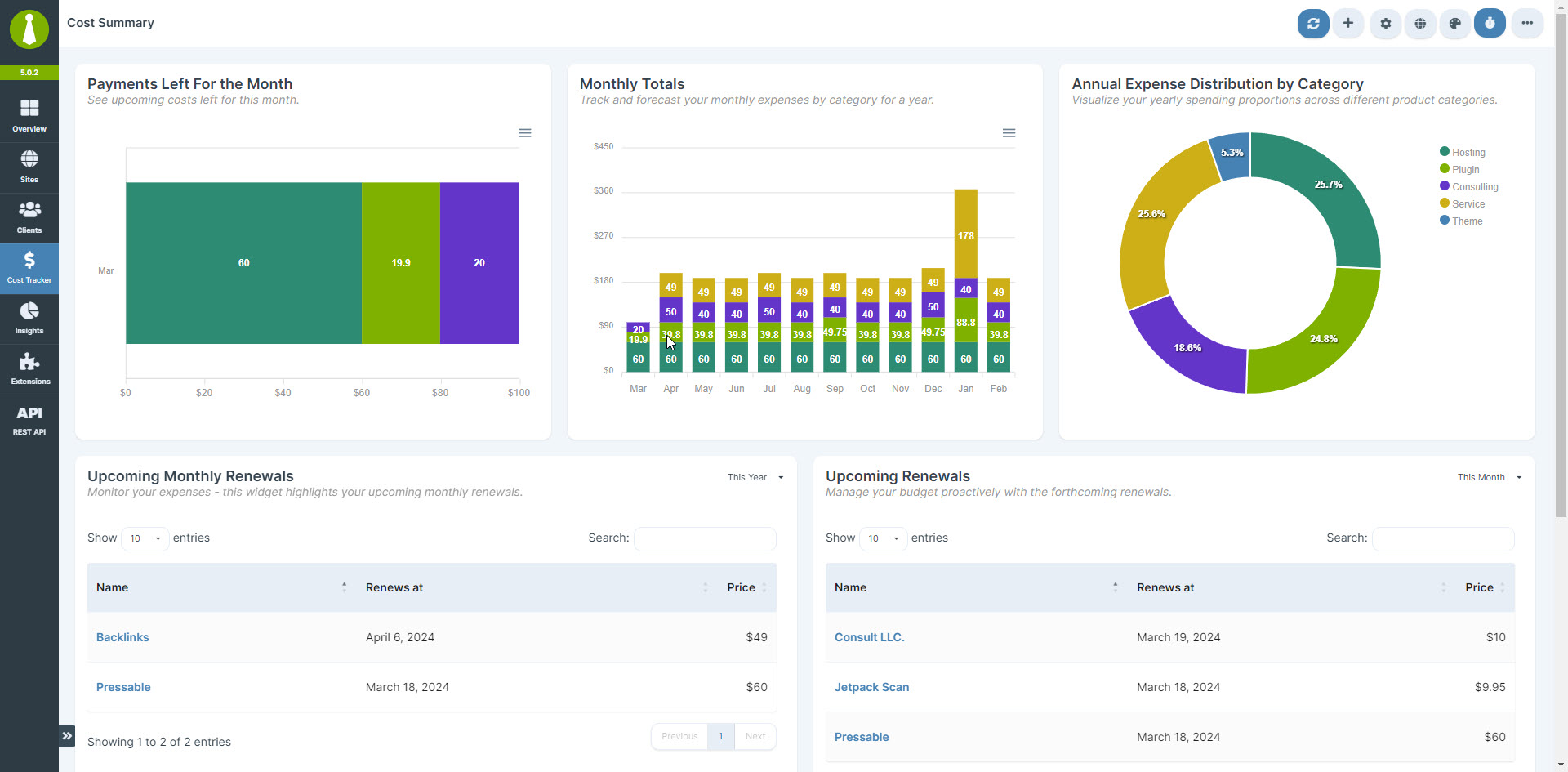
Cost Tracker - Cost Summary

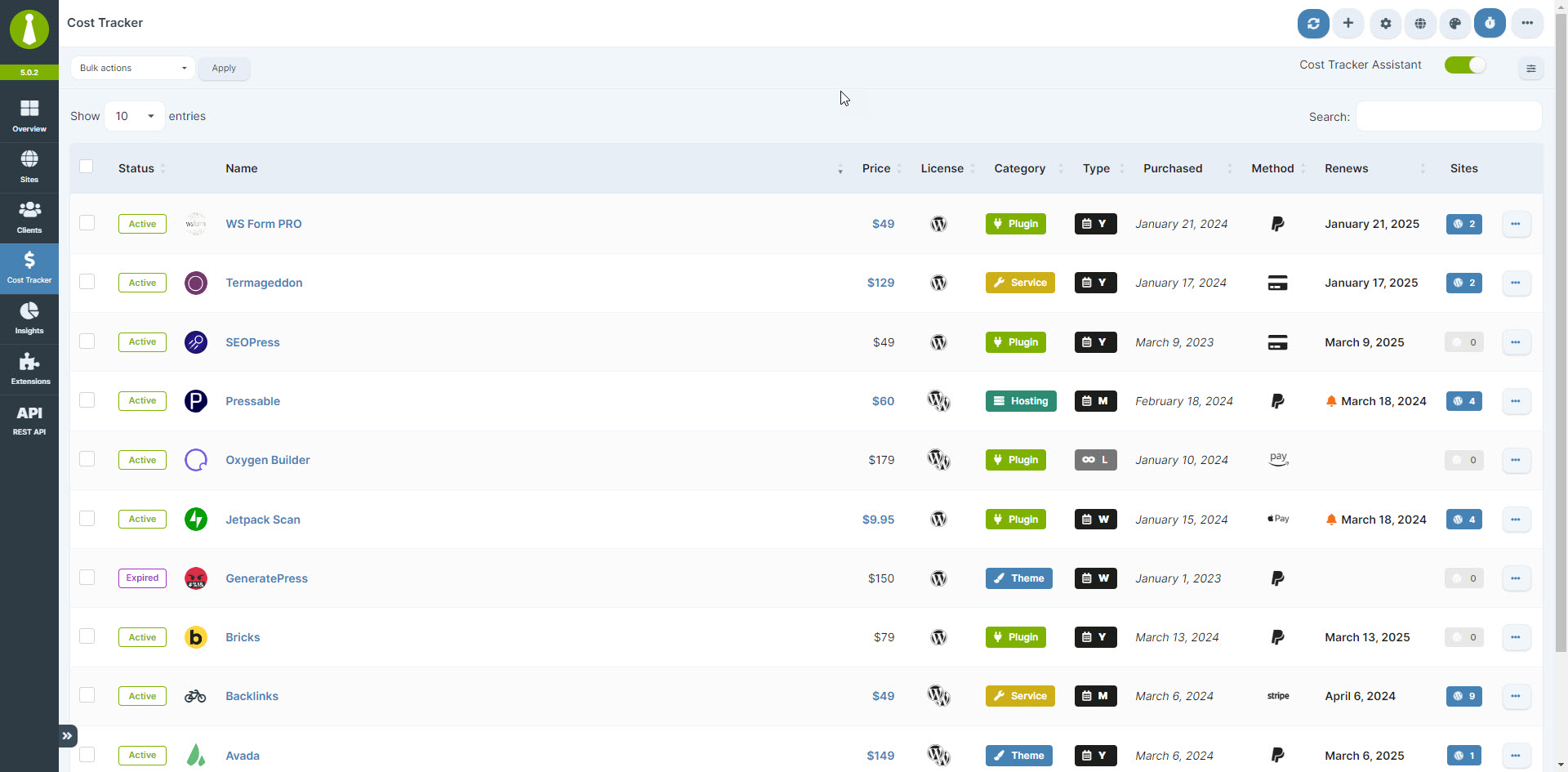
Cost Tracker - Manage Costs
Faq
Yes, the MainWP Child plugin must be installed on each WordPress site you want to connect to your MainWP Dashboard.
Yes, you can use the MainWP White Label extension to hide the MainWP Child plugin from the WordPress admin on your connected sites.
While MainWP and ManageWP offer similar features, MainWP is self-hosted and open-source, providing more control and flexibility. Learn more about the differences between MainWP and ManageWP.
Both MainWP and WP Umbrella offer features for managing multiple WordPress sites, but MainWP is self-hosted and open-source, while WP Umbrella is a SaaS platform hosted on their servers. MainWP’s open architecture provides greater control and flexibility. Discover more differences between MainWP and WP Umbrella.
MainWP and InfiniteWP are both self-hosted WordPress management solutions. However, MainWP is open-source, allowing for code review and extensibility, while InfiniteWP’s Admin Panel is not open-source and obfuscates its code. MainWP also offers a comprehensive set of features tailored for agencies and freelancers managing client sites. Explore the differences between MainWP and InfiniteWP.
MainWP and WPRemote are both WordPress management solutions, but they differ in their approach and feature set. MainWP is a self-hosted, open-source plugin that gives you full control over your data and offers a wide range of features. WP Remote is a cloud-based service that stores your data on its servers, which may be a concern for some users who prioritize data ownership, security, and GDPR. Learn more about the differences between MainWP and WPRemote.
Yes, security is a top priority for MainWP. We adhere to WordPress security best practices, and our code is open-source and available for review on GitHub. We also offer a bug bounty program to encourage responsible disclosure of any security issues. Read more about MainWP Security practices.
Absolutely! MainWP is open-source, and we welcome community contributions. Visit our GitHub repository to get started.
Please follow the steps outlined in the MainWP Feature Requests to submit your idea and allow the MainWP Community to vote on it.
We have an extensive FAQ with more questions and answers here.
Reviews
True lifesaver!
By 
MainWP saves me hours of time every week, very thankful for your awesome plugin.
Nice!
By 
A plugin that meets our expectations.
By 
A plugin that meets our expectations. A very nice plugin for managing multiple websites. Thank you
excellent time saver for managing multiple sites
By 
I installed this plugin on each of the sites I manage to connect them to my self-hosted MainWP Dashboard. Now I can perform updates and monitor my sites from a single location. It saves a bunch of time and it makes management simple and easy.
Einfach super!
By 
Warum verwende ich das erst jetzt ?!
I just love how much time I save with this plugin
By 
Just love how easy it is to maintain many websites at once with MainWP
Brilliant plugin
By 
The best…
By 
powerful
By 
Great Plugin, But...
By 
Changelog
6.0 – 2-24-2026
- Added: New maintenance options to selectively clean expired transients or remove all transients from the site.
- Added: Password policy management to set and enforce password expiration rules.
- Added: Extended post retrieval to support ID-based filtering for more targeted synchronization.
- Added: Caching for recently updated custom posts with automatic invalidation on post changes, and included cached data in sync payloads to improve performance.
- Added: Support for the upcoming Patchstack Integration for MainWP.
- Added: Support for the feature update that allows users to delete plugins that are active while respecting sequence of deactivating first and deleting after in background.
- Added: Helper method to detect MainWP-specific admin pages.
- Added: Created a dedicated MainWP_Child_Assets class to handle asset loading.
- Updated: Enhanced plugin update processing to include WordPress and PHP compatibility details for both standard and premium plugin updates when compatibility checks are available.
- Updated: Improved error message handling for better compatibility with the PostHog (MainWP Dashboard Telemetry) integration.
- Updated: Disabled cron event tracking as the default value for Sites Changes logging to reduce unnecessary log entries.
- Updated: Stopped parsing the
readme.txtfile for version requirements and switched to reading from the main plugin file for improved reliability. - Updated: Restructuring the plugin initialization to only load necessary code based on the current request context.
- Updated: Delaying the loading of admin-specific code until it’s actually needed.
- Updated: Implementing conditional loading of CSS and JavaScript files only on MainWP-specific pages.
- Updated: Separated asset registration from enqueuing for better performance.
- Updated: Optimized jQuery UI loading to only load when needed.
- Fixed: Fixed saving of Solid Security plugin settings.
- Fixed: Multiple PHP warnings and notices to ensure cleaner operation.
- Fixed: Missing user information for certain objects and events in the Sites Changes feature.
- Fixed: An issue with syncing Sites Changes that occurred on some server configurations.
- Fixed: Corrected Child plugin’s inability to load jQuery libraries on the “Clone/Restore” page due to incorrect conditional logic.
- Fixed: Resolved Child plugin error when attempting to load non-existent assets.
- Dev: Updated PHPSecLib package to their latest versions to maintain security and compatibility standards.