Before After Image
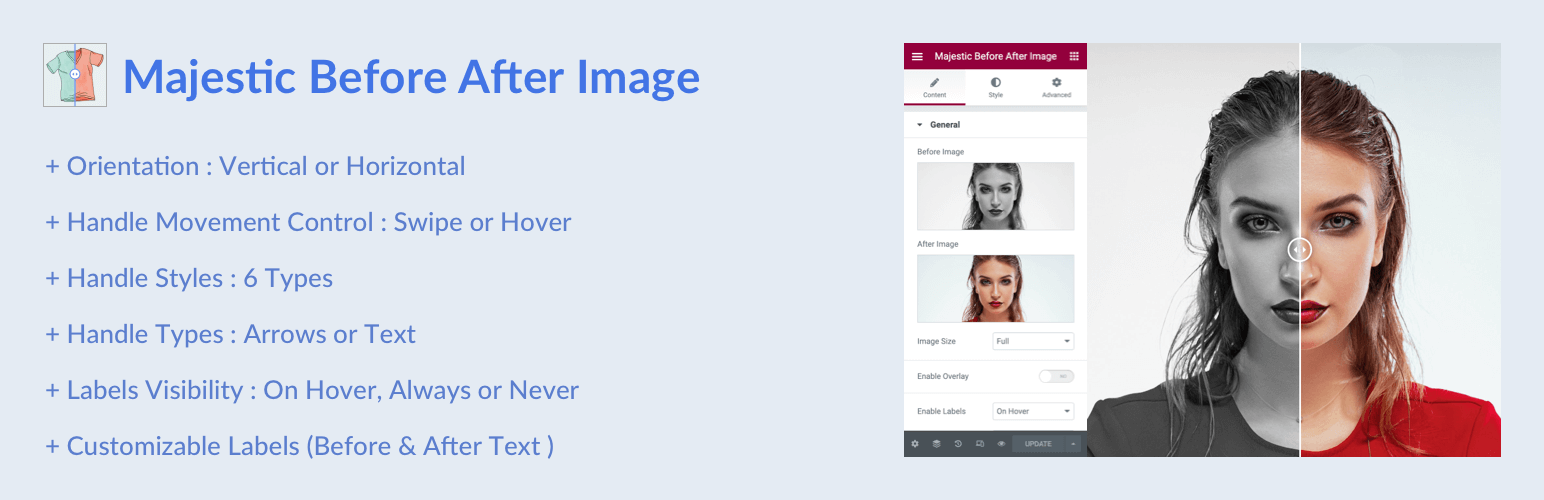
Before After Image
Description
Before After Image lets visitors drag a handle to compare two images side-by-side.
Works in three ways — use whichever fits your site:
- Shortcode — You can you shortcodes on any post or page. Use the built-in shortcode builder to generate shortcodes easily.
- Elementor widget — drag and drop the widget onto any page with full style controls.
- WooCommerce — attach a before/after comparison to any product directly from the product editor.
Full usage instructions, shortcode options, and WooCommerce setup steps are available inside the plugin under the Before After Image menu.
Key Features
- Works standalone via shortcode — Elementor and WooCommerce are both optional
- WooCommerce product integration with per-product settings
- Elementor widget with full style controls
- Horizontal and vertical orientation
- Handle movement by drag or mouse hover
- Customisable before/after labels (on hover, always, or never)
- Enable/disable overlay
- Default handle offset position
- Six handle styles
- Handle types: Arrows or Text
- Slider colour — white or black (line, handle, and arrows)
- Image size option
- Typography and colour options (Elementor)
- Touch and pointer-event support
Before After Image Pro
Want more features? Check out Before After Image Pro:
- Auto-Slide Animation — Grab attention with an automatically sweeping handle. Configure speed and pause-on-hover behavior.
- 3-Image Comparison — Show before, during, and after with two draggable handles.
- Full-Screen View — Let visitors zoom in with a button to expand the slider to full screen.
- Custom Colors — Fine-tune the line, circle, and arrows independently to match your brand.
- Rounded Corners — Add subtle to fully rounded corners for a polished look.
- Shortcode Manager — Save and reuse slider configurations with
[mbai_preset id="..."]shortcodes. - Premium Support — Get priority support and automatic updates.
Installation
Using The WordPress Dashboard
- Navigate to the Add New Plugin page.
- Select
majestic-before-after-image.zipfrom your computer. - Install and activate.
Using FTP
- Extract
majestic-before-after-image.zip. - Upload the
majestic-before-after-imagefolder to/wp-content/plugins/. - Activate via the WordPress Plugins dashboard.
After activation, open the Before After Image menu for usage instructions.
Screenshots
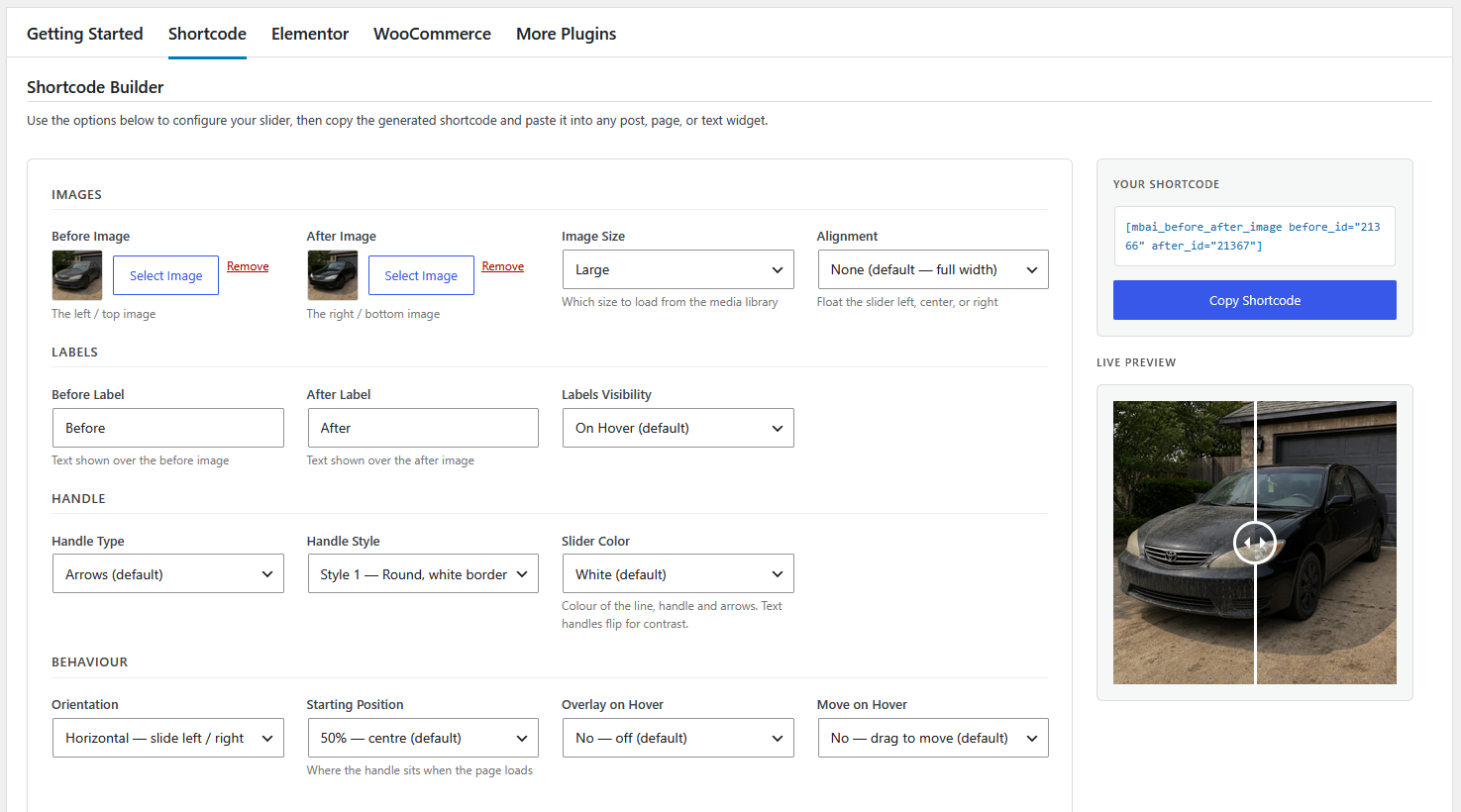
Shortcode builder
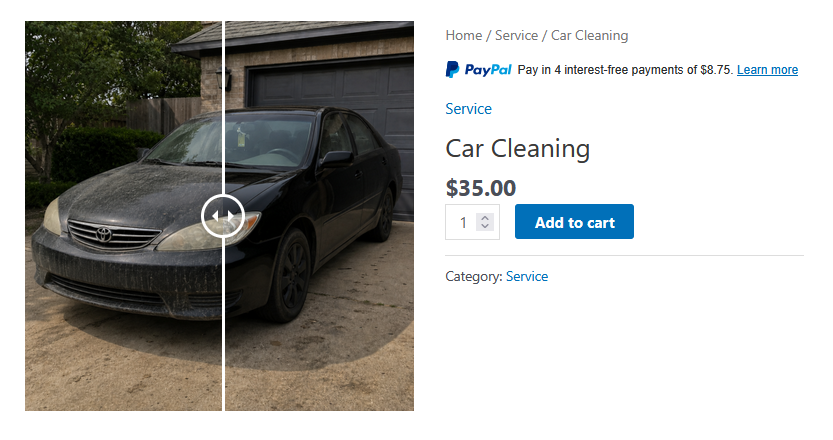
WooCommerce page with slider as product image
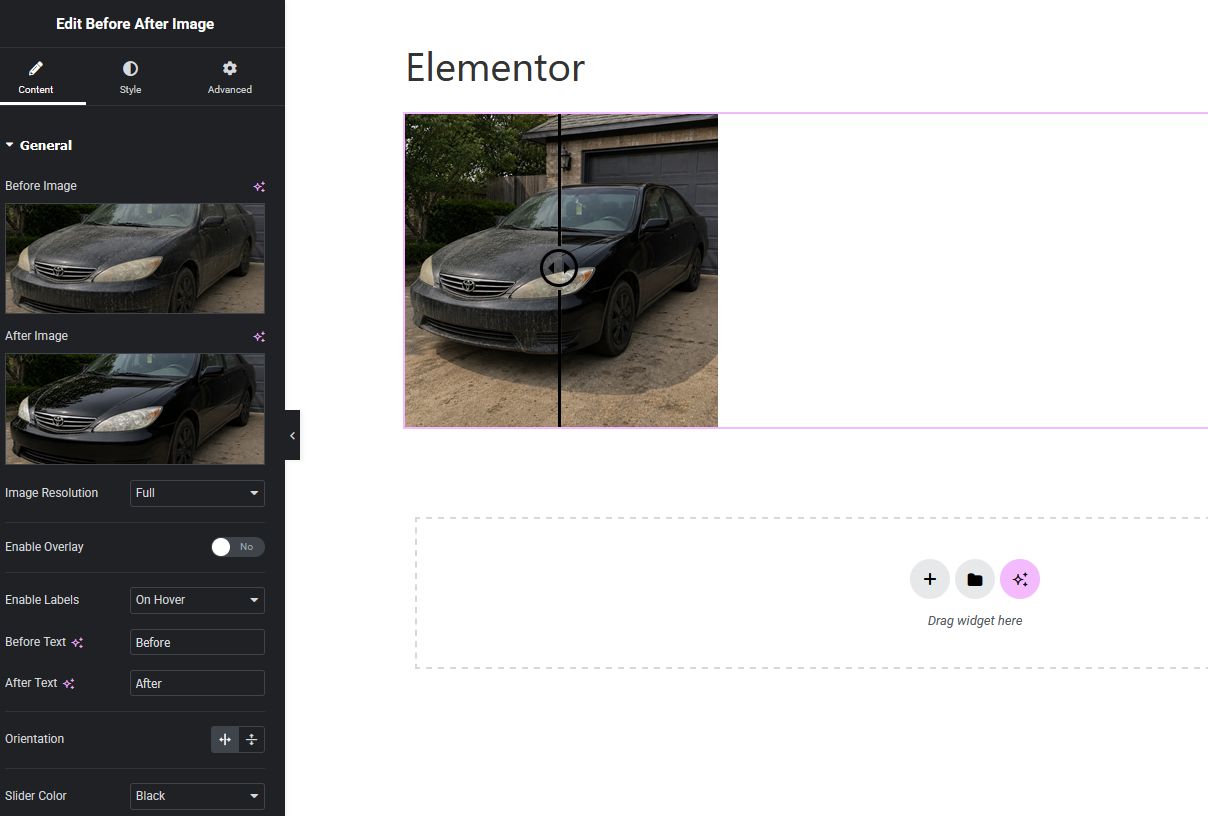
Elementor Widget
Faq
No. The plugin works on its own via the [mbai_before_after_image] shortcode. Elementor is optional — the drag-and-drop widget is available when Elementor is active.
No. WooCommerce is optional. When active, a meta box appears on each product so you can enable the comparison widget per product.
Yes.
Open the Before After Image menu and click the Shortcode tab for a full list of options with descriptions.
Reviews
Best WordPress Before and After Comparison Slider
By 
I was looking for a before & after comparison plugin (Twenty20) to build a portfolio page on my website. I have tried other plugins, but they were lack in functionality or forcing me to pay annual fees for something so simple, and then I found this plugin. It has all functions and It's 100% free and works just fine. I looked up the author of this plugin, Mr.Manesh Timilsina, Good Sir, Thank you very much. A simple google search of your name helped me find your website, maneshtimilsina[dot]com and I will contact you for fixing some issues on my own website, that I'm having a hard time trying to fix. I recommend this plugin for anyone.
great
By 
4.9
Before/After
By 
Changelog
3.0.2 – 10 June 2026
- Improved: Welcome banner styling — now white with subtle border for better integration
- Improved: Pro features sidebar — increased font size and added subtle shadow for better visibility
- Improved: Pro features list order — moved 3-image comparison to second position for emphasis
3.0.1 – 8 June 2026
- Removed: Admin notice shown when Elementor is not active – this was not hiding correctly
3.0.0 – 8 June 2026
- New: Standalone shortcode
[mbai_before_after_image]— no Elementor or WooCommerce required - New: WooCommerce product integration with per-product meta box
- New: In-plugin help pages (Before After Image menu) with shortcode reference, Elementor guide, and WooCommerce setup steps
- New: Custom vanilla JavaScript engine replaces jQuery-dependent event.move.js and twentytwenty.js
- New: Single self-contained CSS file replaces the third-party twentytwenty.css
- Removed:
third-party/folder (event-move, twentytwenty) — no longer needed - Updated: All CSS class names migrated from
.twentytwenty-*to.mbai-*(legacy aliases kept for backwards compatibility) - Updated: Elementor widget updated to use new class names and vanilla JS engine
- Updated: Plugin header —
Requires Plugins: elementorremoved (Elementor now optional) - Updated: Requires PHP lowered to 5.6
- Fixed: Widget hidden when Elementor “Align Self” is set to anything other than Stretch
- Improved: Touch support rewritten using native pointer events
- Improved: ResizeObserver replaces window resize event for more efficient layout updates
2.0.4 – 21 April 2026
- WP Compatibility 6.9
- Code improvements
2.0.3 – 09 Sep 2025
- Minor JS fixes
2.0.2 – 08 Sep 2025
- WP Compatibility 6.8
- Admin page update
2.0.1 – 27 Nov 2024
- WP Compatibility 6.7
- Update packages
2.0.0 – 31 Jul 2024
- WP Compatibility 6.6
- Upgrade dependencies
1.0.12 – 28 June 2024
- Fix PCP issues
1.0.11 – 17 June 2024
- Update admin page and URL
1.0.10 – 02 August 2023
- Update author info and links
1.0.5 – 25 May 2023
- Update Admin Notice package
1.0.4 – 19 Feb 2023
- Fix PHP 8 issue
1.0.3 – 13 Sep 2022
- Fix PHP issue
1.0.2 – 30 Sep 2022
- Update dashboard
- Minor bug fixes
1.0.1 – 8 Sep 2022
- Update screenshots
- Minor bug fixes
1.0.0 – 1 Sep 2022
- Initial release