Make Disable Admin Email Verification Prompt

Make Disable Admin Email Verification Prompt
Description
WordPress 5.3 introduced an admin email verification screen that is periodically shown after an admin has logged in, prompting administrators to verify the site’s administration email address. This plugin disables that prompt.
**NOTE : This plugin requires WordPress 5.3 or greater.
Installation
Minimum Requirements
- WordPress 5.3 or greater is recommended
- Upload
make-disable-admin-email-verification-promptfolder to the/wp-content/plugins/directory. - Activate the plugin through the ‘Plugins’ menu in WordPress.
Screenshots
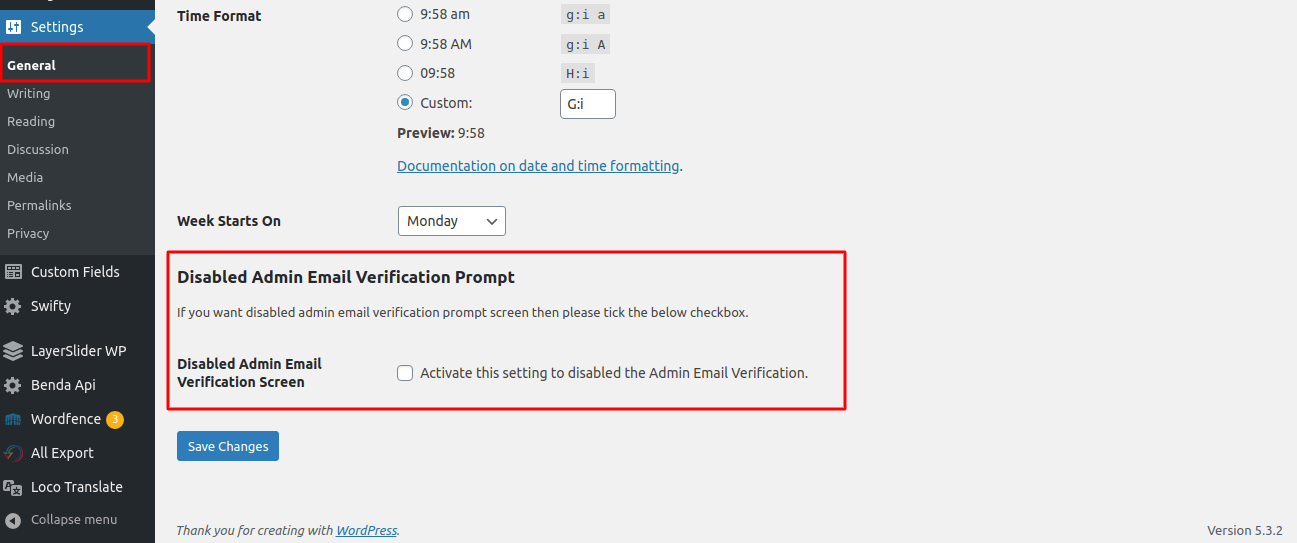
Display in General in Settings Page.

Frontend Disable admin email verification prompt screen.
Faq
No, this plugin not used without WordPress 5.3 or later versions.
If so, please use the support forum to ask!
Reviews
Basic but solves an annoying problem
By 
what more can you say. simple and gets rid of an an annoying nag.
Good Plugin
By 
It's fantastic plugin, working fine according my requirement.
Changelog
1.0.8
- Tested up to WordPress 7.1
- Fixed register_uninstall_hook using a non-static callback (was silently failing with a _doing_it_wrong notice)
- Added sanitize_callback to the settings field
- Fixed spelling/wording errors in plugin description and readme
1.0.7
- Tested upto latest wordpress version 6.9
1.0.6
- Tested upto latest wordpress version 6.6
1.0.5
- Tested upto latest wordpress version 6.3
1.0.4
- Change readme.txt file
1.0.3
- Tested upto latest wordpress version 6.0
1.0.2
- Tested upto latest wordpress version 5.9
1.0.1
- Tested upto latest wordpress version 5.6
1.0.0
- Initial release of the plugin