ManicSoup Activity Log & Security Monitoring

ManicSoup Activity Log & Security Monitoring
Description
ManicSoup Activity Log keeps a detailed, searchable record of everything that happens on your WordPress site — the who, what, when, and from-where of each change. Use it to monitor for security issues, hold users accountable, and troubleshoot problems fast.
Everything logs to a dedicated database table (it doesn’t bloat your posts table) and shows up in a clean, fast admin viewer with search, filtering, and CSV export. No external service, no account required — your data stays on your site.
What gets logged
- Logins & sessions — successful logins, logouts, and failed login attempts.
- Content — publishing, editing, status changes, trashing, restoring, and deleting posts, pages, and custom post types.
- Users — registrations, deletions, role changes, profile edits, password changes and resets.
- Plugins & themes — installs, activations, deactivations, updates, deletions, and theme switches.
- System — WordPress core updates and changes to key site settings.
Built-in attack detection
The plugin watches your login activity and alerts you by email when it spots trouble — repeated failed logins, attacks targeting your admin or specific accounts, and logins from new locations. You stay informed about credential attacks as they happen.
Features
- Full activity logging engine
- Searchable, sortable, paginated log viewer
- Free-text search across the log
- CSV export of the current view
- Enable or disable individual event types
- Exclude specific users or IP addresses from logging
- Configurable retention (auto-purge old entries, or keep forever)
- Reverse proxy / WAF support (resolves real client IPs)
- Attack detection & email alerts
Everything listed above is fully functional with no restrictions, no license key, and no time limits.
A separate premium edition
A separate premium edition of this plugin, with additional investigation, response, and automation tools, is available from the developer at https://www.manicsoup.com/. The premium edition is a distinct product and is not hosted on WordPress.org. This free edition is complete and fully functional on its own; you never need the premium edition to use everything described above.
Installation
- Upload the plugin to
/wp-content/plugins/, or install it through the Plugins screen in WordPress. - Activate it through the Plugins screen.
- Open the plugin in the admin menu to view your activity log. Logging begins immediately.
Screenshots
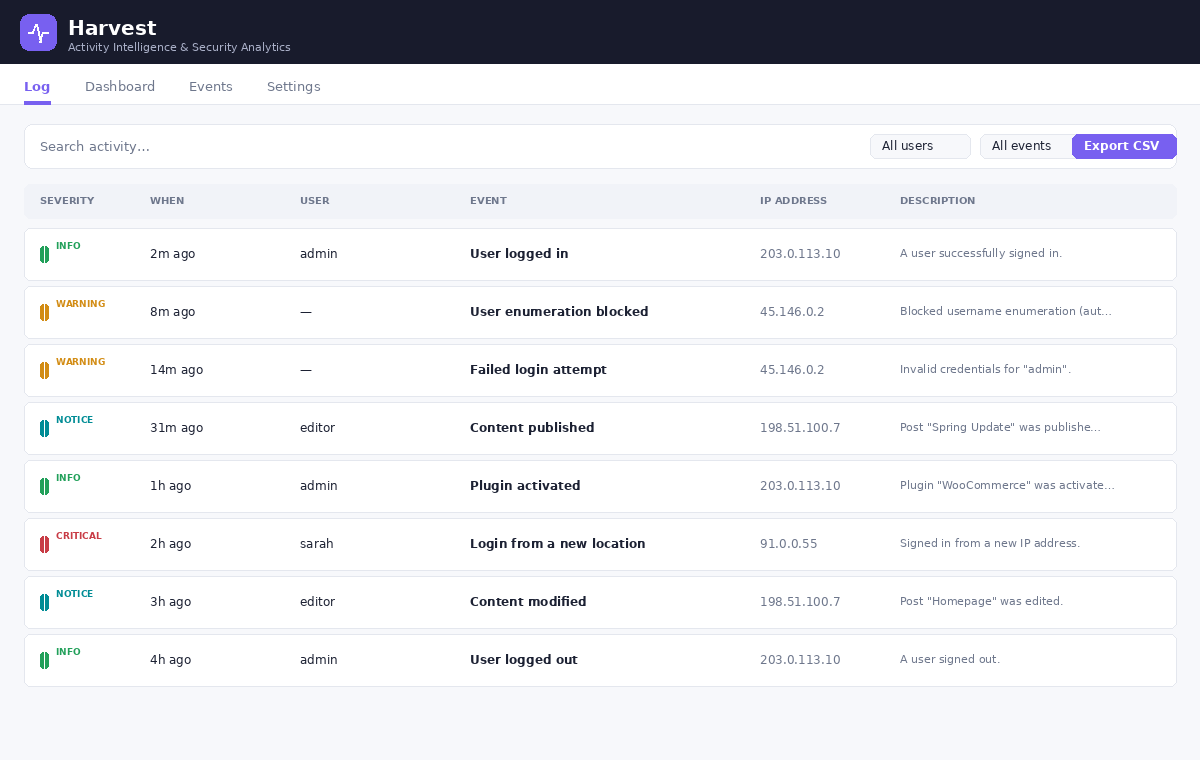
The activity log viewer — searchable, filterable, sortable, with CSV export.
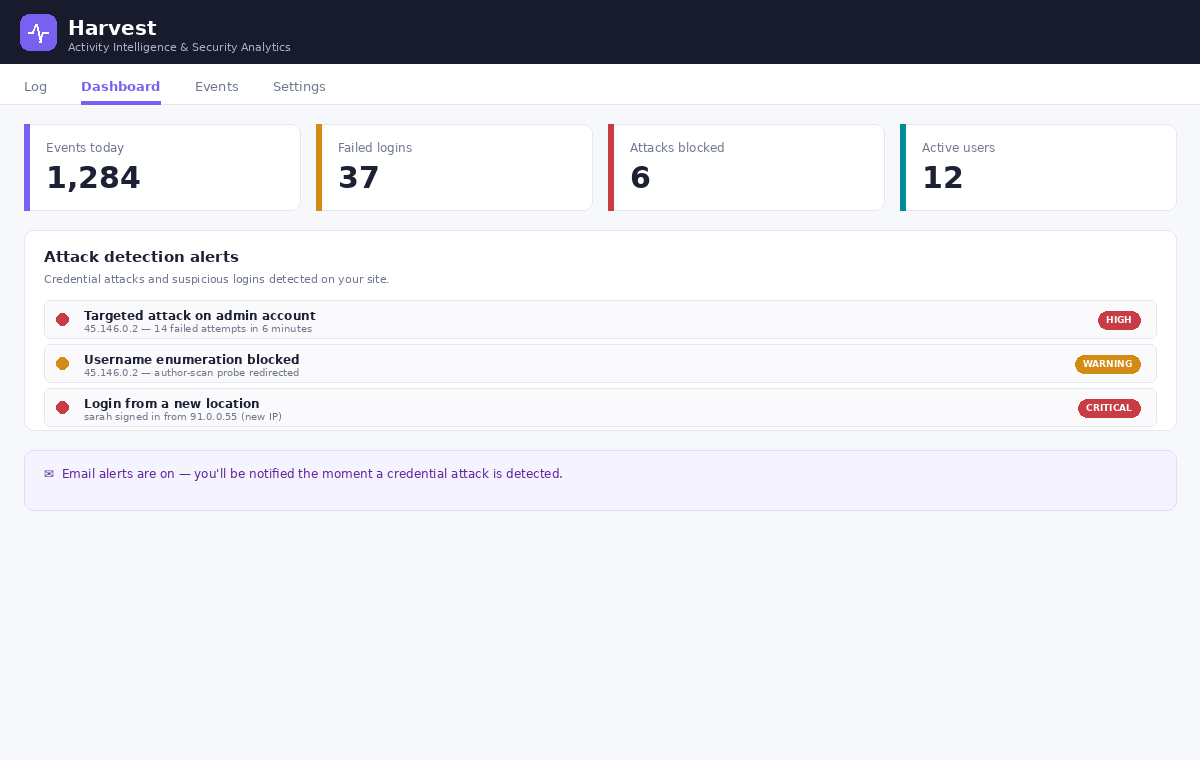
Dashboard with attack detection alerts for credential attacks and suspicious logins.
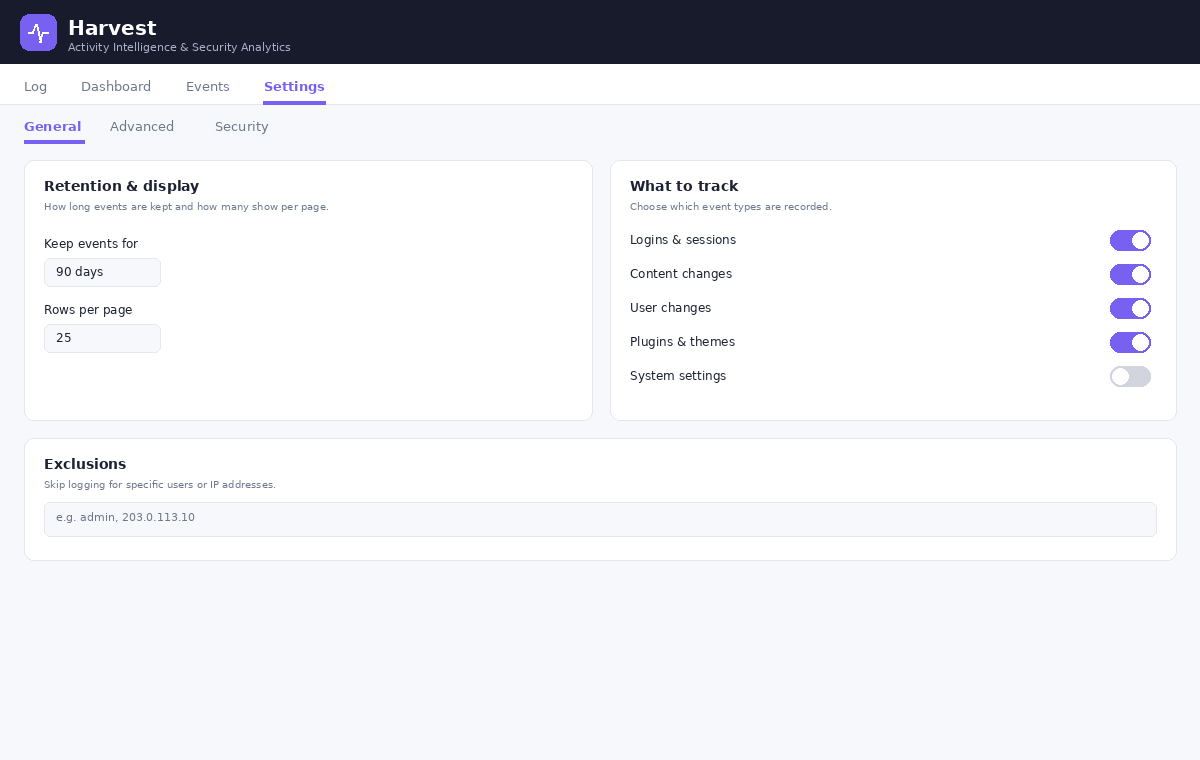
Settings — control what's tracked, retention, and exclusions.
Faq
No. It logs entirely to your own database and never contacts an external service. Your activity data stays on your site.
The plugin writes to its own dedicated table and is built to be lightweight. You can also exclude noisy events or users, and set a retention period to keep the log trim.
Yes. Set a retention period in days, or set it to 0 to keep everything indefinitely.
No. Everything in this plugin is fully functional with no restrictions. A separate premium edition with additional tools exists, but it is a distinct product available from the developer’s own website, not an unlock of features in this plugin.
Reviews
Changelog
2.0.2
- Fixed: remaining “Harvest” wording in event labels, access log entries, and admin descriptions now reads ManicSoup Logger.
2.0.0
- Renamed: the plugin is now ManicSoup Activity Log & Security Monitoring.
- Fixed: admin styles and scripts failed to load, leaving plugin screens unstyled.
- Fixed: outdated branding in the plugin header.
1.47.0
- Built-in attack detection with email alerts for credential attacks, targeted-account attacks, and logins from new locations.
- Activity logging engine, log viewer, search, CSV export, retention, and exclusions.
- Interface and performance improvements.