Mapoza Click-to-Load for Google Maps
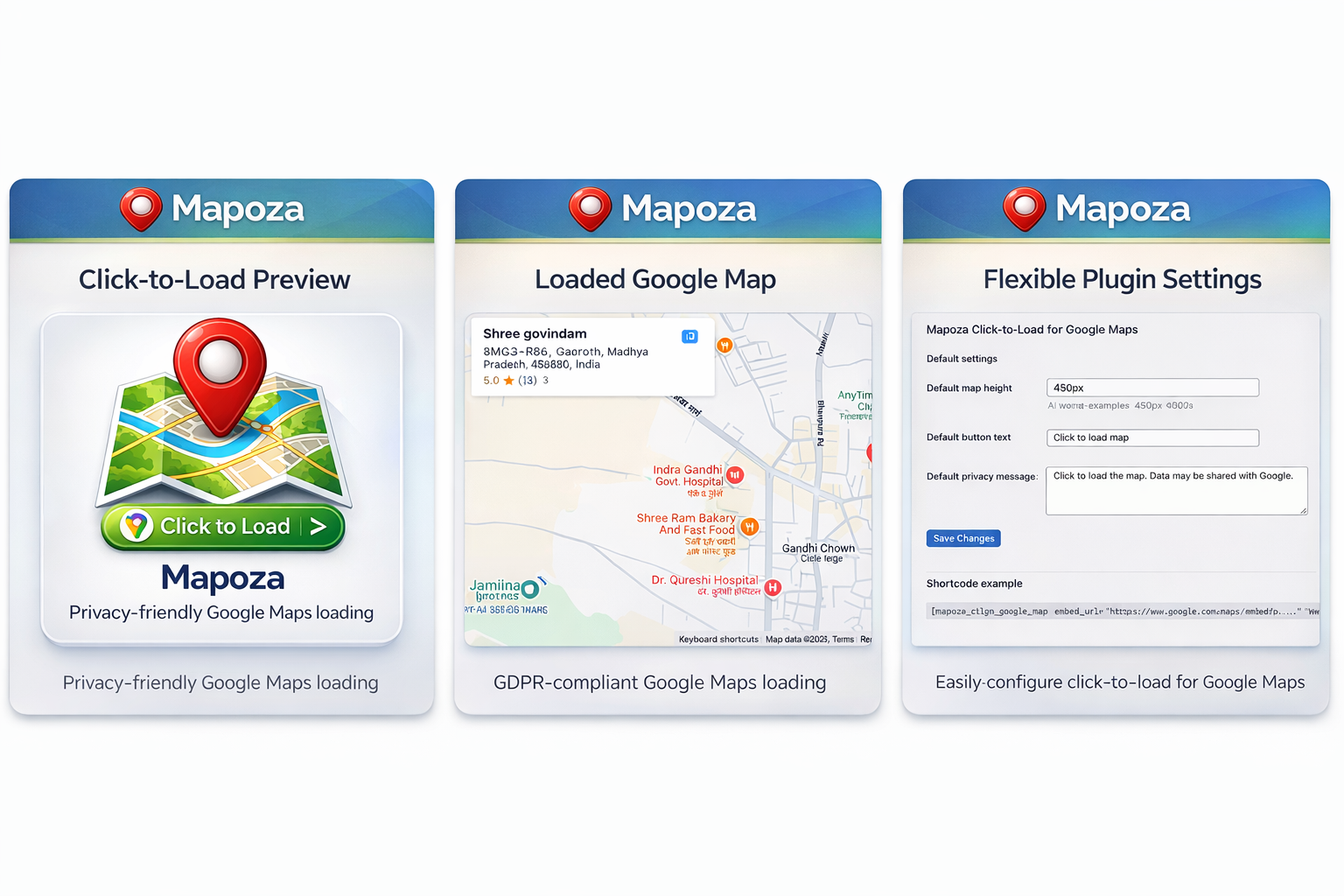
Mapoza Click-to-Load for Google Maps
Description
Mapoza Click-to-Load for Google Maps lets you embed Google Maps in a privacy-friendly and performance-friendly way.
Instead of loading the Google Maps iframe immediately, the plugin shows a placeholder and button first. The map is only loaded after the visitor clicks.
Features:
* Shortcode-based map embedding
* Loads Google Maps iframe embeds on click
* Default settings for height, button text, and privacy message
* Translation-ready
* Lightweight and easy to use
Example shortcode:
[mapoza_ctlgm_google_map embed_url=”https://www.google.com/maps/embed?pb=…” height=”450px” button_text=”Load map”]
Installation
- Upload the plugin files to the
/wp-content/plugins/mapoza-click-to-load-for-google-mapsdirectory, or install the plugin through the WordPress plugins screen. - Activate the plugin through the ‘Plugins’ screen in WordPress.
- Go to Settings > Click to Load Maps to configure defaults.
- Add the shortcode to a page or post.
Screenshots

Placeholder before the map loads

Loaded map after click

Plugin settings page
Faq
This plugin supports Google Maps embed URLs copied from Google Maps via Share > Embed a map.
No. Version 1.0.0 supports iframe embeds only.
Yes. You can pass an extra class via the shortcode class attribute and target it in your own CSS.
Reviews
Changelog
1.0.1
- Improved default button text and privacy message
- Minor UI and UX improvements
- Updated plugin assets and listing presentation
1.0.0
- Initial release