Maroon Horizon Smart Firewall
Maroon Horizon Smart Firewall
Description
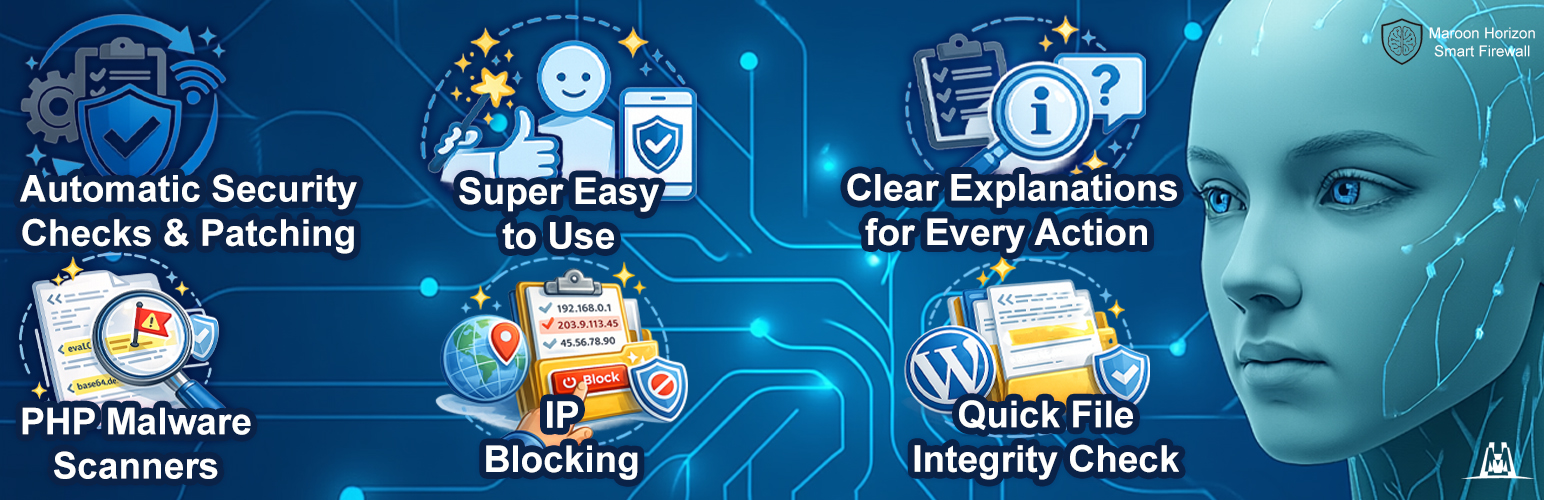
Maroon Horizon Smart Firewall focuses on practical hardening and malware detection for WordPress.
This WordPress.org (FREE) build is fully functional for the FREE feature set and is designed to run locally for those features. Advanced capabilities are provided by a separate PRO plugin (not included in this WordPress.org build).
Outbound network requests (if any) are disclosed below under “External Services” and “Privacy”.
FREE features (local-only)
- Manual IP blocking and management.
- Security patch toggles for common hardening actions.
- Malware scanning of uploads and theme directories using local pattern detection (no external signatures).
- Quarantine management (restore / delete quarantined files).
PRO features (separate commercial plugin)
- AI-Powered Threat Feed (encrypted subnet feed) and automatic sync.
- Real-Time AI Threat Detection (AI model signatures).
- AI-Powered Deep Scan and scheduled email reports.
Commercial PRO plugin
The PRO edition is a separate commercial plugin (not included in this WordPress.org build). Learn more:
https://mh.ie/maroon-horizon-smart-firewall/
External Services
This plugin may perform outbound network requests in the following cases:
1) WordPress.org Core Checksums API (FREE: Core Integrity Scan)
* Service provider: WordPress.org
* Endpoint: https://api.wordpress.org/core/checksums/1.0/
* When: Only when you manually run the Core Integrity Scan from Maroon Horizon -> Scanner.
* Data sent: WordPress version and locale via URL query parameters. Your server IP address is inherently shared as part of the HTTPS request.
* Data received: Official JSON containing WordPress core file checksums, used to verify your local core files. No site files or content are uploaded.
* Privacy: https://wordpress.org/about/privacy/
2) Freemius (optional: licensing, updates, opt-in telemetry)
* Service provider: Freemius (freemius.com)
* When: Only if you opt in to Freemius (for example, to manage licensing and receive updates).
* Data sent: Technical information required for licensing and updates (and, if you opt in, diagnostic/usage metadata), as described by Freemius.
* Data received: License status and update metadata needed to deliver plugin updates.
* Terms: https://freemius.com/terms/
* Privacy: https://freemius.com/privacy/
3) Maroon Horizon service (mh.ie) (PRO only: encrypted threat-feed / AI signature bundles)
* Service provider: Maroon Horizon Ltd – https://mh.ie
* When: Only in the separate PRO plugin, when you use PRO features that require server-side data (e.g., Threat Feed sync / AI signature updates).
* Data sent: Site URL, install ID, product/plan identifiers, license identifiers/keys, plugin/WP/PHP versions, plus standard HTTPS request metadata (including your server IP).
* Data received: A JSON response containing metadata and a time-limited download URL, followed by encrypted bundles used by the PRO engine. No site files or content are uploaded.
* Terms: https://mh.ie/terms
* Privacy: https://mh.ie/privacy-policy
Privacy
Maroon Horizon Smart Firewall is designed to minimize data sharing.
- Most FREE features run locally and do not transmit your site content.
- Malware scanning runs locally on your server; scanned file contents are not uploaded by the plugin.
- Any outbound requests (and the data exchanged) are disclosed in the “External Services” section above.
- PRO-only services are not included in this WordPress.org build.
Installation
- Upload the plugin folder to your WordPress plugins directory, or install it via the WordPress Plugins screen.
- Activate the plugin through the “Plugins” screen in WordPress.
- Open the plugin from the WordPress admin menu and configure the firewall, patches, and scanner.
Screenshots

Quick Scan & Overall Security Rating Status.

IP Blocker / Manually Blocked IPs.

Security Patches.

Malware Scanner / Quarantine / Integrity.

Quick File Integrity Check - Scanning.

Scan Uploads and Themes.
Faq
Most FREE features run locally and do not require third-party services.
The only outbound requests made by this WordPress.org (FREE) build are disclosed in the “External Services” section above (for example, the optional Core Integrity Scan checksums request and optional Freemius opt-in).
No. Malware scans run locally on your server. The plugin reports findings inside the WordPress admin.
PRO functionality is provided by a separate commercial plugin (not included in this WordPress.org build). Licensing and delivery are handled by Freemius.
Learn more: https://mh.ie/maroon-horizon-smart-firewall/
Reviews
Changelog
1.8.2
- WordPress.org packaging/compliance refinements (FREE build contains only FREE functionality).
- Refined build separation between FREE and PRO for cleaner packaging and better maintainability.
1.8.1
- Fixed scan bug in Automatic AI Scan & Email Reports
1.8.0
- Added defensive pruning for abandoned scan-job artifacts (stale/overflow cleanup) to ensure scan-jobs cannot grow without bound due to interrupted scans.
- Added automatic scan-job cleanup, removes scan-job on scan completion or cancel
1.7.9
- Improved: Saving AI scan settings now reschedules the cron job without running a full scan inside the AJAX request.
1.7.8
- Security: Added nonce verification for admin actions and improved request validation.
- Compatibility: Minor internal refactoring and stability improvements.
1.7.7
- Improved PRO upgrade UX in FREE build (Checking and updating minor cosmetic details in: code quality, privacy/external calls, licensing, “freemium” behavior, readme metadata, and submission requirements).
1.7.6
- Improved PRO upgrade UX in PRO build (If Signatures is 0, the AI-Powered Deep Scan runs in local-only mode (patterns + heuristics) until user sync the AI model from our mh.ie servers.).
1.7.5
- Improved PRO upgrade UX in FREE build (Removed the broken “Switch to PRO now” button).
1.7.4
- Improved PRO upgrade UX in FREE build (visually more impact).
1.7.3
- Improved PRO upgrade UX in FREE build (switch button + clear manual steps).
1.7.2
- WordPress.org compliance updates (privacy disclosure + i18n folder/textdomain loading).
1.7.1
- Initial release.