MasterStudy LMS WordPress Plugin – for Online Courses and Education
MasterStudy LMS WordPress Plugin – for Online Courses and Education
Description
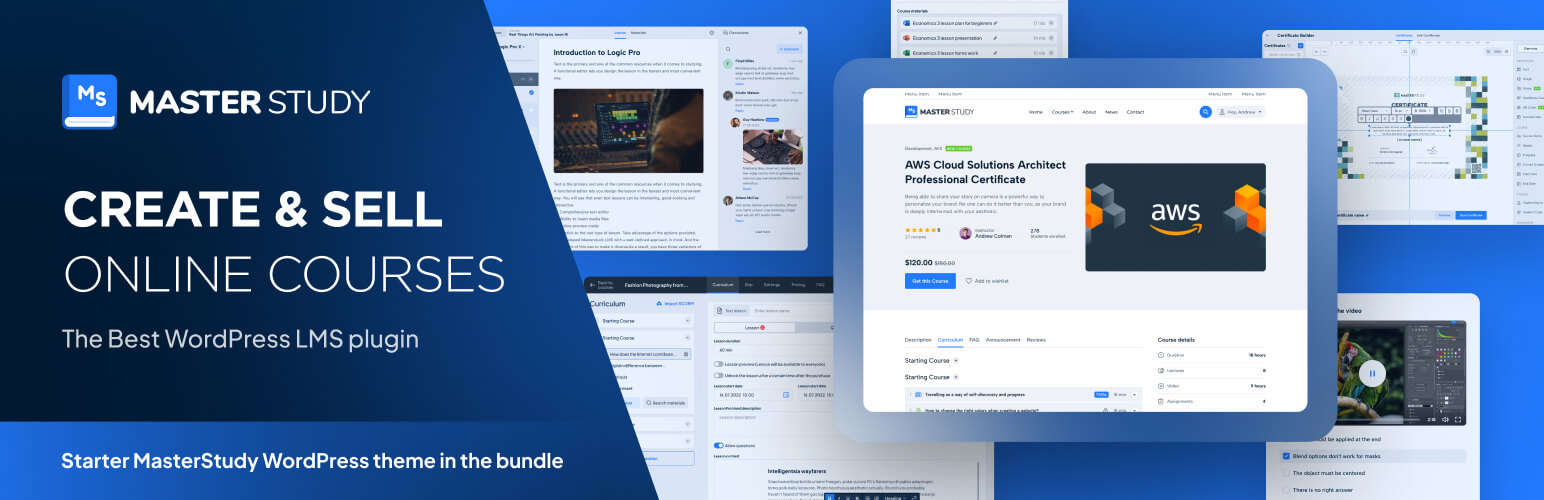
MasterStudy is a free WordPress LMS plugin for online learning business. The WordPress LMS plugin turns any regular WP website into an online school with all the necessary eLearning & LMS features. This WordPress LMS plugin offers extensive tools for creating, managing, and selling courses online. As a top LMS plugin for e-learning, it supports multimedia lessons, quizzes, and student progress tracking; it’s an ideal choice for educators and institutions.
MasterStudy is the best free Learning Management System WordPress plugin for online coaching, instructors, trainers, tutors, schools, colleges, marketplaces and any type of learning website.
⭐ Live Demo
⭐ MasterStudy LMS PRO
⭐ Documentation
⭐ MasterStudy Templates
⭐ Join Facebook Community
Who is it for?
Masterstudy LMS plugin for WordPress is targeted to:
- Single instructor (coach or tutor);
- Education institutions (learning centers, schools, universities);
- LMS Marketplace on WordPress (with online courses).
How Does It Work?
With MasterStudy, you can create and sell online courses on LMS without needing to be a tech expert. It’s like building your LMS website on WordPress with easy and ready tools.
For Individual Instructors (Tutors, Coaches):
MasterStudy is a perfect LMS WordPress plugin for tutors, coaches, or anyone who wants to teach online. You can make interactive lessons with audio, videos, images, and slides, and organize them for your students on the LMS website on WordPress.
For Educational Institutions:
MasterStudy helps schools and colleges handle students, grades, and lessons on the LMS website on WordPress smoothly. Teachers can add materials, edit lessons, and talk to students with message boards on LMS. Students can ask questions and talk to their teachers through comments and messages on the LMS website on WordPress. They can pay per LMS course or sign up for monthly/yearly subscriptions on the WordPress website.
For Online Course Marketplaces:
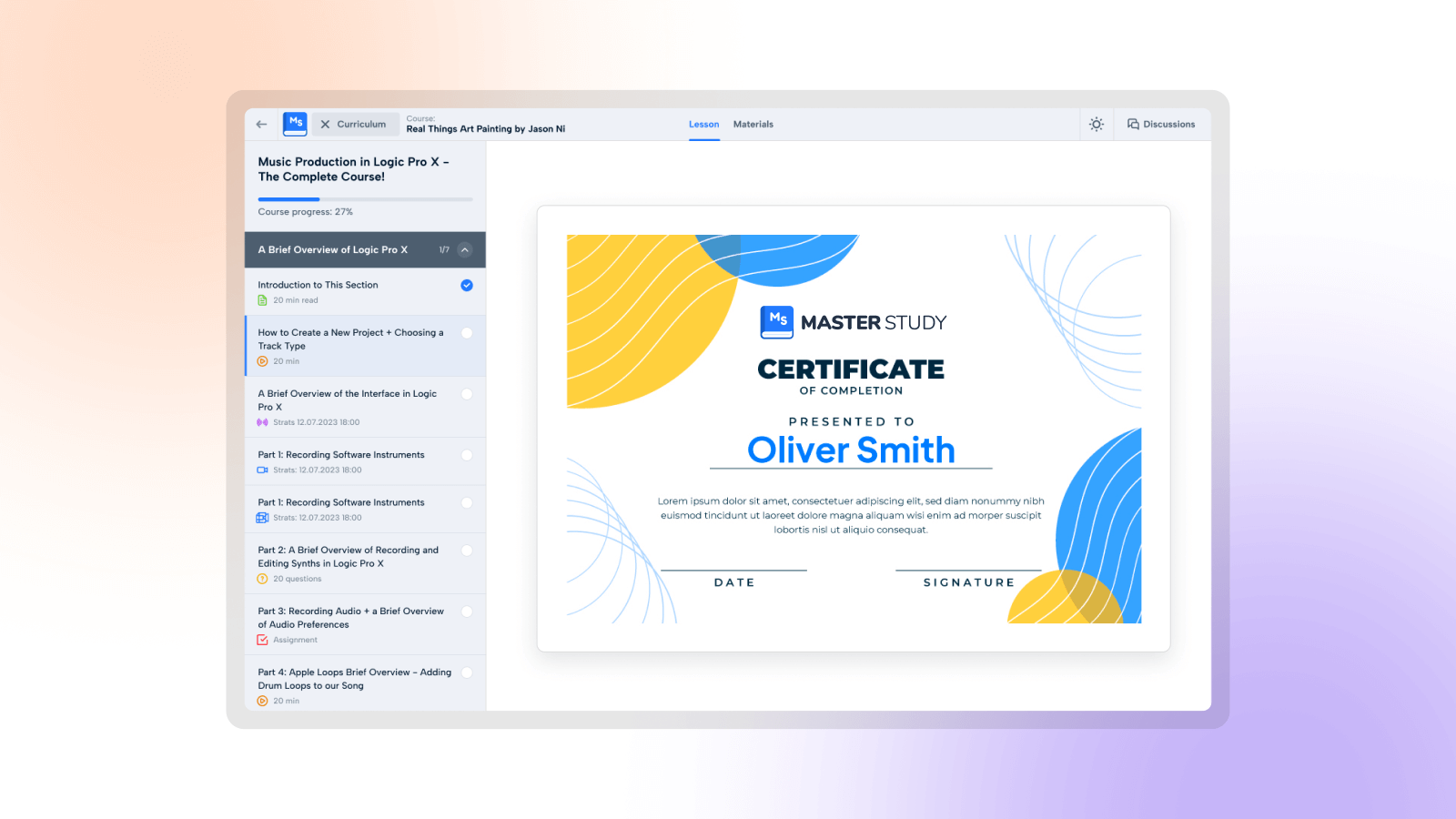
With MasterStudy, you can set up online marketplaces and LMS with lessons like Udemy or Coursera in WordPress. It takes care of subscriptions, quizzes, payments, and student management on the LMS website on WordPress. You can also make certificates for students. Each user gets their own profile on the LMS where they can track progress, continue lessons, see quiz scores on the WordPress website, and buy courses or memberships.
There is a step-by-step video tutorial on how to use the MasterStudy WordPress Plugin to build an LMS on WordPress.
Create a Course Easily with Our Powerful Builder:
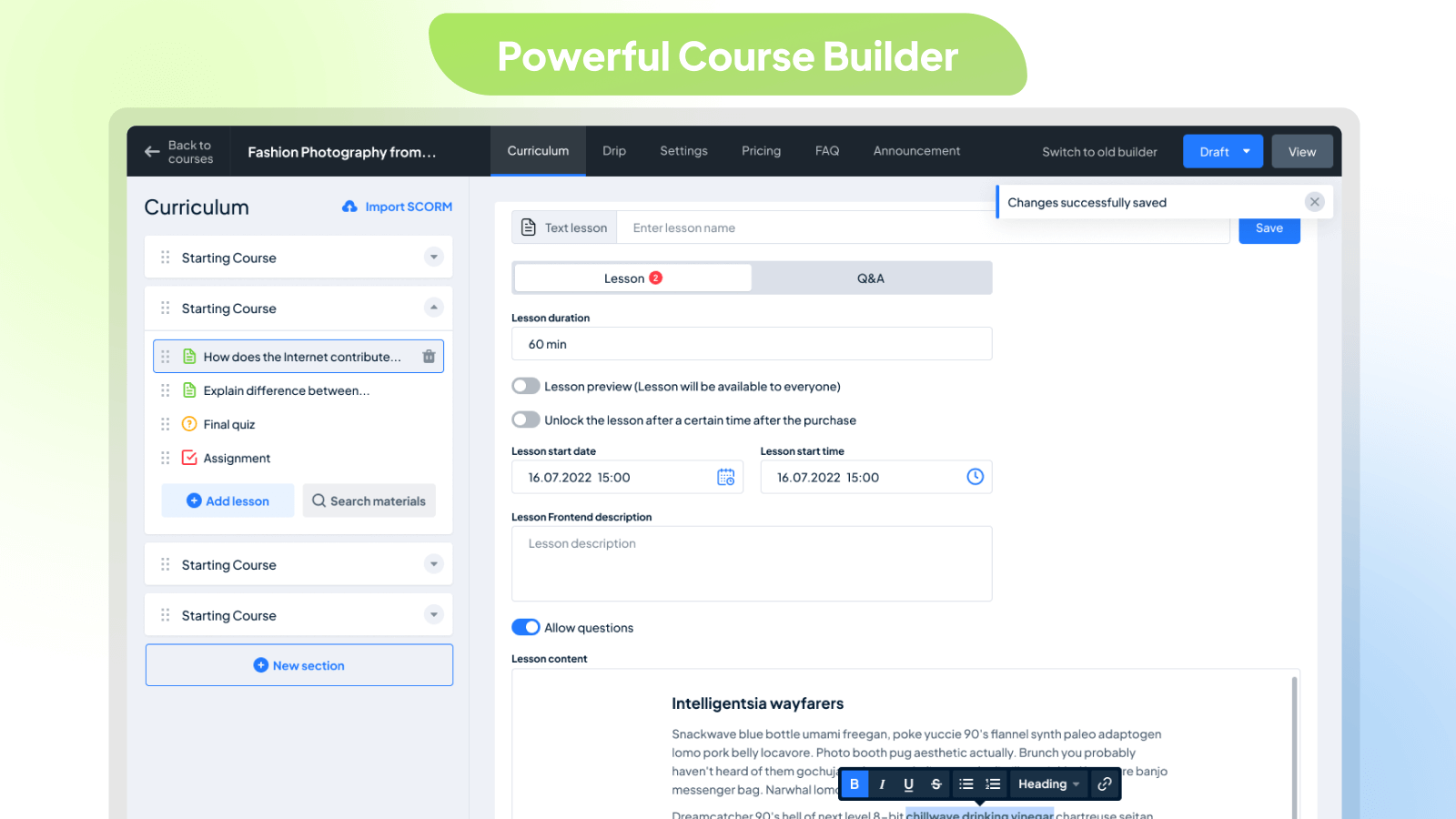
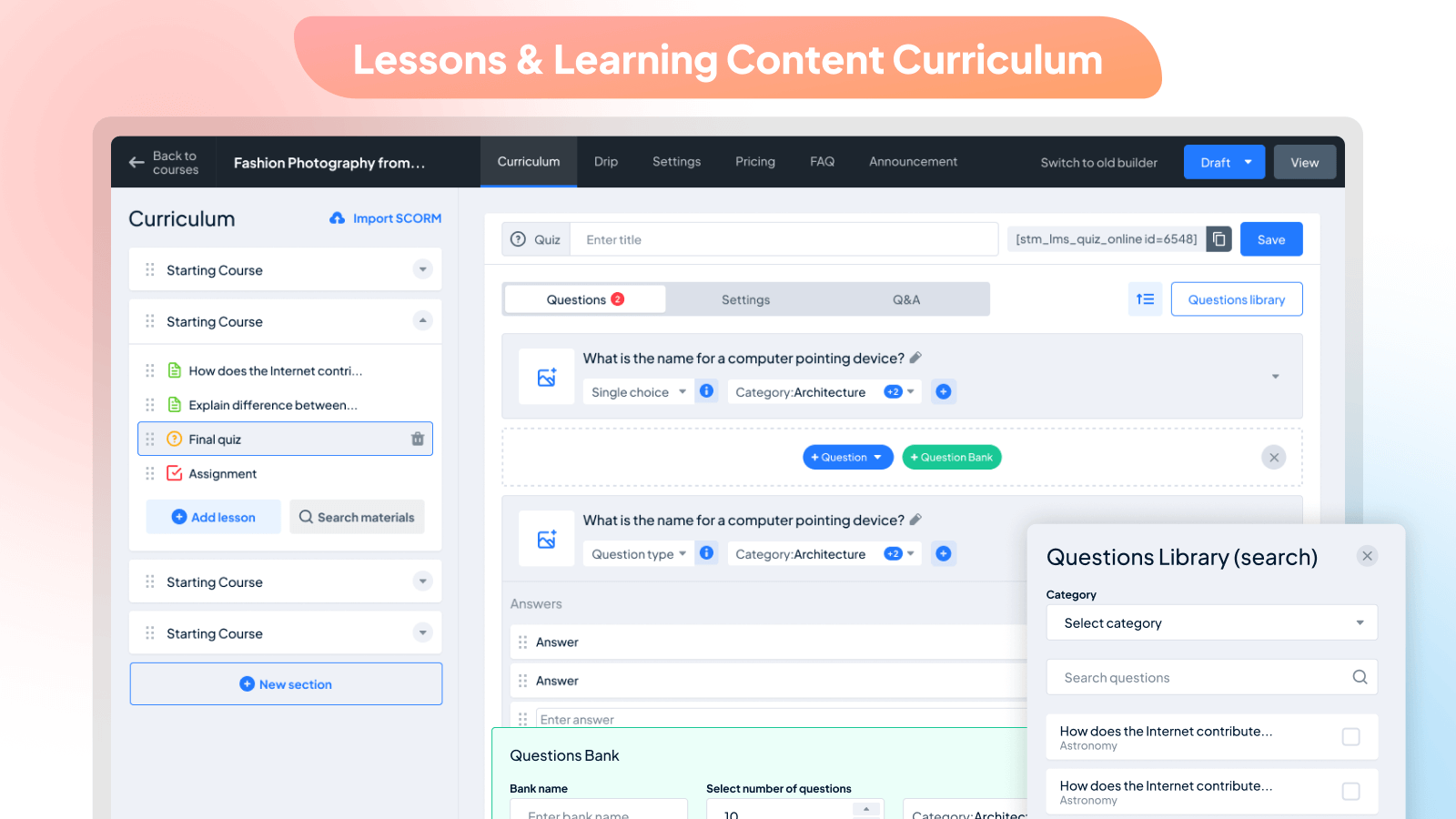
Creating a curriculum is simple with the MasterStudy WordPress LMS plugin. Our LMS builder is user-friendly and beautifully designed, divided into easy-to-follow sections for WordPress. Once you’ve created, you can add lessons, quizzes, and assignments to your LMS. You can also customize the sequence of lessons on LMS, preview specific ones, set pricing options, and add FAQs on the WordPress website.
Easily include all the details you need in one place of your LMS, such as the title, descriptions, curriculum, duration, price, skill level, and the number of active students on your WordPress website. Plus, you can add videos to your LMS, attachments, teachers on WordPress, and rewards.
With our Course builder, you have unlimited options for managing your LMS courses on WordPress:
- Featuring Courses
- Previewing Courses
- Describing Courses on LMS for Users
- Announcing Updates
- Adding FAQ Sections
- Reviewing and Rating Teaching
- Setting Expiry Dates for Courses
- Temporarily Pausing
- Sorting LMS Courses into Categories
- Attaching Files to Lessons
- Tracking Student Progress
- Managing Enrolled Students
- Specifying Durations and Video Lengths
- Determining the Number of Lessons
- Assigning Difficulty Levels
- Managing Students’ Progress
- Adding Students Manually
- Viewing Students’ Progress Details on LMS
- Resetting Students’ Progress
ADDING LESSONS
Once your curriculum and sections are set up on your LMS, it’s time to add different lesson types on WordPress. You have the flexibility to create 6 types of LMS lessons: text, audio, video, live meetings, online streams, and PDF on your WordPress website. Plus, you can easily incorporate previously created LMS content with our library of lessons and quizzes on WordPress.
Here’s what you can manage with LMS lessons on WordPress:
- Duration
- Preview (accessible to everyone)
- Description visible on the frontend
- Type of video lesson
- Discussions for students with the instructor on LMS
- Lesson materials (any media type)
Seven Types of Video Sources to Add for Video Lessons
With our MasterStudy LMS WordPress plugin, adding videos is simple. It’s fully compatible with Presto Player, a cutting-edge WordPress video player plugin. You can use up to seven video sources for the LMS on WordPress:
- HTML(MP4)
- YouTube
- Vimeo
- External Links
- Embedded Video
- Shortcodes
- Presto Player
QUIZZES
You can add questions to quizzes manually or select from the preset LMS questions library on WordPress. Then, simply input your first question to the LMS. We offer eight LMS question types to suit your needs: single-choice, multi-choice, true or false, item match, image match, image choice, keywords, and fill-in-the-gap.
Here are the features of our quizzes:
- Advanced quiz builder
- Various quiz styles
- Categorization of quizzes on LMS
- Setting quiz duration
- Limiting quiz attempts
- Deducting points on resubmission
- Defining passing grades
- Randomizing questions
- Displaying correct answers
- Describing the quiz visible on the frontend of LMS
Course Player: Better Learning Experience
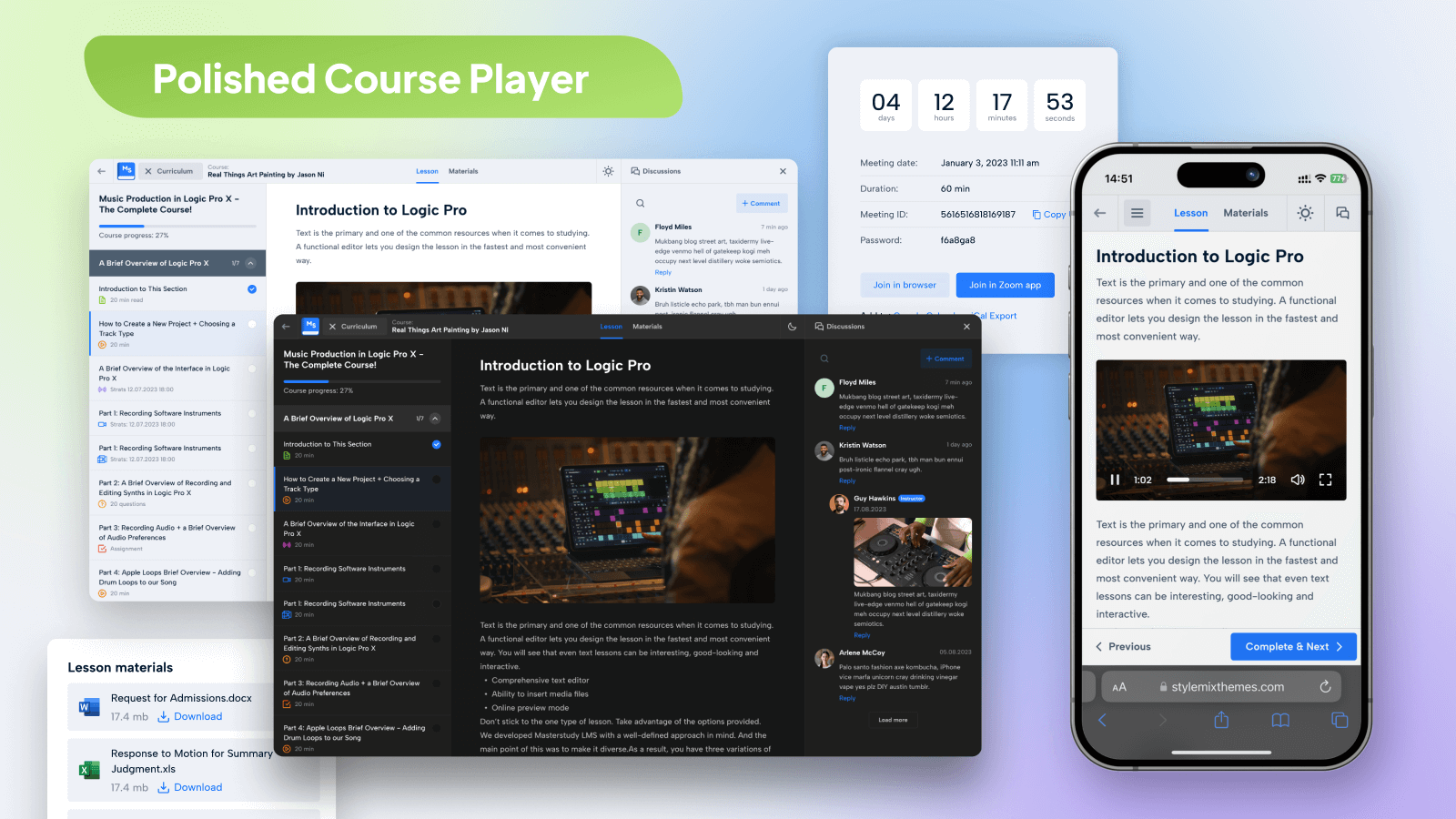
Improve your students’ learning journey with our Course Player. It’s distraction-free, sleek, and user-friendly. Students can easily navigate through the LMS curriculum, switch between light and dark modes, and take part in discussions. Progressing through lessons is effortless—students can just click “Complete” to move to the next one.
Key Features of MasterStudy Free Plugin:
- Modern design
- Powerful Course Builder
- Course Player
- Dark mode in the player
- Unlimited courses and lessons
- Course preview
- Frontend student dashboard
- Teacher’s profile
- Video lessons on LMS
- Many video sources (self-hosted, YouTube, Vimeo, Presto Player, HTML, Embeded, Shortcode)
- Separate teacher profiles
- Lesson management
- Dynamic drag and drop certificate builder
- Advanced quiz builder (8 quiz types)
- Earning & commission allocation
- Many withdrawal options
- Purchase history
- Styling options
- Course widget
- Teacher registration form
- Review and rating system
- Q&A for students with the teacher
- Video poster (trailer/teaser)
- Tracking course progress
- Difficulty level
- Define course duration
- Course LMS marketplace
- Add course requirements and instruction
- Quiz timer
- Quiz attempts
- Centralized monetization settings
- Spotlight mode
- RTL ready
- Page builder support
- Gutenberg compatible
- Gutenberg blocks available to build LMS pages easily
- Content security
- Advanced analytics
- LMS Migration
For more details, please visit our website.
MasterStudy Premium Plugin Features
- Lesson Notes: Take notes right inside the lesson and build a study guide as you go.
- Notifications: Keep students and instructors informed with timely on-site and browser push notifications.
- Calendar: A clear schedule for every course, so learners always know what’s coming next.
- AI Lab: Empowers you to generate complete courses, lessons, quizzes, and assignments with rich content and visuals from a single prompt.
- Subscriptions: Offer recurring access to courses with automatic renewals.
- Memberships: Give students instant access to unlock selected courses, categories, or your entire site.
- Taxes: Apply country-specific tax rates to your course prices, choose how they’re displayed, and manage with a simple on/off toggle.
- Coupons: Create powerful discount codes to boost enrollments and sales.
- Custom Course Pages: Craft your conversion focused course pages with 50+ MasterStudy Elementor Widgets
- Email Manager: Personalize email templates.
- Certificate Builder: Make custom certificates easily.
- Grades: Assign, manage, and review grades for courses, quizzes, and assignments seamlessly.
- Reports and Analytics: Track your course performance, monitor student progress and manage earnings—all in one place.
- Prerequisites: Set required courses before new enrollments.
- Quizzes: Add different types of questions to tests.
- Sequential Drip Content: Plan lessons step by step.
- Live Streaming: Conduct live lessons.
- Group Courses: Sell to companies and manage members.
- Assignments: Students submit work and get grades.
- Question Media: Add videos, audio, and images to quizzes.
- Point system: Reward learners for achievements.
- Statistics and Payouts: Analyze data and manage payments for instructors.
- Trial Courses: Offer courses as trials or demos for new users.
- Co-instructors: Assign multiple instructors to a course.
- Course Bundles: Bundle courses together and offer discounts.
- Google Classrooms: Import classes from Google Classrooms.
- Zoom Conference: Conduct Zoom lessons, meetings, and webinars on your site.
- Google Meet: Schedule and host Google Meet meetings.
- Audio Lessons: Upload audio files or add from Spotify or SoundCloud as a lesson.
- PDF Lessons: Share downloadable lesson content students can read, bookmark, and open offline in a built-in viewer.
- SCORM: Import pre-built e-learning content using SCORM standards.
- LMS Forms Editor: Customize website forms with an easy-to-use editor.
- File Upload Manager: Manage various file types in courses and lessons.
- Upcoming Course Status: Promote courses that are not yet open for enrollment.
- Online Testing: Embed quizzes anywhere and conduct tests online.
- Gradebook: Monitor students’ progress and performance.
- Social Login: Let students sign in with their Google or Facebook account, no separate registration.
Installation
This section describes how to install the plugin and get it working.
- Upload the plugin files to the
/wp-content/plugins/directory, or install the plugin through the WordPress plugins screen directly. - Activate the plugin through the ‘Plugins’ screen in WordPress
- Please find more details about Installation in documentation
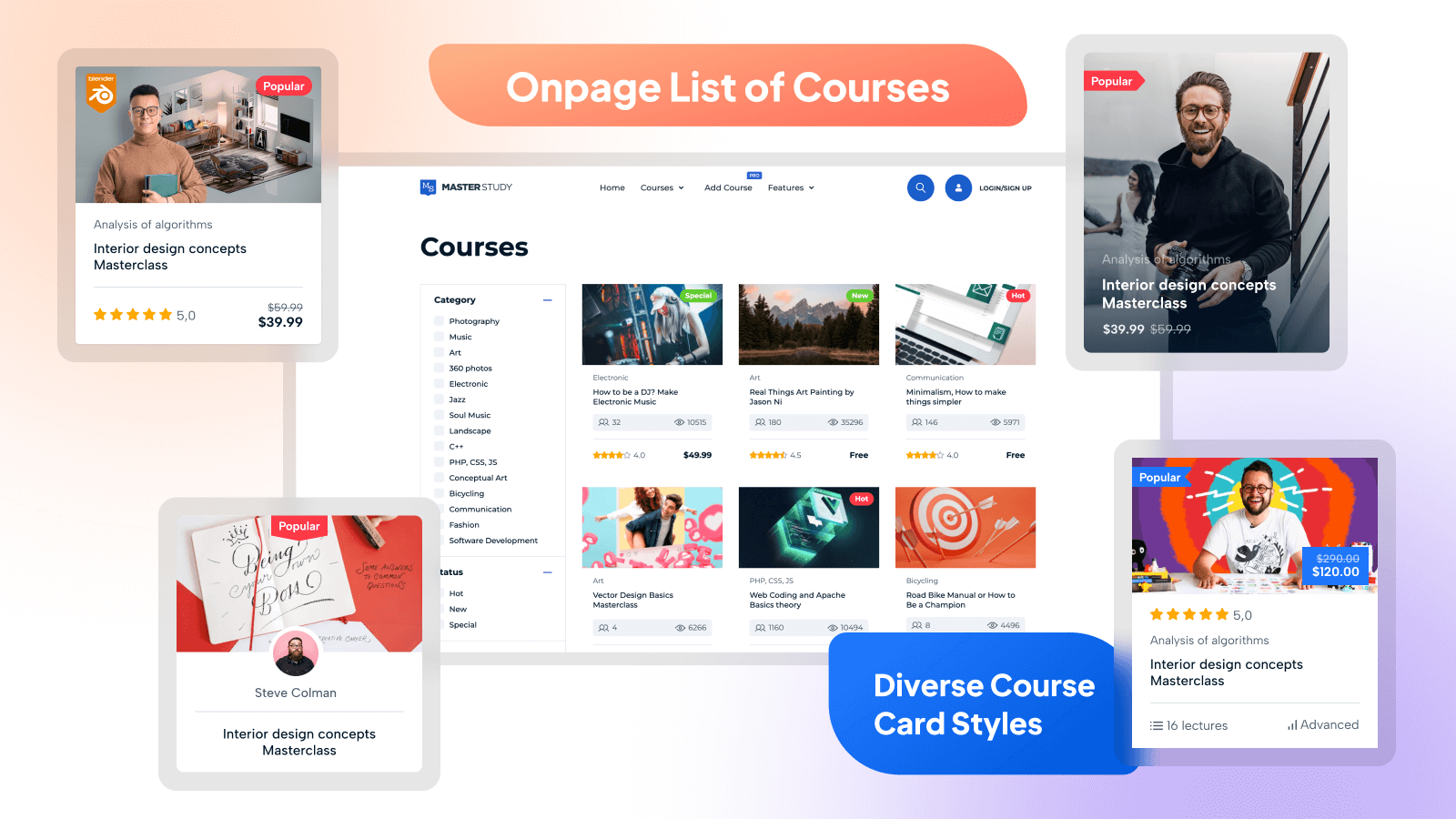
- Set Up Courses Archive Page in Menu -> STM LMS Settings Area.
Shortcodes
- [stm_lms_courses_grid_display per_row=”4″ posts_per_page=”4″ load_more=”true”]
Accepts all WP_Query params for sorting, order by etc - [stm_courses_searchbox]
Shows courses search box - [stm_lms_courses_carousel]
Enables the courses carousel - [stm_lms_courses_categories]
Shows categories of the courses - [stm_lms_courses_grid]
Enables the courses grid - [stm_lms_featured_teacher]
Shows Featured Teacher - [stm_lms_instructors_carousel]
shows the Instructors carousel - [stm_lms_recent_courses]
Displays Recent courses - [stm_lms_single_course_carousel]
Shows the carousel with single course
Template System
- Easily copy any template from stm-lms-templates folder and move it in your theme for future customization. Try not to edit plugin files, they will be replaced after plugin update.
LMS Hard-coded Pages
- /lms-login – Login/Register Page
- /courses/{course}/{lesson} – Lesson Page (must be logged in with Purchased course or lesson is Preview)
- /lms-user/{user_id} – User Private Page (must be logged in)
- /lms-user_profile/{user_id} – User Public Page
- /lms-chats – User Chat (must be logged in)
- /lms-wishlist – My Wishlist Page
- /lms-checkout – Checkout Page (must be logged in)
Screenshots
Powerful Course Builder
Polished Course Player
Onpage List of Courses
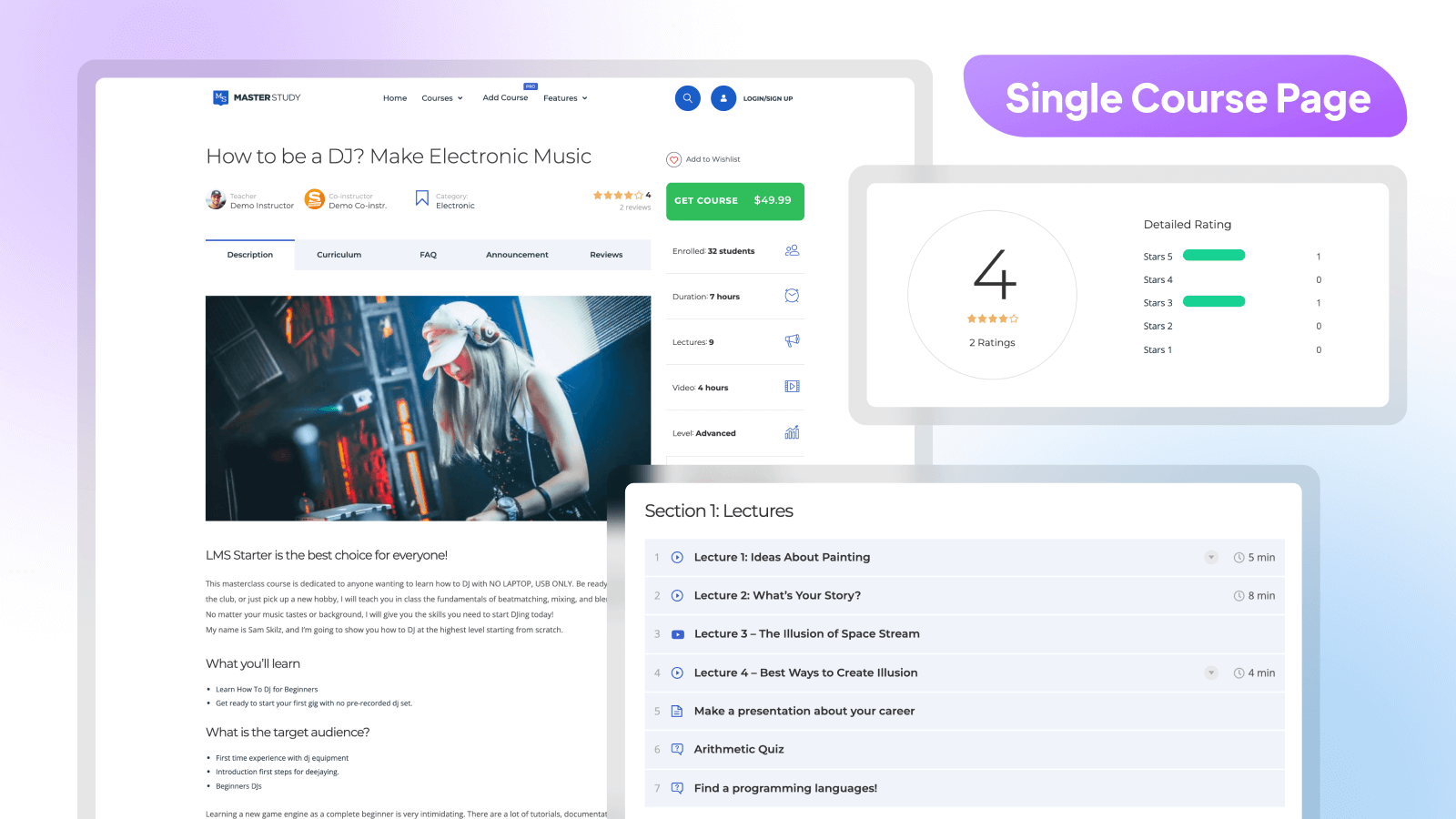
Single Course Page
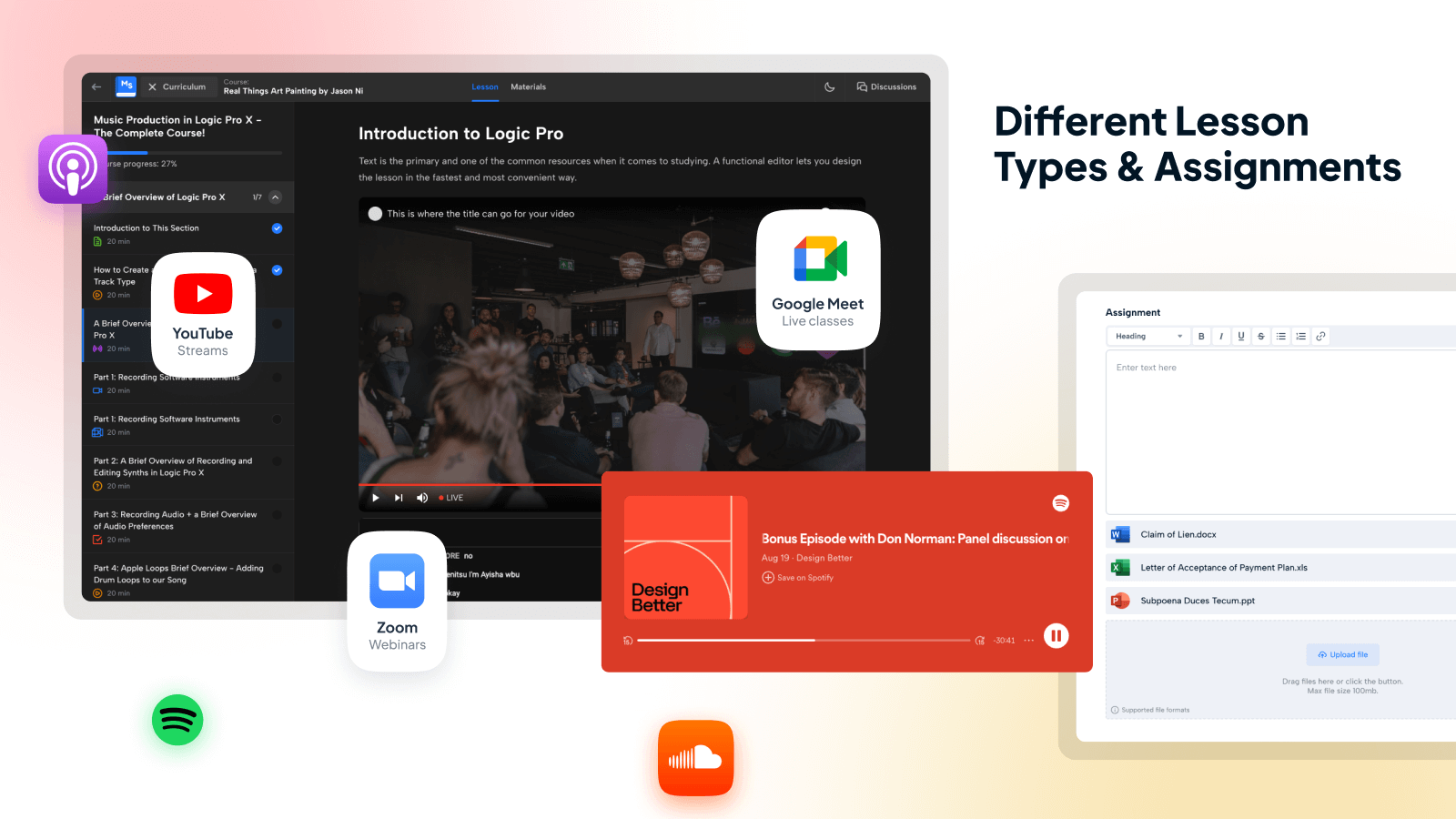
Live Streams, Webinars & Classes
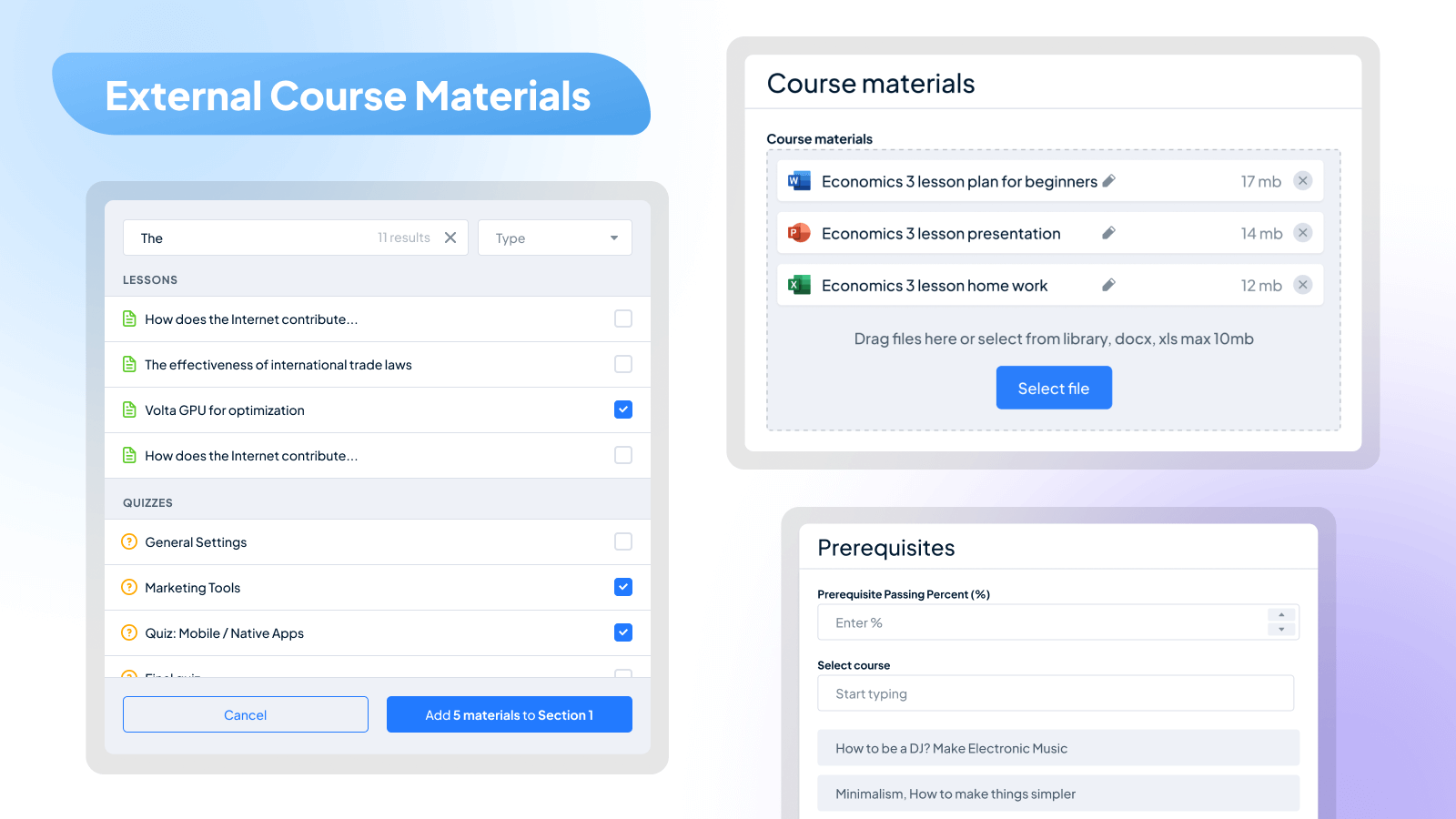
External Course Materials
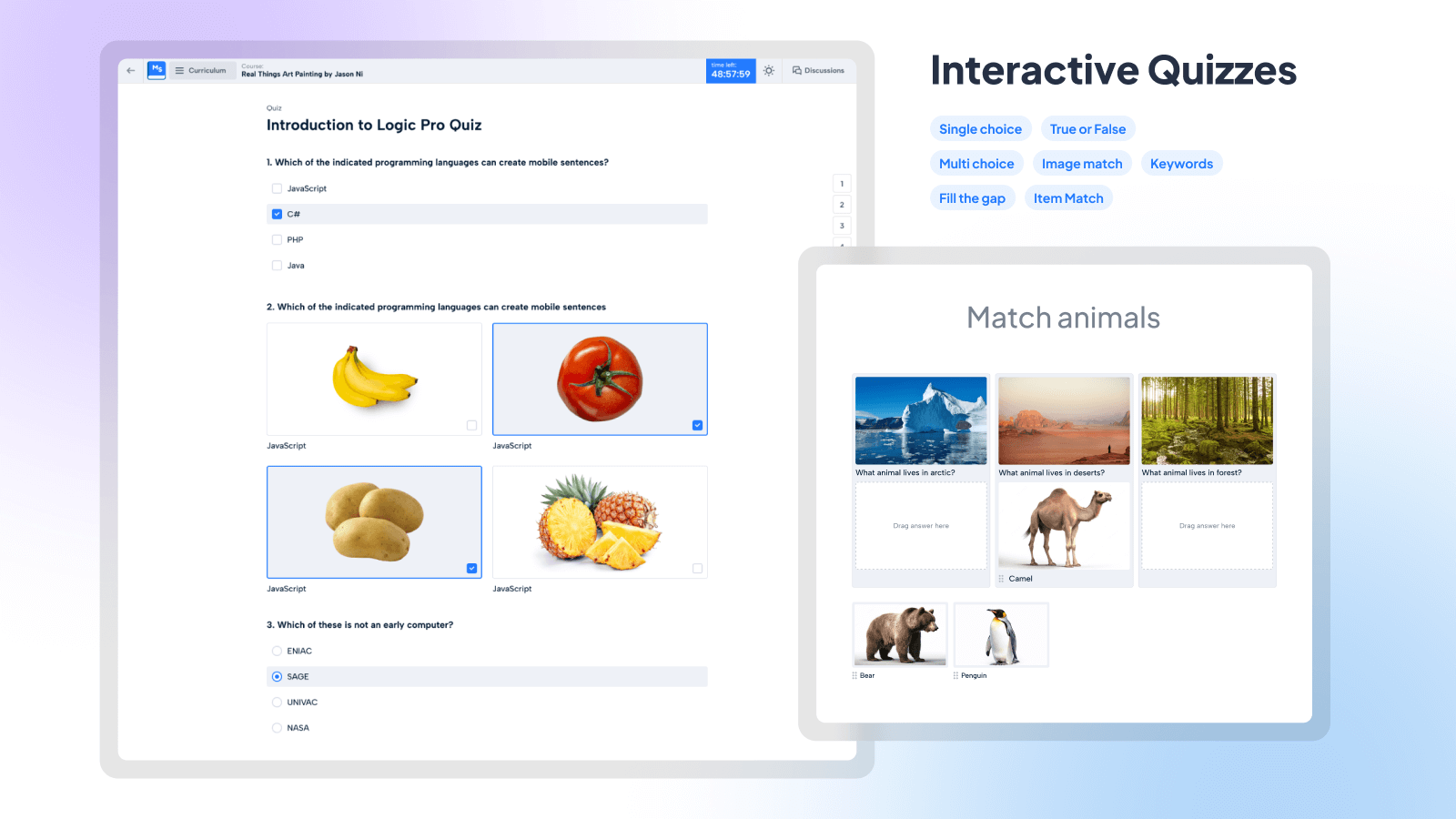
Interactive Quizzes
Lessons & Learning Content Curriculum
Custom Course Completion Certificates
Faq
Yes, MasterStudy WordPress LMS Plugin is compatible with free and premium WordPress themes, so you can use it with the one you choose. If you have difficulties selecting the theme for your educational website, you can consider the option of getting MasterStudy LMS Theme, which has the Pro version of the plugin built in the bundle.
No. MasterStudy has memberships and subscriptions built in, so you can sell recurring access without a separate plugin. If you already use WooCommerce or Paid Memberships Pro, MasterStudy works with both.
MasterStudy support Zoom meetings and webinars. The integration with the service is available through the eRoom plugin which is free. It connects your website with the Zoom account and allows you to create and manage video conferences from your dashboard.
You can also use the MasterStudy Pro addon to conduct live stream lessons.
This plugin has two versions: free and a paid one. The paid Pro version has more features that are not able to use in the free plugin, which extends the functionality and provides more opportunities.
Still, the main function of building and managing online courses and selling them is available equally in both versions.
There is a detailed text guide describing every feature and option of the plugin. You can also find the video library with video tutorials on our YouTube channel.
Our support team is available 24/7. To submit about the problem please follow to your account to submit a support ticket. If you have some pre-sale questions you can always use live-chat on our website: stylemixthemes.com
Yes, however MasterStudy WordPress LMS plugin already translated into 8 languages: English, Portuguese, Spanish, Dutch, German, French, Italian, and Russian.
The plugin allows uploading absolutely different formats of files. There are four types of lessons available, where you can present various types of content such as text, video, audio and PDF. Besides this, we have an option of course/lesson attachments, where you can upload different files including images, audio files, zip folders, and more.
Both, and you choose. The annual license gives you one year of updates and priority support from the date of purchase, and renews each year. The lifetime license is a single payment that covers updates and support with no renewals. Every plan unlocks all Pro features; the only difference between plans is how many sites you can use them on.
You can report security bugs through the Patchstack Vulnerability Disclosure Program. The Patchstack team help validate, triage and handle any security vulnerabilities. Report a security vulnerability.
Reviews
Customer Service is unmatched
By 
I had an issue with the pro plugin. I just purchased it.And it broke my site. I logged the ticket, and they were able to fix it immediately. I was surprised at how fast they were.Looking forward to using the plugin.But confident that if I run into anything, I will be well taken care of. If you are teaching courses, go get the plugin!
Good looks bad experience
By 
Initially, great looks - wow! so easy! but in the end:
1. no documentation for real lesson, quizzes, question bank. except basic how to add
2. Question bank behaves differently than other lms and no info about that
3. the lms is marking correct answers wrong for unknow reasons
4. Many other things not as expected.
It might be that I am on a free tier but why a feature is there if it doesn't work for me?
Best Plugin Ever
By 
MasterStudy LMS has been an excellent choice for building online learning platforms. After comparing several LMS plugins, I found its features and functionality to be among the most comprehensive and well thought out.
The course builder is intuitive, the interface is easy to navigate, and it provides everything needed to create and manage professional online courses. I particularly appreciate how many advanced features are included without requiring multiple third-party plugins.
The product is reliable, regularly updated, and backed by a responsive support team. I highly recommend MasterStudy LMS to educators, training institutes, and anyone looking for a complete WordPress LMS solution.
MasterStudy LMS offers a wide range of valuable features
By 
MasterStudy LMS offers a wide range of valuable features with well-designed infographics that make the platform easy to understand and use. The interface is clean, modern, and user-friendly, providing a smooth experience for both administrators and learners. Overall, it's a reliable and well-built LMS product.
Great theme, team, and support!
By 
High-quality theme, fast support, and a great team!
Excellent LMS plugin – Perfect for our church and non-profit ministry!
By 
We are a church and non-profit organization, and MasterStudy LMS has been a fantastic solution for us.
The plugin offers a wide range of features that make it easy to create and manage online courses, even for a small team with limited technical experience. We especially appreciate the clean course builder, flexible lesson formats (video, quizzes, assignments, etc.), student management tools, and the ability to offer free or paid courses.
It has helped us deliver Bible studies, training programs, and discipleship courses to our congregation and online community in a professional yet easy-to-use way. The mobile-friendly design is also a big plus for our members.
Setup was straightforward, documentation is helpful, and the support team has been responsive when we've had questions. For any church, ministry, or non-profit looking for a powerful yet affordable LMS, I highly recommend MasterStudy LMS.
Top
By 
Very interesting plugin with audio integration!
Works very well
By 
Works very well
Support is excellent and working fine
By 
I am satisfied with customer support. also working smooth on wordpress site.
Great plugins, great customer service, and a great company
By 
I’ve been using your plugins for over two years now especially Cost Calculator in my parking reservation and international package delivery businesses, and I love the technology and simplicity you’ve built into these tools. I encourage you to take it even further and create, for example, an accommodation booking tool like one for booking a hotel for someone who wants to build a site similar to Airbnb or Booking.com. That would help a lot of people expand their businesses. In any case, I love your work and the responsiveness of your customer service team, who are always ready to help and respond very quickly.
Changelog
3.7.55 – 2026-10-19
- Update: Shared certificate links, QR codes and certificate emails now use a unique certificate code instead of the student ID [PRO].
- Update: Improved Matching, Image Matching and Keywords questions generated by AI Lab [PRO].
- Fix: Fixed quiz answers being overwritten when several questions were edited quickly in the Course Builder.
- Fix: Fixed duplicate subtitles in Vimeo video lessons.
- Fix: Fixed YouTube live stream links not working in video lessons in the Course Builder.
- Fix: Fixed an error during registration with some translations, for example Polish.
- Fix: Fixed the subscription free trial being available again to students who had already used it [PRO].
- Fix: Fixed the Take Note button not appearing after selecting lesson text in mobile browsers such as Chrome [PRO].
- Fix: Fixed a PHP warning after signing in with Google [PRO].
- Fix: Fixed an issue where adding an existing user as a student on the Manage Students page could change their first name, last name and display name.
= 3.7.54 – 2026-10-07
– New: LMS Migration tool.
= 3.7.53 – 2026-10-06
– Fix: Added Quizzes and AI Lab strings for translation.
– Fix: Fixed an error in User Account Gradebook when an instructor has no available courses.
– Fix: Fixed an issue where the Take Note button appeared to the right of embedded videos in lessons [PRO].
– Fix: Fixed an issue where the “My Points” string was not translatable with WPML String Translation [PRO].
– Fix: Stripe cards that require 3D Secure (SCA) now work for one-time course purchases. Payments are processed via PaymentIntents instead of the legacy Charges API.
– Fix: Fixed an authenticated (Contributor+) Stored Cross-Site Scripting vulnerability in the admin Payouts list and payout edit screen.
– Fix: Restricted creating and editing Payouts to administrators and protected payout data from modification by lower-privileged users.
3.7.52 – 2026-09-23
- Fix: Fixed LMS Form Builder custom fields not being available in Email Manager registration templates [PRO].
- Fix: Fixed the Group Course student limit setting not being applied correctly [PRO].
- Fix: Fixed formatted Quiz Builder answers being marked as incorrect in Fill in the Gap and Keywords questions.
- Fix: Fixed Course Builder notice dismissal interfering with other admin notices, including TranslatePress notices.
3.7.51 – 2026-09-21
- New: Added Quick Links to the top admin bar for MasterStudy plugin pages.
- Fix: Fixed PDF Lesson rendering issues for Latin characters when Arabic (RTL) text is present.
- Fix: Fixed hover notification display for Instructors, Reviews, and Courses in the admin panel.
- Fix: Fixed an issue where multiple-choice questions marked correct answers as incorrect when an answer contained a comma.
- Fix: Fixed custom course status display in the user account.
- Fix: Fixed an issue where Unlimited Attempts in quizzes always displayed 0 attempts.
- Fix: Fixed student statistics not loading on public student profiles due to REST API authorization.
- Fix: Fixed Composer autoloader warnings caused by unavailable AI Lab files in the PRO package [PRO].
- Fix: Fixed the file upload instruction in account settings not being translatable.
- Fix: Fixed HTML entities appearing in Course, Lesson, Assignment, Quiz, and Question titles in the admin dashboard.
- Fix: Fixed the AI Lab quiz prompt placeholder not being translatable [PRO].
- Fix: Fixed translations for trial duration and localized dates on the checkout and Thank You pages [PRO].
- Fix: Fixed bulk orders not being deleted from the admin dashboard.
- Fix: Fixed quiz pagination disappearing after retaking a quiz.
- Fix: Fixed scrolling in the File Manager when selecting an image for a quiz question [PRO].
- Fix: Fixed MasterStudy registration incorrectly depending on the WordPress
Anyone can registersetting. - Fix: Fixed Course Builder strings not being discoverable in WPML String Translation.
3.7.50 – 2026-09-15
- Fix: Added hardening and authorization fixes for reported issues.
- Fix: Fixed instructor order status [PRO].
- Fix: Fixed an
_load_textdomain_just_in_timenotices. - Fix: Fixed the Courses admin page not loading when the site language was set to Deutsch (Sie).
- Fix: Fixed pagination in the Events Grid widget.
- Fix: Fixed course statuses and levels not being applied or displayed correctly in Elementor widgets.
- Fix: Fixed the Upcoming Course card display for instructors in the user account [PRO].
- Fix: Fixed the Preview Video showing a “Video source is missing or invalid” error after changing the video source option.
- Fix: Fixed the
Allow Instructors to Create Course Subscriptionssetting not being applied correctly [PRO]. - Fix: Fixed course price information disappearing from the backend and frontend after updating a course.
You can see all updates history in our changelog documentation.