Matomo Analytics – Powerful, Privacy-First Insights for WordPress
Matomo Analytics – Powerful, Privacy-First Insights for WordPress
Description
Version 5.11.1 and above include an important security related fix, it is highly recommended to update to this version.
Already a Matomo On-Premise or Matomo Cloud user? You need to use the Connect Matomo plugin instead of this plugin.
For all you WordPress website owners wanting an easier way to get customer insights to grow your business, you can now get the solution the professionals use, for free!
Matomo Analytics is the #1 used Google Analytics alternative that offers a powerful range of features, security and protects the privacy of your users. This enables you to learn how to improve your website, make the right decisions for your business and stand out in the crowd in a safe and trustworthy way.
Matomo’s mission is to give control and data ownership back to the user. By hosting web analytics on your own servers there’s no third-parties taking ownership, no on-selling of data and no-one looking in. This means when you install Matomo in a matter of a few clicks, you’re in full control.
It’s also easier for you to get insights from Matomo Analytics with it’s time-saving interface design and out-of-the-box features, which require less manual configuration than Google Analytics.
Matomo is free, secure and open – your ethical user insights platform.
How Matomo Analytics for WordPress solves problems:
- 100% data ownership, no one else can see your data
- All data is stored in your WordPress and not sent to any third party or different country
- Super easy to install. No coding or technical knowledge needed #nocode
- Free to use forever
- Designed to save you time as an out-of-box solution (including many Ecommerce stores)
- Protects the privacy of your users
- GDPR Manager
- No data sampling
- Opportunities to extend with an ever-growing marketplace
- Supports over 50 languages
- Comes equipped with Matomo Tag Manager
How Matomo focuses on privacy:
- Superb user privacy protection
- Heaps of features to anonymize data and IP addresses
- WP shortcode to embed an opt-out feature into your website
- Features to export and delete data for GDPR
- Ability to configure data retention
Ultimately, Matomo lets you: learn who your customers are and their needs; understand what content works and how engaged your audience is; identify which marketing channels give you the highest ROI and invest with confidence in channels that convert for your business; and discover blockages and fix pain points for confused visitors to ensure they become satisfied customers.
Features include:
- Ecommerce features (supports WooCommerce, Easy Digital Downloads and MemberPress out of the box)
- Campaign tracking
- Visitor profiles
- Tag Manager
- Dashboards
- Segmentation
- Real time reports
- Transitions
- JavaScript error tracking
- Extensive geolocation reports / maps
- Many different visualisations
- Row evolution
- Report comparisons
- Export features
- See the most drastic changes within a given time period
- Supports WP Rest API
- And hundreds of other features
- Easily give your colleagues access to your reports if / when needed
- Easily exclude certain roles, visitors and pages from being tracked
- Supports WordPress Multisite. (Note: Tag Manager feature does not work in MultiSite.)
- Import historical data from Google Analytics or WP Statistics
- Heatmaps & Session Recordings
- Form Analytics
- Media Analytics
- Funnels
- SEO features – Keyword rankings
- Custom reporting
- Cohorts
- Users flow
Prerequisites and technical requirements:
Running Matomo Analytics on your server can use significant resources. Whenever someone visits your WordPress website, your server will need to serve your WordPress pages to the user, as well as tracking the user journey in Matomo, resulting in an additional request for each page view.
- The minimum PHP memory limit is 128Mb, but we recommend to use a higher limit (memory_limit = 256M).
- PHP 7.2 at minimum is required.
- From Matomo 6 onwards, PHP 8.1, MySQL 8.0 or MariaDB 10.6 will be required at minimum. If your server does not meet those requirements, the plugin will not update to Matomo 6 and will tell you what needs upgrading.
- If you have high traffic website, or manage a lot of websites with WordPress MultiSite, we recommend installing Matomo On-Premise or signup to Matomo Cloud and install the Connect Matomo plugin instead.
- Needing to know more before you install? Have a read through the most popular FAQs to ensure you’re making the right choice for you.
Over 1 million websites in over 190 countries are using Matomo already. Join the revolution too! Install Matomo on your WordPress website completely free and take back full control of your data!
Third party resources we use:
- After activating this plugin, it will download a Geolocation database (DBIP-City.mmdb) from DB IP into your uploads directory. The DB-IP database is distributed under the Creative Commons Attribution 4.0 International License. This database is needed to detect the location of your visitors based on their IP.
- When you enter a URL in the SEO ranking widget, then a request with the entered URL may be sent to Google, Alexa, Bing, and other SEO providers.
Credits
- The entire Matomo team and everyone who contributed
- André Bräkling who is the Author of the Connect Matomo plugin
Installation
Minimum Requirements
- PHP 7.2 or greater
- MySQL 5.5 or greater is recommended
- 128MB memory or greater is recommended
Upcoming Minimum Requirements (Matomo 6)
Matomo 6 raises the minimum system requirements. From that version onwards you will need:
- PHP 8.1 or greater
- MySQL 8.0 or greater, or MariaDB 10.6 or greater
Until your server meets these requirements the plugin will not update to Matomo 6. Please ask your hosting provider to upgrade your server so you can keep receiving the latest Matomo features, bug fixes and security updates.
Automatic installation
- Log in to your WordPress Admin Dashboard
- Navigate to the “Plugins” menu
- Click “Add New”
- Search for “Matomo Analytics”
- Click “Install Now” and then “Activate”
Manual installation
- Downloading the plugin
- Upload it to your web server using an FTP application. Learn more
Once installed
- Go to “Matomo Analytics” in the WordPress Admin Dashboard.
- Click on “Activate tracking” in the “Get started” page.
- That’s it! You can further customize the tracking in the settings page.
Screenshots
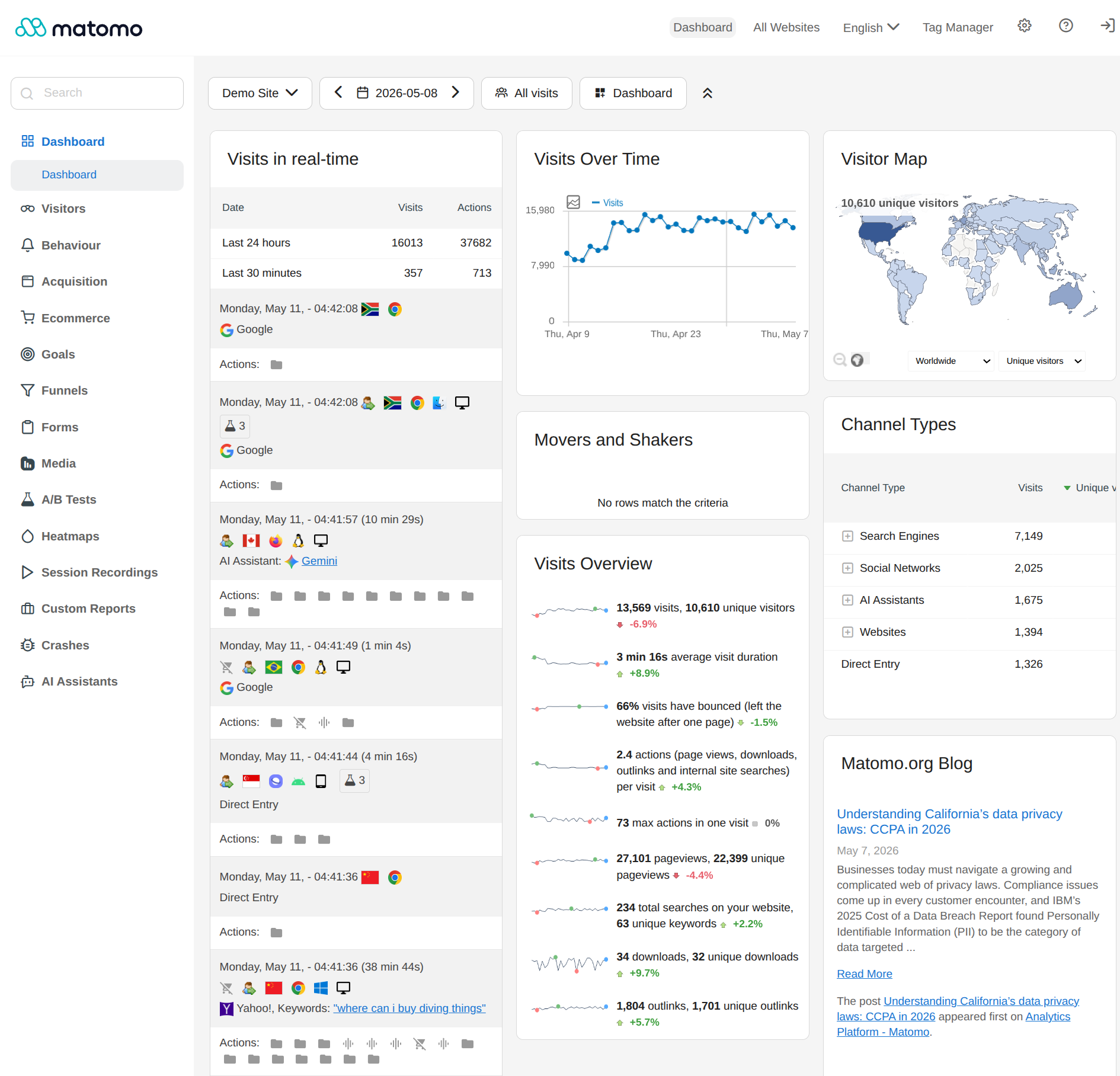
Customizable Matomo Dashboard. Choose from many widgets and adjust layout.
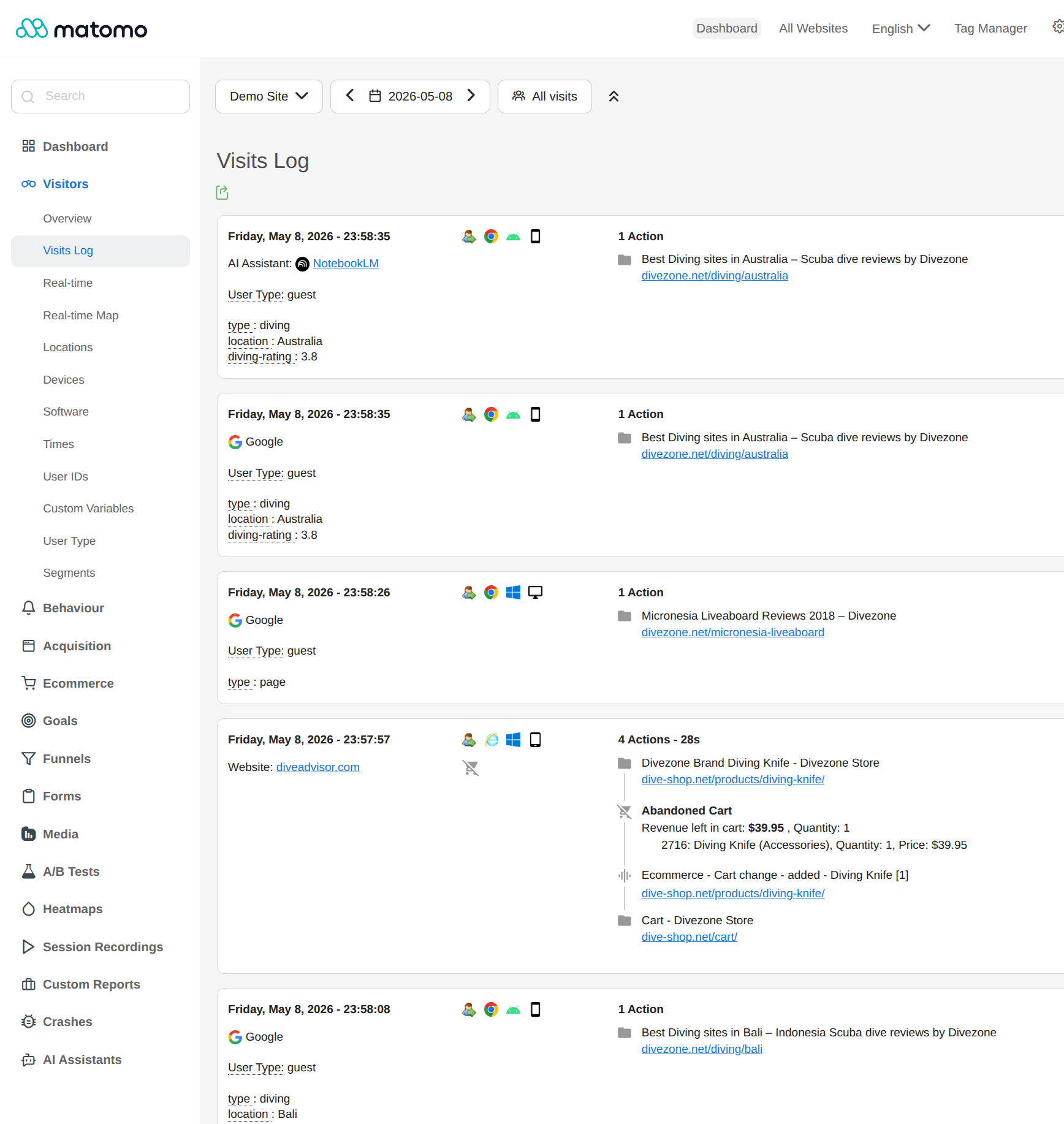
Visits log. See every action your visitors took.
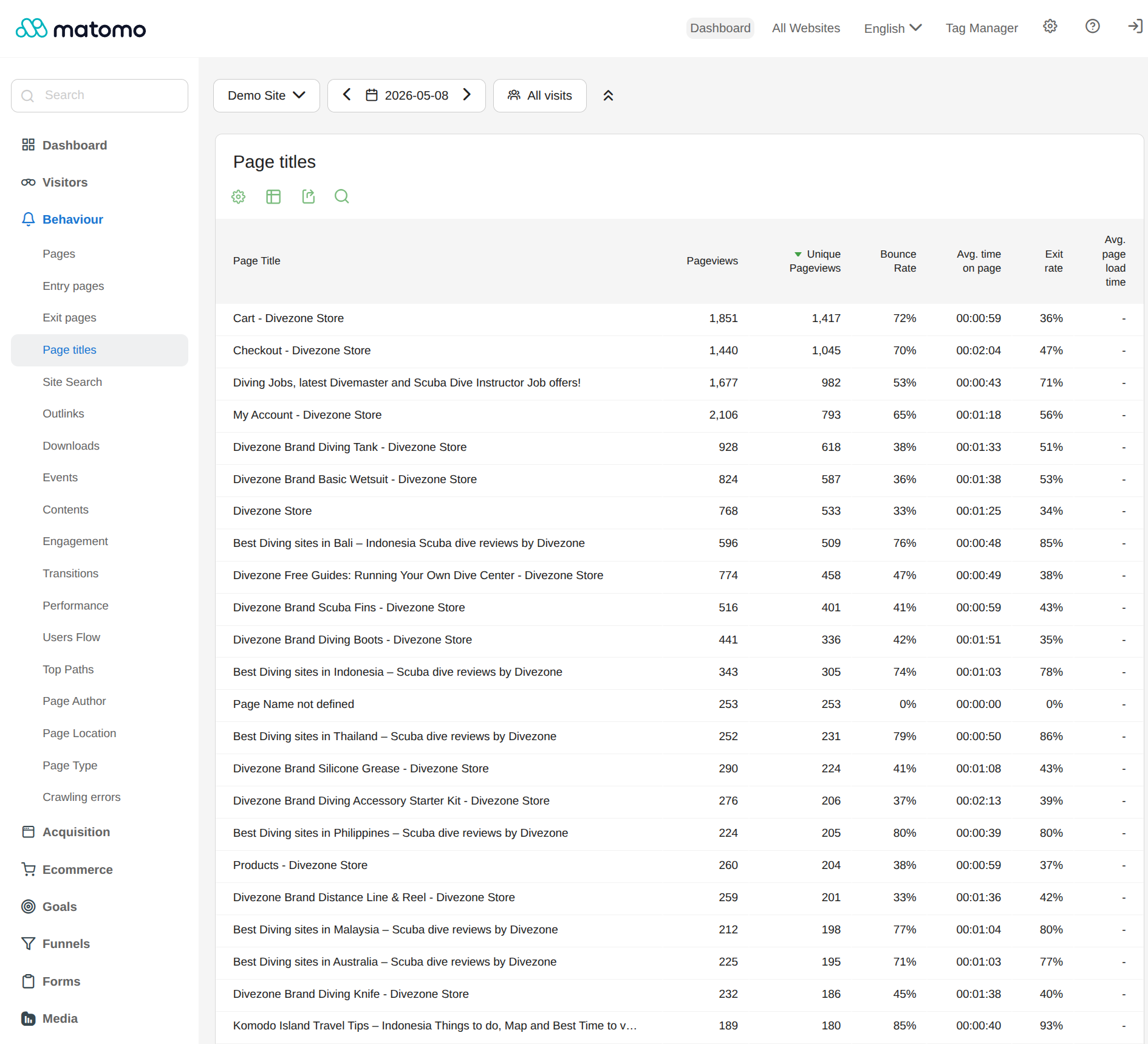
Behaviour insights.
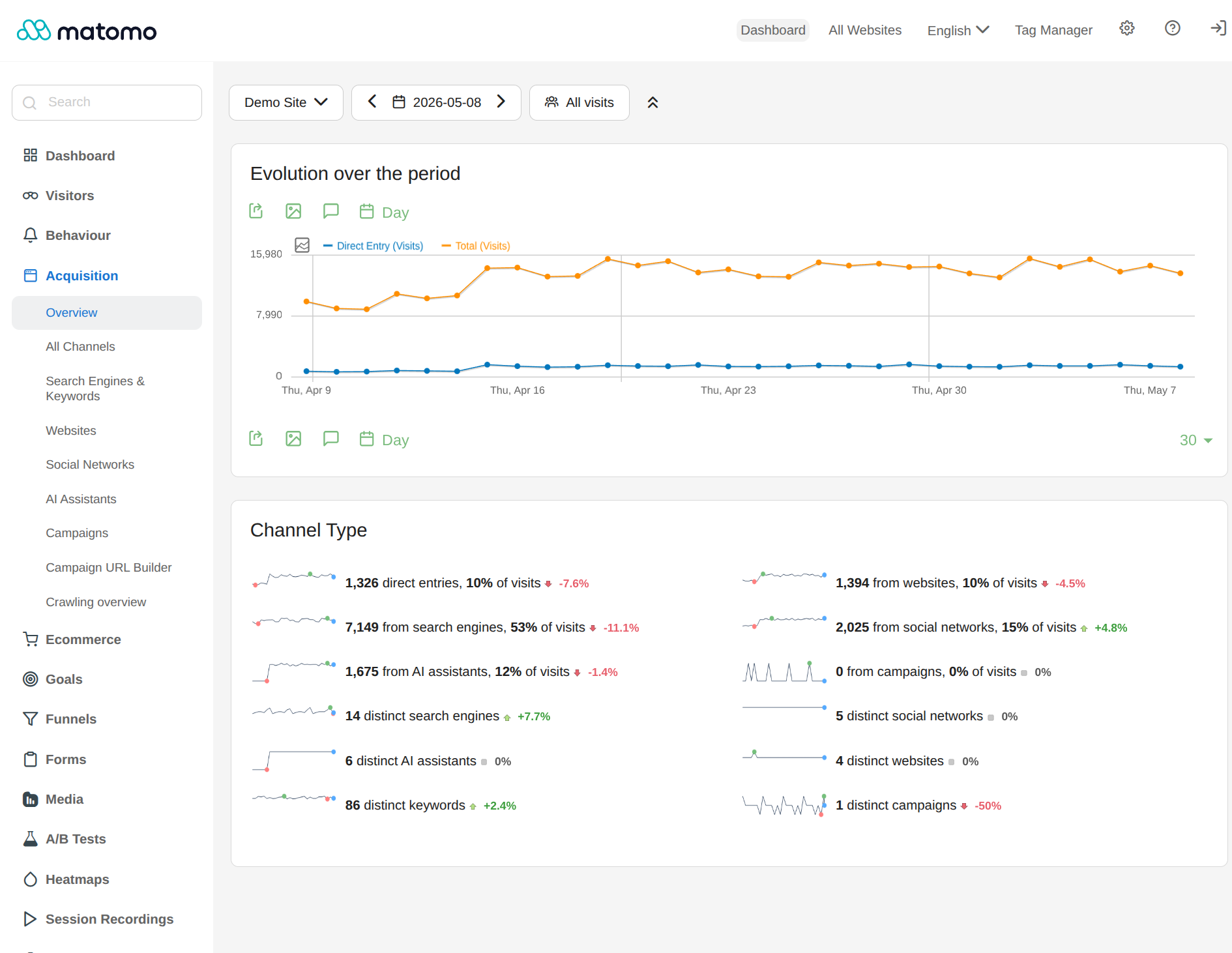
Acquisition insights.
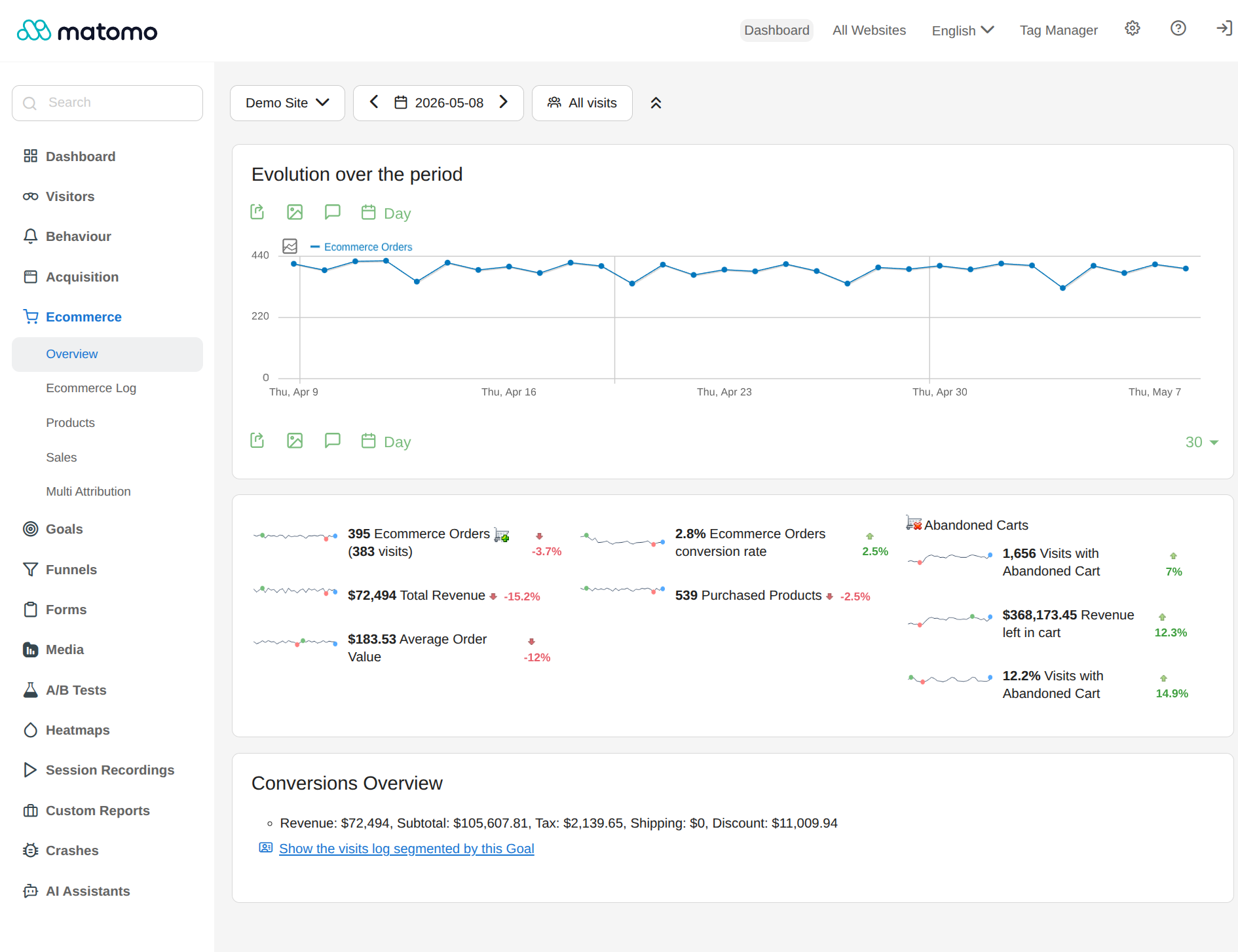
Ecommerce insights.
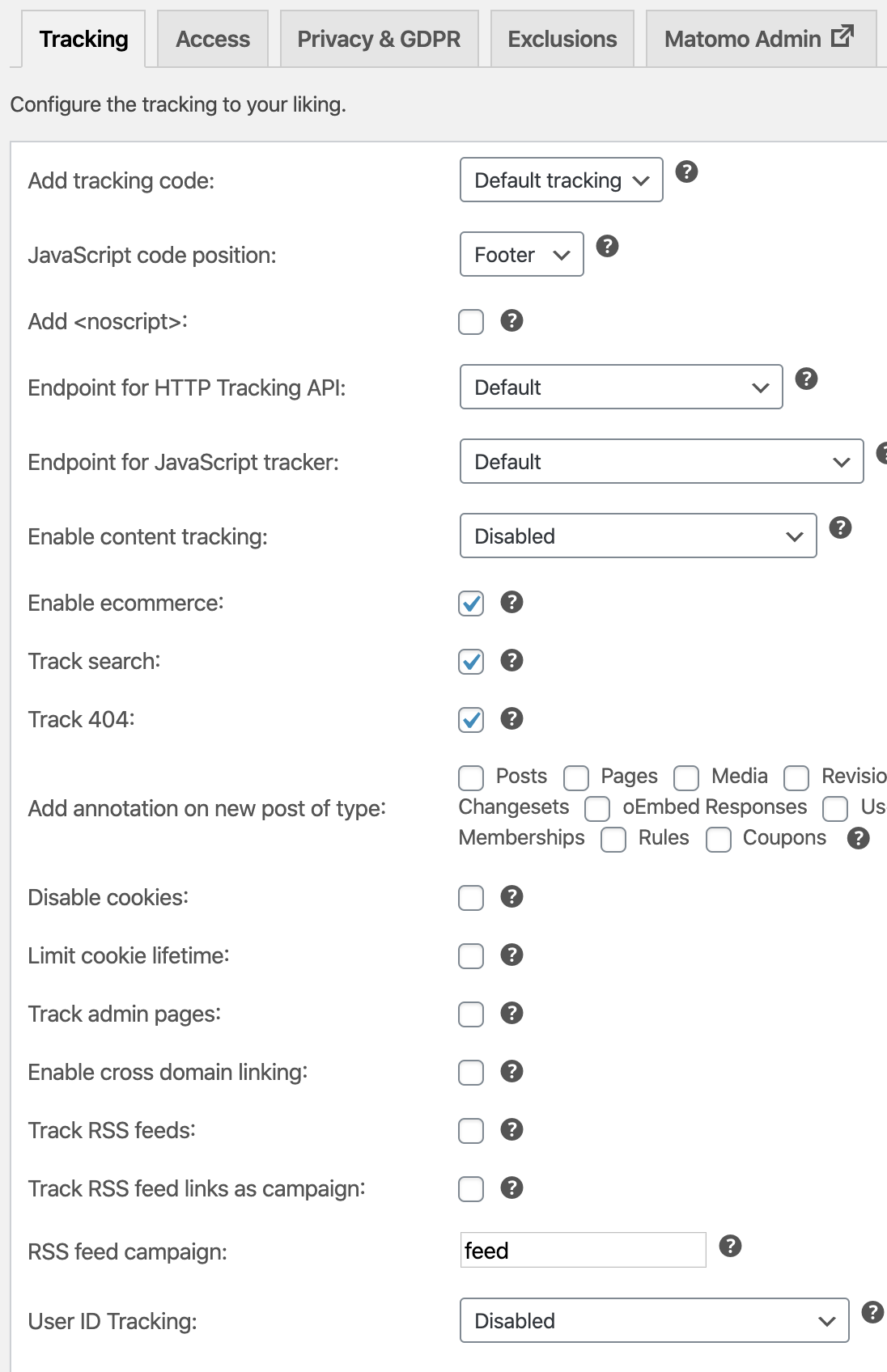
Configure tracking code without developer knowledge.
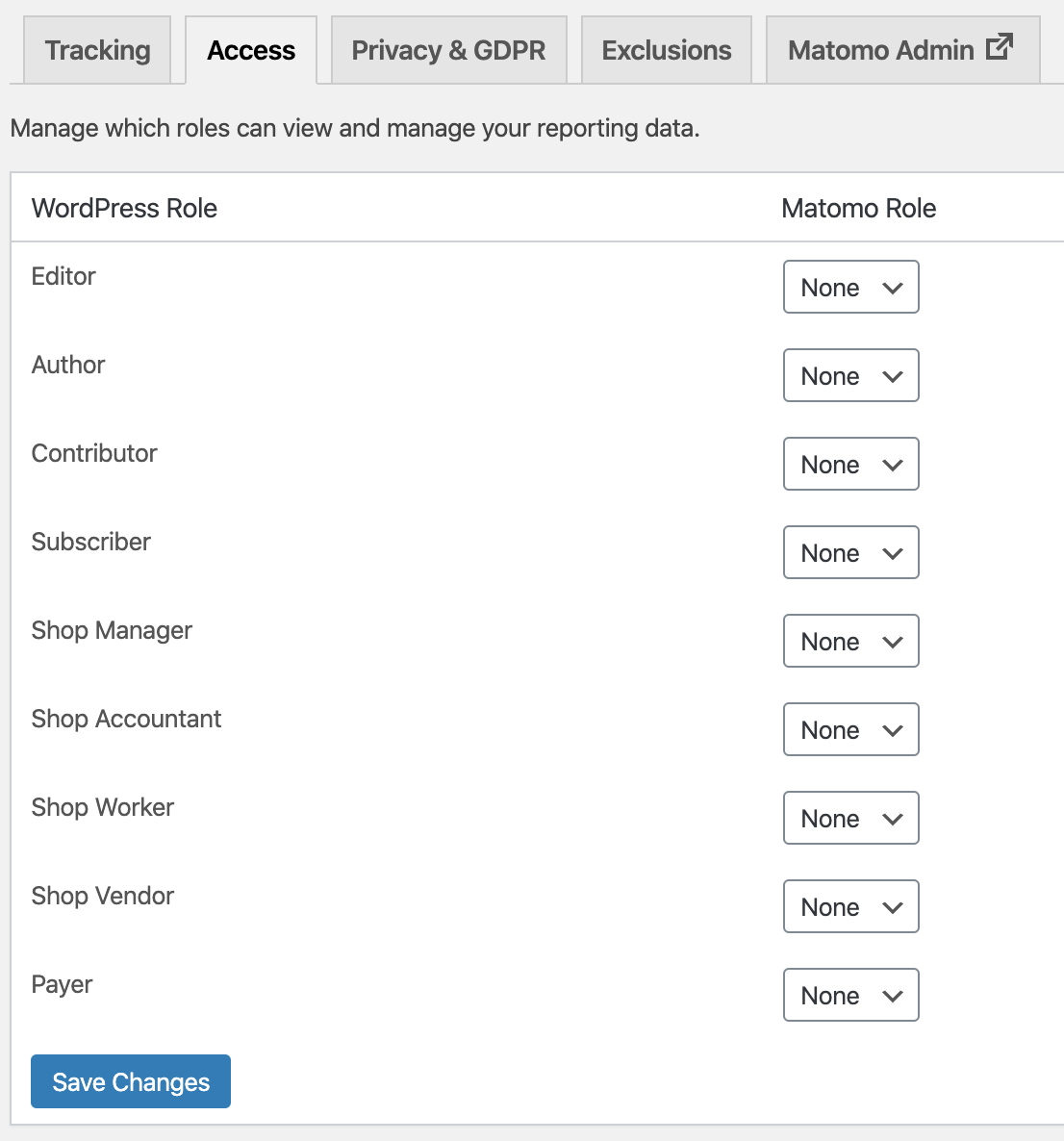
Easily give your co-workers access to your Matomo reports.
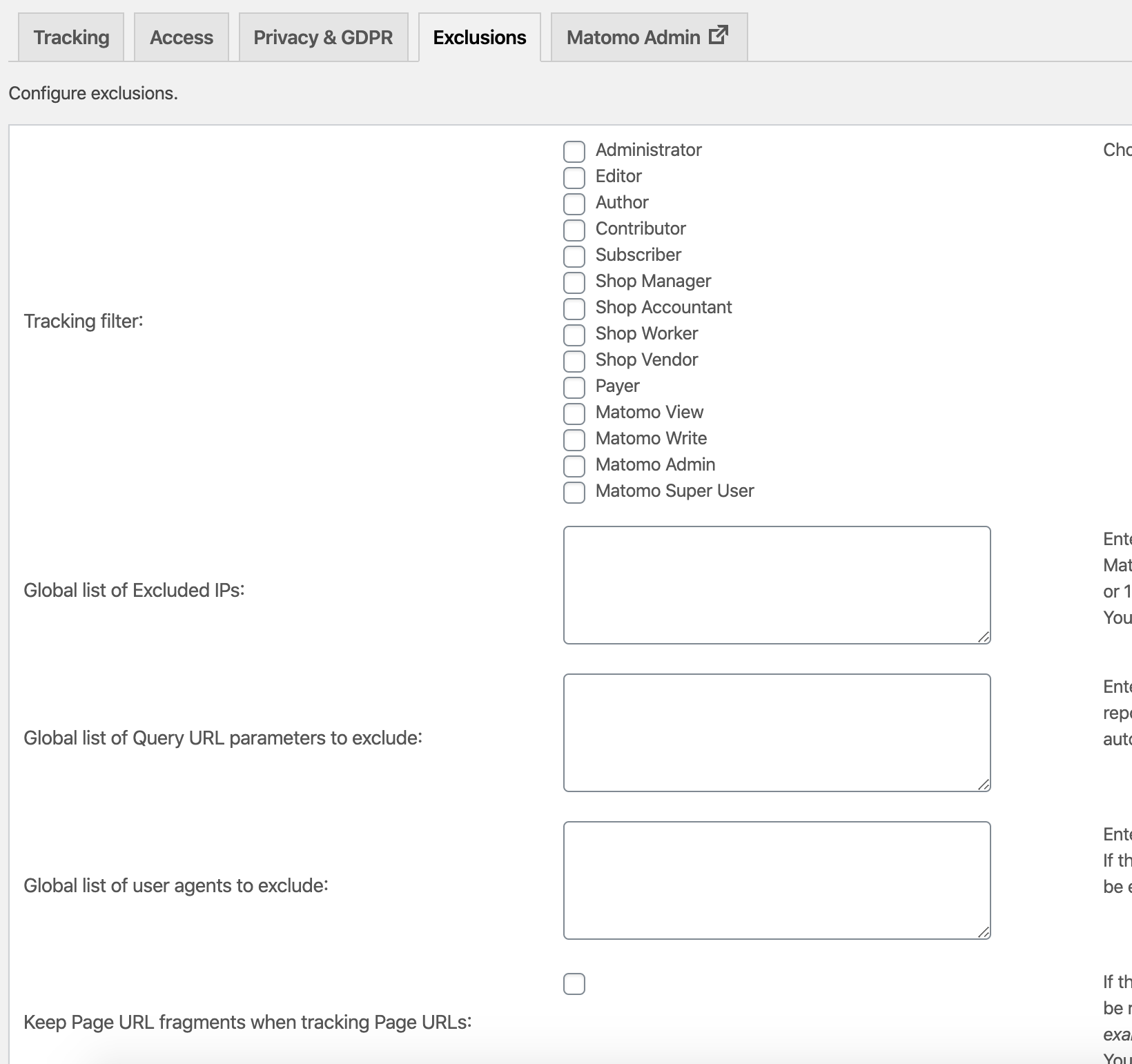
Define who and what should not be tracked.
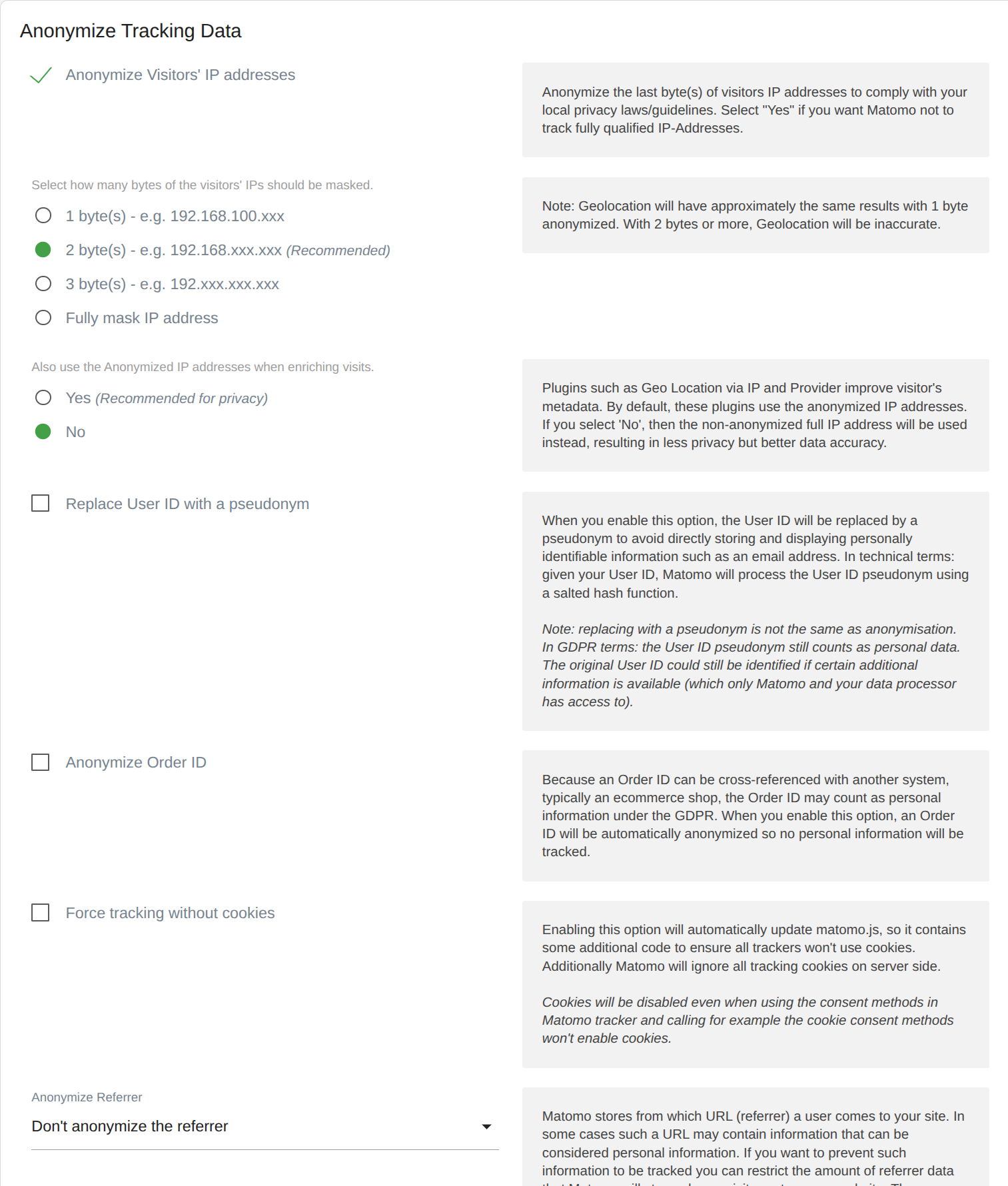
Options to anonymize data so you don't track personal data.
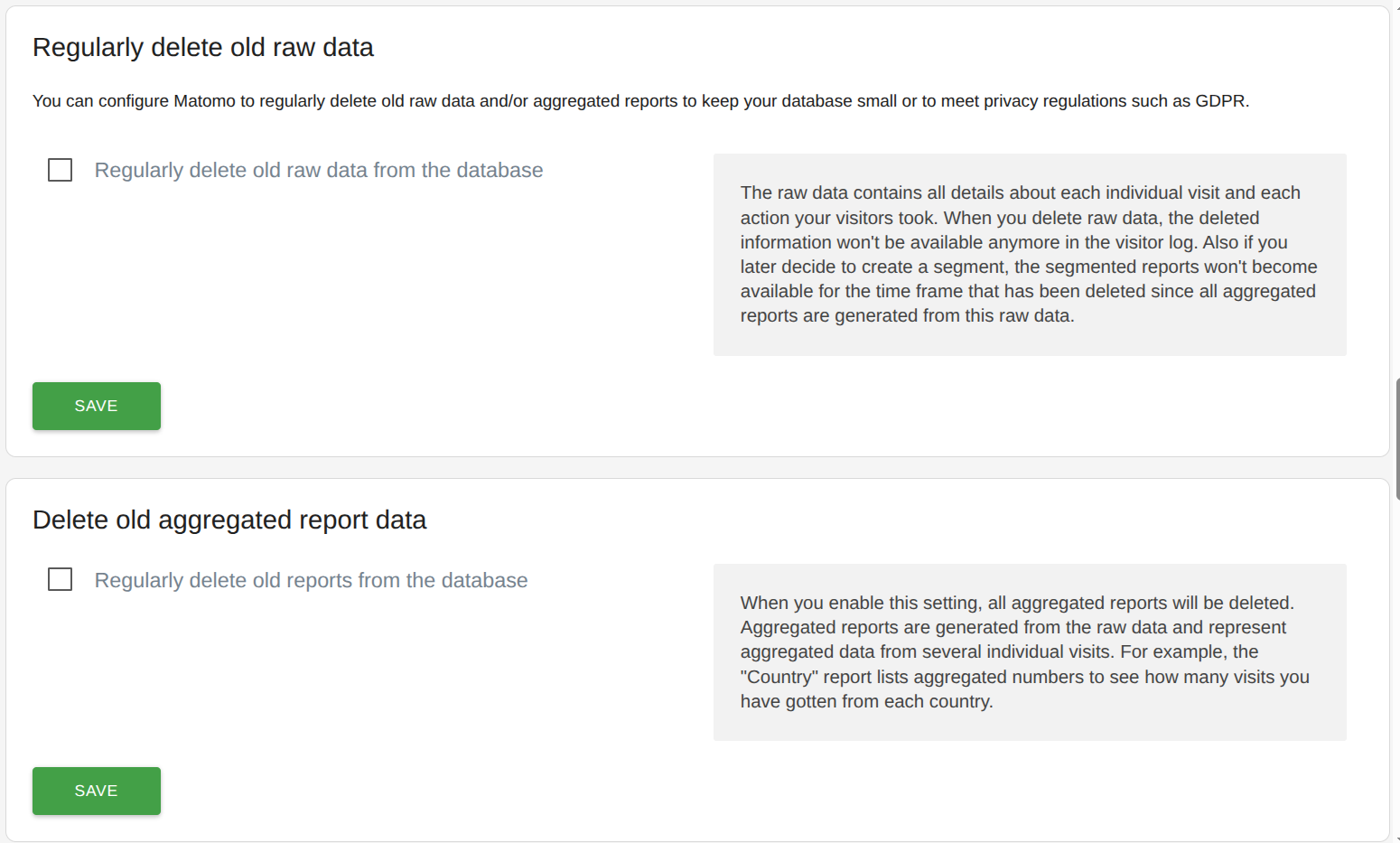
Automatically delete old data you no longer need to be privacy compliant and to free your server from not needed data.
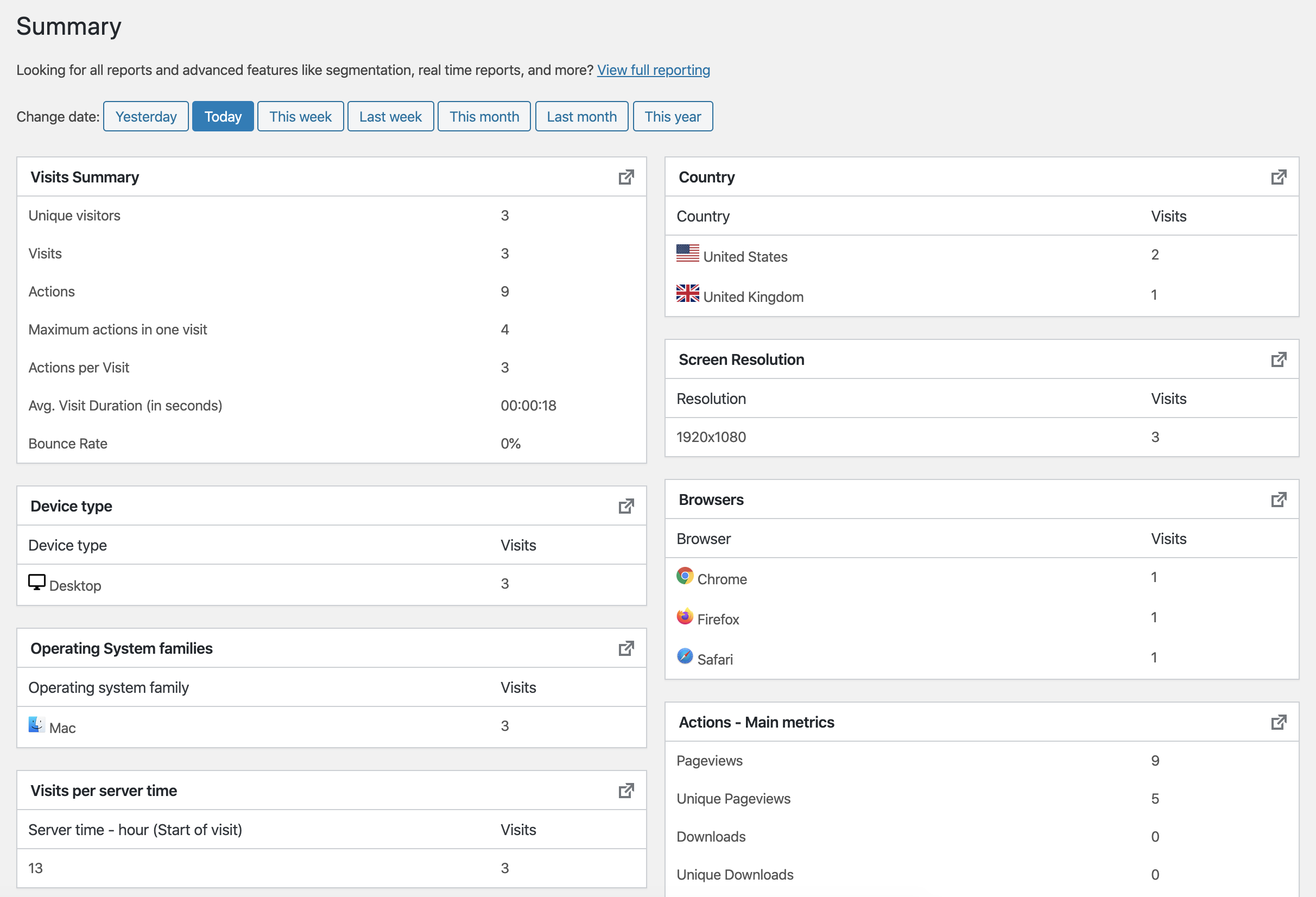
Summary page for getting a quick overview.
Faq
Yes, check out the online demo for Matomo at demo.matomo.cloud
Security is a top priority at Matomo. As potential issues are discovered, we validate, patch and release fixes as quickly as we can. We have a security bug bounty program in place that rewards researchers for finding security issues and disclosing them to us.
Learn more or check out our HackerOne program.
We believe in liberating Web Analytics, providing a free platform for simple and advanced analytics. Matomo was built by dozens of people like you,
and we need your help to make Matomo better… Why not participate in a useful project today? Learn how you can contribute to Matomo.
The Matomo project uses an ever-expanding comprehensive set of thousands of unit tests and hundreds of automated integration tests, system tests, JavaScript tests, and screenshot UI tests, running on a continuous integration server as part of its software quality assurance. Learn more
The Tag Manager can be disabled by placing define('MATOMO_ENABLE_TAG_MANAGER', false); in your wp-config.php.
The Tag Manager does currently not work in WP Multisite mode.
Matomo should run on most MySQL versions. However, we only support MySQL 5.5 and newer. It should also work with MariaDB and other MySQL compatible databases.
From Matomo 6 onwards, MySQL 8.0 or MariaDB 10.6 will be required at minimum.
Nothing breaks. The plugin checks your PHP and database versions before downloading an update, and if your server cannot run the new version the update is stopped with a message telling you which requirement is missing. Your existing install keeps working and keeps tracking as before.
You can see the versions your server is running at any time under “Matomo Analytics” -> “System Report” in your WordPress admin. Once your hosting provider has upgraded your server, the update will go through as normal.
- Tracking: We support pretty much all browsers even very old browsers
- Admin: The Matomo UI does not support IE9 or older.
Website: matomo.org
About us: matomo.org/team/
Contact us: matomo.org/contact/
Yes, you can import historical data from WP Statistics so you don’t lose any data when migrating to our plugin.
Needing to know more? Click here to view all of our FAQs on our website
Reviews
Great Google Analytics alternative
By 
Thank you for developing a privacy focused alternative for Google Analytics!
Excellent Analytics Platform with Strong Privacy Protection
By 
I've been using Matomo for some time and I'm very satisfied with it. The analytics are detailed, clear, and provide valuable insights into website performance and visitor behavior without overwhelming the user.
What I appreciate most is the strong focus on privacy. Unlike many other analytics solutions, Matomo allows me to collect meaningful statistics while respecting my visitors' privacy and maintaining greater control over the data.
The interface is intuitive, the reports are comprehensive, and the platform offers an excellent balance between powerful analytics and data protection. For anyone looking for a privacy-friendly alternative to mainstream analytics tools, I highly recommend Matomo.
The best alternative to Google Analytics
By 
We have been using the analysis for over five years and it continues to meet our expectations.
Steep learning curve
By 
Let me be honest: If you're looking for a lightweight alternative to Google Analytics, Matomo is not what you're looking for. Matomo is complex and it requires you to be willing to learn steep. Or at least consult your favorite AI-entity to get help. Especially if you have mediafiles (MP3, MP4, etc) and want to track them (hooks).
However, if you love the idea of owning your own data, and also have a concern for the misuse of your visitors data by third party service providers, Matomo is the right thing for you.
Do you like owning your own data? Matomo.
Do you care about your visitors privacy? Matomo.
Do you want your data displayed with no effort invested to get them? Not Matomo.
I could give Matomo a 3 or maximum 4 stars out of 5 possible. That wouldn't be fair, just because it is complicated for me to figure out.
All I need to know!
By 
Way better than Google’s Analytics.
Keep it up & thank you!
Great analytical tool
By 
I use Matomo both for my Woocommerce webshop and in enterprise environment for a mission-critical project. This is a professional tool. It's suprisingly easy to setup for wordpress, but understanding its dashboard is hard. (Simply because of the lot of data it collects.)
I really like it.
hope they make it prettier.
By 
only real EU alternative to Google
Much better than GA and GDPR friendly
By 
A very useful Analytic tool, much better and more clearly than Google Analytics. And of course GDPR friendly (tracking without Cookies). Thank you!
Excellent and complete
By 
A complete and perfectly configurable tool
Good plugin for my website
By 