MatrixInn GDPR & UK Compliance
MatrixInn GDPR & UK Compliance
Description
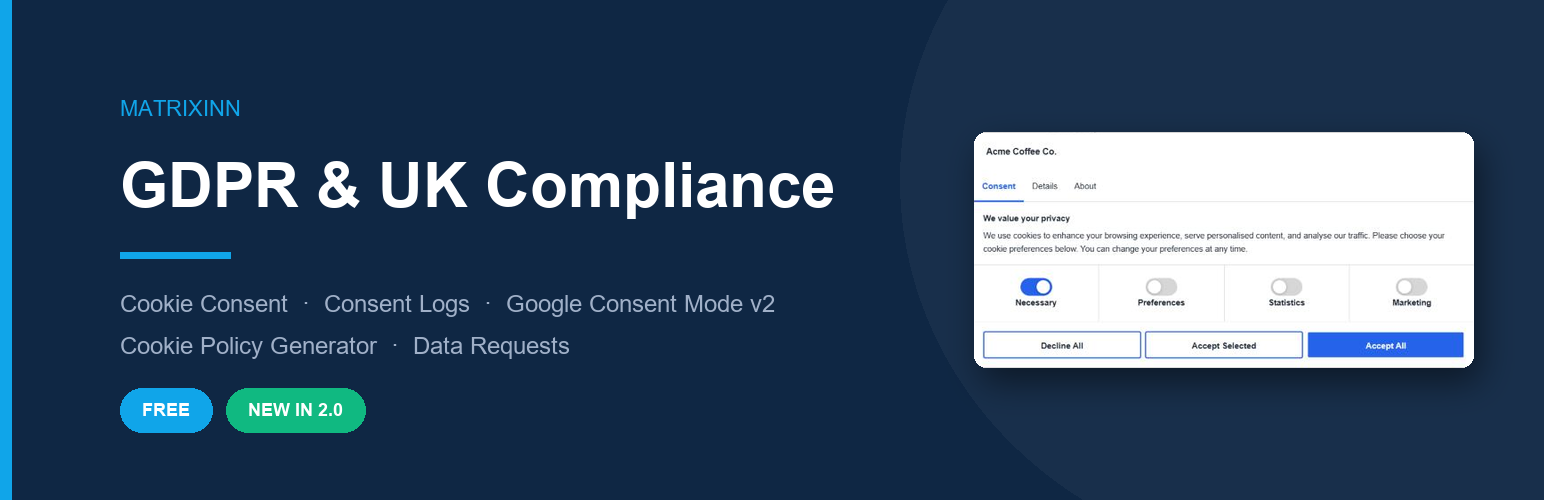
MatrixInn GDPR & UK Compliance adds a clear, tabbed cookie consent banner to your WordPress site and keeps the records you need to show that visitors consented. Everything runs on your own site: no external service, no account, no subscription.
Consent banner
- Tabbed banner — Consent, Details (a full cookie declaration) and About
- Three layouts: centre popup, bottom bar or corner box
- Four categories: Necessary (always on), Preferences, Statistics and Marketing — hide any category your site does not use
- Equal-weight Accept all / Accept selected / Decline buttons
- Floating cookie-settings button so visitors can change or withdraw consent at any time
- Your own title, message, button labels, accent colour, text colour and logo (or hide the logo row)
- Keyboard accessible, mobile friendly, no jQuery on the front end
Proof of consent
- Every decision is logged: categories, date and time, page, policy version and IP address (anonymised by default)
- Consent Logs screen with totals, a detailed table and CSV download
- Works on page-cached sites (logging uses the WordPress REST API, not an expiring nonce)
- Records of logged-in users are included in WordPress personal data exports and erasures
Cookie Policy generator
- Generates and publishes a Cookie Policy page from your business details, active categories and cookie lists
- UK businesses get UK GDPR / PECR wording and an ICO complaint link
- Publishing a new version asks visitors to consent again (optional)
- Style the policy content — font, text and heading sizes, text, heading and link colours, table colours — or keep your theme’s style
[matrixinn_gdpr_cookie_policy]shortcode shows the always-current policy inside Elementor or any other page builder
Google Consent Mode v2
- Denies all Google storage types by default at the top of
<head>, before your Google tags run - Updates
analytics_storage,ad_storage,ad_user_data,ad_personalization,functionality_storageandpersonalization_storagefrom the visitor’s choice - Returning visitors’ choices are applied immediately on every page
Blocking other scripts
Mark any script with type="text/plain" data-minn-category="statistics" (or preferences / marketing) and it only runs after the visitor allows that category.
Data subject requests
[matrixinn_gdpr_export]— visitors request a copy of their personal data[matrixinn_gdpr_erasure]— visitors request deletion of their personal data
Requests use WordPress core privacy tools: the visitor confirms by email and you process the request under Tools Export / Erase Personal Data.
Support & documentation
Setup guide and FAQs: MatrixInn GDPR documentation
Built by MatrixInn Solutions, the software house behind the MatrixInn Floating Buttons plugin and the WA Float WhatsApp button for Shopify.
Please note: this plugin gives you the tools for cookie consent; it is not legal advice. How the law applies depends on your site, so review your cookie lists and policy wording, or ask a qualified adviser.
Installation
- Install from Plugins Add New (search for “MatrixInn GDPR”), or upload the
matrixinn-gdprfolder to/wp-content/plugins/. - Activate the plugin.
- Go to GDPR Compliance in the admin menu.
- Under Cookie Categories, list the cookies your site sets and untick categories you do not use.
- Under Cookie Policy, enter your business details and click Create Cookie Policy page.
- Optionally add
[matrixinn_gdpr_export]and[matrixinn_gdpr_erasure]to your Privacy Policy page.
Screenshots

Consent banner — Consent tab

Details tab with the cookie declaration

Bottom bar layout

Admin — Appearance settings

Admin — Consent Logs

Admin — Cookie Policy generator
Faq
With Google Consent Mode enabled (the default for new installs), Google tags start in “denied” mode and only store cookies after consent. For non-Google scripts, use type="text/plain" data-minn-category="…" as described above.
The visitor’s choice is stored in their browser in a first-party cookie called minn_gdpr_consent (365 days by default). A copy of each decision is stored in your database as proof of consent.
Yes. The banner and consent state are handled in the browser, and consent records are sent to the WordPress REST API, which is not cached.
With the floating cookie button in the bottom-left corner, or any link with the class minn-gdpr-open (or a link to #cookie-settings).
Your banner texts, button labels, logging, policy and business settings are kept, your accept-button colour becomes the new accent colour, and existing consent records and visitor choices remain valid. Only the banner design changes; review it under Appearance.
Page builders keep their own copy of the page, so the “Update Cookie Policy page” button cannot change it. Add a Shortcode widget with [matrixinn_gdpr_cookie_policy] instead — it always shows the current policy, using the styling from Cookie Policy Page styling.
Consent records use the connecting IP (REMOTE_ADDR). If your host does not pass the real visitor IP, use the minn_gdpr_client_ip filter to read your proxy’s header.
Reviews
Changelog
2.1.1
- New: A small, dismissible review request for administrators, shown after a week of use on the Dashboard, Plugins and plugin screens only
2.1.0
- New: Option to hide the logo / site name row at the top of the banner, and a logo-row background colour for white or light logos
- New: Cookie Policy page styling — font, text size, heading size, text, heading and link colours, table header and border colours. Empty settings keep the theme style
- New:
[matrixinn_gdpr_cookie_policy]shortcode for Elementor and other page builders - New: Warning in the Cookie Policy screen when the policy page is built with Elementor
- Changed: The generated policy no longer repeats “Cookie Policy” as a heading under the page title
2.0.1
- Fixed: Themes that style every button (e.g. Hello Elementor) could override the banner’s buttons, tabs and settings icon. Banner styles now take precedence over theme button styles.
2.0.0
- New: Tabbed consent banner (Consent / Details / About) with a full cookie declaration
- New: Per-category cookie lists, shown in the banner and in the generated Cookie Policy
- New: Accent colour, text colour and logo settings; popup, bottom bar and corner layouts
- New: Consent log CSV download; consent records included in WordPress personal data export/erasure
- New: Script blocking with
type="text/plain" data-minn-category="…" - Improved: Google Consent Mode v2 defaults are printed before other tags, cover all six signals, and returning visitors’ choices apply immediately
- Improved: Consent logging uses the REST API, so it keeps working on page-cached sites
- Improved: Cookie Policy wording adapts to UK and non-UK businesses
- Fixed:
[matrixinn_gdpr_export]and[matrixinn_gdpr_erasure]now show a working request form using WordPress core privacy requests - Fixed: Reactivating the plugin no longer deletes consent records
- Changed: Front end no longer depends on jQuery
- Upgrade: Settings, consent records and visitors’ existing choices from 1.x are kept
1.0.7
- Fixed: Byte order mark removed from the main plugin file (caused “headers already sent” errors)
1.0.6
- Fixed: Manage preferences button icon not displaying on some themes
1.0.3
- Removed: Script Manager, for WordPress.org compliance
1.0.2
- Added: Overlay behind the centre popup layout
- Fixed: Checkbox settings not saving when unchecked
- Fixed: Cookie category toggles not appearing on fresh installs
1.0.1
- Fixed: Popup and corner layouts positioning
- Fixed: Consent logging database schema
1.0.0
- Initial release