Media Folders Lite

Media Folders Lite
Description
Media Folders Lite is a simple solution that gives WordPress the ability to create a real custom upload path for your attachments. Also in WP Media Library you can filter them by folders.
Why?
Because the default WordPress media file paths are not very good. You can opt for year and month folders which may seem useful if you are reusing content but affect SEO. The other option is to put all the files in a folder that doesn’t scale when you start to have a lot of files.
Too many files in a folder can cause performance issues on file systems like EXT4. If all your files are in the same folder, you will also run into file name conflicts.
Media Folders Lite – Features
- Create real folders for your attachments.
- Select the desired folder when uploading an attachment.
- Filter attachments by folders in WP Media Library.
Installation
- Upload the plugin files to the /wp-content/plugins/media-folders-lite folder, or install the plugin through the WordPress plugins screen directly.
- Activate the plugin through the Plugins screen in WordPress
- Use the Settings > Media screen to set up your folders.
Screenshots
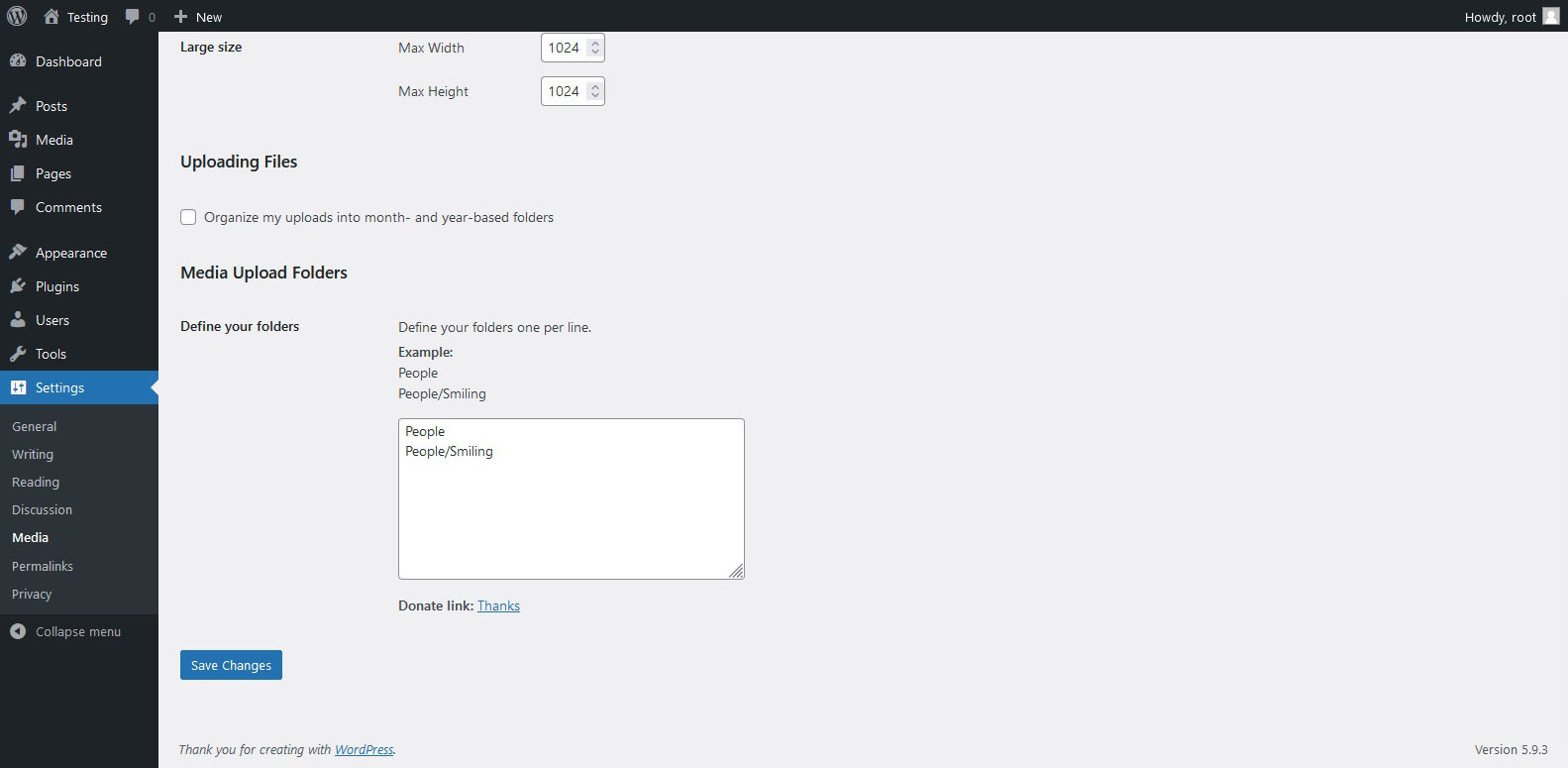
Media Folders Lite - Settings

Media Folders Lite - Upload

Media Folders Lite - Filter

Media Folders Lite - Gutenberg Sidebar

Media Folders Lite - Pop-up
Faq
Yes, you can create as many as you like, although this is not good for SEO. We recommend only one level.
Yes, you can filter your attachments in WP Media Library
No, you will only be able to assign a custom path at the time of uploading your attachment.
Reviews


Changelog
1.0.2
- Bug fixes.
- Added plugin action links.
1.0.1
- Bug fixes.
- Added folder picker in Gutenberg sidebar.
- Compatible with WordPress 6.0
1.0.0
- Initial release.