Mediapapa – Your All-in-One Media Library Copilot
Mediapapa – Your All-in-One Media Library Copilot
Description
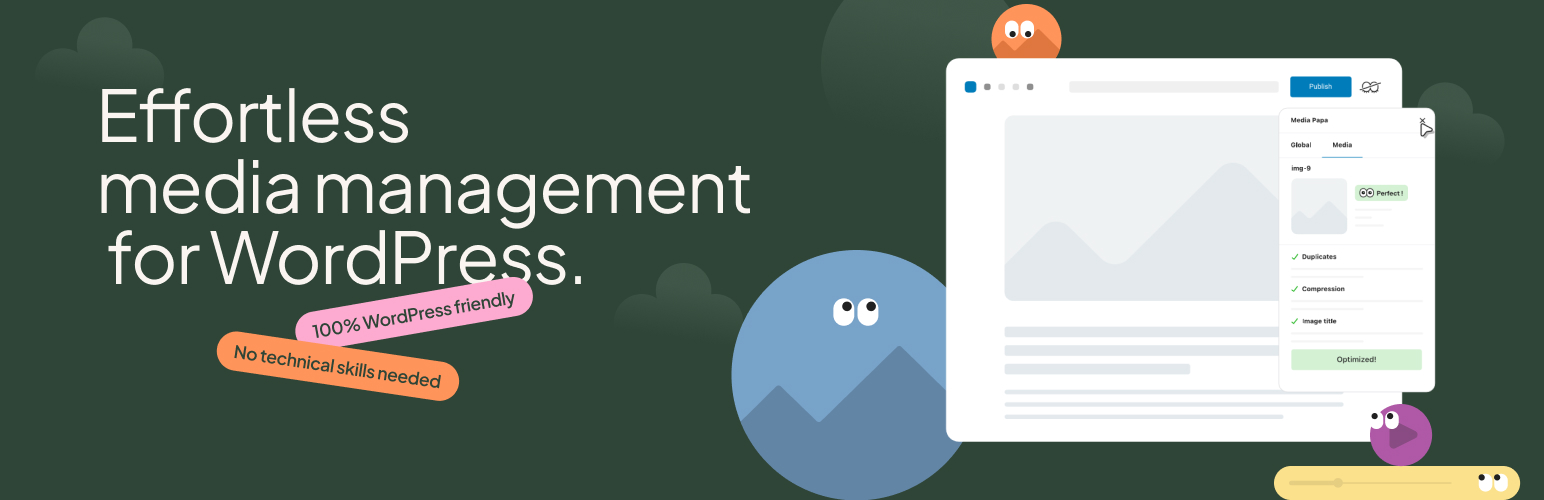
Mediapapa is the effortless media management solution for WordPress. It gives you full visibility into where and how your media files are used across your site, helping you organize, optimize, and maintain a healthy media library. Mediapapa manages images, videos, audio, and documents in one place.
Most WordPress sites accumulate thousands of media files over time – duplicates, unused media, missing metadata, and oversized files. Previously, you needed multiple plugins to understand and manage your media library. Now, one plugin handles everything.
Know Where Every File Is Used – The Core Feature
This is Mediapapa’s core feature – the intelligent detection WordPress doesn’t provide out of the box.
The foundation of safe media management is understanding where your files appear. Mediapapa scans your entire WordPress site with high-precision detection to show you exactly where each media file is used – in posts, pages, Gutenberg blocks, Elementor sections, custom post types, custom fields, and more.
This comprehensive usage tracking, missing from WordPress core, makes everything else possible. You’ll never accidentally delete a file that’s still in use. You can confidently identify truly unused files and understand the impact before taking action.
You shouldn’t have to guess what’s safe to delete. Mediapapa eliminates the guesswork.
Complete Media Intelligence
Health Scoring
Every media file gets a health score that helps you save storage and improve accessibility, SEO, and performance. Your entire library also gets an overall score, making it easy to track improvements over time.
Usage Discovery
See where each media file appears across your site. Mediapapa detects usage of all media types (images, videos, audio files, and documents) in Gutenberg blocks, the Elementor page builder, Classic Editor, custom post types, custom fields, and more. Advanced detection helps ensure nothing is missed.
Duplicate Solver
Automatically identifies duplicate images and shows you which one is the reference version. See which duplicates are safe to remove without breaking your site.
Metadata Analysis
Find missing alt text, titles, and captions that hurt your SEO and accessibility. Get clear guidance on what needs attention and why it matters.
Optimization Recommendations
Detect oversized images, inefficient formats, and missing compression. Receive actionable recommendations to improve your site’s performance.
Smart Organization
Filter and organize your media by health status, usage, duplicates, or optimization needs. Focus on what matters without the risk of accidental changes.
Media Tagging System
Tag media to better organize your library. Assign multiple tags per media file, and filter the media library with smart search suggestions.
Built for Safety and Control
Mediapapa analyzes your media and lets you take action manually with full control. You decide what to clean, optimize, or keep. This makes it ideal for auditing media libraries, planning cleanups, and understanding your media before taking action.
When you need bulk actions, conversion of images to AVIF, and automated size optimization, Mediapapa Pro is here to help.
What You Get
Mediapapa Free:
Perfect for: anyone managing media efficiently and wanting a clean, optimized library.
- Complete usage tracking across your entire site
- Duplicate file manager with reference identification
- Media health scoring for accessibility, SEO, and performance
- Optimization recommendations for file size and format
- Easier metadata writing with improved Media Library and Gutenberg interfaces
- Manual cleanup actions with full control
- Anti-duplication checker when adding new media to the site
- Library filtering and organization tools
- AI-Powered Metadata (with credits purchase), automatic generation of SEO-friendly titles, alt text, and captions
- Compatible with Gutenberg, Elementor, Classic Editor, custom post types, custom fields, and WordPress Multisite
Mediapapa Pro:
Perfect for freelancers maintaining client WordPress sites, agencies auditing and optimizing media across projects, e-commerce sites managing product images and galleries, and more.
- Bulk Operations – Bulk actions to delete unused files and remove duplicates with safety checks, plus deduplication, optimization, tags, and metadata fields.
- Unlimited Optimization Features – Image compression and AVIF conversion use the secure Mediapapa API to process images and return optimized versions to your server. You control every action – Mediapapa provides insights and lets you decide what to do. The Mediapapa API has no usage limits (unlike competing plugins) and no monthly quotas or processing caps.
- Priority Support – Best-in-class response times through your account dashboard
Compare Free vs Pro and get the Upgrade
Privacy & Safety
Mediapapa analyzes your media locally on your server. In the free version, all processing happens on your server with no external services or data transmission. This plugin connects to the Mediapapa API (https://api.wp-mediapapa.eu) for AI-powered metadata generation (opt-in) and Pro features like image optimization and AVIF conversion. See the FAQ section below for detailed information about external services and data transmission.
Documentation & Support
Love Mediapapa? Help other WordPress users discover it by leaving a 5-star review – it makes a huge difference!
Support: Free plugin support is provided via WordPress.org forums. Mediapapa Pro customers receive priority support through their account dashboard.
Installation
- Go to Plugins > Add New in WordPress
- Search for “Mediapapa”
- Click “Install Now” and then “Activate”
- Navigate to Settings > Mediapapa
- Click Indexing the Media Library > Index the Media Library to scan your media files
- Wait until the process completes
- Review the health dashboard and start managing your media
For manual installation, upload the plugin ZIP file via Plugins > Add New > Upload Plugin.
Note for large libraries: If you have thousands of media files, the initial scan runs in the background while you continue working. A progress indicator shows the scan status.
Faq
Mediapapa is a complete WordPress media management solution. It shows you where every media file is used across your site, identifies duplicates, detects optimization opportunities, and analyzes metadata quality – all in one plugin.
Think of it as the essential media-management features WordPress doesn’t provide out of the box.
Yes! Mediapapa Free provides comprehensive media analysis including usage tracking, duplicate detection, health scoring, tag-based organization, and optimization insights. You can take manual actions to clean and organize your media library.
Mediapapa Pro adds advanced features like bulk cleanup actions, better AI-powered features, advanced automation, and priority support. If you manage larger libraries, client sites, or want to move faster with automation, Pro is designed for that. See all Mediapapa Pro features
Mediapapa gives you full control. In the free version, you can manually delete files, edit metadata, and organize your library – and you must explicitly confirm each action.
Mediapapa Pro adds bulk operations and automated optimization, but still requires your explicit confirmation. Your files are always safe, and you’re always in control.
Mediapapa scans your entire WordPress site including posts, pages, Gutenberg blocks, Elementor sections, Classic Editor content, custom post types, custom fields, widgets, and navigation menus.
This comprehensive scanning ensures you never accidentally delete a file that’s actually in use.
Yes! Mediapapa detects media usage in both Gutenberg blocks and Elementor page builder sections. It also works with Classic Editor, ensuring images used anywhere in your site are properly tracked.
Image optimization plugins focus specifically on compressing images to reduce file size. File system plugins focus on folder structure and organization.
Mediapapa is a complete media management solution. It includes usage tracking, duplicate detection, metadata management, health scoring, and optimization insights – everything you need to manage your media library in one place.
Mediapapa works with images, videos, and PDFs – not just pictures.
You get a complete toolset instead of juggling multiple single-purpose plugins.
Yes. Mediapapa automatically scans and identifies duplicate files, showing you which one is the reference version and which are duplicates. This helps you decide which files to keep without guessing. Then you can safely choose which media to keep with one click.
Mediapapa Pro can bulk-select and remove duplicates while safely keeping reference files. See all Mediapapa Pro features
No. Mediapapa only runs in the WordPress admin area – it has zero impact on your front end site speed.
The initial library scan happens once (or when you click “Analyze Library”). After that, Mediapapa only analyzes new uploads incrementally.
Mediapapa includes an AI-powered copilot that lets you generate metadata automatically. Use it to create accurate, SEO-friendly alt text and descriptions for your images.
The free version identifies images that need size optimization and gives you a list for manual action. The plugin also identifies images that could benefit from modern web formats like WebP or AVIF.
Mediapapa Pro provides unlimited image compression without quality loss and AVIF format conversion via the Mediapapa API – with no monthly quotas or usage limits, unlike competing plugins.
Upgrade to Mediapapa Pro to get access to our API without limits
This plugin connects to the Mediapapa API (https://api.wp-mediapapa.eu) for the following features:
AI-Powered Metadata Generation (Free version, opt-in):
When you choose to activate AI features and generate metadata (titles, alt text, captions) for your media files, the plugin sends image data to the Mediapapa API. This includes the image file itself or image data, which is processed to generate SEO-friendly metadata. Data is sent only when you explicitly request metadata generation for a specific media file.
Image Optimization and AVIF Conversion (Pro version):
When using Mediapapa Pro features for image compression and AVIF format conversion, the plugin sends image files to the Mediapapa API for processing. Optimized versions are returned to your server. Image data is sent only when you explicitly request optimization or conversion for specific images.
What data is sent:
- Image files or image data (for AI metadata generation and optimization features)
- Your Mediapapa account credentials (if using Pro features)
- Plugin version information (for API compatibility)
When data is sent:
- Only when you explicitly activate AI features and request metadata generation for a specific media file
- Only when you explicitly request image optimization or AVIF conversion (Pro features)
- Data is never sent automatically without your explicit action
This service is provided by Mediapapa: Terms of use, Privacy policy.
Yes. Mediapapa handles libraries with thousands of files efficiently. The initial scan for very large libraries (5,000+ files) may take several minutes but runs in the background.
After the initial analysis, Mediapapa only processes new uploads, keeping performance fast.
Upgrade to Mediapapa Pro and get an advanced option to schedule indexing
Click the “Upgrade to Pro” button in your Mediapapa dashboard, or visit wp-mediapapa.com/pricing.
After purchasing, you’ll get access to Mediapapa Pro and can upload it to your website. It replaces the Free version and unlocks advanced features.
Yes! Mediapapa works with WordPress multisite installations. You can analyze and manage media libraries for individual sites across your network.
Mediapapa is available in English and French, with more translations coming soon.
You can contribute translations via the WordPress.org translation system.