Meerkat Markdown for AI Visibility

Meerkat Markdown for AI Visibility
Description
Meerkat Markdown for AI Visibility collects URLs using WordPress queries and generates an llms.txt file (short for “Large Language Models”) in the website’s root directory — optionally providing dynamic .md files — to help AI-based systems better understand and make use of the site’s content. The llms.txt is stored in the root directory. You can configure the number of URLs, set a minimum word count, and exclude specific categories or tags. File generation can be triggered manually or scheduled to run automatically.
Features
- Gathers URLs with WordPress queries; the
wp-sitemap.xmlURL is only added tollms.txtas metadata. - Creates
llms.txtwith[Title • host/path](URL): contententries. - Add a custom site description to the file header.
- Limit export to 100 entries or process all URLs.
- Posts or pages with fewer than 15 words are skipped: they do not count toward
the 100-entry limit and are omitted fromllms.txt. - Choose 30, 50, 100 words or the full text per entry.
- Exclude categories and tags.
- Sort
llms.txtentries by popularity or most recent first. - Optionally serve dynamic
.mdfiles for published posts, pages and public custom post types. Responses include canonical, noindex and MIME-sniffing protection headers. - Generates a valid XML sitemap for Markdown URLs without declaring
llms.txtas a sitemap or blocking it inrobots.txt. - Manual generation via the Generate Files Now button.
- Timezone-aware WP-Cron schedule (hourly, daily, weekly, monthly or disabled) with configurable local run time and daylight-saving-safe rescheduling.
- Save settings with the Save Changes button.
License
This plugin is open source software licensed under the GPLv2 (or later). See LICENSE.txt for license information.
Installation
- Upload the
meerkat-markdown-for-ai-visibilityfolder to/wp-content/plugins/. - Activate the plugin through the Plugins menu.
- Visit Settings Markdown for AI and click Generate Files Now to create the first file.
Screenshots
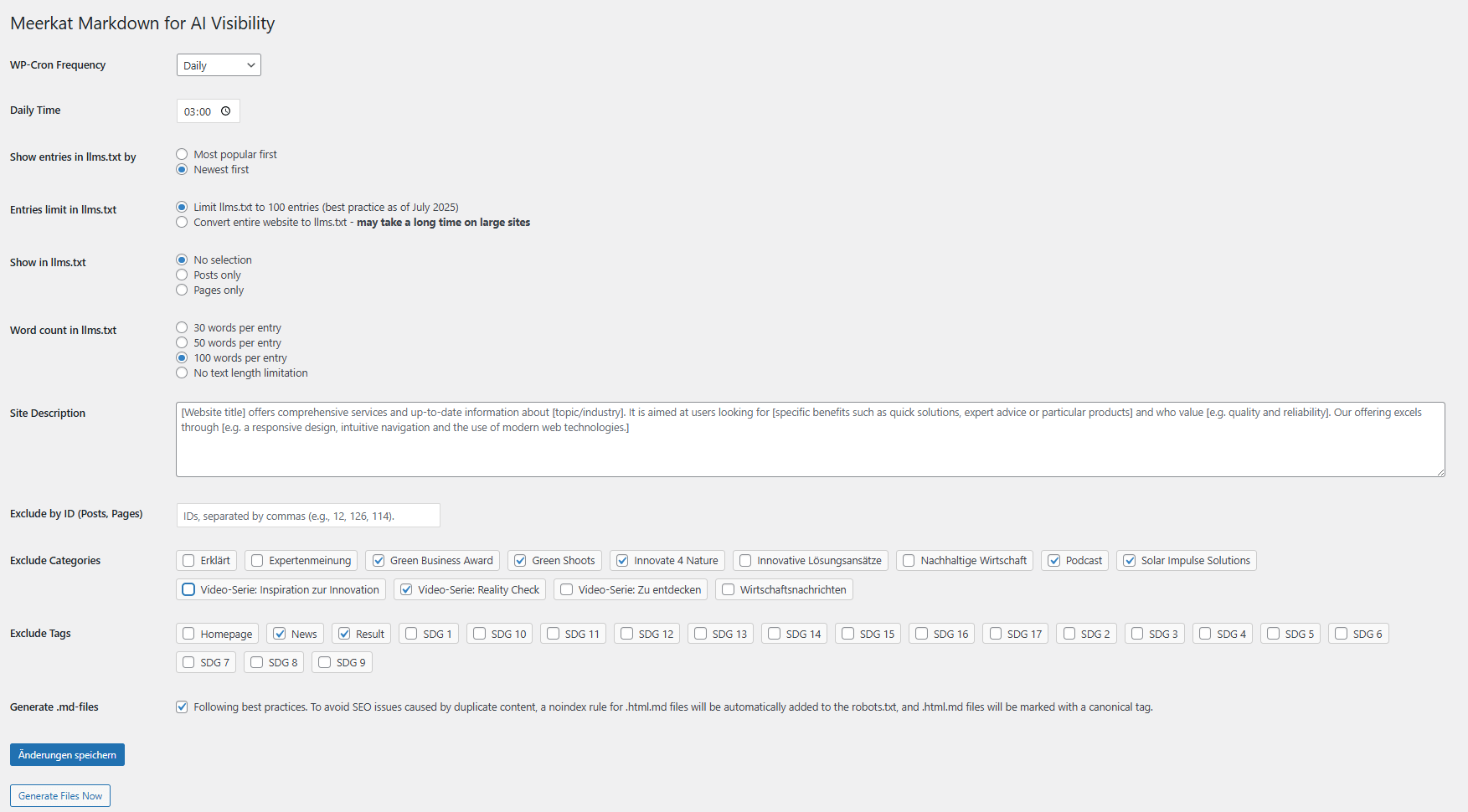
Settings page with Generate and Save Changes buttons plus cron frequency selection.
Faq
It is written to the site root directory (same level as the top-level index.php).
Use the Generate Files Now button or wait for the scheduled cron run.
Select a new frequency and click Save Changes on the settings page.
All plugin options and generated sitemap files are removed automatically. The plugin deletes llms.txt only when the file can be identified as plugin-generated. Existing files created manually or by another plugin are preserved.
Add the following snippet to your theme’s functions.php or a small helper plugin:
add_filter( 'mrmrkdofa_enable_dynamic_sitemap', '__return_true' );
Afterwards visit Settings Permalinks and save changes once so WordPress refreshes the rewrite rules.
Reviews
Works nice!
By 
Great plugin, lightweight, no bloat, doing it's job 🙂
Thank you!
Prefect
By 
Thanks for this plugin. I've worked with llms plugins before, but this combination of llms.txt and .md is great. Just like the settings options.
Changelog
4.2
- Protects existing
llms.txtfiles: files not owned by this plugin are neither overwritten nor removed during uninstall. - Manages only a clearly marked plugin block in
robots.txtand preserves all unrelated directives. - Supports dynamic Markdown URLs with plain WordPress permalinks through query-based endpoints.
- Propagates failed write, delete, permission and directory operations instead of reporting false success.
- Removes dynamic Markdown rewrite rules reliably when the feature or plugin is disabled.
- Corrects the settings description for canonical and X-Robots-Tag headers.
- Updates repository metadata and moves older release notes to changelog.txt.
- Regenerates the translation template from the current source.
- Renames plugin classes and methods to WordPress-compatible naming conventions and normalizes formatting.
- Prevents shortcodes from being executed twice during llms.txt generation.
- Validates sitemap XML before accepting a fallback endpoint.
- Stages and rolls back generated files so failed sitemap generation does not partially update llms.txt.
4.1
- Adds a defensive DOMNode guard clause to the HTML-to-Markdown parser.
- Prevents PHP warnings when an unexpected or null node is passed to the recursive node processor.
4.0
Major improvements
Security
- Limits dynamic Markdown output to published, publicly accessible and non-password-protected content.
- Drafts, private posts and password-protected content are no longer exposed through
.mdURLs. - Unknown Markdown URLs return a real HTTP 404 response instead of homepage content.
- Uses safe remote requests, validates AJAX permissions and adds canonical, noindex and MIME-sniffing protection headers.
Generation, sitemaps and scheduling
- Supports public custom post types and Elementor, Divi and Avada content.
- Generates a valid Markdown XML sitemap and removes obsolete robots.txt directives.
- Processes large sites in batches and validates root, upload and filter values.
- Uses timezone-aware calendar scheduling for hourly, daily, weekly and monthly runs.
- Cleans generated data, options, cron events and legacy robots.txt entries on uninstall.
Earlier release notes are included in changelog.txt.