Migrate Guru – Site Migration & Cloning

Migrate Guru – Site Migration & Cloning
Description
Migrate Guru is a powerful WordPress migration plugin designed to seamlessly transfer your WordPress site to a new host or domain. Whether you need to clone, move, or migrate your WordPress website, Migrate Guru ensures a hassle-free process with its one-click migration feature. This plugin supports all-in-one WP migrations, handling large sites up to 200 GB without overloading your server. Compatible with every major web host and equipped with automatic URL rewriting and serialized data handling, it’s the go-to tool for moving WordPress sites to new domains or hosts. Move, clone, or migrate your WordPress site with Migrate Guru—the smart, swift, and secure WordPress migrator and backup plugin.
CHECKOUT Migrate Guru in Action
TOP FEATURES
One-Click Migration
Effortlessly move WordPress sites 80% faster with a single click, migrating 1 GB in under 30 minutes.
No Site Overload
Migrate Guru uses its own servers, preventing site crashes.
Optimized for Large Sites
Easily migrate WordPress sites up to 200 GB, overcoming live-site server limits.
No Add-Ons Required
Seamlessly handle multi-sites and serialized data without extra plugins.
No Storage Needed
Temporary copies are removed post-migration.
Universal Compatibility
Compatible with all web hosts, making transfers simple.
Automated Search & Replace
Accurate search and replace for serialized data.
Real-Time Alerts
Receive real-time and email alerts on migration status.
DISCLAIMER
Currently we don’t support:
- Local host migrations
- Migration of multi-site network sub-sites to a different domain or migration of a site to multi-site network subdivision.
HOW TO PERFORM A MIGRATION
- Install Migrate Guru on the site you want to clone.
- Install WordPress on the destination.
- Choose the destination web host that you want to clone your website to, enter details.
- Click ‘Migrate’.
PROUD MIGRATION PARTNERS of Cloudways, Pantheon and DreamHost
SUPPORTS ALL 5,000+ WEB HOSTS AROUND THE WORLD
Pantheon, LiquidWeb, Cloudways, Savvii, DigitalOcean, Hostgator, Godaddy, Bluehost, SiteGround, Kinsta, AWS, Pressable, Webhostingtalk, Inmotion Hosting, Softlayer, Reverbnation, Homestead, Site5, Linode, Fatcow, DreamHost, Rackspace, etc.
WordPress Support forum
For dedicated support and guidance on Migrate Guru, visit the WordPress.org support page. Here you can find community discussions, ask questions, and access resources to ensure smooth and efficient WordPress migrations.
Installation
Automatic installation
- Log in to your WordPress dashboard, navigate to the Plugins menu. Click Add New.
- Type Migrate Guru, click Install Now, and activate it.
Manual installation
- In the search field type Migrate Guru and click Search Plugins.
- Click Download.
- Upload the .zip file to your web server via an FTP application. Instructions here
Screenshots
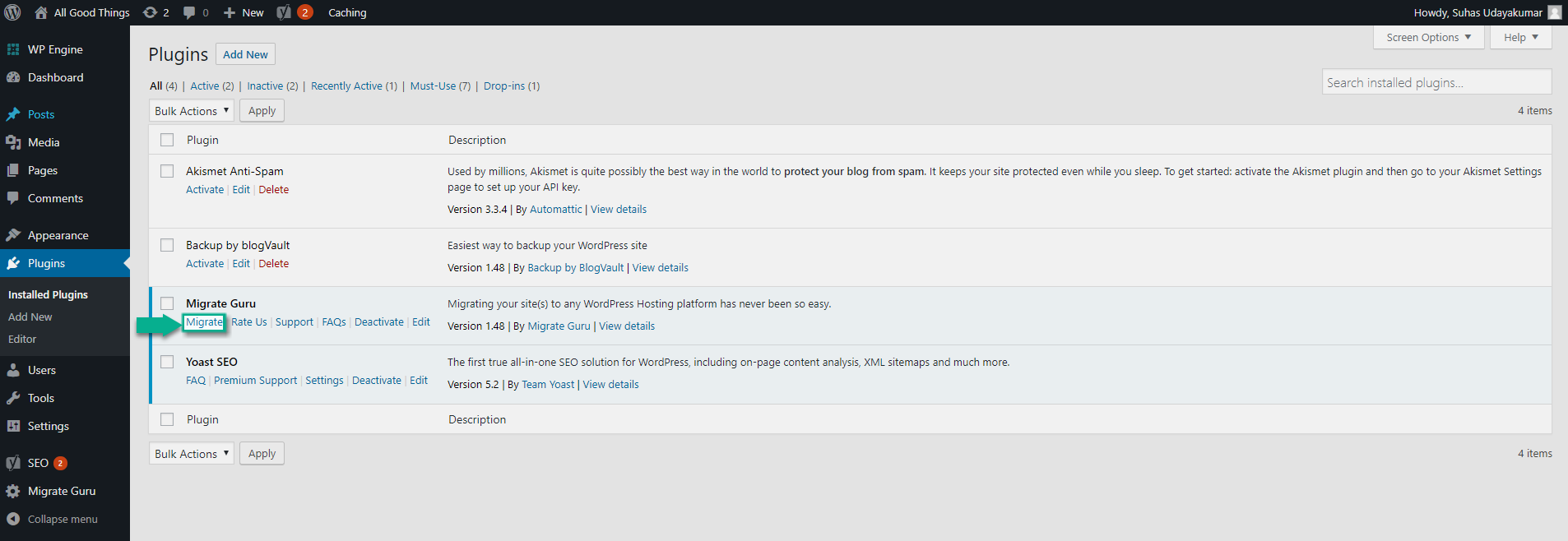
Click on 'Migrate' leads to a choice of host-based or cPanel/FTP based migrations
Selecting a web host to move your site to

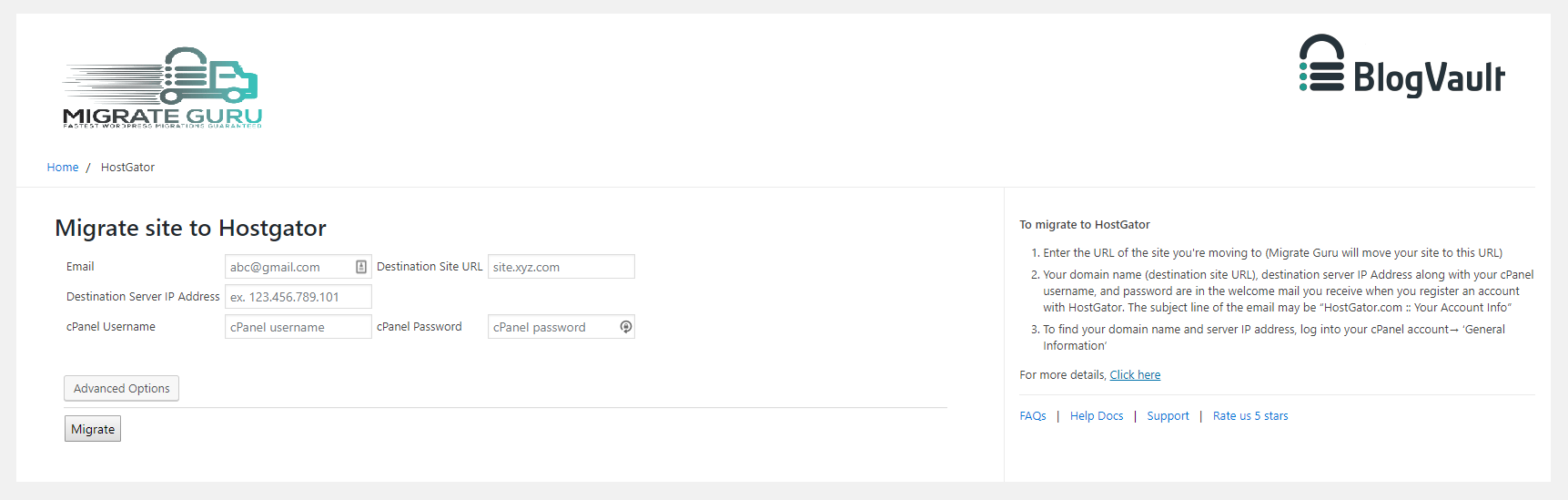
Enter host-specific details.

Selecting cPanel
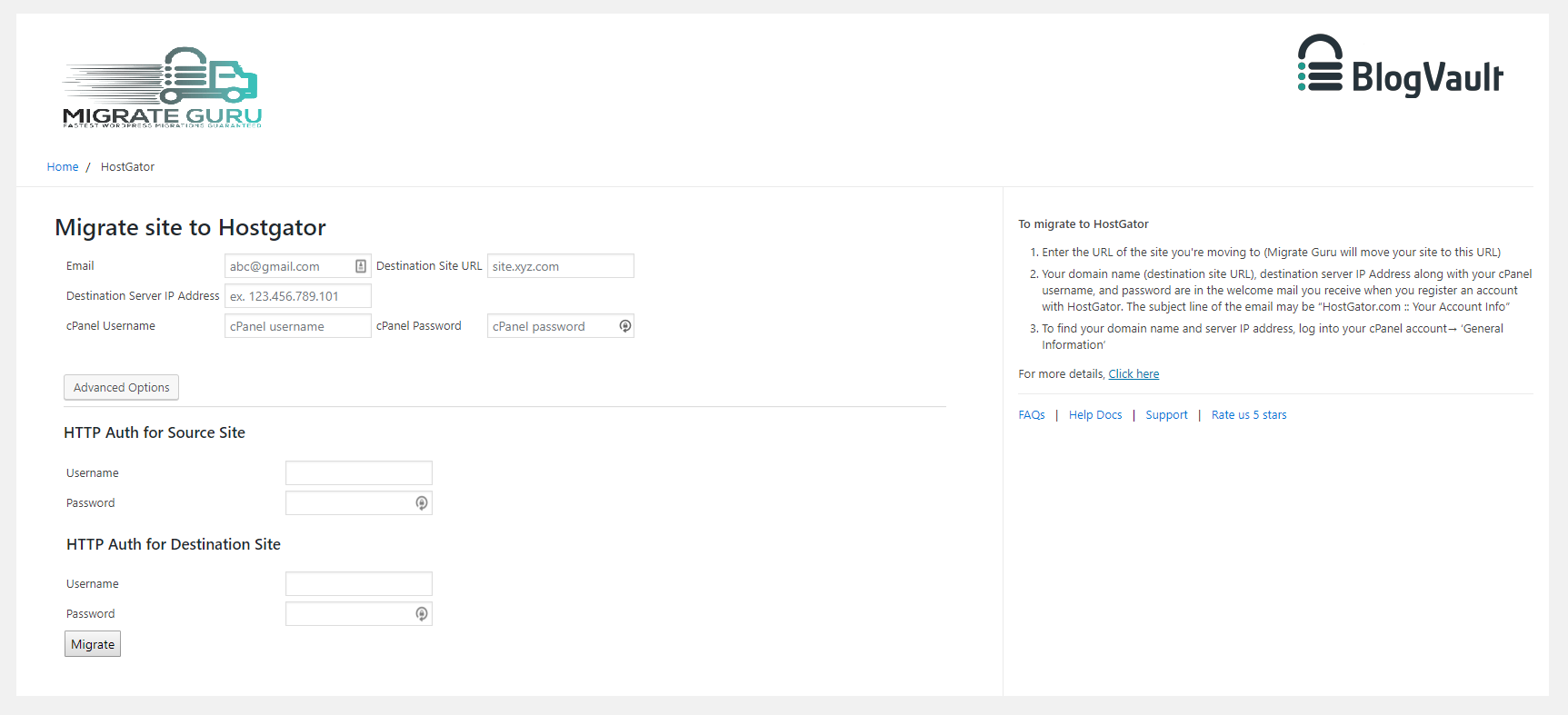
Selecting FTP
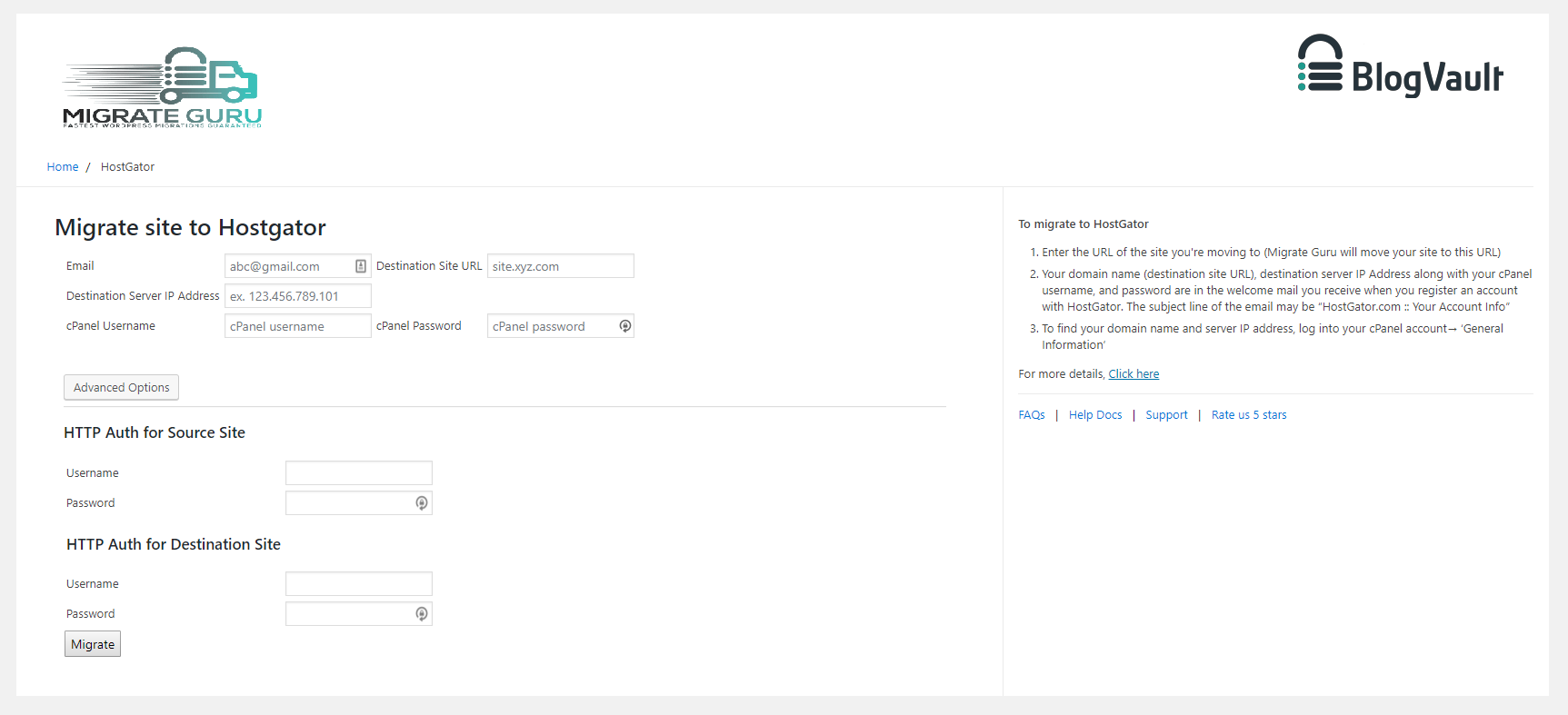
Click ‘Migrate’.
Faq
You’ll need:
* An account on the new web hosting service.
* A domain on the new host, with WordPress installed.
* The destination’s FTP/cPanel details(optional).
Migrate Guru requires an email address to send you updates on the migration process, notify you of any errors that occur during the migration.
Migrate Guru can move a 1 GB (files & database) site in <30 Mins*
(*Approximate & depends on a number of factors).
Yes. We’ve enforced a limit of 5 site migrations/user/month (developers can request to have this limit extended). This cap ensures that our servers aren’t overburdened. Each of the 5 sites can be moved unlimited times.
No.
Yes.
Yes.
Migrate Guru requires FTP/cPanel details primarily as a fallback. The plugin generally doesn’t need these details, relying instead on Migration-key based migration. However, in cases where this primary method encounters issues, the plugin uses FTP/cPanel details as an alternative to ensure a seamless migration.
When installed on a WordPress multi-site network, the plugin automatically becomes ‘network activated’. Once this is done you can go by the same steps as a single site.
Yes, we do. You can access it here: https://migrateguru.freshdesk.com/support/home
Reviews
Miracle… Love you guys!
By 
This tool really feels like a miracle to me.
The best!!!
By 
The best!!!
Invalid Validation key
By 
First, the wording when copying the validation key is outright confusing and dangerous. Second, the plugin keeps saying invalid validation key. Don't use.
Great plug in
By 
Thanks for creating a great little plugin that does what it says it does! What a rare gem in a sea of deceptive plug-ins!
Bst migration software
By 
Easy and quick to use with 100% success rate
Easily the Best Migration System I've Tried, and FREE
By 
Some of the other ALL-IN-ONE plugins for migration are so awful I consider them scams; they'll waste your time and then demand money to get the last steps done.
Not here. I had to migrate a relatively large website, and Migrate Guru was easy and fast, and I had no problems. No timeouts because of large archives. No database issues. This was such a breeze to use! Very impressed.
Great plugin!
By 
The plugin is working as requested.✅
Love this plugin so much
By 
Absolutely love this plugin. Have used it for multiple websites and it works seamlessly. Had an issue with the most recent website I migrated, but it was caused by the hosting platforms plugins, not Migrate Guru. Thanks so much for providing this free plugin. I really appreciate it.
Great plugin
By 
So simple to use yet so effective. Great piece of work
Excelent for large website
By 
Excelent plugin for migrate large website
Changelog
6.72
- Tweak: Added validation checks for input params.
6.65
- Improvement: Enhanced secret generation using the secure random_int function.
- Improvement: Improved connection key generation mechanism.
- Improvement: Optimized migration of large database tables.
- Tweak: Improved file upload.
- Tweak: Improved validation for streamed callbacks.
6.28
- Tweak: Improved migration workflow for smoother operation
- Tweak: Updated UI for a simpler and more user-friendly experience
5.92
- Tweak: Improvements in fetching File Stats
- Tweak: Code Restructuring
5.88
- Tweak: Code Restructuring
- Tweak: Added support for PHP 8.4
5.65
- Tweak: 24 hrs Validity for Migration Key
5.56
- UI Improvements
- Better handling for Activate Redirect
5.48
- Upgrading to New UI
5.25
- Bug fix get_admin_url
5.24
- SHA256 Support
- Stream Improvements
5.22
- Code Improvements
- Reduced Memory Footprint
5.16
- Upgraded Authentication
5.05
- Code Improvements for PHP 8.2 compatibility
- Site Health BugFix
4.95
- Sync Improvements
- Code Cleanup
- Bug Fixes
4.86
- Migration Key fixes
4.85
- Plugin Based Migration Support
- Code Improvements
4.78
- Better handling for plugin, theme infos
4.72
- Sync Improvements
4.69
- Improved network call efficiency for site info callbacks
4.68
- Removing use of constants for arrays for PHP 5.4 support.
4.66
- Post type fetch improvement.
4.65
- Robust handling of requests params.
- Callback wing versioning.
4.62
- MultiTable Sync in single callback functionality added.
- Streamlined overall UI
- Firewall Logging Improvements
- Improved host info
4.58
- Better Handling of error message from Server on signup
- Added Support for Multi Table Callbacks
4.35
- scanlist and filelist functions improved
4.31
- Fetching Mysql Version
- Robust data fetch APIs
- Core plugin changes
- Sanitizing incoming params
3.4
- Plugin branding fixes
3.2
- Updating account authentication struture
3.1
- Adding params validation
- Adding support for custom user tables
2.1
- Restructuring classes
1.88
- Callback improvements
1.86
- Updating tested upto 5.1
1.84
- Disable form on submit
1.82
- Updating tested upto 5.0
1.81
- Adding support for migrating non-WordPress folders
1.77
- Adding function_exists for getmyuid and get_current_user functions
1.76
- Removing create_funtion for PHP 7.2 compatibility
1.75
- New and improved UI
1.72
- Adding Misc Callback
1.71
- Adding logout functionality in the plugin
1.69
- Adding support for chunked base64 encoding
1.68
- Updating upload rows
1.66
- Updating TOS and privacy policies
1.64
- Bug fixes for lp and fw
1.62
- SSL support in plugin for API calls
- Adding support for plugin branding
1.53
- PHP 5.2 support
1.51
- Code Restructuring
1.49
- Releasing the Migrate Guru migration plugin into the WordPress repository.