Migrate Store: Export and Import WooCommerce Settings

Migrate Store: Export and Import WooCommerce Settings
Description
Imagine you’re setting up a new WooCommerce store. It’s exciting, but there’s a lot to do. As you’re going through the setup process, you hit a wall – the settings. General settings, shipping zones, tax options, email setup, and the list seems endless. The sheer volume and complexity of settings can be overwhelming and time-consuming.
MigrateStore offers a seamless solution to transfer your settings from an existing store to your new one. It’s like packing up your shop’s essentials into a virtual moving box and unpacking them at your new location. No more manual setup, no more time wasted, no more headaches. With MigrateStore, setting up new WooCommerce stores is as easy as a breeze. Spend less time on settings and more time on growing your business.
What options or settings does MigrateStore allow me to export/import?
- WooCommerce Settings General.
- WooCommerce Settings Tax options.
- WooCommerce Settings Shipping zones (Spicy! 🌶️🌶️)
- WooCommerce Settings Shipping options.
- WooCommerce Settings Accounts & Privacy.
- WooCommerce Settings Emails. (WooHoo 🙌🙌) This includes:
- Email sender options
- Email template options
- Color customization
- Default email notifications including:
- New order
- Cancelled order
- Failed order
- Order on-hold
- Processing order
- Refunded order
- Customer invoice / Order details
- Customer note
- Reset password
- New account
- WooCommerce Settings Advanced Page setup Checkout endpoints & Account endpoints
- WooCommerce Settings Shipping Classes
Move your WooCommerce settings smoothly and effortlessly with MigrateStore!
Consider leaving a 5 star review if you like MigrateStore.
Developers?
Feel free to fork the project on GitHub and submit your contributions via pull request.
Installation
- Upload
migratestorefolder to the/wp-content/plugins/directory. - Activate the plugin through the
Pluginsmenu in WordPress. - Navigate to
MigrateStoremenu to start using the plugin.
Screenshots
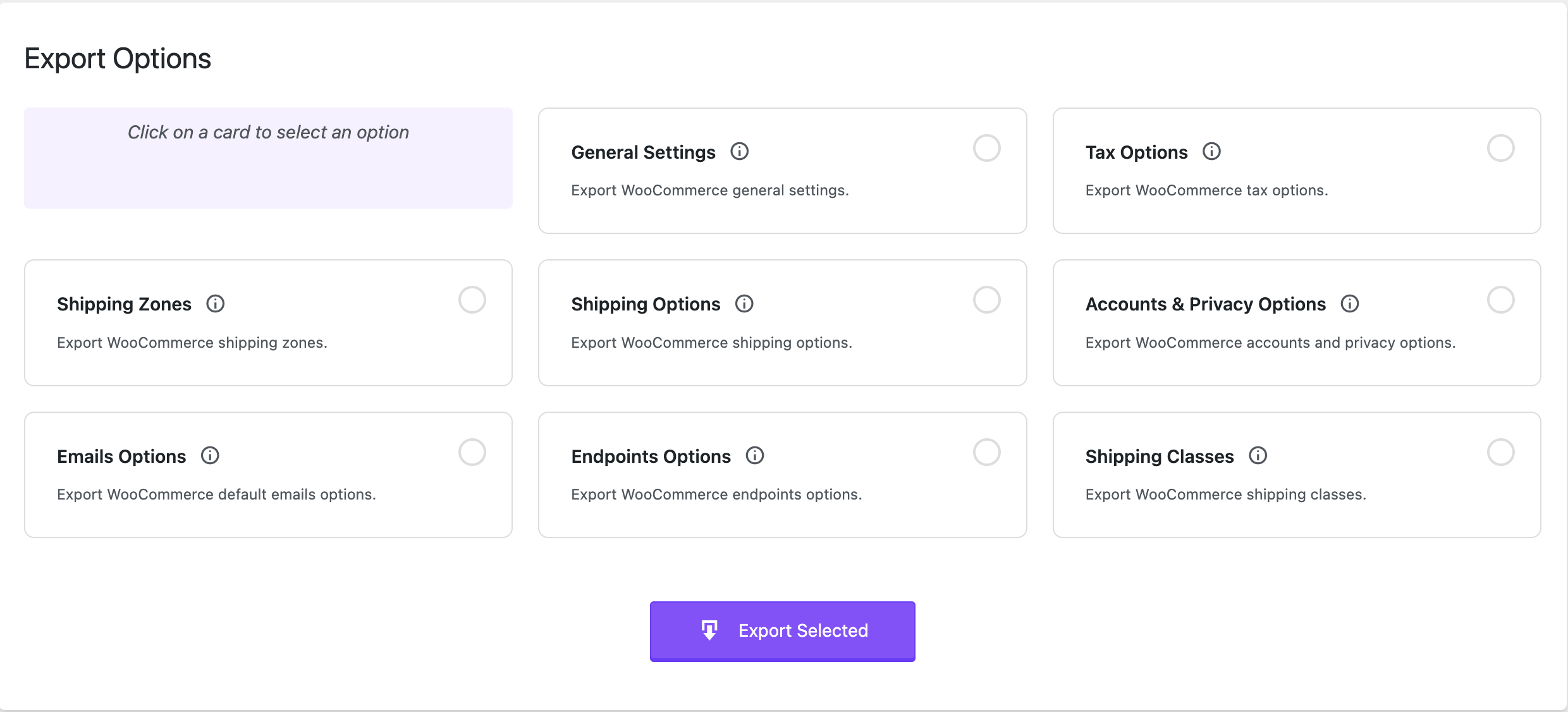
Plugin Settings.

Faq
Post detailed information about the issue in the support forum and we will work to fix it.
Reviews
Woocommerce import export settings, shipping, and more
By 
wow this plugin saved me a bunch of time. Downloaded each setting category, and then imported into the new site. Amazing and thank you to the developers.
AWESOME PLUGIN
By 
Thank you so much !!!
Amazing plugin
By 
Clean, simple and fast. Saved me hours of manual transfer.
Thank you so much, Nagdy!
Awesome
By 
Exactly what I was looking for and what WooCommerce should have by default.
Thanks for creating this much-needed plugin.
🌶️🌶️🌶️ Thank you.
By 
This plugin saved me potentially hours of work. Thank you Nagdy.
Top !
By 
Merci 🙂
Super plugin
By 
Just found and just what I needed! Super, mega thanks!
works perfectly
By 
Seriously. Moved everything, simply and quickly = no messing around.
Excellent plugin, well recommended.
Quick, Easy & Reliable
By 
While building a new store on one of my sites, I used Migrate Store to export/import the settings to the new site. It worked flawlessly and quickly, and saved me countless hours of configuration time, not to mention kept me from making errors had I done so manually. Thank you, team, for such a great tool!
Easy to use.. its perfect
By 
one of the best plugin..! very few plugins offering same functionality..!!
Changelog
1.1.9
- WordPress 6.9 compatibility.
1.1.8
- Fixed: Internationalization for missed string.
1.1.7
- Added: Check for ZipArchive dependency to prevent fatal errors.
1.1.6
- WooCommerce 9.7 compatibility.
1.1.5
- Added: Export and Import Shipping Classes.
- Updated: Design.
1.1.4
- WordPress 6.7 compatibility.
- Multisite compatibility.
1.1.3
- WordPress 6.5 compatibility.
1.1.2
- While importing shipping zones, we’re not looking into the options table anymore.
1.1.1
- Minor changes. Mainly, changing MigrateStore to Migrate Store 🙂
1.1
- WordPress 6.4 compatibility.
- WooCommerce HPOS compatibility.
1.0
- Initial Release