Mine CloudVod

Mine CloudVod
Description
Cloud video playback and online courses on WordPress
Mine CloudVod helps you add cloud-hosted video to WordPress and build a video-powered learning website. Use supported cloud video services, add video players to your content, and extend your site with course and lesson features.
Choose the workflow that fits your site:
- Video playback: Add supported cloud videos or supported embedded video URLs to WordPress pages and posts.
- Online courses: Organize learning content into courses, chapters, and lessons using the LMS features available in Mine CloudVod.
- Extend as you grow: Add optional integrations and add-ons for workflows such as course progress, quizzes, checkout, course packages, and other site-specific needs.
Cloud video integrations
The plugin page currently lists integrations for services including:
* ApsaraVideo VoD
* Aliyun OSS
* Tencent Cloud VoD
* Tencent Cloud COS
* Dogecloud Vcloud
* Dogecloud OSS
* Qiniu Cloud Kodo
* Bunny.Net
* Cloudflare Stream
* Cloudflare R2
* Huawei Cloud
* Baidu Cloud
Availability and setup steps can vary by provider. Some workflows may require a compatible add-on, a provider account, API credentials, or a separately configured cloud service. Review the documentation for the provider you plan to use before configuring it.
Video player features
Depending on the player, provider, and configuration, available capabilities include:
- Video blocks and supported embedded video URLs
- Video cover images and playlists
- Captions and video markers
- Watermark or scrolling-text options where supported
- Remembering playback position and sticky-player options where supported
- Provider-specific playback encryption options where supported
Security note: No web player can guarantee that all video copying is impossible. Encryption, signed URLs, watermarks, and related options depend on the provider and your configuration; test the exact playback workflow before using it for paid content.
Course and learning features
Mine CloudVod exposes course-related blocks and has optional learning extensions. Depending on the features you enable, your site may include course lists, single-course pages, course chapters and lessons, student course lists, user-center links, quizzes, progress tracking, reviews, checkout integrations, and other learning workflows.
Get started
- In your WordPress dashboard, go to Plugins Add New Plugin and search for Mine CloudVod.
- Install and activate the plugin.
- Open the Mine CloudVod documentation and choose your path: video playback or course website.
- For cloud-hosted video, create or select a supported provider account and configure the required credentials and settings. Keep API secrets private and use the least-privilege permissions supported by your provider.
- Add a video block or create a course/lesson, then test playback on the front end.
- If you sell access to courses or videos, install and configure the required compatible payment/add-on workflow and test it with a non-production transaction first.
Documentation and demo
Support and feedback
Installation
From your WordPress Dashboard
- Go to Plugins > Add New
- Search for MineCloudVod
- Click Install Now and then Activate
- Follow the setup wizard to configure courses, payments, and pages
Screenshots
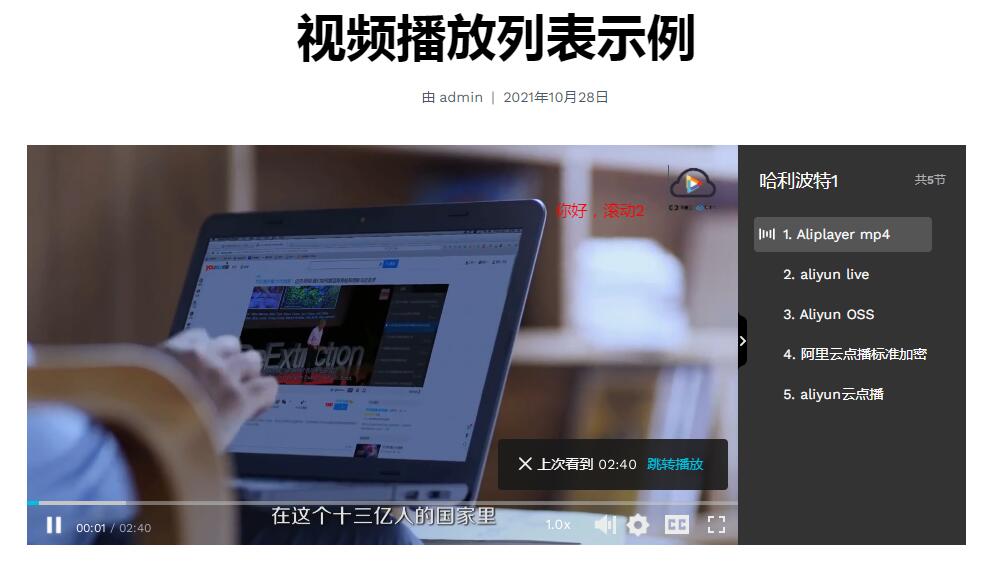
Video Playlist
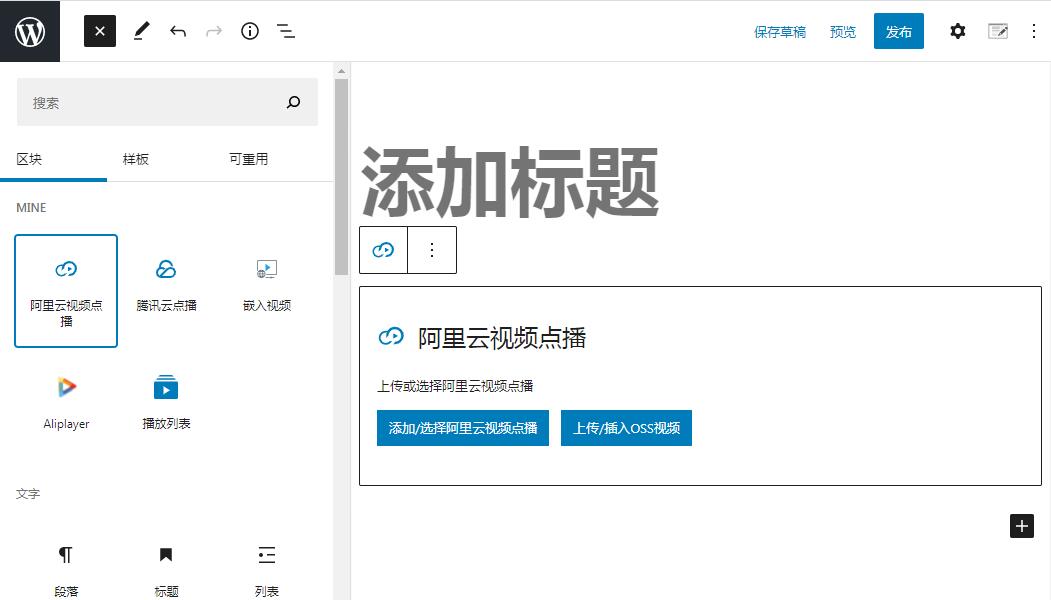
ApsaraVideo VoD Block
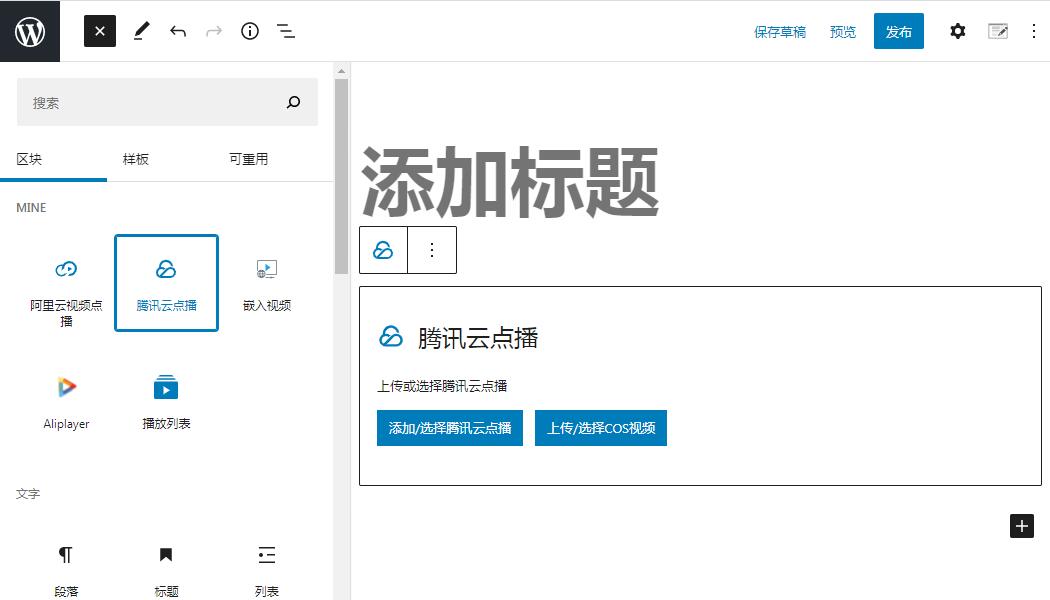
Tencent Cloud VoD Block
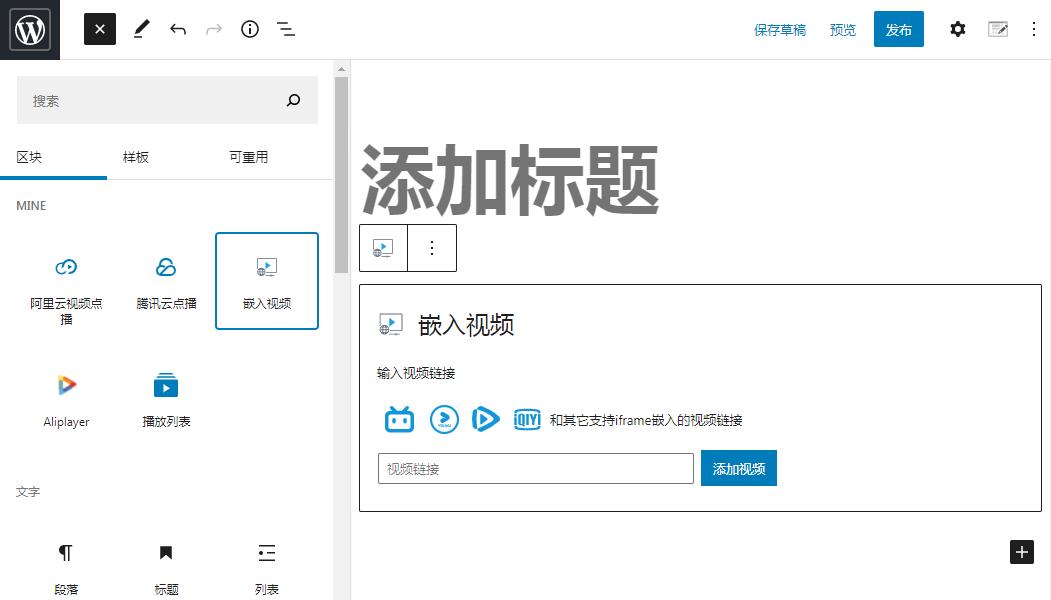
Embed Video Block
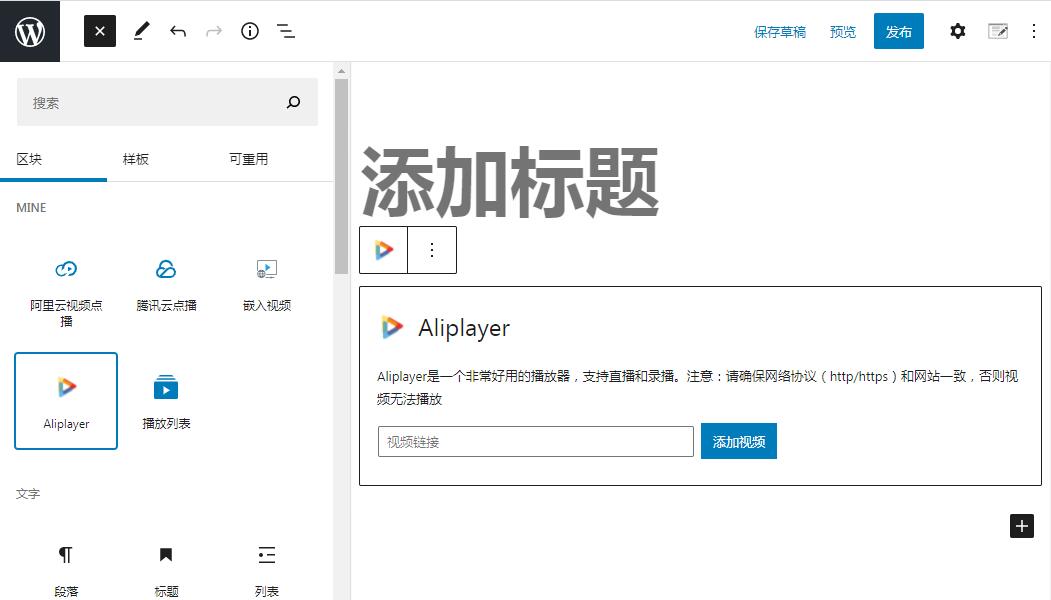
Aliplayer Block
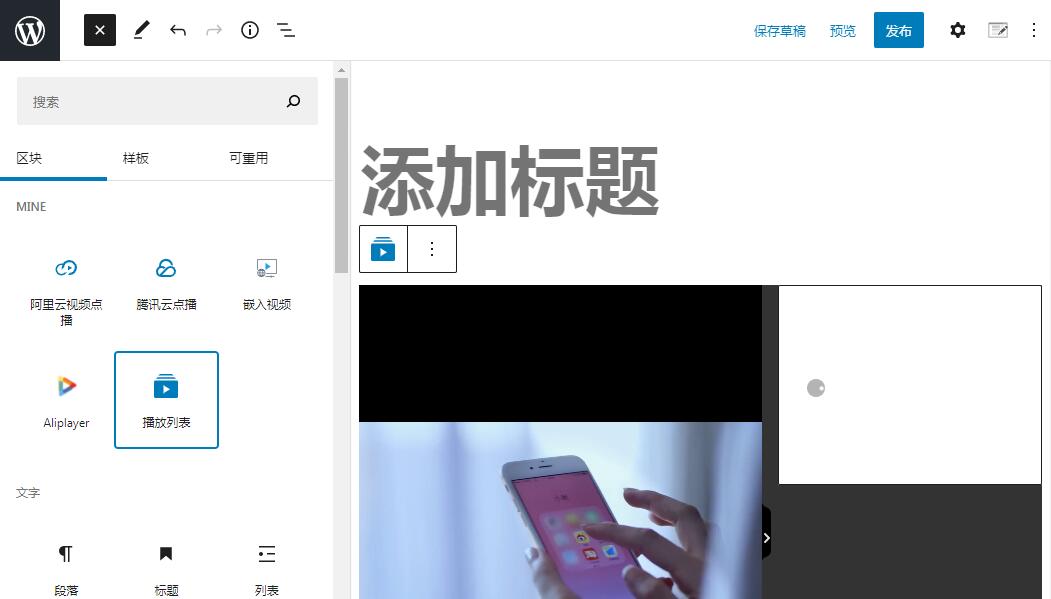
Video Playlist Block
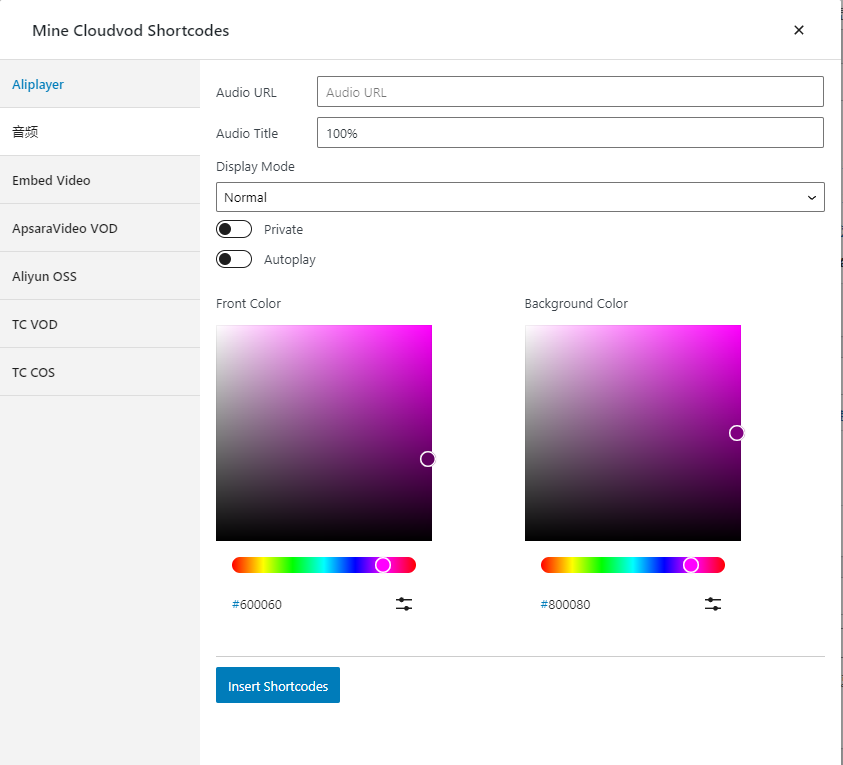
The Settings of Aliplayer
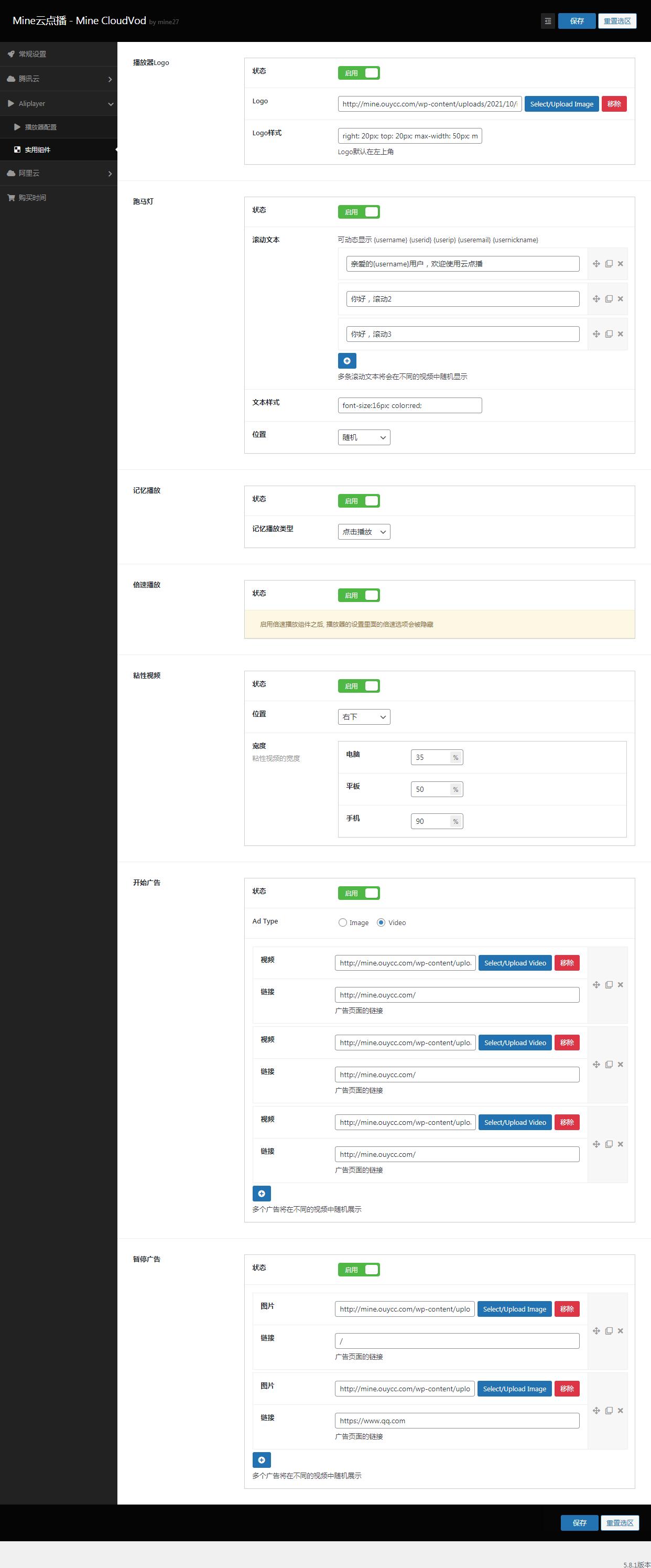
The Utility Components of Aliplayer
Faq
可以的。开启视频加密功能,可有效防止一些嗅探软件或者浏览器插件下载视频,比如阿里云点播的HLS标准加密、腾讯云点播的SampleAES加密、百度云点播的Token加密、华为云点播的HLS加密,启用这些加密功能,即可有效防止视频被下载,保护视频版权。
支持。比如Bilibili、Youtube、Vimeo和所有支持iframe引用的视频地址。
If you want to play videos hosted by a supported cloud video service, you generally need an account and the required configuration for that service. Some supported embed workflows may work without connecting a cloud provider. Check the documentation for your chosen workflow.
Yes. You can start with the video playback features and add LMS-related features only when your site needs them.
Mine CloudVod includes course-related functionality and optional learning extensions. Review each feature’s documentation to confirm whether it is included in the core plugin or requires an add-on.
No solution should be described as an absolute guarantee. Provider-specific encryption and access controls can make unauthorized copying harder, but results depend on provider capabilities and configuration. Test your setup and use appropriate access controls.
Start with the Quick Start guide, then follow either the video playback path or the course website path. Begin with one test video before configuring a full course catalogue.
Reviews
很符合需求的插件
By 
插件很好,完全满足在线教育平台的搭建,作者很耐心
很强大的功能,批量添加,也支持外链,满分好评!!
By 
很强大的功能,批量添加,也支持外链,满分好评!!
批量导入视频,这个功能太好用了
而且还支持外链,推荐大家使用。
功能全面且持续更新的在线教育神器
By 
插件完美整合了阿里云视频点播服务,彻底解决了服务器带宽压力问题,使用过程中遇到阿里云HLS标准转码问题,通过微信联系作者后,很快就帮忙解决了配置问题,已经推荐给多个做网课的朋友。
为何强制把头像拦截
By 
更新到2.1.5版本以后,你的插件拦截了我的avatar头像,全部变成默认你们的头像地址,/wp-content/plugins/mine-cloudvod/static/img/user.png
I liked it great player the best so far
By 
Great player works great and the best thing is that it doesn't change the layout of the player when the video is recorded vertically, I used others that were huge when the videos were not 16:9. Now a suggestion to add support for vast. I tried using the exoclick ad but it didn't work.
很NB
By 
Very powerful
By 
The best application to connect wordpress with ALIBABA CLOUD
By 
很香,小建议
By 
/dist/blocks.style.build.css建议走jsDelivr或内嵌呢,这个文件的功能不适合单放个css,徒增源站压力很好用的云点播插件
By 
Changelog
2.6.4 – 2026-10-23
- Added discussion feature
- Added internal message feature
- Added installation wizard
- Fixed time display issue
- Fixed PayPal callback error
- Security: Fixed PayPal payment bypass; content is granted only after a confirmed capture. Thanks to kta1kri.
Security Acknowledgements
- kta1kri – PayPal payment bypass (CWE-345), fixed in 2.6.4.
Researchers who responsibly disclose vulnerabilities are credited here. Please report security issues privately to the plugin author before public disclosure.