Minineo Publisher

Minineo Publisher
Description
Minineo Publisher connects your WordPress site to Minineo, so the blog posts and landing pages you create in Minineo can be published to WordPress, and updated later, without sharing your WordPress password.
Minineo is a content and search visibility platform. It writes SEO blog posts and landing pages, tracks your keyword rankings on Google, and checks whether AI assistants such as ChatGPT, Gemini and Google’s AI Overviews mention your brand.
Features
- Publish posts and pages. Send blog posts and landing pages from Minineo to WordPress, as drafts or live.
- Update without duplicates. Edit in Minineo and publish again, and the same WordPress post or page is updated.
- Images in your media library. Images are copied into WordPress with every image size, and the first one becomes the featured image.
- Categories, tags and templates. Choose categories and tags for posts, and one of your theme’s page templates for pages.
- Your name on the byline. Content is published as the admin who connected the site.
- Works with your SEO plugin. Minineo creates regular WordPress posts and pages, so Yoast SEO, Rank Math and similar plugins work with them as usual.
Security
- No WordPress password is shared. A one-time pairing code is exchanged for a site token, and WordPress stores only a hash of that token.
- Minineo can only update posts and pages it published. Content you wrote in WordPress stays out of its reach.
- Only real image files from public addresses are imported.
- Disconnecting revokes access immediately.
Requirements
- A Minineo account. A free plan is available.
- A WordPress site reachable on a public URL.
External services
This plugin connects your site to Minineo, a content and SEO service run by Minineo at https://app.minineo.com. It is needed to publish content from your Minineo account to WordPress.
When you click Connect to Minineo, your browser is sent to Minineo with: the site ID (a random ID made by this plugin), site name, site URL, the addresses of this plugin’s API, and a one-time pairing code. Minineo then calls your site once to exchange the pairing code for a site token.
When Minineo publishes or updates content, it sends your site the title, content, slug, excerpt, status, category and tag IDs, and page template. Minineo can also read the plugin’s connection status and your theme’s page template names.
Images: when content includes images hosted elsewhere (usually Minineo’s image storage), your site downloads them into the media library. Only public addresses are fetched.
Nothing is sent before an admin clicks Connect to Minineo.
- Terms of Service: https://minineo.com/terms-of-service/
- Privacy Policy: https://minineo.com/privacy-policy/
Installation
- In WordPress, go to Plugins > Add New, search for “Minineo Publisher”, then install and activate it. Or upload the
minineo-publisherfolder to/wp-content/plugins/and activate it on the Plugins screen. - Open Minineo Publisher in the admin menu.
- Click Connect to Minineo.
- Finish the secure pairing in your Minineo dashboard.
Your site must be reachable on a public URL for Minineo to connect.
Screenshots
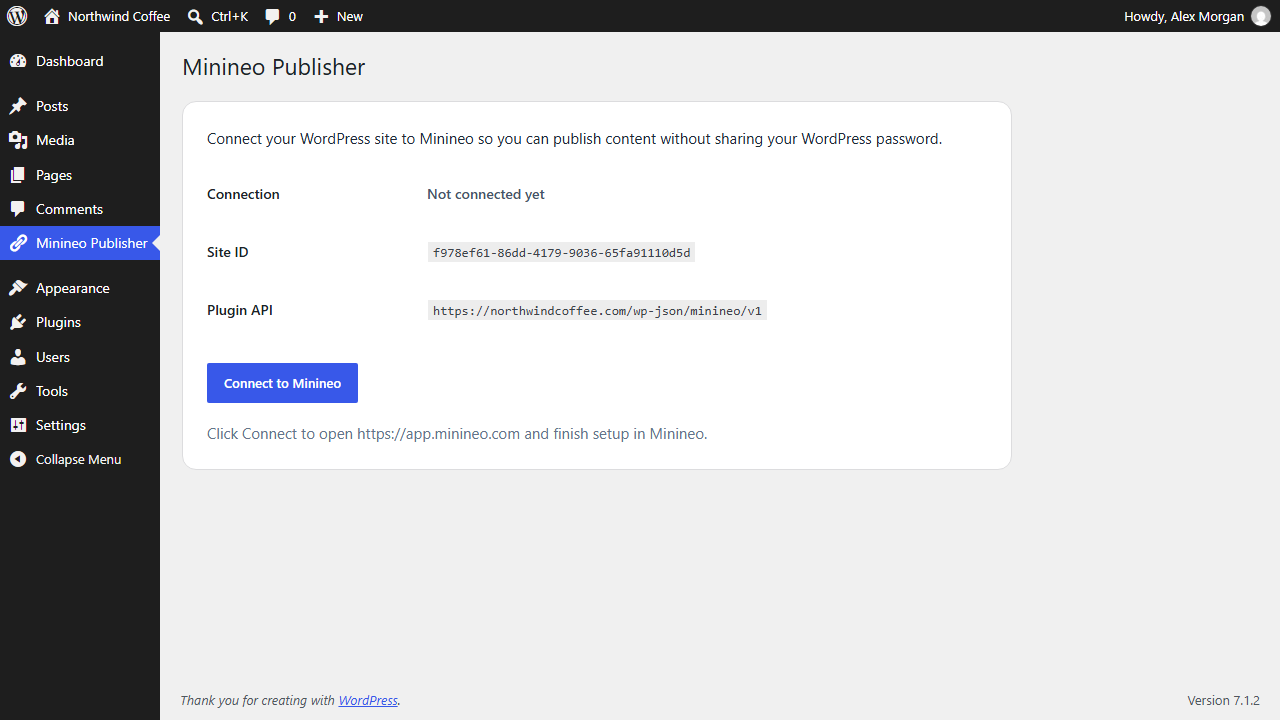
The Minineo Publisher screen before connecting. One click starts the secure pairing.
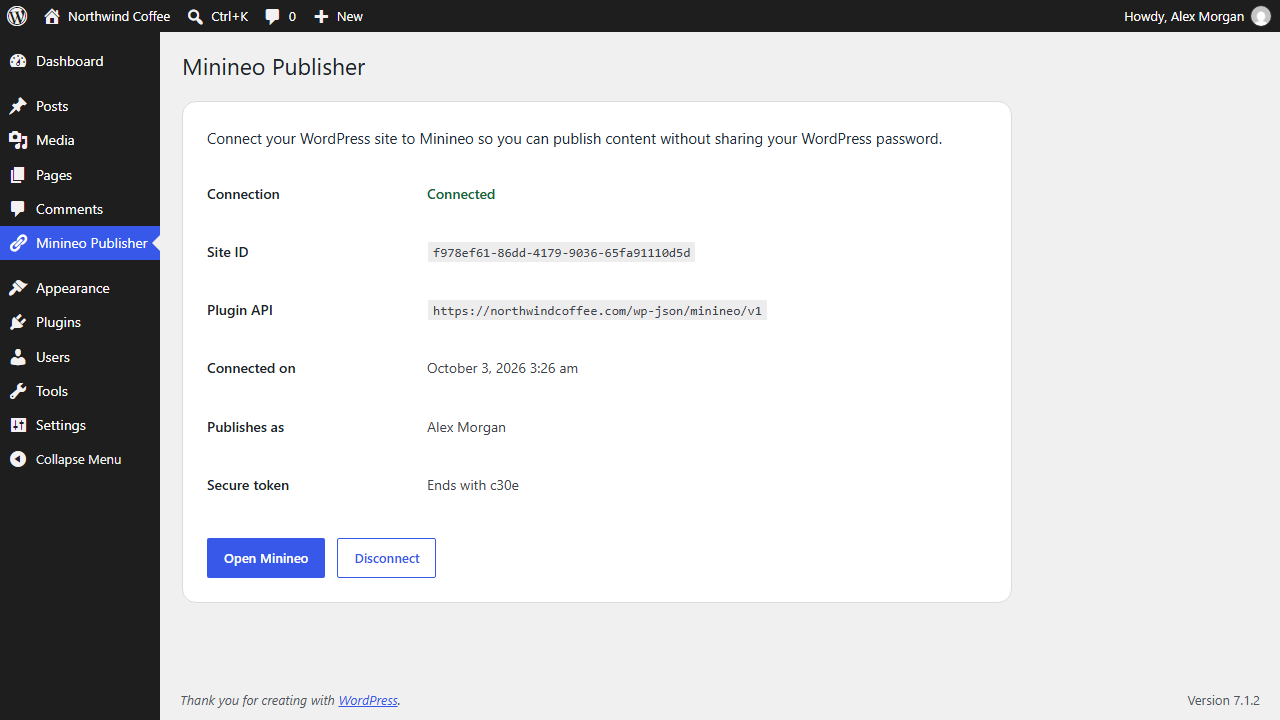
A connected site, showing who content is published as and the end of the site token.
Faq
Minineo is an online platform for creating SEO content and tracking how visible your site is on Google and in AI assistants such as ChatGPT and Gemini. This plugin is how Minineo publishes to WordPress.
Yes. Minineo creates regular WordPress posts and pages, and your SEO plugin handles them like any other content.
Yes. This plugin connects your WordPress site to Minineo, and you need a Minineo account to publish through it. A free plan is available.
No. The connection uses a short-lived pairing code and stores only a hash of a separate, site-specific token. Your WordPress credentials are never shared.
The admin who clicked Connect to Minineo. If you connected with version 0.1.0, disconnect and connect again to set the author. The Minineo Publisher screen shows who content is published as.
No. Minineo can only update posts and pages it published itself.
Yes. Disconnecting removes the Minineo token from WordPress and immediately revokes publishing access. Content already published stays on your site.
Images in content from Minineo are copied into your media library, and the first one becomes the featured image. When Minineo updates a post, images already copied are reused instead of downloaded again.
The plugin is free. Minineo has a free plan with a limited number of AI-generated articles, landing pages, and social posts each month, and paid plans for higher volume.
Reviews
Changelog
0.2.0
- New: Minineo updates posts and pages it published earlier instead of creating new copies.
- New: categories and tags chosen in Minineo are applied to posts.
- New: a draft saved from Minineo can be published from Minineo.
- New: posts and pages are published as the admin who connected the site.
- New: the plugin screen shows who content is published as, with dates in your site’s format.
- New: Settings link on the Plugins screen.
- Improved: imported images get every image size, so themes load the right size.
- Improved: images are imported once and reused on updates.
- Improved: an unknown page template falls back to the default instead of failing the publish.
- Improved: only real page templates are offered to Minineo.
- Security: Minineo can only update content it published.
- Security: imported files are checked to be real images.
- Fixed: titles containing a backslash lost it when saved.
- Fixed: replacing one image in the content could also remove the image before it.
- Fixed: page caches such as LiteSpeed Cache could store the plugin’s private responses and show them to anyone.
- Fixed: on network-activated multisite, a site could get a new site ID on every request.
0.1.0
- Initial release.
- Secure one-time pairing connection.
- Admin settings page.
- REST endpoints for connect, status, disconnect, publishing posts and pages, and templates.
- Remote images copied into the media library, with the first image set as the featured image.