Modern Maps
Modern Maps
Description
Modern Maps is the easiest way to add beautiful, customizable maps to your WordPress site. No API keys. No Google Cloud Console. No complicated setup. Just add a block, search for your location, and publish — your map looks good from the start.
Built from the ground up for the WordPress block editor, Modern Maps uses MapLibre GL to render smooth, modern vector maps that match your site’s design. It’s the map block WordPress should have shipped with.
Why Modern Maps?
- Works instantly — no API key, no Google Cloud account, no billing setup
- Native Gutenberg block — not a shortcode, not a widget, not a retrofitted legacy plugin
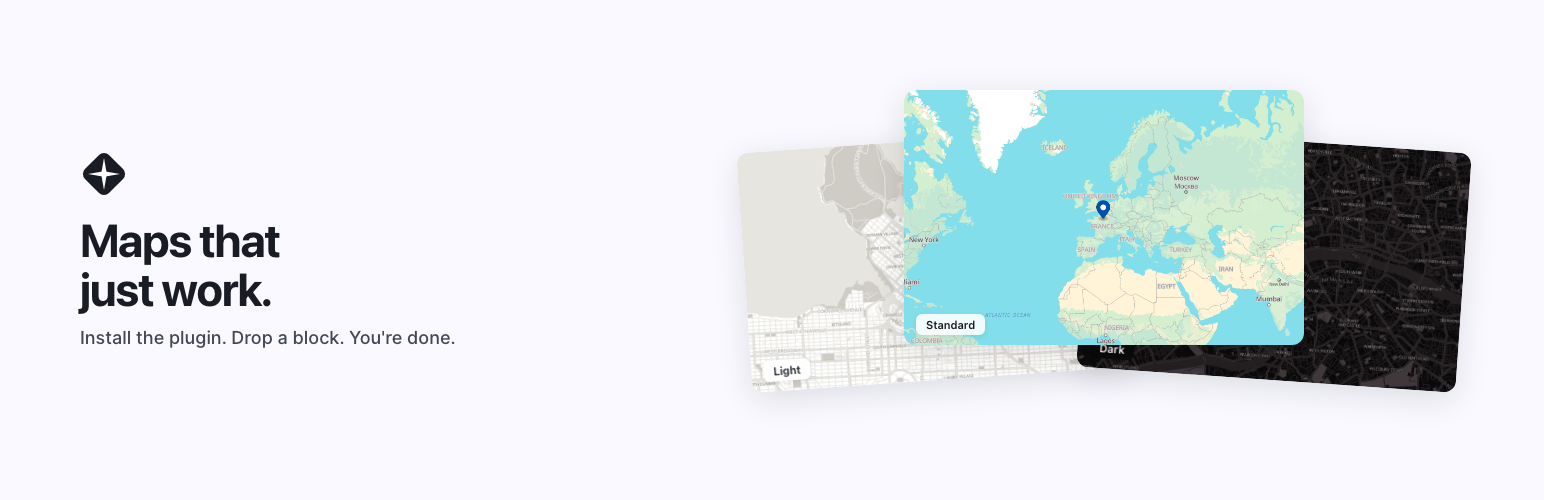
- Curated style presets — White, Black, and Standard themes designed for modern web design
- Vector tiles — smooth, fast, and crisp at every zoom level
Features
- Add maps to any page or post using the block editor
- Search for any address or place name directly in the editor
- Unlimited markers per map
- Rich marker popups — add text, images, or any WordPress block inside a popup
- 3 style presets: White (clean, minimal), Black (dark mode), Standard (classic)
- Marker colors from a built-in palette
- Auto-fit viewport to show all markers, or set a fixed center and zoom
- Adjustable map height with CSS unit support (px, vh, em)
- Wide and full-width alignment options
- Border, border-radius, and shadow controls via the block editor
- Responsive and mobile-friendly
- Lightweight — no jQuery, no legacy admin panels
- Works with any properly coded WordPress theme
- GDPR-friendly — all external service connections fully disclosed
- Optional “Powered by Modern Maps” badge — off unless you turn it on for a map
- No coding required
Modern Maps Pro
Modern Maps Pro is a separate, paid extension from modernmapswp.com. Install it alongside this plugin to add more styling controls to the same Modern Maps block: any base color, your theme’s palette colors, and advanced OKLCH color controls. Everything described above works without it, and maps you style with Pro keep displaying if Pro is removed.
Perfect For
- Small businesses showing their storefront location
- Restaurants, cafes, and bars with a contact page
- Real estate agents displaying property locations
- Travel bloggers mapping their adventures
- Churches, gyms, and community organizations
- Nonprofits mapping their service areas
- Freelancers and agencies building client sites
- Anyone who wants a map on their WordPress site without the API key hassle
How It Works
- Install — Find Modern Maps in the WordPress plugin directory and activate it. No account creation. No API key setup.
- Add a map — Open any page or post, add the Modern Maps block, and search for your location.
- Make it yours — Choose a style preset or match your theme color. Publish and you’re done.
Links
Source Code
The full unminified source code for all JavaScript and CSS is included in the src/ directory of this plugin. The compiled versions used at runtime are in the build/ directory.
External Services
This plugin relies on the following third-party external services to provide its core functionality. Each service is documented below in a consistent format showing what it is used for, when it is contacted, and what data is sent.
Modern Maps Tile Proxy
- Used for: Delivering map tiles to the visitor’s browser so the map can render: the self-hosted OpenStreetMap map archive used by the Standard style and by every map created with version 1.1.0 or later, and, for older maps that still use MapTiler (see below), vector tiles, fonts (glyphs), and sprite assets.
- When: Whenever a map block is rendered, both on the public front end and inside the WordPress block editor.
- Data sent: Standard HTTP request data from the visitor’s browser (this is true of any web request). The proxy itself samples sites — not individual requests — using a deterministic hash of the site’s hostname: approximately one in ten sites are included, and for those sites every request is logged (for the rest, no requests are logged). For included sites, the proxy records the calling site’s domain (taken from the standard Origin or Referer header the browser already sends), the asset type requested (tile, font, or sprite), and the HTTP response status. Records are retained for 90 days. No visitor IP addresses, user agents, request paths, query strings, cookies, or other personal data are stored.
- Service URL: https://tiles.modernmapswp.com
- Provider: Modern Maps (modernmapswp.com)
- Terms of Use: https://modernmapswp.com/terms
- Privacy Policy: https://modernmapswp.com/privacy
MapTiler
- Used for: Source of the vector tiles and font glyphs that the tile proxy above serves for maps created with version 1.0.x in the White, Black, or a custom color style (and maps created with the earlier standalone Modern Maps Pro 0.1.0), until they are switched to self-hosted map data. Maps created with version 1.1.0 or later, and Standard-style maps, do not use MapTiler.
- When: Indirectly, whenever the tile proxy serves such a map. The visitor’s browser does not communicate with MapTiler directly — all requests are routed through the proxy.
- Data sent: Server-to-server requests from the tile proxy. No data flows from the visitor’s browser to MapTiler.
- Service URL: https://api.maptiler.com
- Terms of Use: https://www.maptiler.com/terms-of-use/
- Privacy Policy: https://www.maptiler.com/privacy-policy/
Komoot Photon Geocoding API
- Used for: Converting a typed address or place name into latitude and longitude coordinates.
- When: Only when an admin types into the location search field inside the block editor. Never contacted on the public front end.
- Data sent: The search query text and standard HTTP request headers from the admin’s browser.
- Service URL: https://photon.komoot.io
- Terms of Use: https://photon.komoot.io/ (Photon is an open-source geocoding API built on OpenStreetMap data and does not publish a separate privacy policy.)
Protomaps Basemap Assets
- Used for: Font glyphs used by every map created with version 1.1.0 or later, by the “Standard” map style (which also uses its sprite images), and by maps created with the earlier standalone Modern Maps Pro plugin.
- When: Whenever such a map is rendered, in the editor or on the public front end.
- Data sent: Standard HTTP request data (IP address, user agent) from the visitor’s browser to GitHub Pages.
- Service URL: https://protomaps.github.io/basemaps-assets/
- Provider: Protomaps
- Project Page: https://protomaps.com/
- GitHub Privacy Statement: https://docs.github.com/en/site-policy/privacy-policies/github-general-privacy-statement
Installation
- Install “Modern Maps” from the WordPress plugin directory, or upload the plugin files to the
/wp-content/plugins/modernmaps-litedirectory. - Activate the plugin through the ‘Plugins’ screen in WordPress.
- Navigate to any page or post in the block editor and add the “Modern Maps” block.
- Search for a location, drop a marker, and publish.
Screenshots

Maps that just work — install the plugin, drop a block, you're done

Three free presets, zero compromises — Standard, Dark, and Light included

Dark mode, native — your map adapts to your visitor's preferences

Light mode. Dark mode. Same block — switch presets in the block inspector

Everything you need. Nothing you don't — Gutenberg native, no API keys, privacy-first

Three styles included free — Light, Standard, and Dark cover every use case

Modern Maps Pro, a separate extension, adds custom and theme-palette colors to the same block
Faq
No. Modern Maps uses OpenStreetMap data rendered through MapLibre GL. No API key, no Google Cloud Console, no billing account. Install, activate, and you’re mapping.
Yes. The plugin includes unlimited maps and markers, 3 style presets, rich marker popups, and the full block editor experience, with no license or account. Modern Maps Pro is an optional paid extension that adds custom base colors, theme palette colors, and advanced color controls.
No. Modern Maps uses vector tiles instead of raster images, loads only what’s visible on screen, and has no jQuery dependency. It’s lighter than a Google Maps iframe embed.
Yes. Modern Maps works with any properly coded WordPress theme. The style presets are designed to complement modern web design.
Modern Maps connects to external tile and geocoding services to render maps. All connections are fully documented in the External Services section below. No personal user data is collected by the plugin. Consult your legal advisor for your specific compliance requirements.
Add the Modern Maps block in the editor, search for your address, drop a marker, and publish. No shortcodes to copy, no settings pages to configure.
Yes. Choose from three built-in style presets — White (clean, minimal), Black (dark mode), and Standard (classic blue). You can also add borders, rounded corners, and shadows using the standard block editor controls.
White, Black, and Standard. Each preset adjusts the entire map — roads, water, land, labels, and more. Maps styled with Modern Maps Pro’s custom colors also display with this plugin alone.
Yes. Each marker has a popup that supports any WordPress block — paragraphs, images, buttons, headings, and more. Design your popups the same way you design the rest of your page.
Unlimited. Add as many maps as you want across any pages or posts. Each map can have unlimited markers.
Post in the WordPress.org support forum. We aim to respond within 24 hours.
No. Modern Maps Pro is an extension: keep this plugin active and Pro adds controls to your existing maps. If Pro is later deactivated or its license lapses, your maps keep their content and appearance.
This plugin displays and edits maps made with standalone Modern Maps Pro 0.1.x, so they keep working when you move to Pro 0.2 or later, or remove Pro. Install and activate this plugin before updating Pro. Each such map can optionally be converted to the current block from the block toolbar’s Transform menu; nothing is converted automatically.
Reviews
Changelog
1.1.0
- New: Every map you create loads its map data from self-hosted OpenStreetMap tiles, in every style: Standard, White, Black, and Modern Maps Pro’s colors. Maps saved with earlier versions keep their look. For an older map that still loads map data from MapTiler, the new Map data panel (Styles tab) compares both versions side by side and switches it when you choose to, and can switch it back.
- Fix: City, town, village, and suburb names now appear on maps that use self-hosted map data, including maps made with the earlier standalone Modern Maps Pro plugin.
- New: The plugin is now called Modern Maps. Its WordPress.org address, folder name, and blocks are unchanged, so existing maps and settings carry over.
- New: Maps created with the earlier standalone Modern Maps Pro plugin (0.1.x) now display, open, and save with this plugin, including their markers, popups, custom colors, and badge setting. They can optionally be converted to the current block from the block toolbar.
- New: Extension points that let the optional Modern Maps Pro extension add styling controls to the same map block.
- Change: The “Powered by Modern Maps” badge is now off by default and can be turned on per map under Settings Attribution. Map data attribution is always shown.
- Fix: Maps saved with version 1.0.0 no longer show “This block contains unexpected or invalid content” in the editor. They keep their style and are stored in the compact format when saved.
- Fix: Entering an out-of-range latitude or longitude for a fixed map center is clamped to the valid range instead of breaking the editor preview.
- Fix: One map that fails to load (for example without WebGL) no longer stops other maps on the same page from loading.
1.0.5
- Fix: Clearing or retyping a marker’s Latitude or Longitude field no longer crashes the map block in the editor. While a field is empty or holds a partial value (such as a lone minus sign), the marker keeps its previous coordinate until a valid number is entered, and values are clamped to the valid range (latitude -90 to 90, longitude -180 to 180).
- Fix: A marker with coordinates outside the valid range is skipped instead of preventing the rest of the map from rendering, both in the editor preview and on the front end. The marker’s card in the editor now shows a notice when its coordinates are invalid.
1.0.4
- Fix: An editor-only script no longer loads on the public front end. The change in 1.0.1 intended to prevent this targeted the wrong block-registration field and never took effect; front-end pages with a map now load only the lightweight view script.
- Compatibility: Tested up to WordPress 7.0.
1.0.3
- New: A small “Powered by Modern Maps” badge now appears in the corner of every map, linking to modernmapswp.com. The badge auto-themes against the map’s background color and matches the existing tile-attribution styling.
1.0.2
- Infrastructure: Map tiles, fonts, and sprites now load from tiles.modernmapswp.com. Existing maps continue to render without any action on your part — both hosts route to the same backend.
- Privacy: Reformatted the External Services section into a consistent per-service block (Used for / When / Data sent / Service URL / Privacy Policy) and clarified what the tile proxy logs (calling site domain, asset type, HTTP response status — no visitor IPs, user agents, request paths, or cookies).
- Privacy: Suggested privacy-policy text now appears in WP Admin Tools Privacy Policy Guide so site owners can paste the relevant clauses into their own privacy policy.
1.0.1
- Fix: Map style spec is now reconstructed at runtime, reducing the size of saved block markup. Existing posts continue to render and migrate to the new shape on next save.
- Fix: Attribution-area background no longer renders white on procedural (custom-color) maps. The lightness value was being multiplied by 100 twice, producing oklch() values above the 100% clamp.
- Performance: Front-end pages no longer load the editor-only iframe script, reducing JavaScript pageweight for visitors. Front-end maps continue to render via view.js as before.
1.0.0
- Initial release.