Moment Payments for WooCommerce

Moment Payments for WooCommerce
Description
Moment Payments for WooCommerce integrates the Moment hosted checkout into your WooCommerce store. Customers are redirected to a secure Moment-hosted payment page and returned to your store after completion. Order status is driven by signed webhooks — no polling required.
Features
- One-time payments via hosted checkout redirect
- EFT and wallet support
- Subscriptions (requires WooCommerce Subscriptions)
- Full and partial refunds from the WooCommerce admin
- Block checkout and classic shortcode checkout support
- HMAC-SHA256 webhook signature verification with replay-attack protection
- Configurable verify-on-return API check to close the redirect–webhook race
- Admin notices for missing credentials, no HTTPS, and WooCommerce version checks
- Debug logging via WooCommerce log viewer (tagged
source=moment-payments)
Requirements
- WordPress 6.0+
- WooCommerce 8.0+
- PHP 7.4+
- A Moment merchant account (sign up)
- Store currency must be ZAR
External services
This plugin connects to the Moment payments API (https://api.momentpay.net) operated by Moment. The connection is required for the plugin to function as a payment gateway.
What is sent and when
- When a customer places an order, the plugin sends the order ID, order key, currency, amount, customer email, and billing details (name, address) to Moment to create a hosted-checkout payment session.
- After the customer is redirected back to the store, if the “Verify on return” option is enabled, the plugin queries Moment for the session status using the session ID.
- When a card last-4 / scheme is needed for display in the WooCommerce admin, the plugin queries Moment for the payment object using its payment ID.
- When a merchant issues a refund from the WooCommerce admin, the plugin sends the payment ID, amount, and optional reason to Moment.
- Moment delivers signed webhook events (payment_session.updated, payment.refunded) inbound to the plugin’s webhook endpoint; the plugin verifies the HMAC-SHA256 signature and updates order status accordingly.
No card data ever touches the merchant site — card details are entered only on Moment’s hosted checkout pages, which the plugin does not control.
Service provider
- Service: Moment — https://momentco.net
- Terms of service and privacy policy: https://momentco.net/legal
Installation
- Upload the
moment-paymentsfolder to/wp-content/plugins/, or install via the WordPress plugin screen. - Activate the plugin through the Plugins screen.
- Go to WooCommerce Settings Payments Moment Payments.
- Enter your Secret Key, Public Key, and Webhook Signing Secret from your Moment merchant dashboard.
- Register
https://yourstore.com/?wc-api=moment_webhookas a webhook endpoint in your Moment account. - Enable the gateway and save.
Screenshots
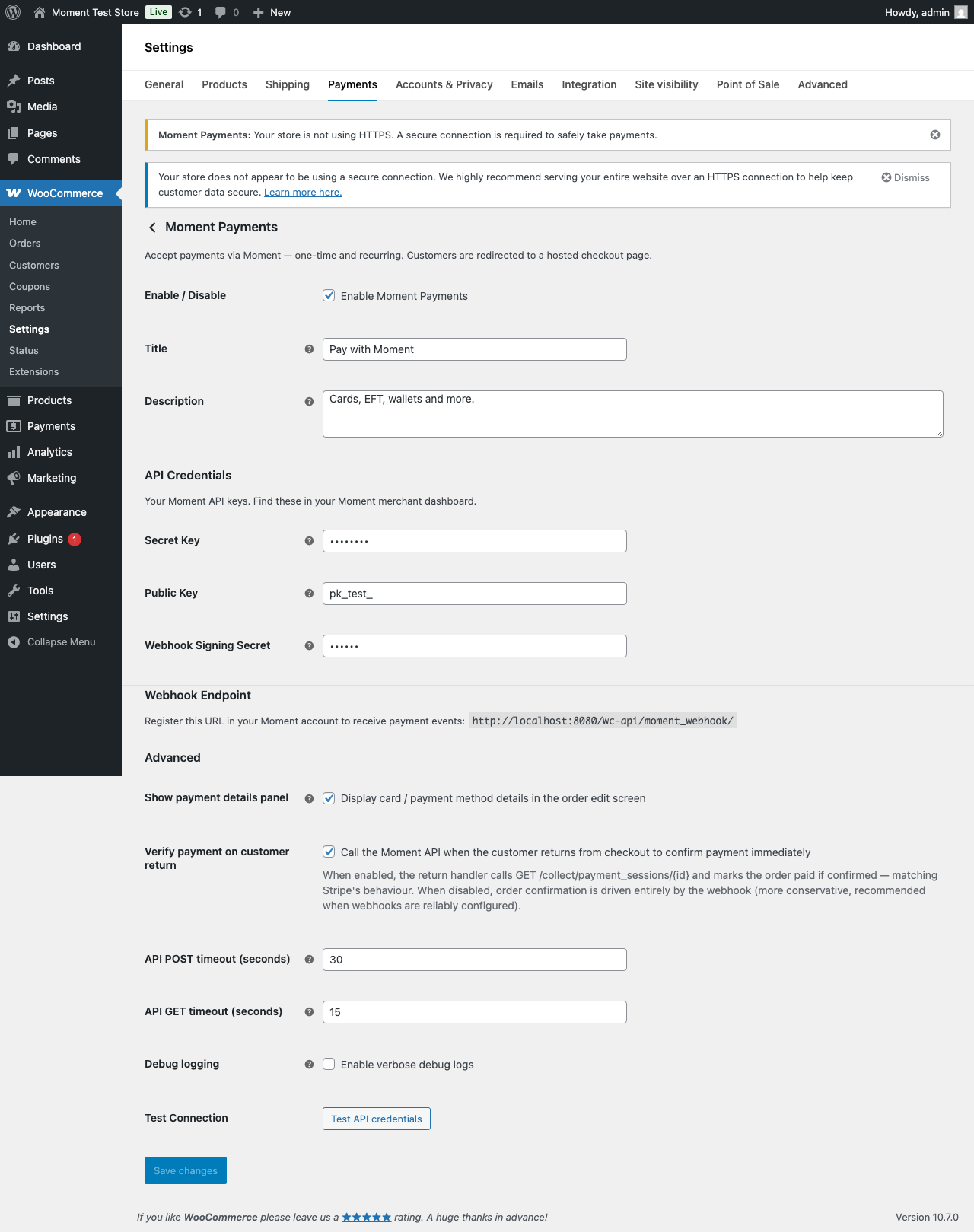
The Moment Payments settings page in WooCommerce.
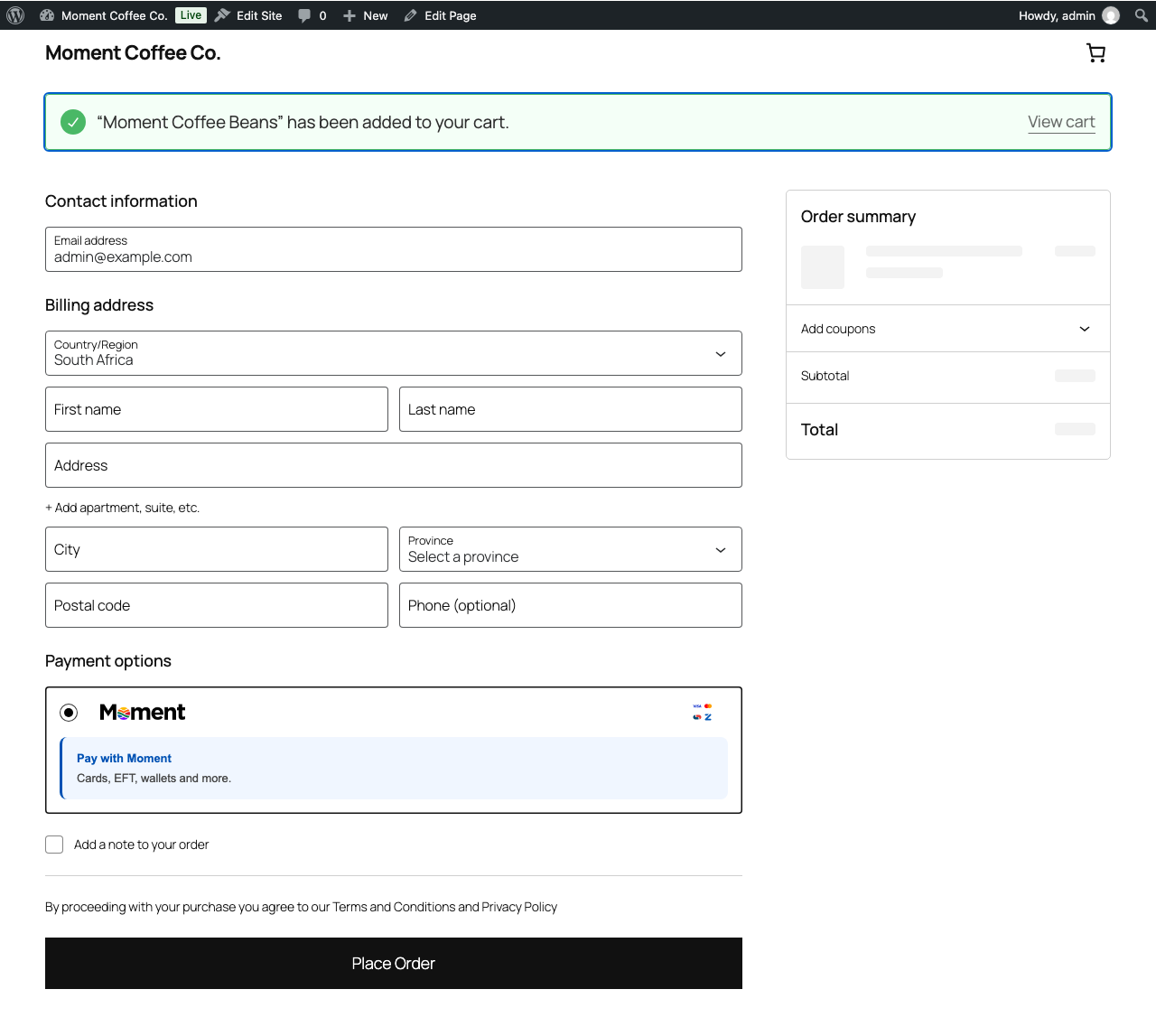
Moment gateway displayed at block checkout.
Faq
ZAR (South African Rand) only. The gateway will not appear at checkout on stores configured with a different base currency.
Log in to your Moment merchant dashboard, navigate to Developers API Keys for your Secret and Public keys, and Developers Webhooks for the signing secret.
Yes. Install and activate WooCommerce Subscriptions and the Moment gateway will detect it automatically. Initial subscription payments follow the hosted checkout flow; renewals are charged server-side without customer interaction.
Check that: (1) the plugin is activated, (2) the gateway is enabled under WooCommerce Settings Payments, (3) a Secret Key is configured, and (4) your store currency is set to ZAR.
Reviews
Changelog
1.0.1
- New Moment logo across the plugin and the WordPress.org listing.
- Moment logo shown in WooCommerce Settings Payments.
- Checkout shows accepted payment method logos beside Moment.
- Tested up to WordPress 7.1.
1.0.0
- Initial release.
- Hosted checkout redirect via the Moment API.
- HMAC-SHA256 webhook signature verification.
- Full and partial refund support.
- WooCommerce Subscriptions compatibility.
- Block checkout and classic shortcode support.
- HPOS compatibility declared.