MTCodes Translator & Language Switcher

MTCodes Translator & Language Switcher
Description
MTCodes Translator is a lightweight multilingual plugin with no dependencies and no theme coupling, built by MTCodes.
- Unlimited languages — every non-default language is served under its own URL prefix (
/bs/,/fr/,/de/, …); the default language stays at the site root. - Works with any builder — the fully rendered HTML is parsed and every text node (plus
alt,title,placeholder,aria-labeland SEO meta) is swapped against the translations table. Strings without a translation stay in the default language and appear in the admin editor automatically. - SEO-ready — hreflang alternates with
x-defaulton every page, self-referencing canonicals on translated URLs, per-language<html lang>andog:locale, translated<title>and meta description, and language variants of all pages in the core XML sitemap. - Language switcher —
[mtml_switcher]shortcode,mtml_switcher()template tag, or build your own withmtml_languages(),mtml_lang_url()andmtml_current_lang(). - Importer — optionally imports a theme dictionary file (
inc/i18n.phpreturningarray( 'lang' => array( 'key' => 'text' ) )).
Installation
- Copy the
mtcodes-translatorfolder intowp-content/plugins/. - Activate the plugin.
- Configure languages under Settings MTCodes Translator Languages.
- Visit any page under a language prefix, then translate the discovered strings under Settings MTCodes Translator Translations.
Screenshots
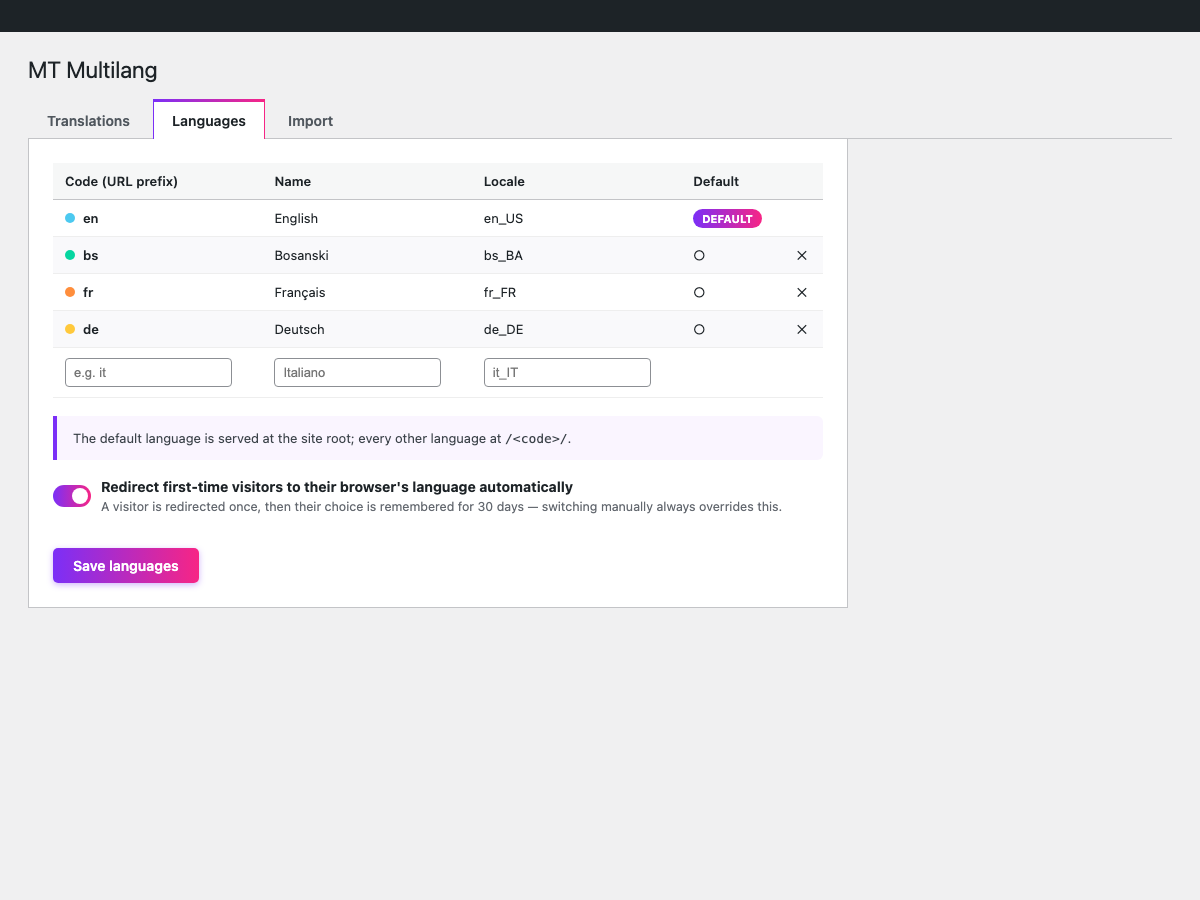
Languages settings — add unlimited languages, pick the default, and turn on automatic browser-language redirection for first-time visitors.
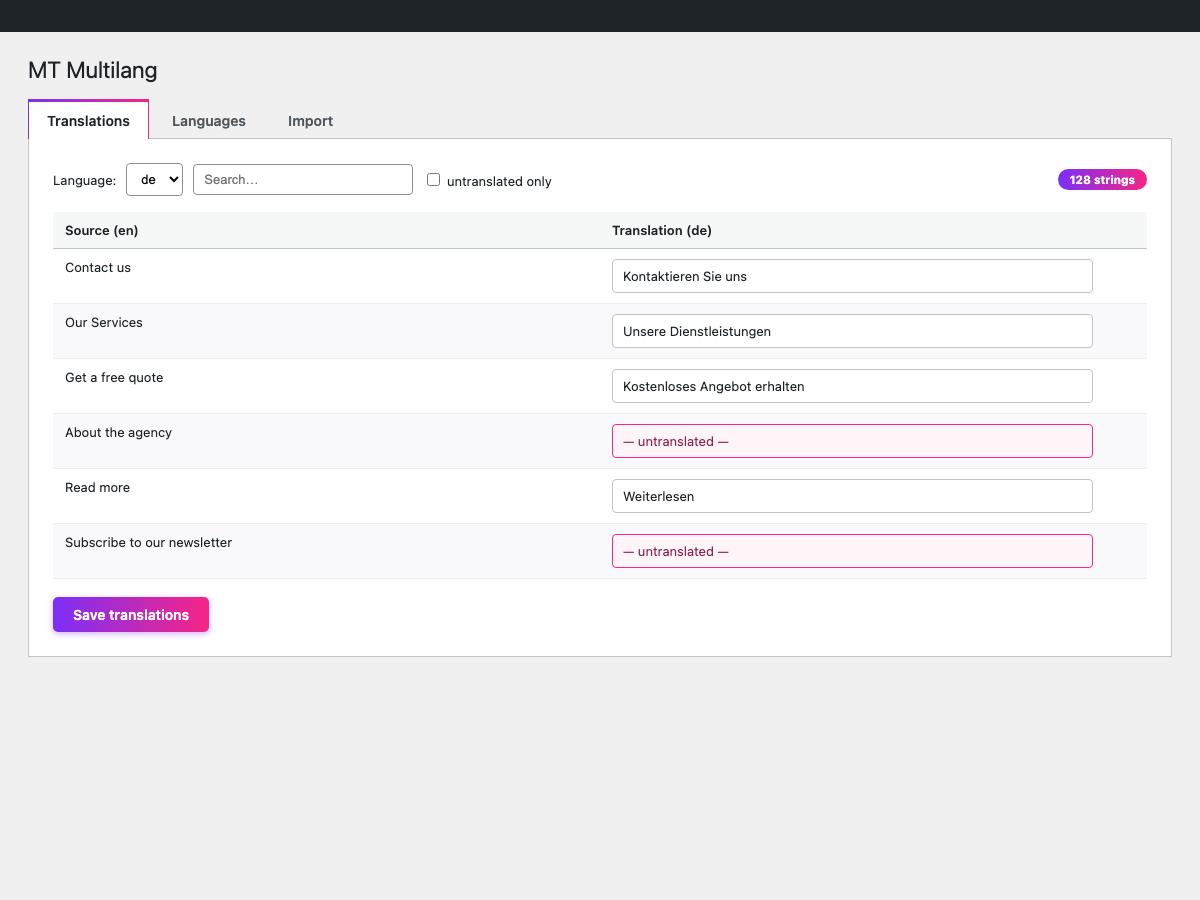
Translations editor — every string discovered on the front end lands here automatically; edit and save per language.
![Front end — a language-prefixed URL (<code>/de/</code>) with the <code>[mtml_switcher]</code> shortcode in the header.](https://ps.w.org/mtcodes-translator/assets/screenshot-3.png?rev=3659475)
Front end — a language-prefixed URL (
/de/) with the[mtml_switcher]shortcode in the header.
Faq
No. One page serves all languages; the plugin translates the rendered output per URL.
They are shown in the default language and collected in the admin editor, sorted newest first.
Reviews
Changelog
1.0.0
- Initial release: language URL routing, rendered-page translation, string discovery, hreflang/canonical/sitemap SEO, admin editor, theme dictionary importer, switcher shortcode.