Multidots Festive Holiday & Seasonal Effects for WordPress

Multidots Festive Holiday & Seasonal Effects for WordPress
Description
Pick a holiday effect, set the dates, and the decorations will automatically appear and disappear on schedule. No coding. No theme changes.
Key Features
-
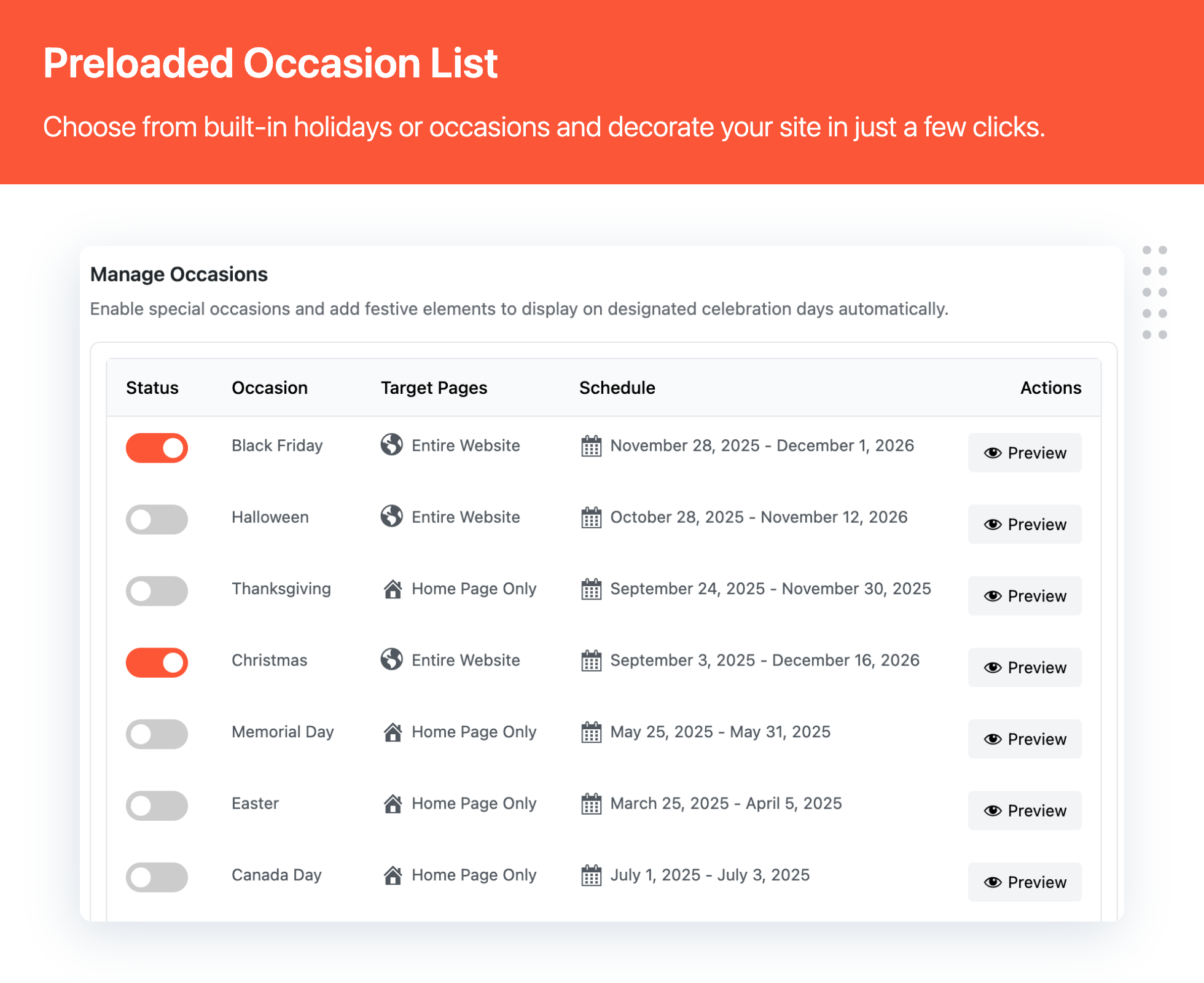
Holiday effects included – Use ready-made decorations for:
- Christmas
- Halloween
- Valentine’s Day
- Easter
- Thanksgiving
- Black Friday
- New Year’s Day
- Canada Day
- US Independence Day
- Memorial Day
-
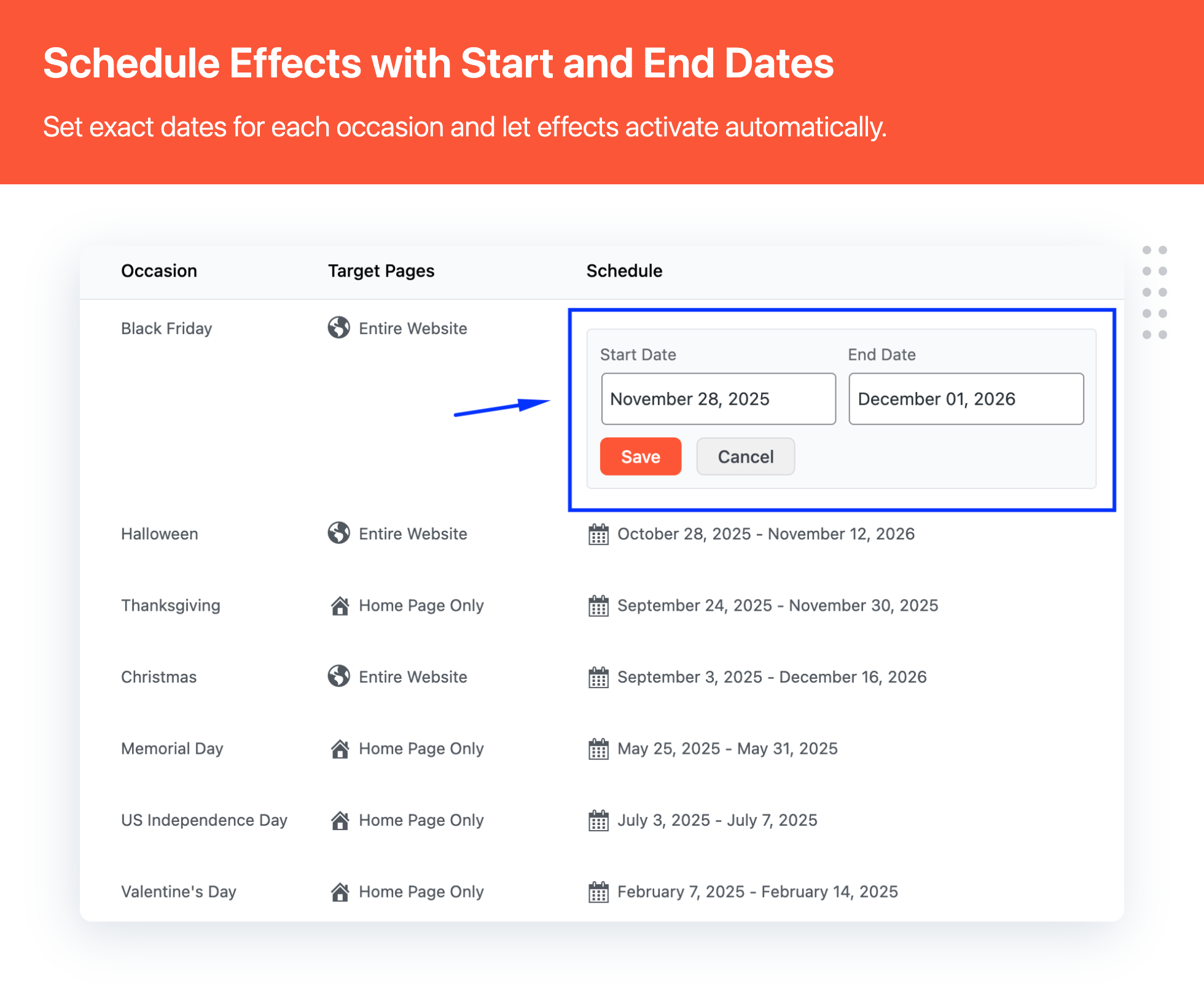
Scheduling that runs automatically
- Set start and end dates for every effect
- Turn effects on/off with one click
- Run effects for holidays or custom seasonal campaigns
-
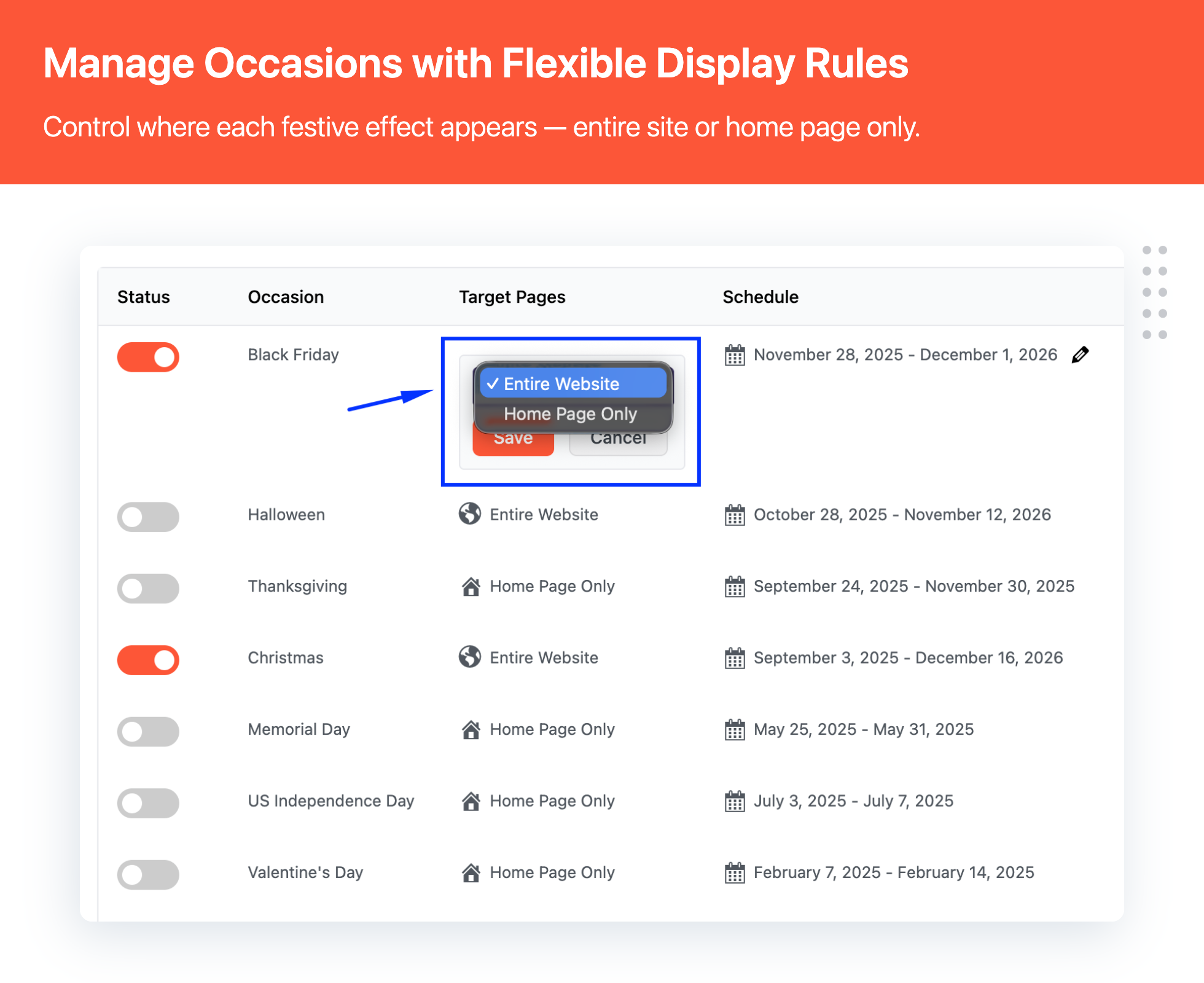
Where to show the effects
- Show on Home page only, or
- Show across the entire website
-
Performance-friendly
- Lazy-loaded images
- Lightweight output
- Designed to avoid slowing down your pages
-
Easy to use
- Simple admin interface
- No coding required
Perfect For
- 🏪 Online stores wanting to create seasonal shopping experiences
- 🌐 Business websites looking to celebrate holidays
- 📝 Blogs wanting to add festive touches
- 🎨 Any website seeking to engage visitors with seasonal decorations
Pro Tips
- Schedule your holiday effects a few days before and after the actual holiday for maximum impact
- Always preview once to ensure the decoration placement looks clean on your header/menu layout.
Additional Information
Support
Need help? Contact our support team through our website.
Privacy
This plugin does not collect or store any personal data from your visitors.
Installation
- Upload the plugin files to
/wp-content/plugins/multidots-festive-holiday-seasonal-effectsdirectory, or install directly through WordPress plugin installer - Activate the plugin through the ‘Plugins’ menu in WordPress
- Go to ‘Festive Effects Rules’ to manage your festive effects
- Enable pre-configured rules or create your own custom schedules
- Preview your effects using the preview button
Screenshots



Faq
No. Effects are lightweight and images are lazy-loaded, so they only load when needed.
Yes. You can enable multiple rules, but it’s best to use effects that don’t visually overlap or feel distracting.
Right now, effects are shown on desktop only and hidden on tablet/mobile.
Yes, each effect can be scheduled for specific date ranges. You can set both start and end dates, and the effects will automatically appear and disappear accordingly.
Yes, you can choose to display effects either on your home page only or across your entire website.
No coding knowledge required! The plugin features an intuitive interface where you can enable/disable effects and set schedules with simple clicks.
Yes, The plugin is designed to work with any properly coded WordPress theme. The effects are added dynamically and don’t interfere with your theme’s layout.
Reviews
Changelog
1.0.0
- Initial release