Multiple Sale Prices Scheduler
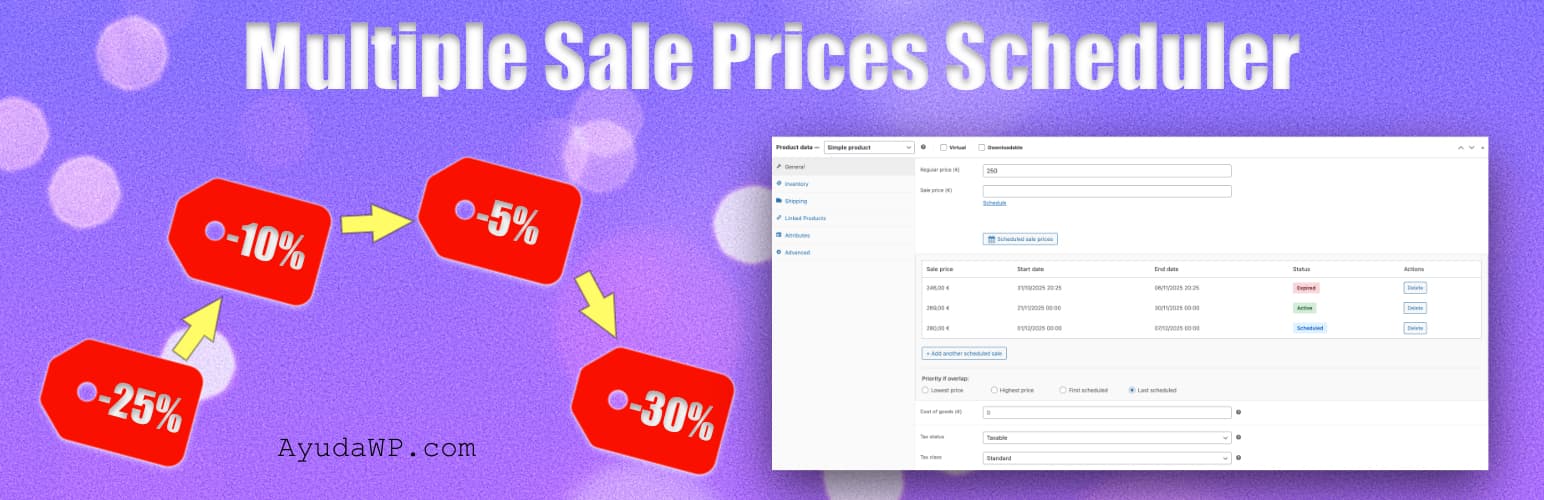
Multiple Sale Prices Scheduler
Description
Multiple Sale Prices Scheduler extends WooCommerce’s native sale scheduling functionality by allowing you to schedule multiple sale prices for each product, each with its own start and end date and time (down to the minute).
Perfect for planning seasonal sales, flash sales, promotional campaigns, and dynamic pricing strategies in advance.
Why Multiple Sale Prices Scheduler?
- All-in-one free solution combining: multiple sales per product, percentage and fixed amount discounts, variations support, CSV import/export, activity log, overlap priority, dashboard widget and Command Palette
- Integrated directly into the product editor — no separate complex screens to learn
- Lightweight: no build process, no external dependencies, no JavaScript frameworks
- HPOS-ready (High-Performance Order Storage) and ready for the WordPress Command Palette (Cmd+K / Ctrl+K)
- Built and maintained by a WordPress specialist with 15+ years of experience publishing plugins on WordPress.org
Key Features
- Schedule multiple sale prices per product
- Fixed price, percentage discount or fixed amount off, with a live preview of the final price
- Optional minimum and maximum final price, so a percentage discount never goes further than you want
- Dynamic pricing: Schedule both discounts and price increases
- Each sale has its own start and end date and time, down to the minute
- Configurable check frequency (every 5, 10, 15, 30 minutes or hourly)
- Works with simple and variable products
- Configurable priority when sales overlap
- Import and export scheduled sales via CSV
- Activity log with configurable retention period
- Automatic deletion of expired sales
- Admin notifications when sales activate or end
- Alert notifications before sales expire
- Dashboard widget with sales overview
- Compatible with HPOS (High-Performance Order Storage)
- Automatic sale activation and deactivation via cron
- Import existing WooCommerce sales
- Clean orphaned scheduled sales from deleted products
- Command Palette integration (Cmd+K / Ctrl+K) for quick access to export and overview
Use Cases
- Plan multiple seasonal sales in advance
- Schedule different prices for different promotional periods
- Implement dynamic pricing for high-demand periods (hotels, events, tickets)
- Seasonal price adjustments (peak season vs. off-season)
- Manage flash sales and special offers
- Coordinate pricing across multiple products
- Track pricing history with activity log
- Receive alerts when sales are about to end
- Automatically clean expired sales
How It Works
Real example: Black Friday + Christmas + January Sale, all scheduled at once
Imagine you sell a t-shirt at 29,99 € and want three sales planned in November:
- Edit the product in WooCommerce find the “Scheduled sale prices” section
- Add: 19,99 € from Nov 28 to Dec 1 (Black Friday)
- Add: 30% off from Dec 20 to Dec 26 (Christmas)
- Add: 12 € off from Jan 5 to Jan 15 (January sale)
- Save the product once. Done.
Every sale can be a fixed price, a percentage off or an amount off, and you see the resulting price before saving. Percentage and amount discounts are calculated on the regular price when the sale runs, so if you change the product price later, the discount follows it. Each sale can start and end at an exact time (hour and minute), so flash sales begin and end right when you plan them. The plugin activates and deactivates each price automatically using WordPress cron, which you can run as often as every 5 minutes. You can also schedule prices higher than the regular price for peak-demand periods (hotels, events, tickets), enabling dynamic pricing strategies for seasonal demand or special events.
Settings Options
- Default overlap priority (lowest, highest, first, last)
- Enable/disable activity log
- Log retention period (30-365 days)
- Automatic deletion of expired sales (never, 30-365 days)
- Sale check frequency (every 5, 10, 15, 30 minutes or hourly)
- Sale activation notifications
- Notifications before sale ends (1-30 days)
- Overlap warnings when creating schedules
Requirements
- WordPress 5.8 or higher
- WooCommerce 6.0 or higher (tested up to 11.0)
- PHP 7.4 or higher
Support
Need private support or custom development?
Do you need one-on-one help, priority troubleshooting, or a custom feature, integration, or tweak built specifically for your site? I offer private support and custom development. Just contact me and tell me what you need.
Need help or have suggestions?
Love the plugin? Please leave us a 5-star review and help spread the word!
About AyudaWP.com
We are specialists in WordPress security, SEO, AI and performance optimization plugins. We create tools that solve real problems for WordPress site owners while maintaining the highest coding standards and accessibility requirements.
Installation
- Upload the plugin files to
/wp-content/plugins/multiple-sale-prices-scheduler/ - Activate the plugin through the ‘Plugins’ menu in WordPress
- Go to Marketing > Sales Scheduler to see the overview and configure settings
- Edit any product and find the “Scheduled sale prices” section
Screenshots

Add Black Friday, Christmas and January sales in seconds, right inside the product editor

See every sale at a glance — active, upcoming, and which price will apply when they overlap

Settings: pick how overlapping sales resolve and how long activity logs are kept

Notifications: get alerted when a sale activates, ends, or is about to end — never miss a campaign

Overview: every scheduled sale across your store, filterable and exportable to CSV

CSV import/export: bulk-update hundreds of sales in one upload, with downloadable template

Activity log: full audit trail of every sale event, with filters by action type

Variable products fully supported — schedule different prices per size, color or any variation

Dashboard widget: see today's active and upcoming sales without leaving WP-Admin
Faq
Yes, the plugin fully supports both simple and variable products. Each variation can have its own scheduled sales and priority settings.
You can configure the priority (lowest price, highest price, first scheduled, or last scheduled) both globally in settings and per product/variation. The plugin will automatically apply the sale price according to your priority setting.
Yes, the plugin includes an “Import current sale” button that converts existing WooCommerce sales into scheduled sales, allowing you to add more sales to the same product.
Yes, use the CSV import feature in the settings page to bulk import scheduled sales for multiple products. You can also download a CSV template to see the required format.
Yes, the plugin is fully compatible with WooCommerce’s High-Performance Order Storage (HPOS).
By default WordPress cron checks every hour, but you can change this to every 5, 10, 15 or 30 minutes in the Settings tab. More frequent checks make exact start and end times more precise. Note that WordPress cron depends on your site receiving traffic to run on schedule.
Yes. Since version 1.3.0 each scheduled sale has a start and end time (hour and minute), interpreted in your store’s timezone. Sales created before 1.3.0 keep working: with no specific time set, they start at the beginning of the first day and end at the end of the last day.
Yes, you can configure automatic deletion of expired sales after a specified period (30, 60, 90, 180, or 365 days) in the General settings tab. This helps keep your database clean.
You can configure log retention from 30 to 365 days in the General settings. Logs older than the retention period are automatically deleted.
You can use the “Clean orphaned schedules” button in the Overview tab to remove all scheduled sales from deleted or invalid products.
Yes, you can enable notifications to alert you a specified number of days (1-30) before a sale expires, giving you time to plan your next promotion.
Yes! While the plugin is designed primarily for scheduling sale prices (discounts), you have complete flexibility to set any price – including prices higher than the regular price. This allows you to handle seasonal pricing adjustments, high-demand periods, or other dynamic pricing strategies.
Note: If you schedule a price higher than the regular price, the product will simply show the scheduled price without displaying a “sale” badge or strikethrough pricing.
Yes! Since version 1.2.0, the plugin registers two commands in the WordPress Command Palette (Cmd+K on Mac, Ctrl+K on Windows): “Export scheduled offers to CSV” for quick CSV downloads, and “Show scheduled offers” to jump directly to the overview page. These commands work from any admin screen (requires WordPress 6.3 or higher).
They can. Directive (EU) 2019/2161 (the Omnibus Directive) requires that any price reduction announcement displays the prior price, meaning the lowest price applied during the 30 days before the reduction. If you schedule successive price changes or chained promotions, that prior price may not be your regular price but a lower price from a previous change within that window.
This plugin schedules your price changes; it does not calculate or display the legally required prior price. If your store must comply with the Omnibus Directive, combine it with a solution dedicated to displaying the lowest price of the last 30 days, and keep the 30-day window in mind when planning chained price changes.
Reviews
Essential
By 
Muy util para gestionar las ofertas.
y facil de utilizar.
¡100% recomendable!
Ideal para programar precios
By 
Un plugin ideal para programar precios, tanto para descuentos como para aumento de precio en fechas concretas. Lo dicho, son funcionalidades que sorprende no vengan por defecto. Gracias por hacerla.
Muy útil para tu eCommerce - Very useful for your eCommerce
By 
Parece mentira que WooCommerce solo permita programar un único cambio de precio por producto, y solo a la baja. Con este plugin puedes planificar tu estrategia de precios programando varios cambios consecutivos, incluido aumentos de precio.
---
It is hard to believe that WooCommerce only allows scheduling a single price change per product, and only price reductions. With this plugin, you can plan your pricing strategy by scheduling multiple consecutive price changes, including price increases.
Huge solution
By 
just what i needed
Feature was needed for a long time
By 
Feature was needed for a long time
Una herramienta práctica para planificar ofertas sin complicaciones
By 
Hasta ahora me parecía increíble que WooCommerce no incluyese esta función por defecto. Y no me extrañaría que tras ver como funciona este plugin, se planteen incluirla, porque es fundamental. Una maravilla.
He instalado Multiple Sale Prices Scheduler en varias tiendas de mis clientes y todos se han sorprendido de lo útil que es para programar múltiples precios con fechas específicas. Ahora pueden preparar campañas completas con antelación, verlas organizadas y olvidarse de estar pendientes de activar o desactivar ofertas todo el rato. Por lo que han ganado tiempo.
A mí, lo que más me gusta es que funciona con productos simples y variables, permite prioridades si dos ofertas se solapan y tiene opciones como exportar/importar por CSV y notificaciones en el panel. Además, la interfaz está integrada directamente en el editor de producto y es bastante intuitiva.
¡100% recomendable!
Incredible plugin
By 
Incredible plugin, as always Fernando, providing endless value selflessly. I've tried it and it's amazing. Congratulations on a great job.
----------------
Increible plugin como siempre Fernando aportando valor infinito de forma desinteresada. Lo he probado y es una pasada. Felicidades por un gran trabajo.
What WooCommerce should have, and (now) has.
By 
I find this plugin incredibly useful; in fact, I'm surprised WooCommerce doesn't have something like this natively. On the other hand, this plugin more than delivers when it comes to scheduling offers and prices. Excellent.
Lo que woocommerce debería tener y (ahora) lo tiene.
Me poarece un plugin super util, de hecho, me extraña que woocommerce no tenga algo de forma nativa, pero por otra parte, este plugin cumple con creces a la hora de programar ofertas y precios. Muy bueno.
Changelog
1.4.1
- Improved: Tested up to WordPress 7.1
- Improved: Accessibility — the dash shown when a discount cannot be applied to the current regular price is now announced by screen readers, instead of being available only as a mouse tooltip, and product links that open in a new tab now say so
1.4.0
- New: Percentage and fixed amount discounts — each scheduled sale can now be a fixed price, a percentage off the regular price, or an amount off, calculated when the sale runs and refreshed on the next check if you edit the regular price
- New: Optional minimum and maximum final price for percentage and amount discounts, so the calculated price never drops below or climbs above the limits you set. The preview tells you when a limit changed the result
- New: Live preview of the final price while you create a scheduled sale, both for simple products and for variations
- Improved: CSV import and export handle the new discount columns (Discount Type, Discount Value, Min Price, Max Price). Files exported with earlier versions keep importing as fixed prices
- Improved: The scheduled sale form now looks and behaves the same in simple products and in variations, which had drifted apart in spacing, field widths and radio buttons
- Improved: Tested up to WooCommerce 11.0
For older changelog entries, please check the changelog.txt file.