Social Proof Popups & Real-Time Notifications – Herd Effects
Social Proof Popups & Real-Time Notifications – Herd Effects
Description
Boost Conversions with Herd Effects – Social Proof Notifications for WordPress
Herd Effects is a flexible notification plugin that allows you to create custom popups to display simulated or user-defined activities on your website. While the plugin offers the appearance of social proof, it does not automatically pull real-time data from your site. Instead, users can create notifications by defining their own variables, such as recent purchases or signups, to simulate activity and drive engagement.
Display pop-up notifications for sales, signups, or other actions using customizable templates that capture attention and motivate visitors to act.
= Key Features of Herd Effects =
- Customizable Popup Templates: Easily create your own notifications using templates with variables like names, locations, or numbers.
- Simulated Activity: Users manually define the data (e.g., recent purchases or signups) to create the appearance of social proof.
- Notification Timing Control: Set intervals for notifications to ensure consistent visibility.
- 2,000+ FontAwesome Icons: Choose from over 2,000 icons or upload custom ones to personalize notifications.
- Custom Notification Titles: Personalize titles to match specific actions or events on your site.
- Shortcode Support: Display notifications anywhere on your site using shortcodes.
- Advanced Display Settings: Control visibility based on user activity, screen size, or specific devices.
- GDPR Compliant: Cookie-free operation to ensure compliance with privacy laws.
—
Unlock even more features with the Pro version to maximize engagement with advanced notifications.
—
= Use Cases =
Herd Effects can be used for various notifications that simulate activity on your WordPress site, including:
- Recent Purchases: Create notifications for recent sales to build trust and encourage further purchases.
- Registration Alerts: Display notifications for new user signups to create a sense of activity.
- Service Orders: Simulate service bookings to create urgency.
- Event Signups: Encourage event participation by displaying simulated or user-defined event registrations.
- App Installations: Show custom notifications for app downloads or installations to boost credibility.
- Real-Time Activity Simulation: Showcase predefined actions like, “John from NYC just signed up,” to mimic live activity.
Note: The notifications do not reflect actual real-time user actions unless you input the data manually.
—
= Integration with Other FREE Plugins =
Maximize your notifications by integrating Herd Effects with these plugins:
- Counter Box: Add countdowns and timers to complement your notifications.
- Buttons: Create call-to-action buttons within your custom notifications.
- Calculator Builder: Add calculators for interactive elements alongside your notifications.
- Floating Button: Add sticky floating buttons to drive further engagement.
- Modal Window: Create in-depth announcements with modal windows alongside your popups
Support
Need help? Visit our support center for questions or troubleshooting.
Installation
- Option 1: Install directly from your WordPress dashboard by navigating to
Plugins->Add New, searching for Herd Effects, and clicking install. - Option 2: Download the plugin as a .zip file, then upload it via
Plugins->Add New->Upload Plugin, or unzip and upload it via FTP to/wp-content/plugins/.
After installation:
- Press Activate in the Plugins list.
- Navigate to Herd Effects in the WordPress admin menu to start creating your first set of notifications.
- Customize your popup template using the provided fields for titles, icons, and text.
- Define variable values (like names, locations, or amounts) and set the desired minimum and maximum values for numeric data.
- Paste the generated shortcode (e.g.,
[Wow-Herd-Effects id=1]) into the desired location on your site.
For global notifications, insert the shortcode into your header.php or use a shortcode widget.
Screenshots

Preview of the notification.

Example of real-time popup notifications on the frontend.
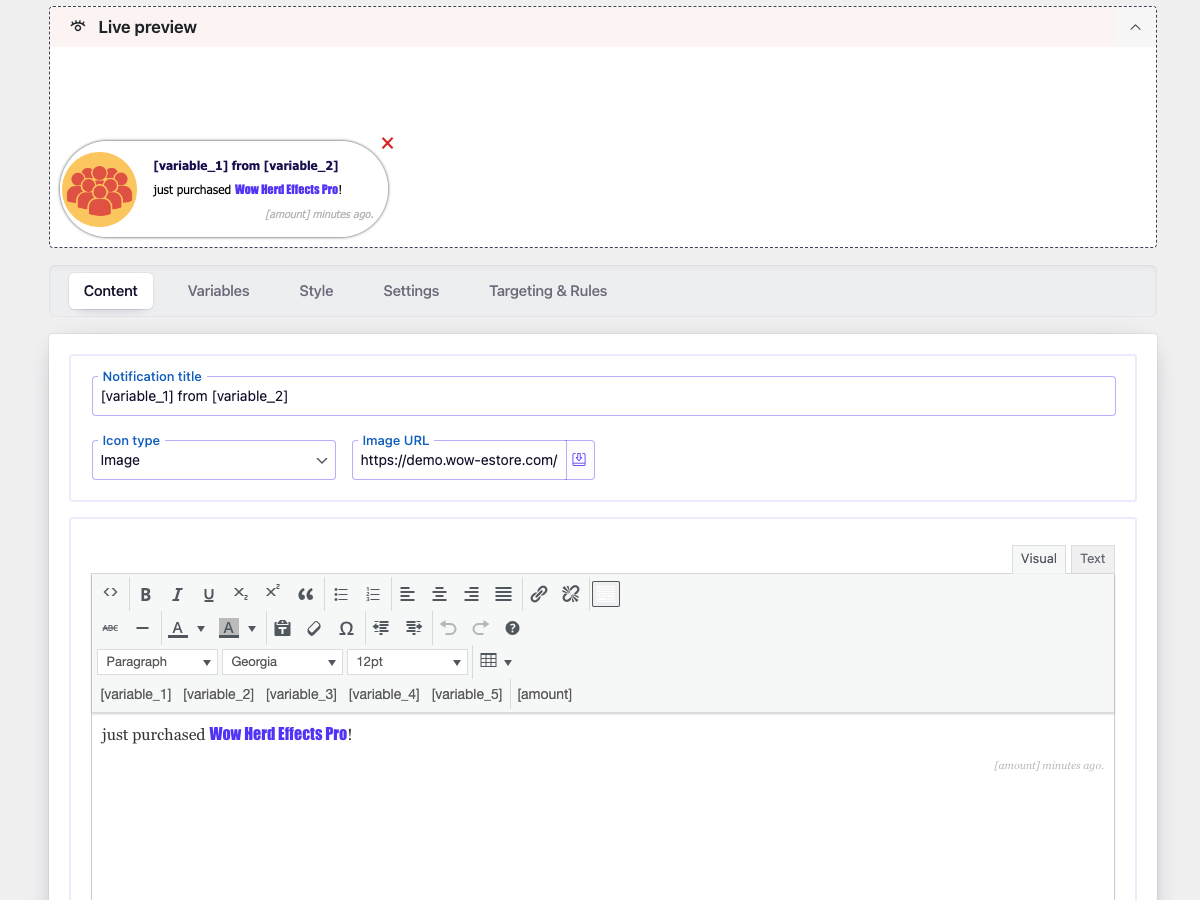
Plugin rich content editor.
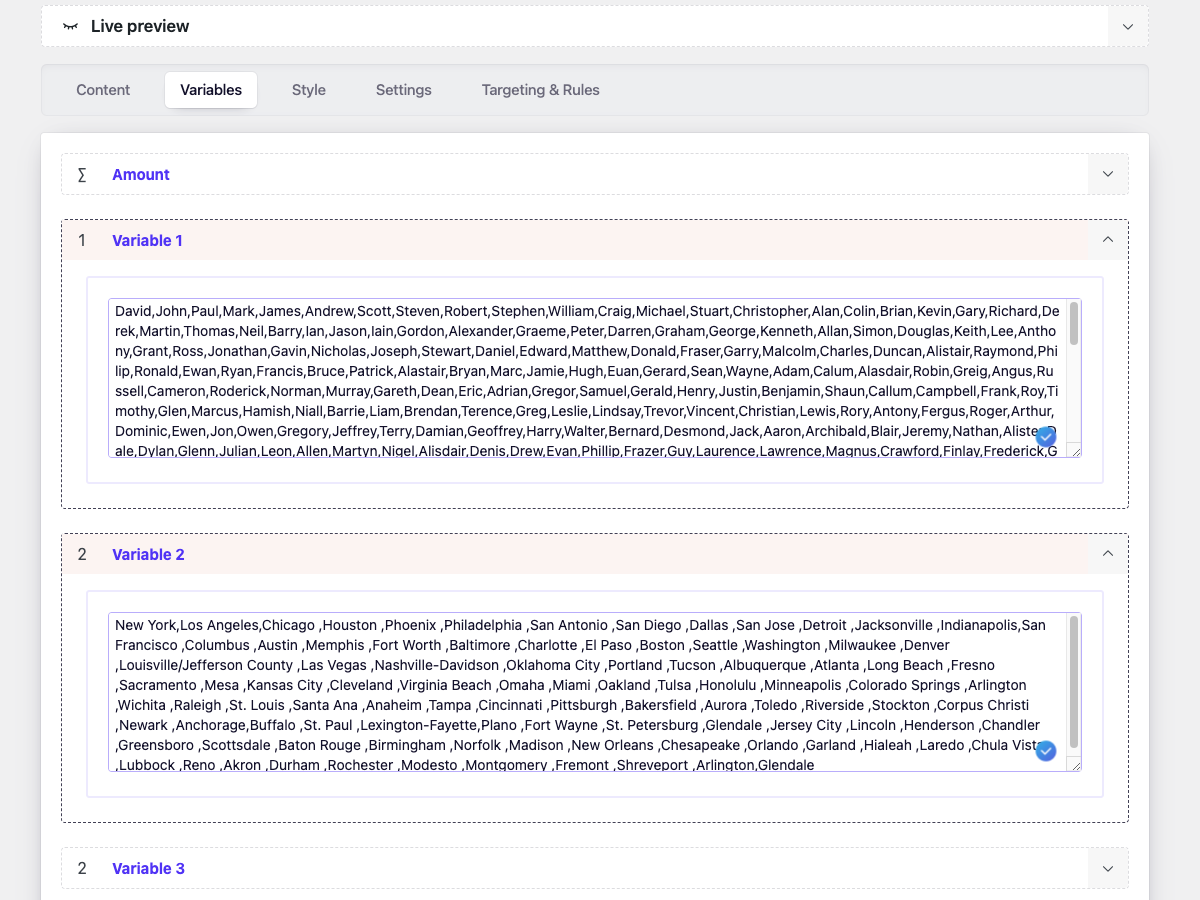
Admin Variables.
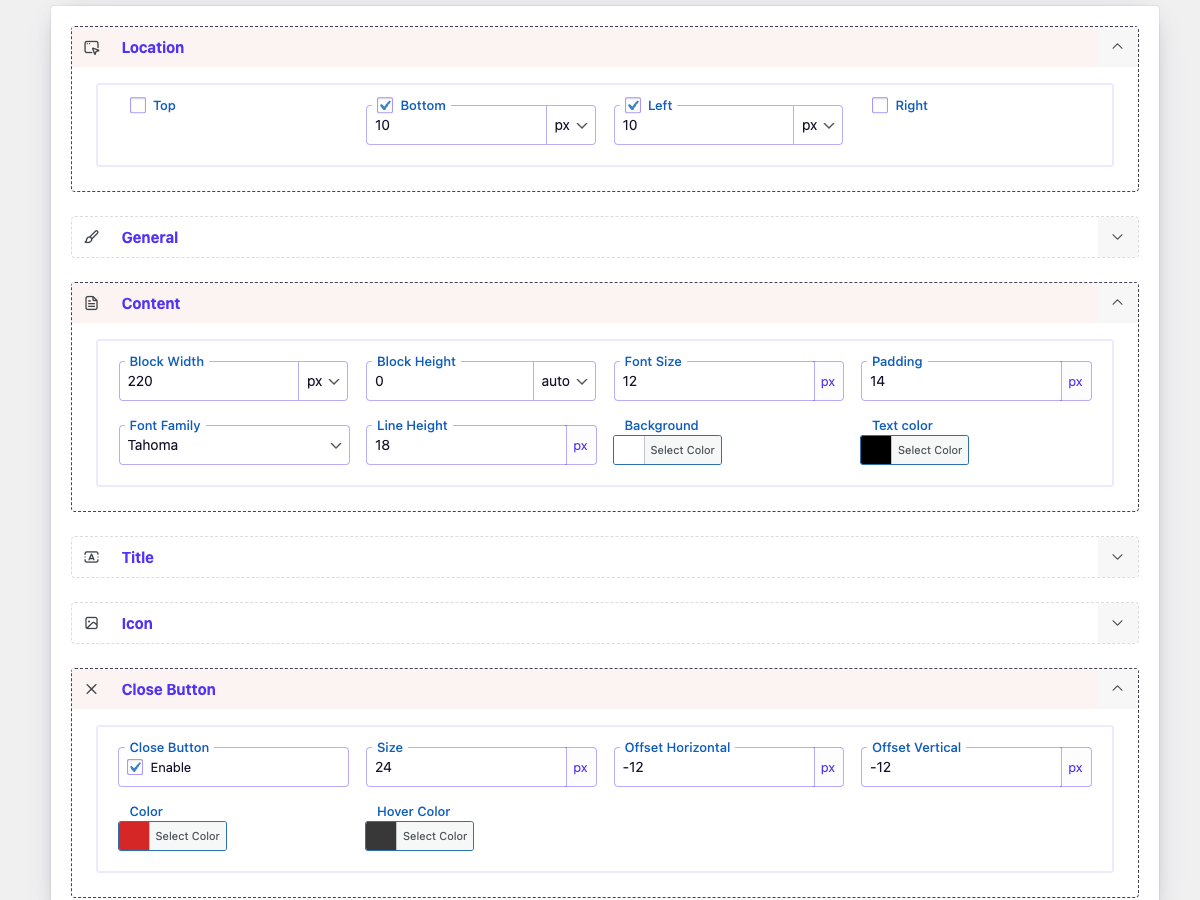
Plugin style.
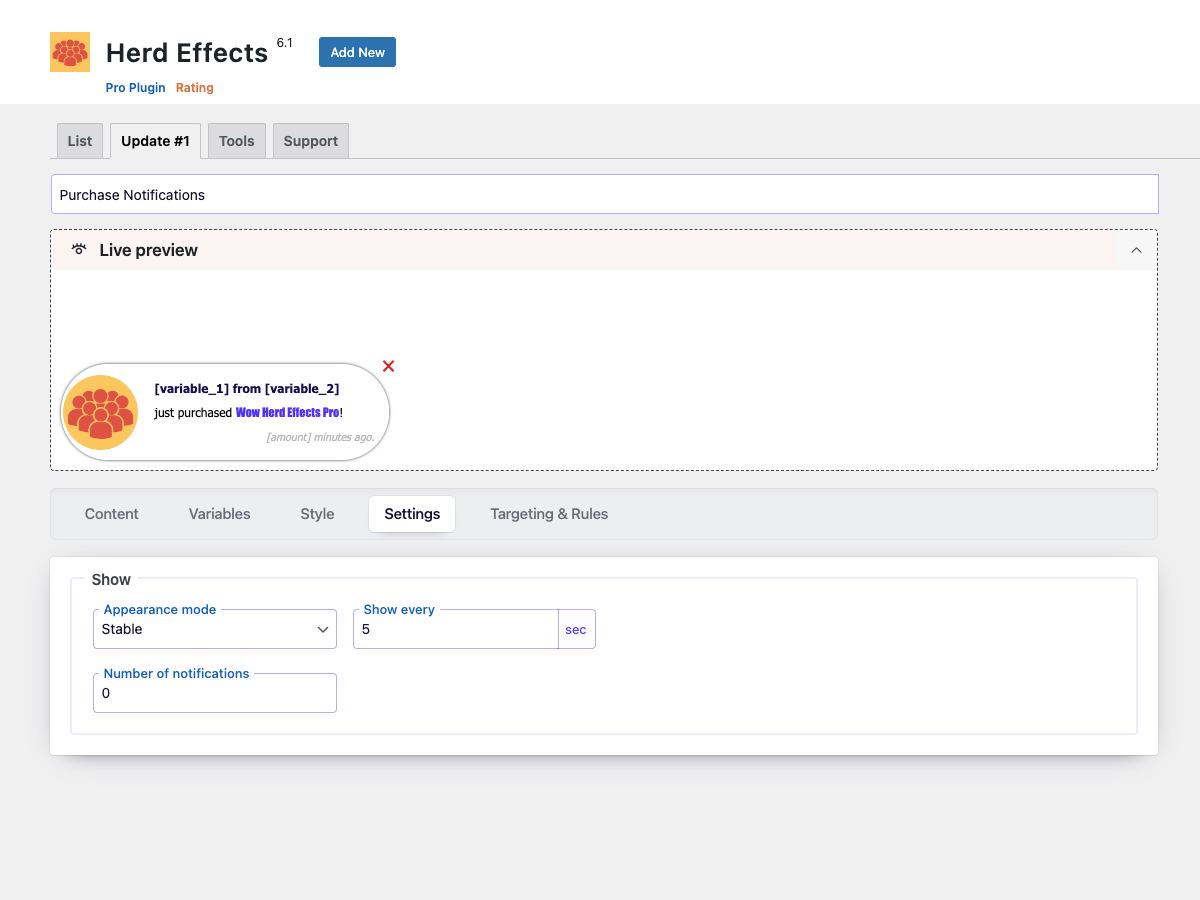
Plugin settings.
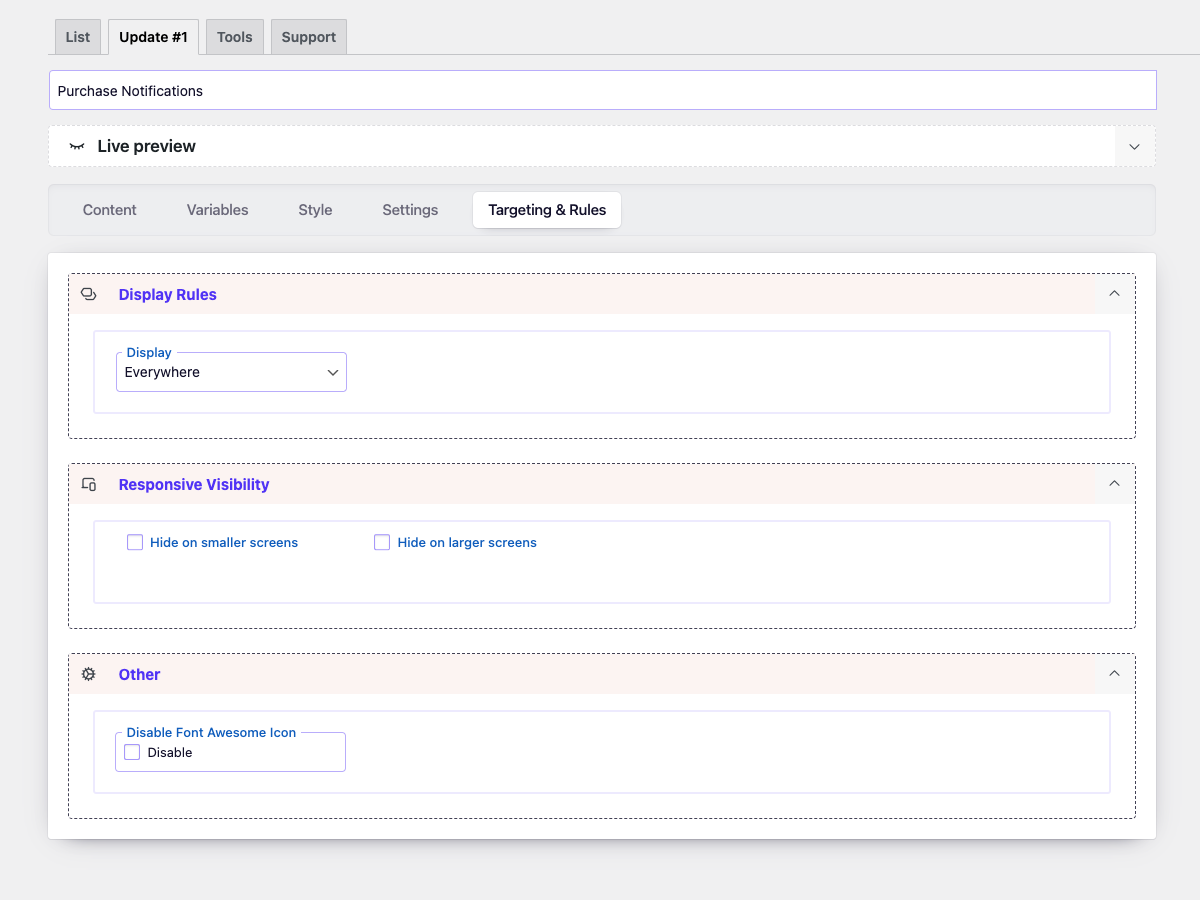
Configure display rules for your notifications.
Reviews
It works very well
By 
Had Issues & Very restricted
By 
Is good Plug in works perfect
By 
Finally. A plugin that destroys all trust and integrity!
By 
Great Plugin with Great Support
By 
Terrible
By 
Didn't work at all
By 
EXCELENTE PLUGIN
By 
Basically this wordpress extension encourages fake sales?
By 
Great for sales page!
By 
Changelog
6.2.5
- Updated: Font Awesome library upgraded to version 7.1.
- Updated:
wp-color-picker-alphato version 3.0.4. - Fixed: minor bug
6.2.4
- Improved: Refactored AdminActions class for better performance and readability
- Improved: Reordered condition checks for better execution performance
- Updated: Added strict type hinting for method arguments in AdminActions
6.2.3
- Improved: Reorganized method order in DBManager class for better readability and maintenance
- Improved: Minor SQL formatting for consistency
- Cleaned: Minor code style improvements according to WordPress Coding Standards (WPCS)
6.2.2
- Fixed: Nonce verification logic for improved security.
6.2.1
- Fixed: minor bug with a creating database
6.2
- Added: Categories to the icons
- Updated: UI elements
- Updated: Icon picker
- Updated: FontAwesome Icon 6.7.1
6.1.1
- Fixed: main icon in the admin menu.
- Fixed: minor bugs
- Update: translate file
6.1
- Added: Control dashboard display based on user roles.
6.0
- Added: Advanced style customization options.
- Added: Tag, link, and button ‘Duplicate’ in the notification option.
- Added: Open notification content in HTML Editor.
- Improvement: Refreshed Interface – Revamped the plugin’s dashboard page style for a more intuitive and user-friendly experience.
- Improvement: Code Optimization – Rewritten jQuery code in vanilla JavaScript for improved performance.
5.2.7
- Fixed: minor bug with nonce
5.2.6
- Fixed: creating the databased
5.2.5
- Fixed: dynamic property for PHP 8.2
5.2.4
- Fixed: minor bug
5.2.3
- Fixed: minor bug
5.2.2
- Fixed: minor bug in page-list
5.2.1
- Fixed: security issue
5.2
- Added: Export/Import functions
- Fixed: minor bug
5.1.3
- Fixed: minor bug
5.1.2
- Fixed: minor bug
5.1.1
- Fixed: script download queue
5.1
- Updated: Font Awesome Icons to version 5.14
- Fixed: minor bugs
5.0.2
- Fixed: include script in footer
5.0.1
- Fixed: custom image
5.0
- Added: Live preview
- Added: test mode option
- Added: Unit for location
- Updated: Admin style
- Update: Font Awesome Icon to v. 5.12
4.1
- Fixed: display of notification
4.0.1
- Fixed: option ‘Show every (sec)’
4.0
- Added: option for disabling FontAwesome 5 from front-end
- Added: Content style options
- Added: Title style options
- Added: Icon style options
- Added: Close button size option
- Changed: Admin Style
- Optimized: Styles and Scripts (minification and response time reduction)
- Updated: FontAwesome 5
- Fixed: Control on the devices
3.1.3
- Fixed: Insert the shortcode
3.1.2
- Fixed: Rounding the amount
3.1.1
- Fixed: minor bugs
- Fixed: main class
3.1
- Fixed: minor bugs
- Added: Support page
- Added: Discount page
3.0
- Added: function hiding menu on mobile
- Changed: admin style
- Changed: Up to 3 notifications
2.3
- Fixed: minor bugs.
- Change: Admin style.
2.2
- Add: Interval display option.
- Change: Admin style.
2.1
- Fix: Can enter ‘Name’ and ‘City’ in new line.
- Fix: Verifying access to the folder ‘asset’.
- Fix: Optimized code.
2.0
- Fixed code
- Change style
1.0
- Initial release