Social Live Chat Helpdesk – MyAlice
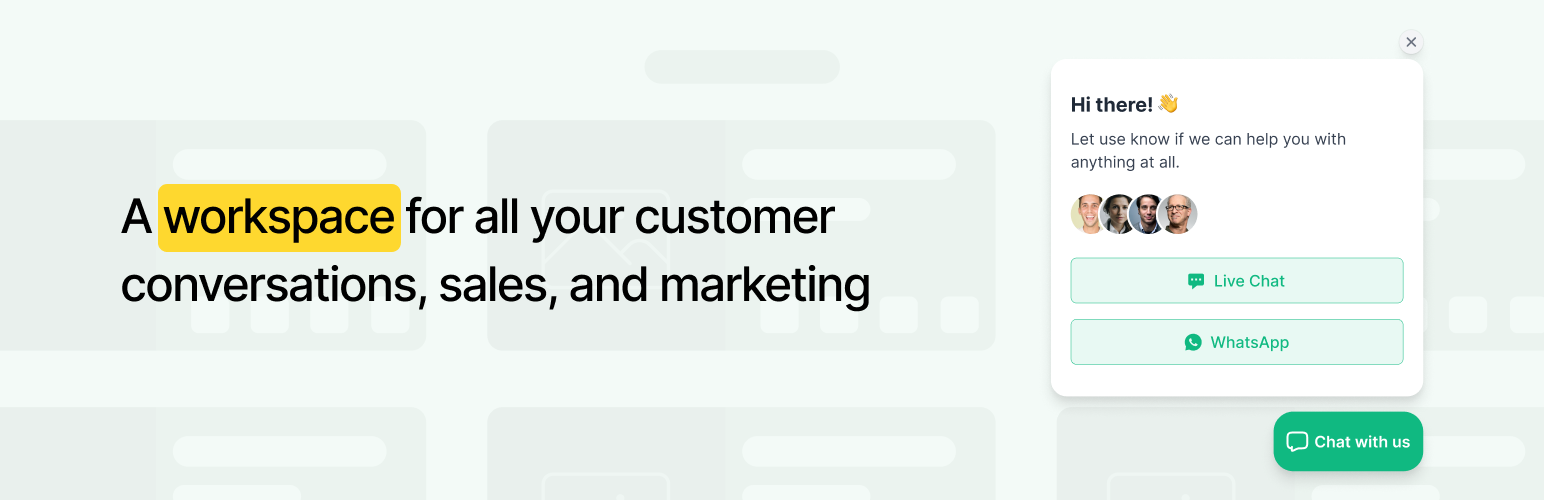
Social Live Chat Helpdesk – MyAlice
Description
LIVE CHAT + SOCIALS TOGETHER
The old way of using communication tools like Live Chat, WhatsApp, WhatsApp, Telegram, Line, Viber, Instagram, Facebook Messenger plus eCommerce was disjointed and siloed. MyAlice puts an end to silos and delivers a new way of turning you and your team into revenue champions.
Integrate your WooCommerce store with MyAlice to build personalized customer experiences that boost your sales. Engage your customers with targeted WhatsApp campaigns and drive more revenue with our powerful automation features designed for eCommerce.
MULTIPLE AGENTS IN 1 INBOX
Your customers are on WhatsApp and other social channels. All the time. So when they’re looking to buy, and they message you, they’re at their moment of highest intent. Engaging with these visitors through a team collaboration inbox.
CHAT WIDGET
Add a chat widget in a few simple steps to your online store. Add your own logo, text, and colors, and set up in a matter of minutes.
CENTRALIZED INTERACTIONS AND SUPPORT ON THE GO
No more switching tabs to respond to WhatsApp, Live Chat, Facebook Messenger, Instagram, Line, Telegram, and Viber. Centralize all your customer interactions under one dashboard. Use our iOS or Android mobile app that allows support from anywhere.
CHATBOT FOR ALL SOCIAL CHANNELS
Using MyAlice’s automation, create AI-powered chatbot that will automatically respond to your customers 24×7. For all social channels including WhatsApp.
SCHEDULE OUTBOUND CAMPAIGNS
Reach out to customers where their friends are for higher CTRs and engagement. Create WhatsApp audience and easily schedule campaigns. Watch new orders roll in!
AUTOMATE YOUR CUSTOMERS’ BUYING EXPERIENCE
Automatically send WhatsApp messages based on customer actions. Follow up on new purchases, abandoned shopping carts, and more WooCommerce triggers by creating business templates.
CONVERT CUSTOMERS ON SOCIALS
MyAlice integrates with your website and automatically pulls your entire catalog into WhatsApp. Bring your store to WhatsApp to make sales easier!
TAKE AND UPDATE ORDERS
When customers come to your store intending to buy something, you need to help them as much as possible. Which includes placing the order for him. With MyAlice’s deep WooCommerce integration, you can now do it with a single click while chatting with your customer.
TRACK REVENUE AND ROI
Analyze the revenue of your WhatsApp messages, campaigns, and store automation. Access reports on all incoming messages, agent response times, agent performance, conversation status, etc. Use these in-depth analytics to improve agent performance.
GET VERIFIED GREEN TICK MARK
Stop sending your order confirmations from some other companies’ WhatsApp numbers. Let customers see your brand and number in all store notifications. MyAlice helps you get verified without any charges, get access to the Official WhatsApp API.
This is way more than your traditional live chat plugin. MyAlice expands on your social communication, boosts sales with automated campaigns, and engages customers at every stage of their journey. It helps you bring in immediate sales, generate leads with purchase intent, delight customers, and make them buy again and again and again!
Easily migrate from Tidio, HubSpot, Tawk, Crisp, Reve Chat, Live Chat, Jivo Chat, Olark, Chatra, Wati, Zendesk, Freshdesk, Reamaze, Drift, Intercom, Helpscout, Zoho, and eDesk. We’ll assist you with migration.
When you succeed, we succeed. Our team of experts will go above and beyond to understand your business and implement a solution that shows immediate impact. Get a demo or Sign-up to see it in action.
Installation
Install MyAlice as a regular WordPress plugin. Here are 2 different ways to install MyAlice plugin :
INSTALL BY SEARCHING PLUGIN
- In your Admin, go to menu Plugins > Add New.
- Search with MyAlice.
- Click to install.
- Activate the plugin.
- You will see a MyAlice tab in your right side navigation bar in WordPress. The next steps are described there.
INSTALL BY UPLOADING PLUGIN
- Download the latest version of MyAlice Plugin (.zip file).
- In your Admin, go to menu > Plugins > Add New.
- Select “Upload Plugin”.
- Click on “Choose File”.
- Select downloaded myalice.zip & click on “Install Now” button.
- Activate the plugin.
- You will see a MyAlice tab in your left side navigation bar in WordPress. The next steps are described there.
Screenshots

Widget

Multi Channel Inbox

eCommerce

Broadcast Campaign

Abandoned Cart

Campaign Report

Conversation Context

Agent Analytics

Automation

Mobile App

Dashboard
Faq
Yes, we use the official Meta API for WhatsApp, Facebook, and Instagram connections.
Once you connect your store, you can view your store inventory, customer details, order details, customer summary, product interactions, and past conversations. You can create or update orders while chatting with your customers directly from MyAlice inbox without switching between platforms.
Next, you can place a live chat widget on your store website to chat with the store visitors, respond to their queries and guide their shopping journey.
Yes. Every time you update anything on your store — product, stock, or price, the information is automatically synced on your MyAlice dashboard. On the other hand, when you create an order from MyAlice, the inventory will also be updated on your WooCommerce dashboard. All in all, WooCommerce and MyAlice sync in real-time.
- Go to your WordPress dashboard. Click on the add new button.
- Type MyAlice in the search tool available on the right.
- In the Search Results, you will find MyAlice plugin.
- After the installation, activate the plugin.
- Sign up to MyAlice and voilà WhatsApp chat is added to your WordPress website.
With our mobile apps – both android and iOS you can chat anytime, anywhere.
Of course, you can! Expand your business offer by adding MyAlice to projects you run for your customers.
Reviews
Good
By 
Good chat plugin
The best chat apps for woocommerce
By 
Simple UI
By 
The AI chat i was looking for
By 
Excellent One-in-One chat customer support tool
By 
Nice helpdesk and e-commerce managing app
By 
MyAlice works
By 
Simple and functional
By 
Clean and Neat UI
By 
The best Live Chat for WooCommerce
By 
Changelog
2.6.0 – 03/10/2024
- Updated: API endpoints url
- Fixed: Connection error due to request timeout
- Few minor bug fixes & improvements
2.5.1 – 30/07/2024
- Added: WooCommerce HPOS Support
- Few minor bug fixes & improvements
2.5.0 – 10/07/2024
- Added: Order Status Updated Webhook
- Few minor bug fixes & improvements
2.4.1 – 14/01/2024
- Fixed: Fatal error on the newer version of PHP
- Few minor bug fixes & improvements
2.4.0 – 07/11/2023
- Added: New settings options to select the pages where the chat widget wants to show
- Improved: WooCommerce API improved to get exact results
- Few minor bug fixes & improvements
2.3.0 – 07/06/2023
- Added: WooCommerce API Status Synchronize options
2.2.0 – 14/03/2023
- Improved: Compatible with WooCommerce 7.4
- Fixed: Network Deactivate option does not work on the network site
2.1.0 – 21/11/2022
- Added: Brand New Live Chat
- Added: Migration process of new live chat for existing user
- Improved: Compatible with WordPress 6.1
- Improved: Compatible with WooCommerce 7.1
- Fixed: Few minor bug fix
2.0.3 – 09/10/2022
- Added: Password show/hide option in the login/registration form
- Added: Back button in the settings page
- Improved: Showing the success message after successful login then redirect
- Improved: Compatible with WooCommerce 6.9
- Fixed: Few minor bug fix
2.0.2 – 28/08/2022
- Added: Added some important links
2.0.1 – 28/08/2022
- Updated: Updated all API with new links
- Fixed: WC Rest API not generating for “WPS Hide Login” plugin
- Improved: Remove some unused functionality
2.0.0 – 23/08/2022
- Added: Compatibility with WooCommerce 6.8
- Updated: New Dashboard Design
- Revamped: Plugin integration journey
- Improved: Data sanitization and validation for Security Enhancement
- Fixed: Few minor bug fix
1.2.9 – 22/05/2022
- Added: Compatibility with WordPress 6.0
- Added: Compatibility with WooCommerce 6.5
1.2.8 – 26/04/2022
- Improved: Data sanitization and validation for Security Enhancement
1.2.7 – 23/04/2022
- API token only be replaced when a valid token will be provided and never be deleted.
- Settings data will be deleted when the plugin is deleted.
- Update plugin name, banner and screenshots
1.2.6 – 09/04/2022
- Added new settings in the dashboard to control sending product and cart data
1.2.5 – 18/03/2022
- Added language template (POT) file
- Added settings in the dashboard to control who is able to chat
- Improve customer connect API (customer will be connected from very first time visit)
- Improve UX (added spinner when saved any settings or API data)
1.2.4
- Fix dashboard slow issue because of api 500 response
- Added compatibility of WordPress 5.9
- Added compatibility of WooCommerce 6.2
1.2.3
- Few minor bug fix
1.2.2
- Improve Performance
- Reduce Unnecessary API Calling
1.2.1
- Update MyAlice Dashboard Access Permission
1.2.0
- Added MyAlice Branded Panel in WordPress Dashboard.
- Auto redirection added after activating the plugin.
- Improved and optimised API connections.
- Improved and optimised API calling.
- Improved data collection to understand customer behaviour better.
- Fix Product image missing on Cart data.
- Fix Product url on View products and Cart.
- Remove MyAlice cached data from database once you remove the plugin.
- Added Goodbye Feedback Form.
- Fix minor bugs.
1.1.2
- Update new js to fix home redirect
1.1.1
- JS issue fix
1.1
- WooCommerce connection added
1.0
- Initial release