MyCurator Content Curation

MyCurator Content Curation
Description
MyCurator will be Closing on 3/31/2025
we will be closing down the MyCurator plugin and our cloud server that supports the plugin. Despite our efforts, we’ve seen a shift in how content is being created. With the advent of advanced language models (LLMs), it has become much easier for our customers to generate targeted articles and content on their own, reducing the need for our solution.
As a result, we have decided to discontinue our services effective March 31st, 2025. We will be canceling all paid subscription fees at the end of November but you will be able to use MyCurator until March 31st and we will provide bug fixes and customer service until 3/31/2025.
We will no longer be taking on new customers. We will not be adding new features or functionality.
It has been over 12 years since we first published MyCurator and we have enjoyed the journey with our customers. We appreciate your support and loyalty over this time.
Installation
Using the WordPress Plugin Installer, Choose Add New and then Upload, choose the zip file on your computer that
you downloaded from the WordPress repository. After Uploading, choose Install and then activate
After activation choose the new MyCurator menu item and follow the Getting Started instructions.
Go to Our Site to get your API Key to Paste into the API Key field
in the MyCurator Dashboard, then click Validate & Get Plan button.
Screenshots
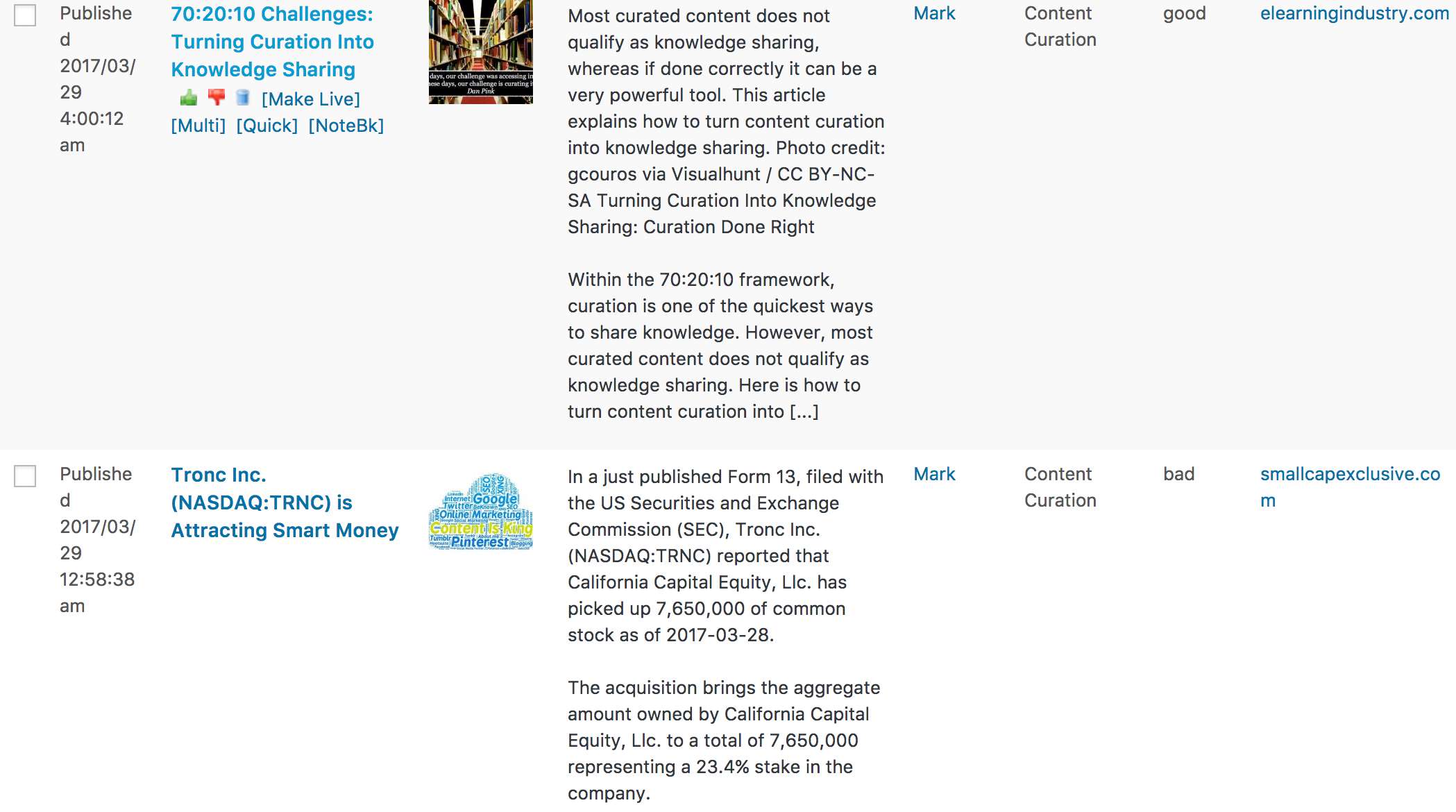
Articles found by MyCurator ready for you to review and curate.
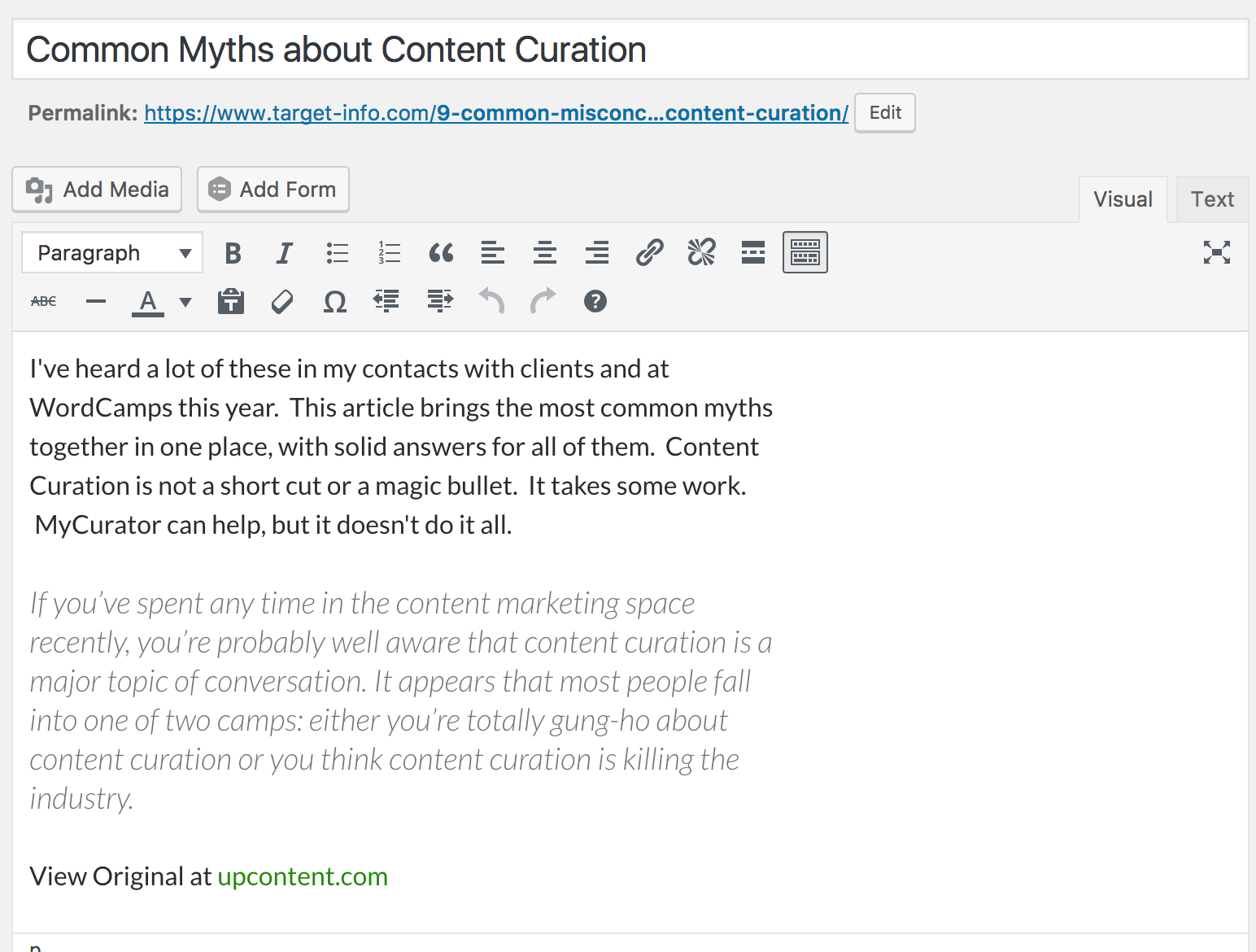
One click curated article in the Editor, with excerpt and attribution from MyCurator, your intro.
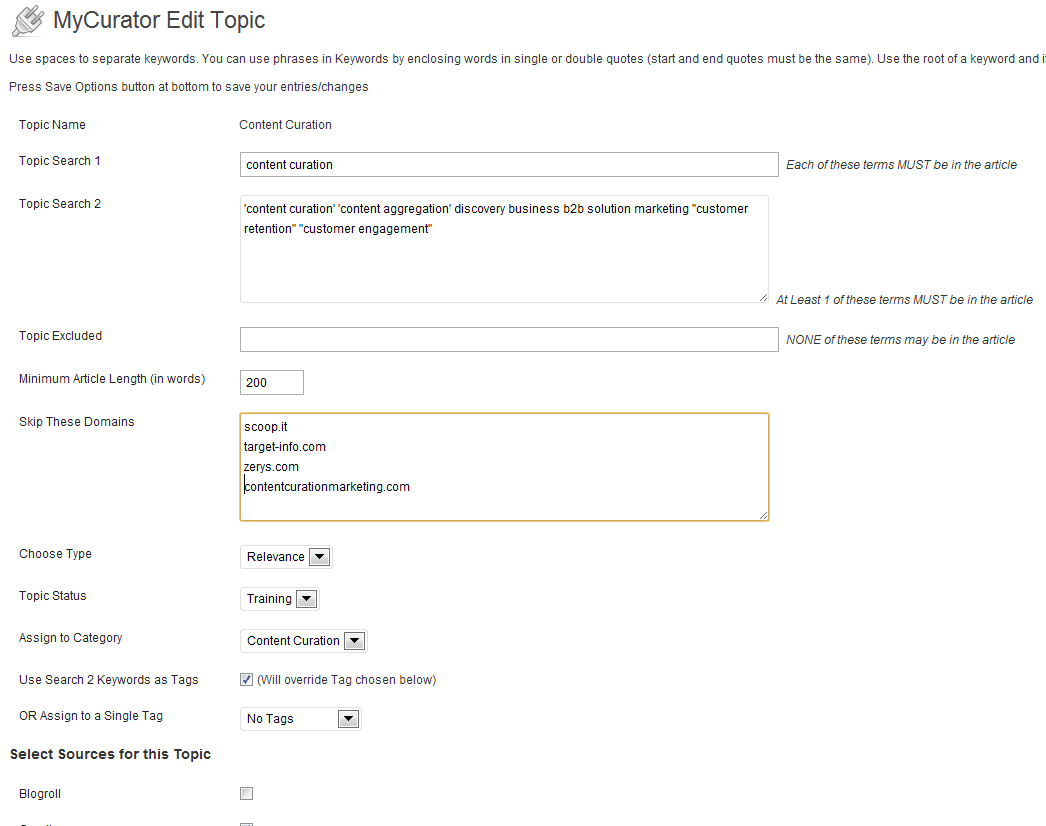
Topic page tells MyCurator what articles to look for by keyword.
Faq
MyCurator creates a simple excerpted blog post, with a link to the original page. It should work with most
themes. Optionally, it will try to save an image from the article as the featured image for the post.
Yes, MyCurator works with Network sites. You must have a key for each site. Enterprise options are available
for businesses and larger sites that need many keys.
Yes, MyCurator will read and post articles written in other languages. All characters in the UTF-8 encoding, the same
used by WordPress, will be displayed. You can customize the link to the original page to match your language.
The admin pages, documentation and the training videos are only in English at this time.
You can set MyCurator to process every 3, 6, 12 or 24 hours, depending on how often new articles are posted to
your sources. Processing happens in the background, with most of the processing off-site using our
cloud services.
Reviews
Great plugin
By 
-
1. Option to set full article text or excerpt for each topic category.
2. Option to customize the attribution text and either to include or exclude attribution link for each topic category.
3. Option for word spinner or word AI that can replace the article text synonymously for each topic category.
MyCurator is Awesome - Support is AMAZING!
By 
Great Plugin For Content Curation
By 
Brilliant plugin, brilliant support!
By 
Excellent plugin and support
By 
Works perfectly, amazing support
By 
Awesome - after some help from MyCurator
By 
What did we do before this amazing plugin !!!!
By 
Secret Sauce + Fast Response When Needed
By 
Garbage - don't waste your time
By 
Hobbled beyond usability. Push to pay before you can even evaluate if there is any value.
Changelog
3.79
- Fix Search 2 Keywords to Tags issue with Phrases
- Fix Security Issue
3.78
- Fix PHP8 Issue