Nahnu Cache Connector for Bunny.net

Nahnu Cache Connector for Bunny.net
Description
Nahnu Cache Connector for Bunny.net connects your WordPress site to Bunny.net CDN. It syncs cache purges automatically, deploys a full set of production-ready edge rules with one click, and shows live CDN stats directly in your WordPress admin.
For full documentation visit wpbunnyconnector.com.
Automatic cache purge sync
Hooks into your active cache plugin so every purge is mirrored to Bunny CDN in real time. Where possible, per-URL purges are used instead of full zone wipes.
Supported cache plugins (16):
- WP Rocket
- LiteSpeed Cache
- W3 Total Cache
- WP Fastest Cache
- WP Super Cache
- FlyingPress
- Swift Performance
- Hummingbird
- Cache Enabler
- Breeze (Cloudways)
- WP-Optimize
- SpeedyCache
- Super Page Cache (WP Cloudflare Page Cache)
- ZiziCache
- RunCache (Beta)
- SWIS Performance by EWWW Image Optimizer
74 edge rules, one-click deploy
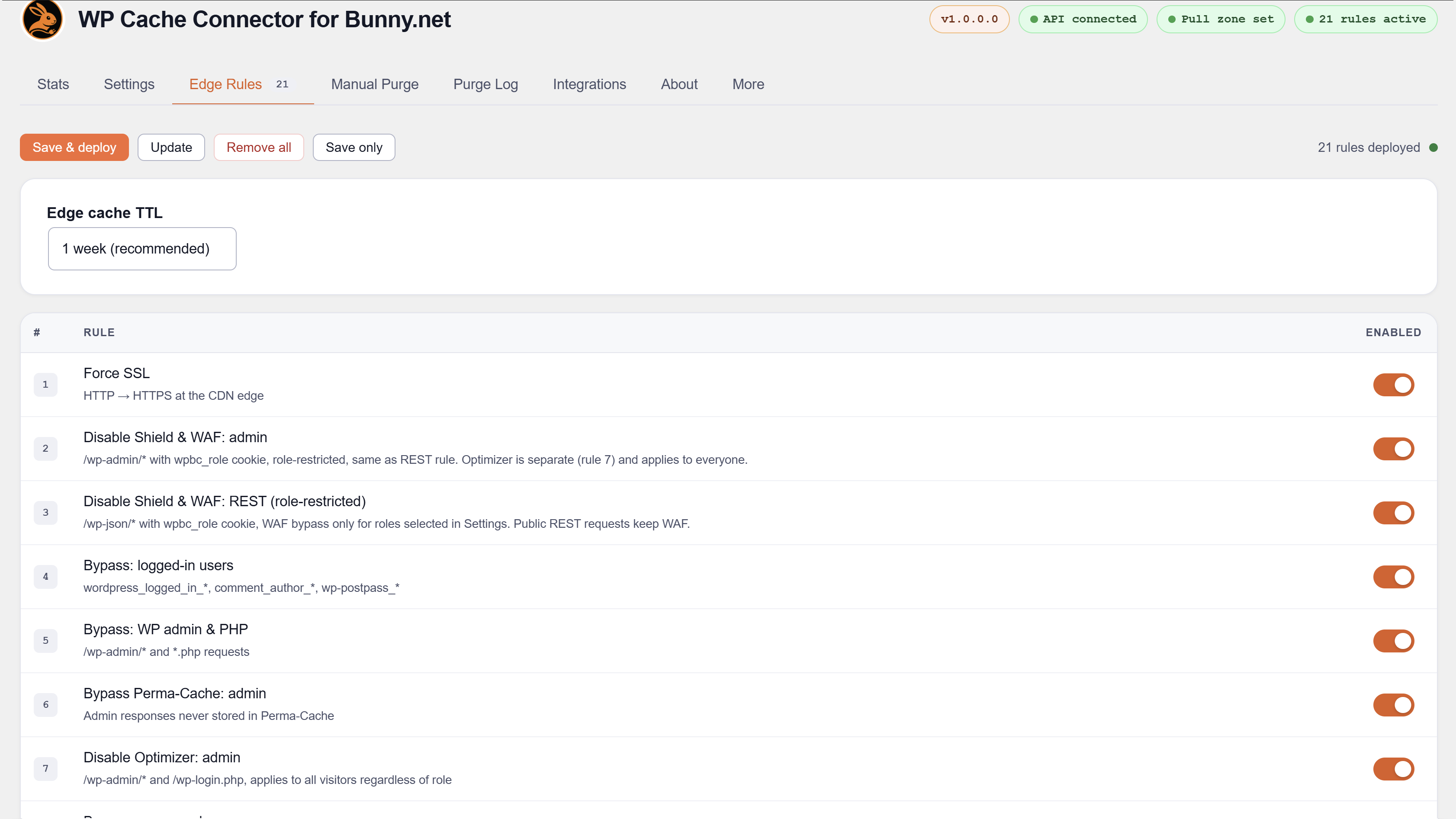
Deploys a complete set of rules to your Bunny pull zone covering SSL, admin bypass, WAF bypass, ecommerce cart sessions, membership pages, LMS dashboards, static asset caching, security headers, CORS, and more. Rules are upserted and tracked by GUID — safe to redeploy at any time without duplicates.
Ecommerce bypass
Bypass rules are built automatically from each plugin’s own page settings. No manual URL entry needed.
Supported ecommerce and donation plugins (6):
- WooCommerce
- SureCart
- FluentCart
- Easy Digital Downloads (EDD)
- GiveWP
- WP User Frontend (WPUF)
Membership bypass
Supported membership plugins (13):
- Ultimate Member
- Simple Membership
- Paid Member Subscriptions
- User Registration and Membership
- WP-Members
- WCFM Multivendor Membership
- Restrict Content / Kadence Membership
- ProfilePress
- Indeed Ultimate Membership Pro
- Paid Memberships Pro
- ARMember
- MemberPress
- GiveWP
LMS and community bypass
Supported LMS plugins (9):
- WP User Frontend
- MasterStudy LMS
- Masteriyo LMS
- LearnDash
- Sensei LMS
- Academy LMS
- LifterLMS
- Tutor LMS
- FluentCommunity
Affiliate and community plugins with bypass rules (2):
- FluentAffiliate
- SureDash
Booking and event bypass
Supported booking and event plugins (4):
- Events Manager
- Amelia Booking
- LatePoint
- WP Event Manager
Multilingual support
Bypass rules automatically include translated page URLs when any of these plugins is active:
- WPML
- Polylang
- TranslatePress
Shield WAF — trusted IP whitelist
Disables Bunny Shield WAF inspection for specific IPs or CIDR ranges entered in Settings. Useful for SaaS callbacks, office networks, staging servers, and payment gateway IPs.
Cache warmer
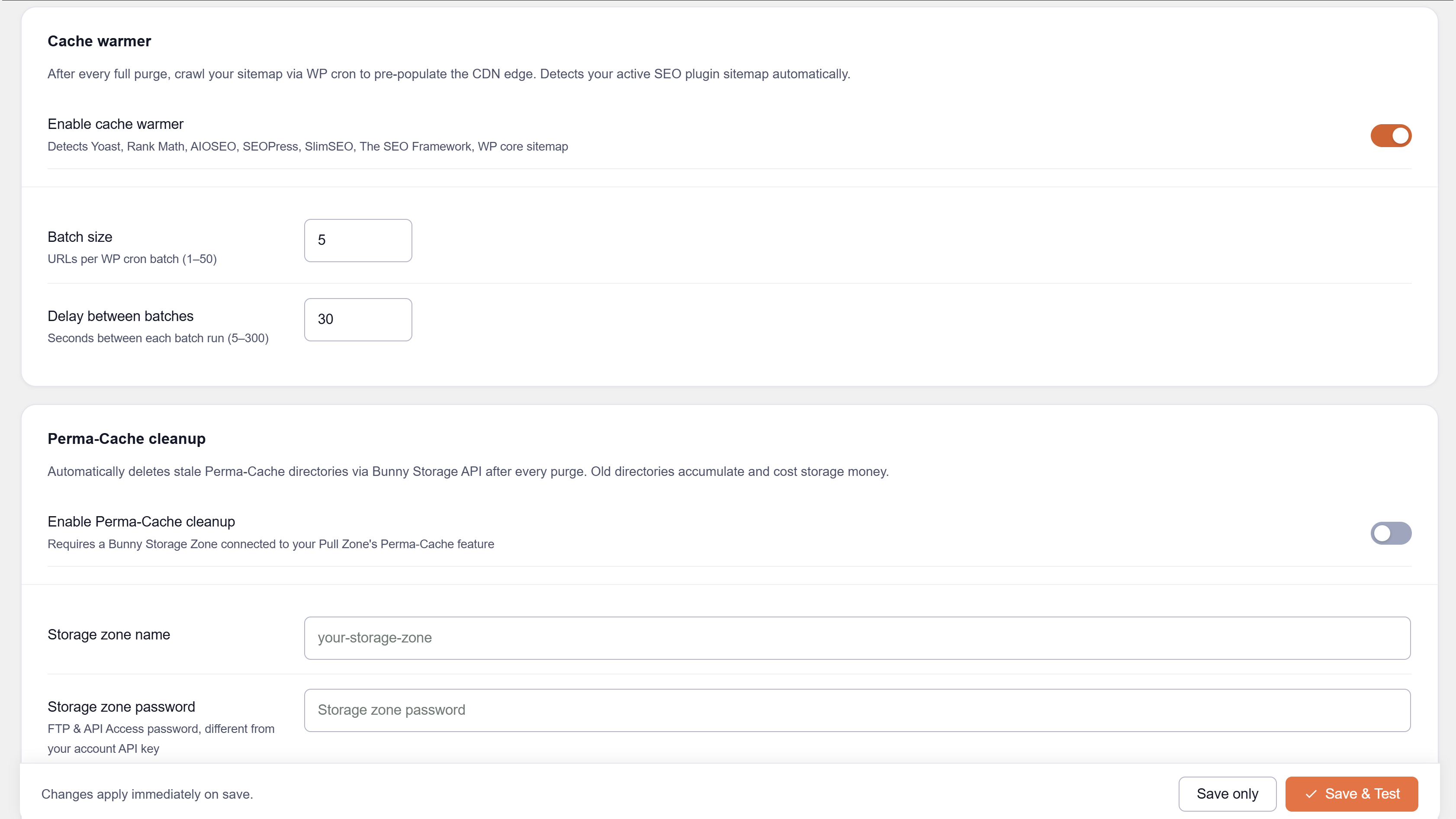
After a full purge, a WP-Cron job crawls your sitemap to pre-warm the CDN edge.
Supported SEO plugins for sitemap auto-detection:
- Yoast SEO
- Rank Math
- All in One SEO
- SEOPress
- SlimSEO
- The SEO Framework
- Squirrly SEO
- WordPress core sitemap (fallback)
Live CDN analytics
Pull zone stats, DNS stats, bandwidth breakdown, cache hit rate, and cache sync status — all inside WordPress admin.
Perma-Cache cleanup
Deletes stale Perma-Cache files from Bunny Storage immediately after a full purge, without waiting for TTL expiry.
Checked, no integration needed
These plugins were analysed and confirmed fully compatible with no bypass rules required:
- Wordfence, All-In-One Security, Jetpack, Solid Security, Security by CleanTalk
- Complianz GDPR, CookieYes
- SureMembers, WishList Member, Members (by MemberPress)
- bbPress, Fluent Boards
- The Events Calendar, FluentBooking
- Autoptimize, FlyWP, Redis Object Cache, Aruba HiSpeed Cache, Comet Cache, SiteGround Speed Optimizer, EWWW Image Optimizer
For the full compatibility list and documentation visit wpbunnyconnector.com.
Developer hooks and filters
Third-party plugins can integrate with Nahnu Cache Connector for Bunny.net without any changes to this plugin. Four filters are available.
wpbc_shield_bypass_ips — add trusted IP addresses or CIDR ranges to the Bunny Shield WAF bypass list. Merged with IPs entered manually in Settings and deployed as part of rule 74.
wpbc_shield_bypass_urls — disable Bunny Shield WAF inspection on specific URL path patterns. Deploys as rule 75 when any plugin uses this filter.
wpbc_cache_bypass_urls — add URL path patterns to the Bunny CDN cache bypass list. Deploys as rule 76 when any plugin uses this filter.
wpbc_compatible_plugins — register a plugin in the Integrations tab with a name, company, and compatibility note.
For full developer documentation and code examples visit wpbunnyconnector.com.
External services
This plugin communicates with the Bunny.net API (api.bunny.net) to purge cache, manage edge rules, and retrieve statistics. An active Bunny.net account and API key are required. No visitor data is transmitted. See Bunny.net Privacy Policy (https://bunny.net/privacy) and Terms of Service (https://bunny.net/tos).
Disclaimer
This is an independent third-party tool. It is not affiliated with, endorsed by, or sponsored by Bunny.net.
Privacy Policy
Nahnu Cache Connector for Bunny.net does not collect or transmit any data about your site’s visitors. No analytics, no tracking, no third-party data sharing.
The plugin communicates with the Bunny.net API to purge cache, fetch statistics, and manage edge rules. Data sent is limited to your Bunny API key (in request headers), pull zone ID, and URLs to purge. See Bunny.net’s Privacy Policy for details on how Bunny.net handles this data.
No data is sent to Nahnu Plugins or any third party other than Bunny.net.
Installation
- Upload the
nahnu-cache-connector-bunny-netfolder to/wp-content/plugins/, or install via Plugins > Add New > Upload. - Activate the plugin through the Plugins menu.
- Go to Settings > Bunny Connector.
- Enter your Bunny.net Account API Key and click Test to verify it.
- Select your pull zone from the searchable dropdown.
- Click Save & deploy in the Edge Rules tab to deploy all rules to your pull zone.
Your API key is the Account API Key found in the Bunny.net dashboard under Account > API, not a pull zone access key.
For full setup instructions visit wpbunnyconnector.com.
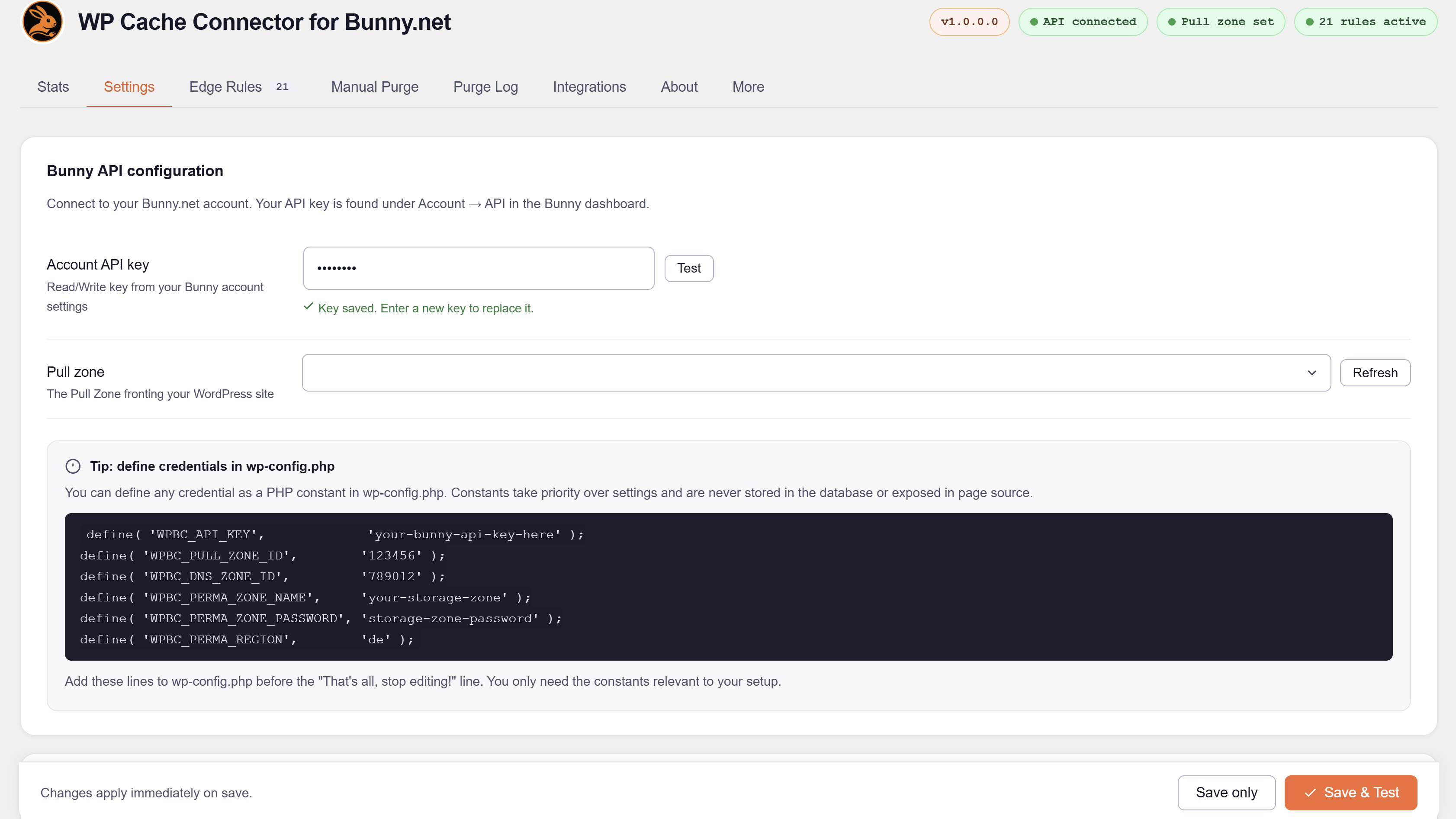
Defining constants (optional)
Lock any value in wp-config.php to prevent it being stored in or changed via the database. When a constant is defined, the corresponding field is hidden in the UI.
define( 'WPBC_API_KEY',             'your-bunny-api-key' );
define( 'WPBC_PULL_ZONE_ID',        '123456' );
define( 'WPBC_DNS_ZONE_ID',         '789012' );
define( 'WPBC_PERMA_ZONE_NAME',     'your-storage-zone' );
define( 'WPBC_PERMA_ZONE_PASSWORD', 'storage-zone-password' );
define( 'WPBC_PERMA_REGION',        'de' );
Available values for WPBC_PERMA_REGION: de (Falkenstein), uk (London), ny (New York), la (Los Angeles), sg (Singapore), se (Stockholm), br (Sao Paulo), syd (Sydney), jh (Johannesburg).
Screenshots
Edge Rules tab — 74 rules with enable/disable toggles, deploy button, and results table
Settings tab — cache warmer and Perma-Cache cleanup configuration
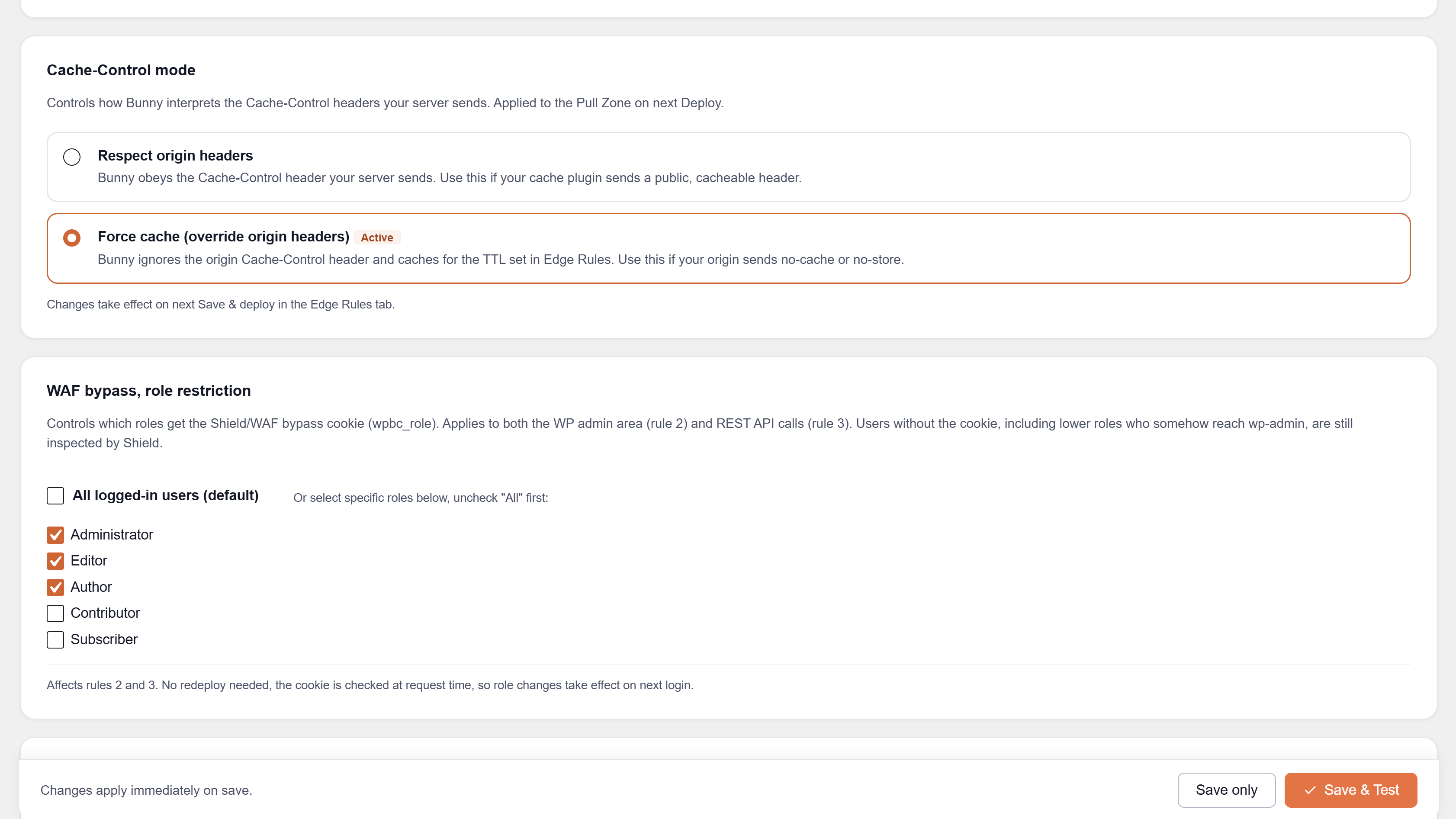
Settings tab — Cache-Control mode and WAF role restriction
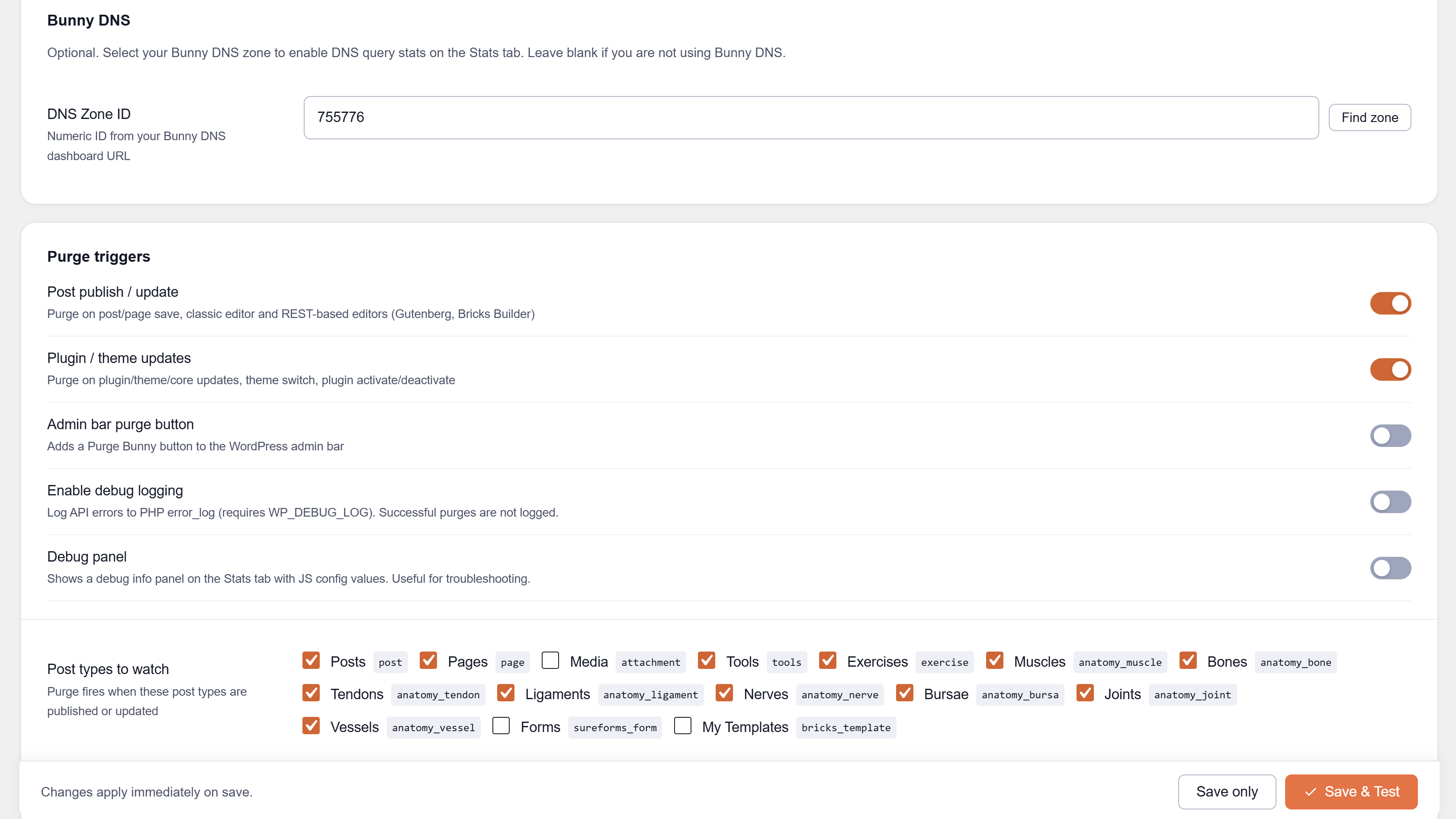
Settings tab — purge triggers and post types to watch
Settings tab — Bunny API configuration and wp-config.php constants
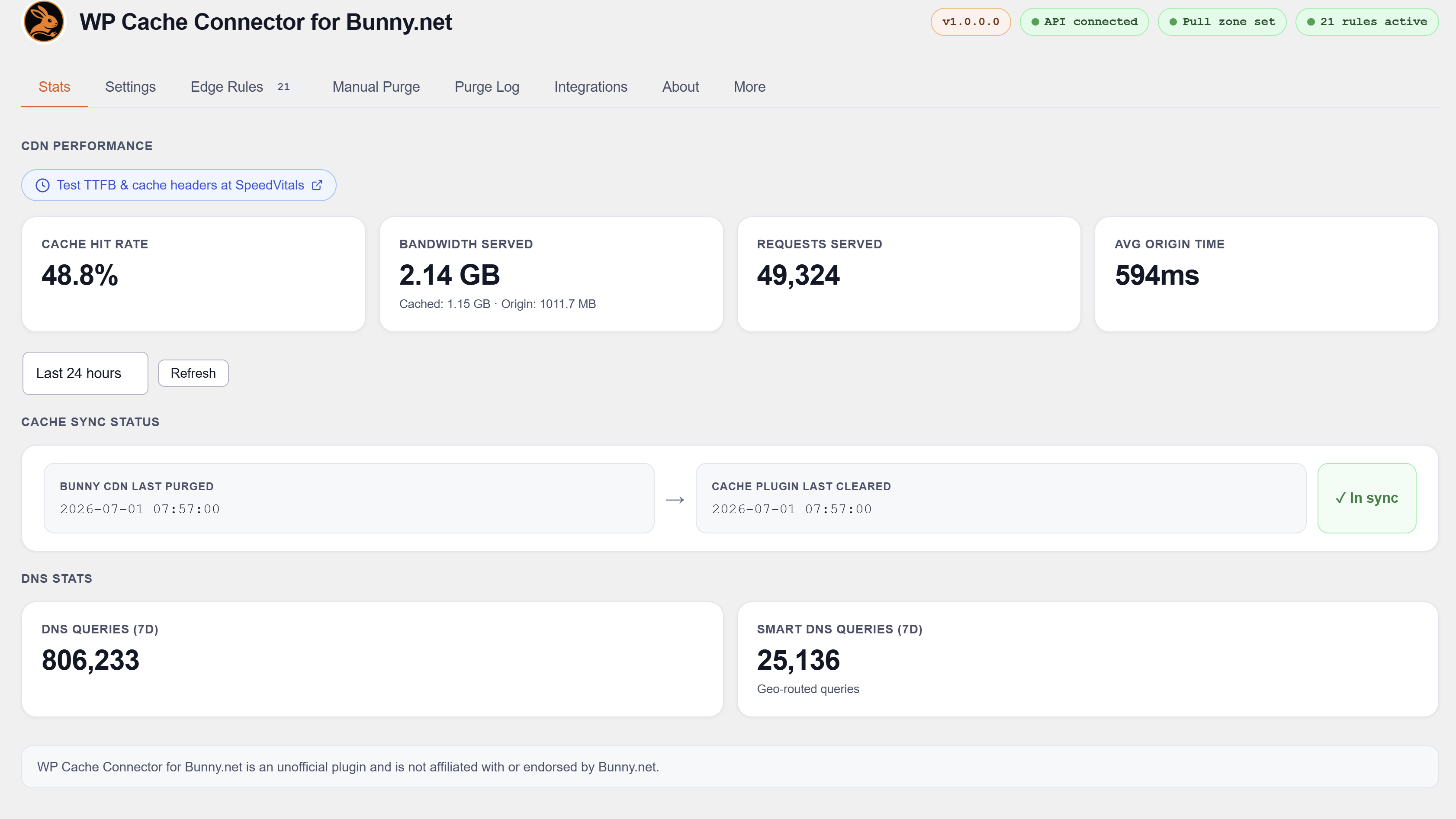
Stats tab — live CDN analytics, DNS stats, and cache sync status

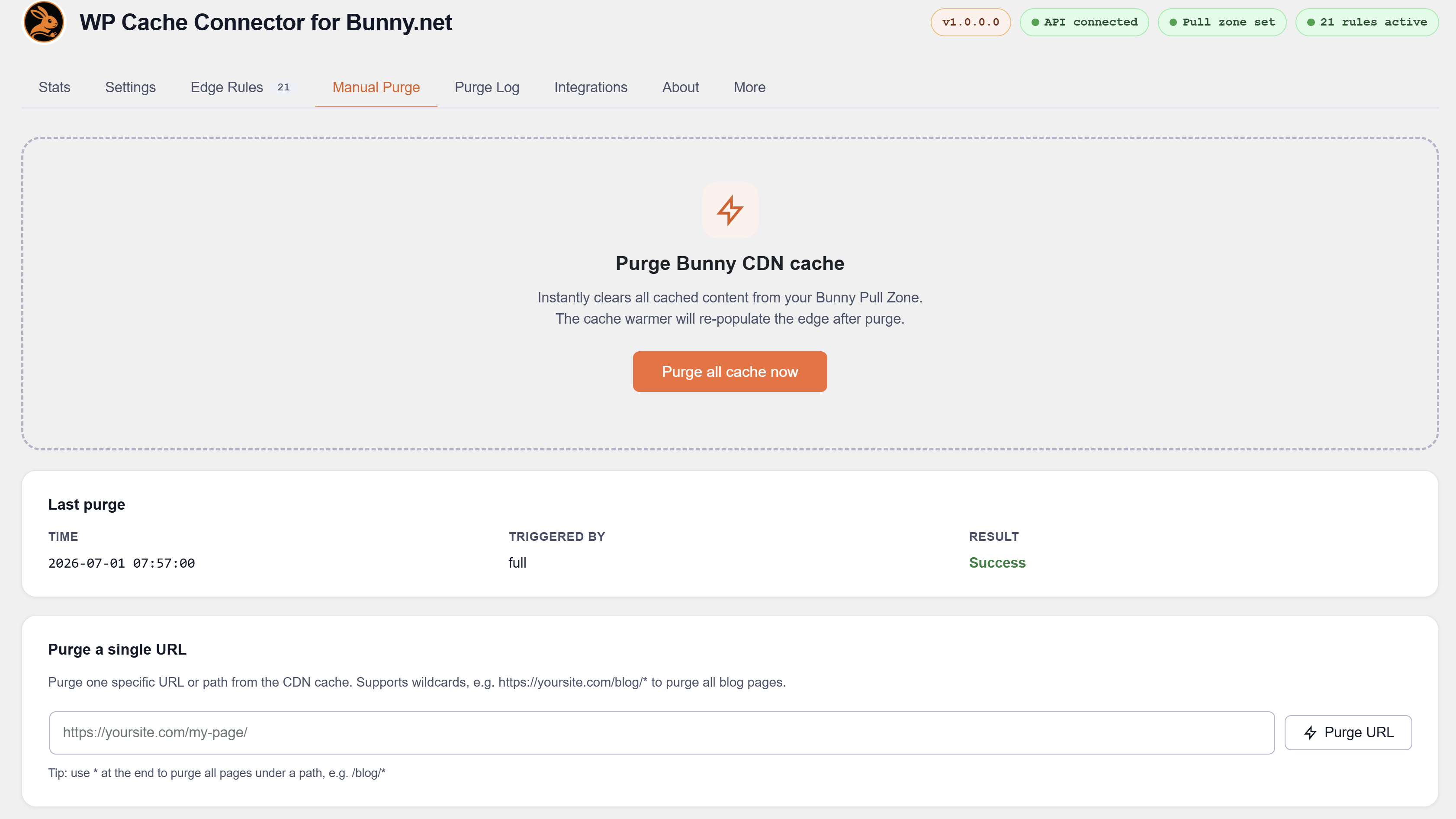
Manual Purge tab — full purge and per-URL purge with wildcard support
Stats tab — cache hit rate, bandwidth, requests, and cache sync status detail
Faq
It integrates with 16 specific cache plugins listed above. On sites not using any of them, you can still use the edge rules, manual purge, admin bar button, and CDN stats — purges just need to be triggered manually or via the post save / plugin update triggers rather than automatically mirroring a cache plugin’s hooks.
Yes. Each bypass rule checks for its plugin at deploy time using class_exists() or defined(). If WooCommerce is not active, the WooCommerce rules are skipped. If MasterStudy LMS is active, its rules are deployed. No manual configuration needed.
Yes. Bypass rules for ecommerce and membership plugins automatically include translated page URLs when any of these plugins is active.
Some cache plugins send Cache-Control: max-age=0 to Bunny, which tells Bunny not to cache. Force Cache mode overrides CacheControlMaxAgeOverride on your pull zone so Bunny caches HTML for the configured TTL regardless of what the origin sends.
Yes. Enable Perma-Cache cleanup in Settings and provide your Bunny Storage zone credentials. After every full purge the plugin lists and deletes stale Perma-Cache files so visitors always get fresh content.
In the Bunny.net dashboard, go to Account > API. Use the Account API Key — not a pull zone access key. The account key is required to manage edge rules and list pull zones.
Bunny’s API limits each rule trigger to 5 URL patterns. Rules that cover many file extensions are automatically split into batches of 5, and each batch becomes a separate rule. The suffix shows which batch you are looking at.
Batched rules each occupy multiple slots. On a site with www and non-www hostnames and all integrations active, the physical count will exceed 74. The plugin tracks all rule GUIDs and cleans up stale batches automatically when you redeploy.
Most LMS plugins register course and lesson content as public custom post types with standard cacheable URLs. Only per-user pages (student dashboards, checkout, registration, account) need a bypass rule. The plugin makes this distinction based on each plugin’s source code.
Yes. The wpbc_role cookie is set on the set_auth_cookie action, which fires for all login methods including MainWP, SSO plugins, and magic link plugins.
Yes. Security plugins operate at the request or firewall layer and are fully compatible. See the Integrations tab for the complete list.
Not as a CDN. NitroPack operates its own cloud CDN layer. Running both NitroPack CDN and Bunny CDN as proxy simultaneously creates a double-CDN conflict.
Yes. Four PHP filters are available so any plugin can integrate without changes to this plugin:
wpbc_shield_bypass_ips -- add trusted IPs or CIDR ranges to the WAF bypass list.
wpbc_shield_bypass_urls -- disable Shield WAF on specific URL paths.
wpbc_cache_bypass_urls -- add URL paths to the CDN cache bypass list.
wpbc_compatible_plugins -- register in the Integrations tab.
See full developer documentation at wpbunnyconnector.com.
Yes. Visit wpbunnyconnector.com/support to request a plugin check.
The API key is stored in the WordPress options table. It is never output in HTML, never sent to the browser in JavaScript, and never included in any AJAX response. It is sent only in HTTP request headers to the Bunny.net API. All admin AJAX endpoints require a valid nonce and manage_options capability.
Reviews
Changelog
1.0.3
- Added: Auto-deploy edge rules when the plugin updates or a supported plugin is activated/deactivated. Runs in the background via WP-Cron 30 seconds after the trigger. Result logged to the Purge Log.
- Added: WP-CLI commands — wp bunny deploy, wp bunny purge, wp bunny status, wp bunny rules.
- Added: Admin notice when a supported plugin is activated or deactivated confirming background rule update. Persists until the deploy completes or the admin dismisses it.
- Added: Public PHP API (filters and actions) for third-party plugin integration — wpbc_is_connected, wpbc_status, wpbc_last_purge_time, wpbc_purge_all, wpbc_purge_url, wpbc_deploy, wpbc_update_rules.
- Added: REST API endpoints under /wp-json/wpbc/v1/ — GET /status, POST /purge, POST /purge-url, POST /deploy. Authenticated via X-WPBC-Token header or WordPress admin session.
- Added: REST API token field in Settings with copy and regenerate buttons.
- Added: API documentation tab in the plugin admin showing all REST endpoints, PHP filters, PHP actions, and integration filters with copy-paste code examples.
1.0.2
- Fixed: Stable tag corrected to 1.0.2 to resolve WordPress.org serving incorrect version.
1.0.1
- Added: Vary Cache by Accept-Language — automatically configured on the pull zone when WPML, Polylang, or TranslatePress is active.
- Added: Shield WAF event log panel on the Stats tab — view blocked IPs, triggered rules, and URLs for the last 1, 6, 24, or 72 hours.
- Added: Shield Zone ID field in Settings.
- Added: Request Coalescing toggle in Settings.
- Added: Admin notice after plugin updates prompting a redeploy of edge rules.
- Updated: Tested up to WordPress 7.1.
1.0.0.5
- Added: wpbc_shield_bypass_ips filter — third-party plugins can add trusted IPs/CIDRs to the Bunny Shield WAF bypass list (rule 74) without any code changes to this plugin.
- Added: wpbc_shield_bypass_urls filter — third-party plugins can disable Shield WAF on specific URL path patterns (rule 75, new).
- Added: wpbc_cache_bypass_urls filter — third-party plugins can add URL paths to the Bunny cache bypass list (rule 76, new).
- Added: wpbc_compatible_plugins filter — third-party plugins can register themselves in the Integrations tab.
1.0.0.4
- Fixed: Plugin settings (API key, pull zone) could be wiped during plugin updates, option imports, or multisite sync. Added a sanitize guard that aborts if the incoming data has no recognisable form submission markers, and a pre_update_option filter as a second line of defence.
1.0.0.3
- Fixed: Bunny edge cache now always purges when a cache plugin is updated, regardless of the “Plugin/theme updates” trigger setting. Previously the purge was skipped if that toggle was off.
1.0.0.2
- Added: BerqWP integration — berqwp_flush_all_cache and berqwp_purge_cdn (full purge), berqwp_flush_page_cache (per-URL path slug).
1.0.0.1
- Added: SWIS Performance by EWWW Image Optimizer integration — swis_complete_cache_cleared and swis_site_cache_cleared (full purge), swis_cache_by_url_cleared (per-URL).
- Updated: Tested up to WordPress 7.0.1.
1.0.0.0
- Initial public release.